After helping dozens of indie developers optimize their Steam pages, I’ve seen the same mistakes cost games thousands of potential wishlists. Your Steam store page is your game’s storefront — it has seconds to convert visitors into wishlists. Here’s what actually works in 2026.
Quick Answer
- Capsule image is king — it’s seen 10x more than any other asset
- 7,000+ wishlists is the benchmark for Steam’s promotional algorithms
- First 5 tags determine your discoverability — be specific, not generic
- GIFs beat screenshots in above-the-fold engagement
- Launch your Steam page 6-12 months before release to maximize wishlist accumulation
Why Your Steam Page Matters More Than Ever
Steam released over 14,000 games in 2025. Your competition isn’t just other games in your genre — it’s every game fighting for attention in the same Discovery Queue. A well-optimized Steam page doesn’t just look good; it actively drives wishlists and sales by appearing in more recommendations.
The 10,000 wishlist benchmark: According to industry data, hitting 10,000 wishlists before launch significantly increases your chances of being featured in Steam’s promotional spots. Games that hit this threshold typically see 3-4x more organic traffic at launch.
Your Capsule Image: The Single Most Important Asset
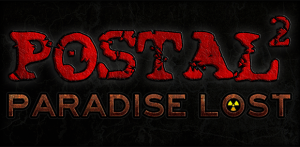
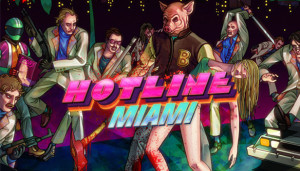
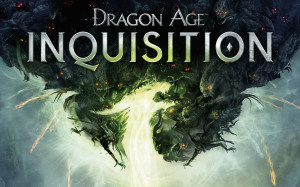
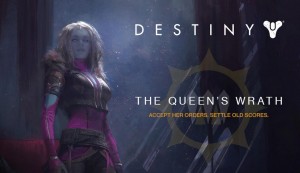
Your small capsule image (231×87) appears everywhere: search results, Discovery Queue, curators, recommendations. It’s the first impression for 99% of your potential audience.
What works:
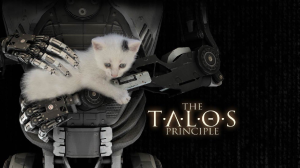
- High contrast — dark backgrounds with bright characters pop in Steam’s dark UI
- Readable title — if players can’t read your game name at thumbnail size, redesign it
- Genre clarity — players should instantly know what kind of game this is
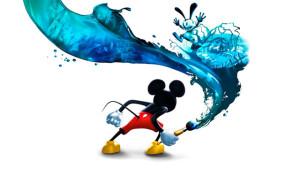
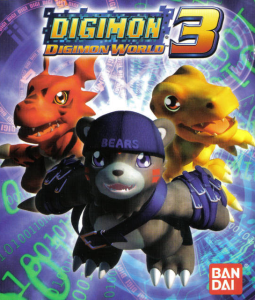
- Character focus — faces and characters draw more clicks than environments
Common mistakes to avoid:
- Cramming too much detail into a small space
- Using text that becomes unreadable when scaled down
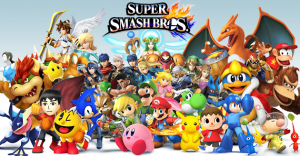
- Generic fantasy/sci-fi imagery that blends in with thousands of other games
- Low contrast colors that disappear in Steam’s interface
Pro tip: A/B test your capsule. Change it monthly and track click-through rates in Steamworks. Even small improvements compound over time.
Tags: Your Discovery Algorithm Fuel
Tags determine which players see your game. Steam uses them for recommendations, search, and Discovery Queue placement. Getting tags right is arguably more important than your description.
Tag strategy that works:
- Be specific, not broad — “Deckbuilder” beats “Strategy”; “Soulslike” beats “Action RPG”
- Front-load your top 5 — the first 5 tags carry the most algorithmic weight
- Research competitors — look at successful games in your genre and note their tags
- Include platform tags — “Steam Deck Verified” or “Controller Support” if applicable
- Avoid overcrowding — 10-15 relevant tags beats 20 generic ones
Underutilized tags that boost visibility: “Great Soundtrack,” “Female Protagonist,” “Atmospheric,” “Story Rich,” “Pixel Graphics.” These niche tags often have dedicated audiences actively searching for them.
Above the Fold: The 5-Second Test
Players decide whether to scroll within 5 seconds of landing on your page. What they see “above the fold” — before scrolling — determines everything.
Optimize your above-the-fold content:
- Trailer first — auto-play your best trailer, not a screenshot slideshow
- GIFs in screenshots — animated screenshots get 2-3x more engagement
- Hook in the short description — your first sentence should answer “why should I care?”
- Social proof — awards, streamer endorsements, review quotes if available
The 3-second trailer rule: Your trailer’s first 3 seconds determine if players watch the rest. Skip studio logos and long intros. Start with your most impressive gameplay moment.
Screenshots That Sell
Screenshots are your silent salespeople. Most developers treat them as an afterthought — that’s a mistake.
Screenshot best practices:
- Minimum 5, ideally 8-10 screenshots showing gameplay variety
- 1920×1080 resolution — anything less looks amateur
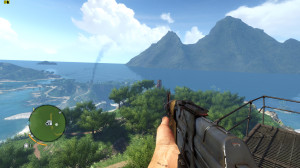
- Show actual gameplay — Steam explicitly prohibits concept art or pre-rendered images
- Feature UI elements — let players see what they’ll actually be interacting with
- Highlight unique mechanics — what makes your game different?
GIF strategy: Convert your first 2-3 screenshots to animated GIFs showing gameplay loops. Tools like ScreenToGif or OBS can capture short clips. Keep them under 10MB for fast loading.
Writing Descriptions That Convert
Your description has two audiences: players scanning for information and Steam’s algorithm parsing for keywords.
Description structure that works:
- Hook (first paragraph) — emotional pitch, not feature list
- Feature bullets — scannable list of what players can do
- Story/setting paragraph — context for the experience
- Technical details — platform support, languages, accessibility
- Call to action — “Wishlist now” or “Follow for updates”
Avoid: Walls of text, vague marketing speak (“immersive experience”), comparing yourself to AAA games you can’t match, and feature lists without context.
Timing Your Page Launch
The longer your Steam page is live before release, the more wishlists you’ll accumulate. But there’s a balance — launch too early with placeholder assets and you’ll make a bad first impression.
Ideal timeline:
- 12 months before release: Announce with trailer, capsule, basic screenshots
- 6 months before: Demo during Steam Next Fest
- 3 months before: Final trailer, updated screenshots, press coverage
- 1 month before: Launch date announcement, pre-orders if applicable
Steam Next Fest: Participating with a demo can generate 5,000-20,000 wishlists in a single week. It’s the highest-ROI marketing opportunity for indie developers. Apply early — spots fill up months in advance.
Pro Tips
- Update your page regularly — Steam rewards active pages with more visibility
- Use Steam Events — announcements, updates, and dev blogs keep followers engaged
- Monitor your conversion rate — visits-to-wishlists ratio reveals optimization opportunities
- Localize your page — at minimum, add Chinese, Japanese, and German translations
- Add a “Coming Soon” page early — you can start collecting wishlists before your game is ready
- Don’t ignore reviews — respond to negative reviews professionally; it shows you care
FAQ
Q: How many wishlists do I need for a successful launch?
A: Industry benchmarks suggest 7,000-10,000 wishlists for inclusion in Steam’s promotional algorithms. However, conversion rates (wishlists to sales) typically range from 10-20% at launch, so plan accordingly for your revenue targets.
Q: Should I price my game before launch?
A: Yes. Displaying a price (even if subject to change) helps players evaluate if your game is in their budget and increases wishlist intent.
Q: How often should I update my Steam page?
A: At minimum, monthly during active development. Major updates (new trailers, demos, features) should be accompanied by Steam announcements to notify followers.
Q: Do I need a demo?
A: Not required, but highly recommended. Demos during Steam Next Fest generate significant wishlists, and players who try a demo have higher purchase intent.
Summary
Your Steam page is your most valuable marketing asset. Focus on your capsule image (it’s seen everywhere), optimize tags for discoverability, lead with GIFs and trailers above the fold, and launch your page early to accumulate wishlists. Participate in Steam Next Fest if possible — it’s the single best opportunity for indie visibility. Keep iterating based on your Steamworks analytics.