Building an open world that runs smoothly on everything from high-end PCs to mobile devices sounds impossible. But with the right streaming approach, you can load massive environments without crushing frame rates or running out of memory. This guide covers the practical techniques that actually ship games.
- Why Streaming Matters
- Chunk-Based Streaming
- Distance-Based Loading
- Predictive Streaming
- LOD Integration
- Cross-Platform Considerations
- Implementation Strategies
Why Streaming Matters
Modern open worlds contain more data than any platform can hold in memory at once. A single square kilometer of detailed terrain with foliage, structures, and NPCs can easily exceed 2GB of asset data. Multiply that across a 100km² world, and you’re looking at storage requirements that dwarf most systems’ total RAM.
Streaming solves this by loading only what players can see and interact with, then unloading it when they move away. Done poorly, it causes stutters, pop-in, and crashes. Done well, it’s invisible.
Chunk-Based Streaming
The foundation of most open world systems is dividing your world into discrete chunks.
Grid-Based Chunks
The simplest approach divides your world into a uniform grid. Each cell contains all assets within its boundaries and loads/unloads as a unit.
Advantages:
- Predictable memory footprint per chunk
- Simple to implement and debug
- Easy parallel loading
Disadvantages:
- Arbitrary boundaries can split logical groups
- Dense areas need the same cell size as sparse ones
- Border artifacts if not handled carefully
Practical Cell Sizes:
- Mobile: 64-128 meters
- Console: 128-256 meters
- PC: 256-512 meters
Unreal Engine 5’s World Partition uses grid-based streaming with automatic cell generation. Unity developers typically implement this manually using additive scene loading.
Distance-Based Loading
Not all chunks matter equally. A cell directly in front of the player needs full detail, while one behind them can wait.
Loading Rings
Implement concentric zones around the player:
- Inner ring (0-100m): Full detail, collision, AI active
- Middle ring (100-500m): Visual meshes loaded, simplified collision, AI dormant
- Outer ring (500m+): Impostor meshes or terrain-only, no collision
View Frustum Priority
Chunks in the player’s view frustum get loading priority. A cell 200m behind the player can wait longer than one 300m ahead that they’re walking toward.
Budget-Based Loading
Set a per-frame loading budget (e.g., 2ms on console, 4ms on PC) and prioritize chunks by:
- Distance to player
- Direction of movement
- Visibility
- Gameplay importance
Predictive Streaming
Reactive loading causes pop-in. Predictive loading anticipates where players go.
Velocity-Based Prediction
If a player moves north at 10m/s, start loading chunks 5-10 seconds ahead in that direction. This works well for vehicles and sprinting.
Path-Based Prediction
In areas with constrained movement (roads, corridors), precompute likely paths and preload along them. Racing games use this extensively.
Quest/Objective Prediction
When a player accepts a quest pointing to a distant location, start background-loading that area immediately. By the time they arrive, it’s ready.
Fast Travel Preparation
Fast travel gives you a loading screen—use it. Begin streaming the destination as soon as the player opens the map, not when they confirm the teleport.
LOD Integration
Level of Detail and streaming work together. Distant chunks don’t need full-resolution meshes.
Hierarchical LOD (HLOD)
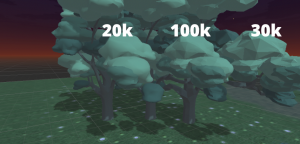
Combine distant meshes into single simplified objects. Instead of loading 500 individual trees, load one merged “forest block” mesh.
Unreal’s HLOD system automates this. For Unity, tools like Amplify Impostors and HLOD System asset help.
Streaming LOD Transitions
When a chunk transitions from far to near:
- Load high-detail meshes in background
- Keep HLOD visible until high-detail is ready
- Crossfade or dither between them
- Unload HLOD
This prevents the “pop-in” that ruins immersion.
Texture Streaming
Load texture mips progressively. Start with 256×256, stream up to 4K as the player approaches. Most engines handle this automatically, but tune the budget for your target platforms.
Cross-Platform Considerations
The same streaming system needs to work across vastly different hardware. Here’s how to scale it.
Memory Budgets
| Platform | Streaming Budget | Cell Size |
|---|---|---|
| Mobile (2GB RAM) | 400-600MB | 64m |
| Switch | 1-1.5GB | 128m |
| Base Consoles | 2-3GB | 256m |
| Current-Gen | 4-6GB | 256-512m |
| PC (varies) | 4-12GB | 512m+ |
Loading Speed Differences
SSD vs HDD changes everything. Current-gen consoles and NVMe PCs can stream aggressively. Last-gen and HDD users need larger buffers and earlier prediction.
Mobile-Specific Challenges
- Thermal throttling reduces I/O speed over time
- Background apps compete for memory
- Texture compression quality varies by GPU
- Consider lower draw distances and more aggressive culling
Scalable Settings
Expose streaming parameters as quality settings:
- View distance (loading radius)
- Object detail (LOD bias)
- Texture quality (mip bias)
- Foliage density
Implementation Strategies
Async Loading Pipeline
Never load on the main thread. Use async loading with callbacks:
- Main thread requests chunk load
- Streaming thread reads from disk
- Loading thread decompresses and parses
- Main thread integrates when ready
Unreal’s async loading and Unity’s Addressables both support this pattern.
Asset Bundling
Group related assets together. If a building always loads with its interior props, bundle them to reduce I/O operations. Tools like Unity’s Addressables groups or Unreal’s Primary Asset Labels help manage this.
Streaming Bounds Overlap
Make chunk boundaries overlap slightly. This prevents seams where terrain or large objects cross cell borders.
Occlusion Culling Integration
If a chunk is loaded but occluded (behind a mountain), skip rendering but keep collision active. Don’t unload immediately—the player might circle around quickly.
Common Pitfalls
- Streaming during combat: Budget spike when players need stable performance most. Pre-load combat arenas.
- Ignoring verticality: Chunks below/above matter for flying or climbing. Use 3D grids when needed.
- Overcomplicating priority: Simple distance-based loading beats complex heuristics that are hard to tune.
- Not profiling enough: Streaming bugs only appear under specific movement patterns. Test edge cases.
Engine-Specific Tips
Unreal Engine 5:
- World Partition handles most of this automatically
- Use Data Layers for optional content (different weather states, quest content)
- Level Instances for repeated structures
- HLOD for distant merged meshes
Unity:
- Addressables for async loading
- Scene streaming with additive loading
- Third-party tools like World Streamer for grid management
- Manual HLOD with LOD Group or Amplify Impostors
Godot:
- ResourceLoader for background loading
- Custom chunk management (no built-in world partition)
- MultiMeshInstance for distant vegetation
Summary
Open world streaming isn’t magic—it’s careful management of what’s loaded, when, and at what detail level. Start with simple grid-based chunks, add distance-based priority, then layer in prediction as needed. Profile constantly, budget conservatively, and remember that invisible streaming is successful streaming.
The techniques here ship games from mobile to PC. The difference between platforms is scale, not approach. Master these fundamentals, and your open world will run anywhere.