
Cloudways Managed Cloud Hosting
Cloudways gives you managed hosting on real cloud infrastructure without locking you into a single provider. The tradeoff is less hand-holding and no root access. If you want control without managing a raw VPS, it hits a sweet spot that most managed hosts miss.
TL;DR
- Cloudways wraps five major cloud providers (DigitalOcean, Vultr, Linode, AWS, Google Cloud) in a management layer that handles security, backups, SSL, and caching.
- Developer tools are solid: real SSH access, Git deployment, WP-CLI, Composer, and one-click staging with SSL.
- The catch: no root access, PHP-only (no Node.js or Python), and support quality has dipped since DigitalOcean acquired the company in 2022.
- Best for developers managing multiple WordPress sites on a budget. Skip it if you want fully hands-off hosting.
What Is Cloudways?
You can spin up a $6 DigitalOcean droplet and install WordPress yourself. You can also pay $35/month for Kinsta to handle everything. Cloudways sits in the middle. It takes the infrastructure from five major cloud providers and wraps it in a management layer that handles the server administration you don’t want to deal with: security patches, automated backups, SSL certificates, caching configuration, and OS-level updates.
The platform launched in 2011 and was acquired by DigitalOcean in late 2022. It supports PHP applications out of the box, including WordPress, WooCommerce, Magento, Laravel, and Drupal. The core pitch hasn’t changed: pick your cloud provider, pick your server size, and Cloudways handles the ops layer. You focus on the application.
What separates it from the Kinstas and WP Engines of the world is the multi-cloud model. You’re not locked into proprietary infrastructure. You choose between DigitalOcean, Vultr, Linode, AWS, or Google Cloud Platform, and you can migrate between them if your needs change. That flexibility comes with a steeper learning curve than a fully managed WordPress host, but it also means fewer artificial constraints.
Developer Experience
This is where Cloudways earns its keep for developers. You get real SSH access to your server, not a sandboxed shell or a web terminal pretending to be SSH. You can connect with your own terminal, run commands, and work the way you work locally. WP-CLI and Composer are available out of the box.
Git deployment works through the dashboard. You can connect a GitHub, GitLab, or Bitbucket repository and deploy on push. It’s not as polished as Kinsta’s integration with automatic deployments, but it works. Staging environments are one-click: clone your production site, test changes, push back when you’re satisfied. The staging URL gets its own SSL certificate, which is a nice detail that some hosts skip.
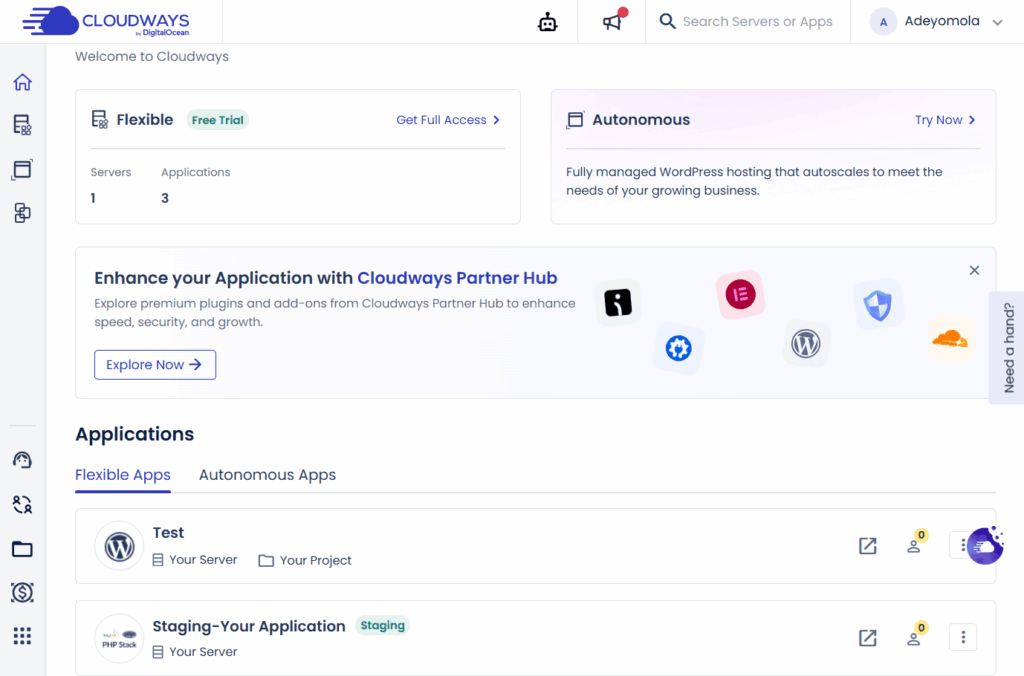
The dashboard gives you direct control over server services. You can restart Apache, MySQL, Memcached, and Varnish individually without SSH. Server monitoring shows real-time CPU, RAM, disk usage, and active MySQL connections. If you’ve ever diagnosed a slow WordPress site by staring at htop over SSH, having this in a dashboard saves time.
The limitation that matters: no root access. Cloudways manages the server at the OS level, which means you can’t install custom packages, modify Apache/Nginx configs directly, or set up non-PHP services. If you need a Redis instance with custom settings or a Node.js process running alongside WordPress, you’ll hit a wall. This is the fundamental tradeoff of managed hosting, and Cloudways is transparent about it. For standard WordPress and PHP work, you’ll rarely notice. For anything outside that scope, you’ll need a raw VPS.
Performance and Infrastructure
Cloudways runs an Apache-based stack with Varnish full-page caching on the origin server. Redis and Memcached are available as object caching layers. The combination handles WordPress well, though it’s worth noting that some competitors (notably LiteSpeed-based setups) can edge it out on raw throughput for cached pages.
The platform includes its own caching plugin, Breeze, which handles page caching, Gzip compression, browser caching, and basic minification. It’s competent but not exceptional. Most developers replace it with a more granular solution once the site is established.
Cloudflare Enterprise CDN is available as a paid add-on. It includes edge page caching, DDoS protection, WAF, image optimization (Polish), and Brotli compression. This is the same Cloudflare tier that costs hundreds per month directly, but Cloudways bundles it at a fraction of that cost. If you’re running a high-traffic site, the CDN add-on is where Cloudways performance gets genuinely competitive with premium hosts.
Core Web Vitals performance depends heavily on which provider and server size you pick. A $11/month DigitalOcean server will handle a standard WordPress site fine. Push it with WooCommerce, heavy plugins, Stripe paywall integrations, or uncached dynamic pages, and you’ll feel the ceiling fast. Scaling up is straightforward from the dashboard, but the cost scales with it.
Pricing Breakdown: What You’ll Actually Pay
Cloudways uses pay-as-you-go billing with no visitor caps, which is a fundamentally different model than Kinsta or WP Engine. You pay for server resources, not traffic volume. No overage charges, no surprise bills when a post goes viral.
| Provider | Entry Plan | RAM | Storage | Bandwidth |
|---|---|---|---|---|
| DigitalOcean | $11/mo | 1 GB | 25 GB | 1 TB |
| Vultr | $14/mo | 1 GB | 25 GB | 1 TB |
| Linode | $14/mo | 1 GB | 25 GB | 1 TB |
| AWS | ~$38/mo | 3.75 GB | 20 GB | 2 GB |
| Google Cloud | ~$37/mo | 1.7 GB | 20 GB | 2 GB |
Annual billing knocks roughly 25% off these prices. The DigitalOcean plan drops to about $8.25/month, which makes it one of the cheapest managed WordPress options available.
The honest math: a raw DigitalOcean droplet with 1GB RAM costs $6/month. Cloudways charges $11 for the same hardware. That’s an 83% markup for the management layer. Whether that’s worth it depends on how you value your time. Configuring server security, setting up automated backups, managing SSL certificates, handling OS updates, and tuning caching takes hours that most developers would rather spend building. If you bill $50/hour, Cloudways pays for itself in the first month.
Compare that to Kinsta, where the cheapest plan is $35/month for a single site with 25,000 visits. At Cloudways, $11/month gets you unlimited sites on the same server with no visitor counting. For developers managing multiple projects or client sites, the cost difference compounds fast.
The DigitalOcean Acquisition
DigitalOcean acquired Cloudways in late 2022, and the community response has been mixed. The biggest concern was whether DigitalOcean would kill off the other providers and force everyone onto their own infrastructure. That hasn’t happened. As of early 2026, all five cloud providers (DigitalOcean, Vultr, Linode, AWS, Google Cloud) remain available.
What has changed is the support experience. Multiple user reports on Reddit and Trustpilot mention increased reliance on AI chatbots for initial support, with longer waits for human agents. The technical support quality, once a Cloudways strength, has become less consistent. This mirrors what happens at a lot of acquired companies: the product stays solid, but the support team gets restructured.
On the positive side, DigitalOcean’s resources have funded new features. Cloudways Autonomous, a Kubernetes-based autoscaling product, launched for users who need elastic infrastructure. SafeUpdates automates WordPress core and plugin updates with rollback capability. These are meaningful additions that an independent Cloudways might not have shipped as quickly.
The practical risk is low. If DigitalOcean eventually sunsets the other providers, migrating a Cloudways site to a different host is straightforward (our WordPress migration guide walks through the full process). The bigger concern is the slow erosion of support quality, which affects you most when something actually breaks.
Cloudways Pros and Cons
Pros
- Five cloud providers to choose from
- Real SSH access, Git deployment, WP-CLI
- Pay-as-you-go with no visitor caps
- One-click staging with SSL
- Cloudflare Enterprise CDN add-on at a discount
- Unlimited sites per server
- Server-level monitoring in dashboard
Cons
- No root access (can’t install custom packages)
- PHP-only (no Node.js, Python, or other runtimes)
- No email hosting included
- Support quality inconsistent since acquisition
- Cloudflare CDN is a paid add-on, not included
- Steeper learning curve than fully managed hosts
Cloudways vs Kinsta
We’ve reviewed both platforms. Kinsta scored an 8/10 for its polished developer experience and Google Cloud infrastructure. Cloudways takes a different approach. Here’s how to decide.
Choose Cloudways If:
- You manage multiple sites and want one server bill
- You need SSH access and Git deployment workflows
- You want to choose your cloud provider (or switch later)
- You’re cost-sensitive and comfortable with server basics
- You run WooCommerce and want to avoid visitor-based pricing
Choose Kinsta If:
- You want everything managed with zero server interaction
- You need DevKinsta for local development
- You value premium support with guaranteed response times
- You’re building on Google Cloud specifically
- You want automatic daily backups with easy one-click restore
For most developers running a portfolio of WordPress sites, Cloudways delivers more value per dollar. For a single high-stakes production site where you want zero friction, Kinsta justifies the premium. Both are strong choices; they just optimize for different priorities. For the full breakdown with pricing scenarios and benchmark data, read our Cloudways vs Kinsta comparison.
Frequently Asked Questions
Is Cloudways good for WordPress?
Yes. WordPress is the primary use case for most Cloudways users. You get one-click WordPress installation, managed security updates, server-level Varnish caching, staging environments, and WP-CLI access. It handles single sites and multisite installs well.
Does Cloudways include a CDN?
A basic Cloudflare integration is included free. The Cloudflare Enterprise CDN, which includes edge page caching, WAF, DDoS protection, and image optimization, is a paid add-on. For high-traffic sites, the Enterprise add-on is worth considering.
Can I host multiple sites on one Cloudways server?
Yes. Unlike Kinsta or WP Engine, which charge per site, Cloudways lets you run unlimited applications on a single server. The limit is server resources, not an arbitrary site count. This makes it cost-effective for developers managing client portfolios or running multiple projects. See our guide to hosting multiple WordPress sites for the full setup process.
What happened after DigitalOcean bought Cloudways?
DigitalOcean acquired Cloudways in 2022. All five cloud providers (DigitalOcean, Vultr, Linode, AWS, Google Cloud) remain available. The product has gained new features like Cloudways Autonomous and SafeUpdates. Support quality has become less consistent according to user reports, with more AI chatbot interactions before reaching human agents.
Is Cloudways cheaper than Kinsta?
Significantly. Cloudways starts at $11/month (DigitalOcean) with no visitor caps and unlimited sites per server. Kinsta starts at $35/month for a single site with 25,000 monthly visits. For developers running multiple sites, Cloudways can cost 60-70% less than Kinsta for equivalent hosting.
Final Verdict
Cloudways occupies a space that most hosting companies ignore: managed enough to save you from server babysitting, but flexible enough to let you work like a developer. The multi-cloud model, real SSH access, and pay-as-you-go pricing make it a strong option for anyone who’s outgrown shared hosting but doesn’t want to pay premium managed WordPress prices.
The platform isn’t perfect. No root access limits what you can run. Support quality has dipped since the DigitalOcean acquisition. The Cloudflare Enterprise CDN is a paid extra that probably should be included. But for the price, you’re getting infrastructure and tooling that would cost two to three times more at Kinsta or WP Engine.
If you’re comfortable with basic server concepts and want hosting that stays out of your way, Cloudways is one of the best values in managed cloud hosting. If you want everything handled and don’t mind paying for it, read our Kinsta review. If you want managed VPS with full root access and a free control panel, our ScalaHosting review covers a strong alternative. If you want to skip managed hosting entirely and set up your own server with Claude Code, we’ve got a guide for that too. And if you want to go fully hands-on with a raw VPS, our complete VPS deployment guide covers the manual path from SSH to production.
Final Verdict
Managed cloud hosting that gives developers real tools without the premium price tag.