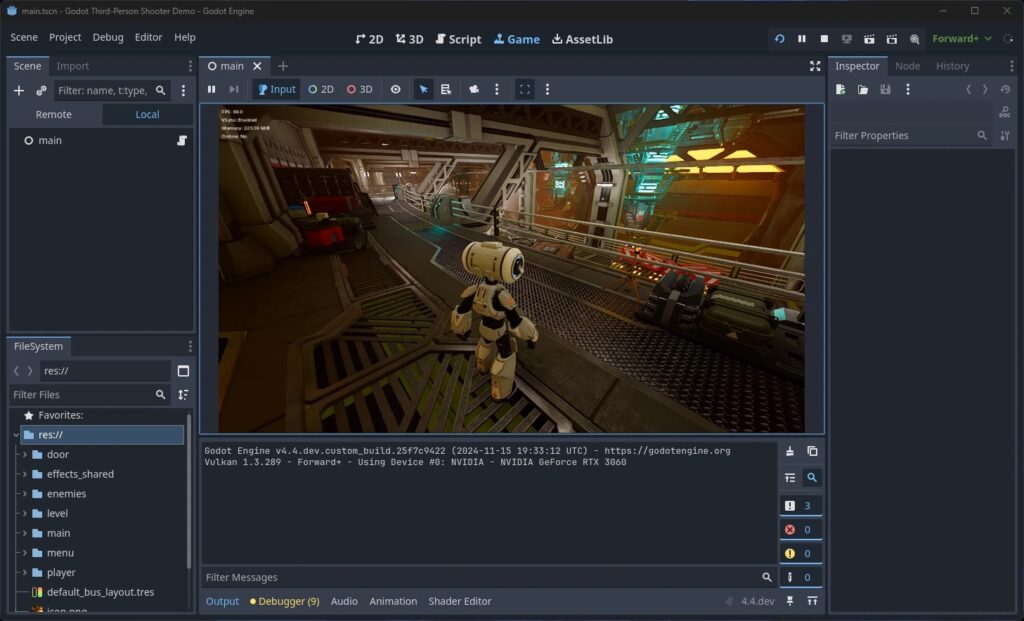
Godot 4 signals are how one node tells the rest of your game that something happened without needing to know who is listening. A button emits pressed, an enemy emits died, a health component emits health_changed, and any number of other nodes react. That decoupling is what keeps a project from turning into a tangle of nodes reaching across the scene tree to poke each other. This guide covers the whole system in current Godot 4.x GDScript: connecting built-in signals, declaring and emitting your own, passing arguments, connection flags, awaiting signals, and the one question that trips up everyone, when to use a signal instead of a plain function call.
If you learned signals on Godot 3, the syntax changed in a big way. Godot 4 made signals first-class objects, so the old string-based calls are gone. Every example here uses the modern form.
Key Takeaways
- Signals are the observer pattern built in: a node emits a signal and any connected node reacts, so the emitter never needs a reference to the listener.
- Connect two ways: in the editor through the Signals dock, or in code with
node.signal_name.connect(callable). - Declare with the signal keyword:
signal health_changed(new_health: int), then emit withhealth_changed.emit(value). - Godot 3 syntax is dead: the string-based
connect("died", self, "_on_died")andemit_signal("died")were replaced by first-class.connect()and.emit(). - Signals go up and out, calls go down and in: use a signal when a child reports to whoever is listening, and a direct call when a parent drives a specific child.
- What Are Godot 4 Signals?
- Connecting a Built-in Signal
- Declaring and Emitting Custom Signals
- Passing Arguments with Signals
- Connection Flags: One Shot and Deferred
- Awaiting Signals
- Disconnecting Signals Safely
- Signals vs Direct Calls: When to Use Which
- Common Mistakes
- Frequently Asked Questions
- Gear for Coding Sessions
- Summary
What Are Godot 4 Signals?
A signal is a message a node sends out when something specific happens to it. Godot 4 signals are the engine’s built-in version of the observer pattern: the node that emits does not care who receives, and the nodes that connect decide for themselves how to react. A Timer emits timeout, an Area2D emits body_entered, a Button emits pressed. You connect a function to that signal, and Godot calls your function every time the signal fires.
The payoff is decoupling. Instead of your UI reaching into the player node every frame to read health, the player emits health_changed and the health bar updates only when it needs to. This is the same idea behind the Event Bus pattern, and it is the backbone of clean communication between the systems in a game.
Connecting a Built-in Signal
Every Godot node ships with built-in signals. There are two ways to connect them, and both are worth knowing because each fits a different situation.
In the Editor (Signals Dock)
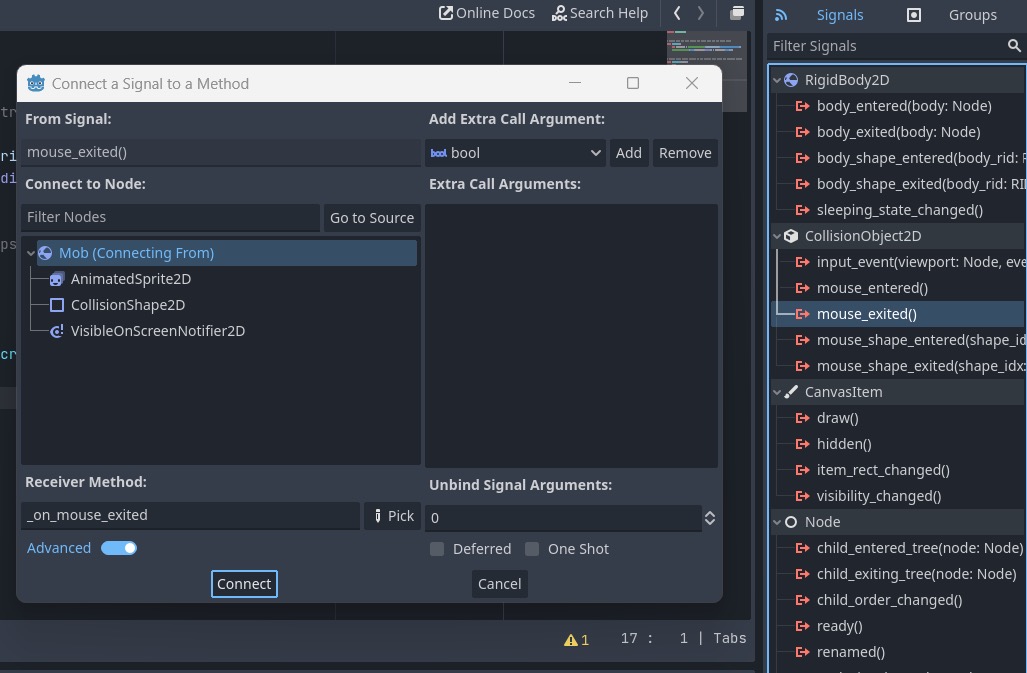
Select the node that emits the signal, open the Node tab next to the Inspector, and click Signals. Double-click a signal, pick the node whose script should receive it, and Godot generates a callback method for you following the _on_[node]_[signal] naming convention. This route is fast for wiring UI and one-off connections, and the connection shows a green icon in the scene tree so you can see it exists.
In Code
Connecting in code keeps the wiring visible in the script and is the better choice for nodes spawned at runtime. Call .connect() on the signal and pass the method as a Callable:
func _ready() -> void:
	$Timer.timeout.connect(_on_timer_timeout)

func _on_timer_timeout() -> void:
	print("Time is up")
Note the shape: node.signal_name.connect(method). Passing the method name without parentheses passes the function itself, not its result. This is the Godot 4 replacement for the Godot 3 line connect("timeout", self, "_on_timer_timeout"), which no longer works. Because the signal is now a real object, a typo like $Timer.timout is caught immediately instead of failing silently at runtime.
Declaring and Emitting Custom Signals
Your own nodes can emit signals too, and this is where signals earn their keep. Declare one at the top of a script with the signal keyword, then emit it wherever the event happens.
extends Node2D

signal died
signal health_changed(new_health: int)

var health := 10

func take_damage(amount: int) -> void:
	health -= amount
	health_changed.emit(health)
	if health <= 0:
		died.emit()
Declare signals with past-tense names that describe what happened (died, health_changed, item_collected), because a signal reports an event, not a command. Emit with .emit(), passing any values the listeners need. A listener connects exactly like a built-in signal:
func _ready() -> void:
	$Player.died.connect(_on_player_died)

func _on_player_died() -> void:
	get_tree().reload_current_scene()
If you are coming from Godot 3, note that emit_signal("died") is replaced by died.emit(). The new form gives you autocomplete on the signal name and catches typos at edit time.
Passing Arguments with Signals
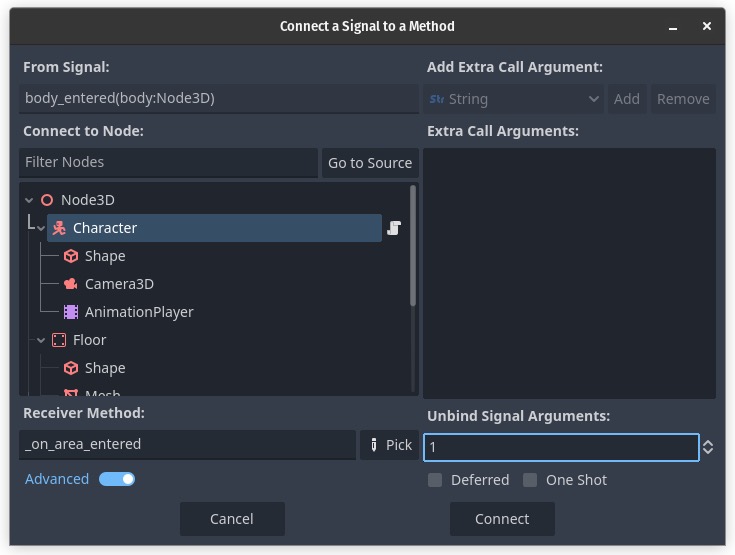
Signals can carry data, and typing that data makes your intent clear. A signal declared with parameters passes them straight to the connected method:
signal damage_dealt(target: Node, amount: int)

# Emit with the values:
damage_dealt.emit(enemy, 25)

# The receiver's parameters match the signal's:
func _on_damage_dealt(target: Node, amount: int) -> void:
	print("Hit " + target.name + " for " + str(amount))
Sometimes you want to hand the receiver extra data that the signal itself does not carry. Use bind() to attach fixed arguments at connection time; they arrive after the signal’s own arguments:
$Enemy.died.connect(_on_enemy_died.bind("goblin", 50))

func _on_enemy_died(enemy_name: String, reward_xp: int) -> void:
	print(enemy_name + " defeated, +" + str(reward_xp) + " XP")
You can also connect a signal to an inline lambda when the reaction is a single line and does not deserve its own method:
$Button.pressed.connect(func(): get_tree().quit())Connection Flags: One Shot and Deferred
The connect() method takes an optional flag that changes how the connection behaves. Two are worth memorizing.
# Fires once, then disconnects itself automatically
$Door.opened.connect(_on_first_open, CONNECT_ONE_SHOT)

# Defers the call to the end of the current frame
$Area.body_entered.connect(_on_body_entered, CONNECT_DEFERRED)
CONNECT_ONE_SHOT is perfect for events that should only ever trigger a reaction once, like a tutorial popup the first time a door opens. CONNECT_DEFERRED delays the callback until the frame’s idle time, which matters inside physics callbacks where changing the scene tree mid-collision can cause errors. Deferring the call sidesteps that whole class of problem.
Awaiting Signals
You can pause a function until a signal fires using await. This turns messy callback chains into code that reads top to bottom.
func play_death_sequence() -> void:
	$AnimationPlayer.play("death")
	await $AnimationPlayer.animation_finished
	show_game_over_screen()

func spawn_after_delay() -> void:
	await get_tree().create_timer(2.0).timeout
	spawn_enemy()
The line after await runs only once the awaited signal emits. The second example is a common trick: a one-shot timer created on the fly, awaited for its timeout, gives you a clean delay without adding a Timer node to the scene.
Disconnecting Signals Safely
Most connections live for the lifetime of the node and clean themselves up when the node is freed. When you do need to disconnect manually, check first, because disconnecting a connection that does not exist throws an error.
if $Enemy.died.is_connected(_on_enemy_died):
	$Enemy.died.disconnect(_on_enemy_died)
If you only need a connection to run a single time, reach for CONNECT_ONE_SHOT instead of manually disconnecting. It is less code and there is no timing to get wrong.
Signals vs Direct Calls: When to Use Which
This is the question that decides whether your project stays clean or turns into spaghetti. The rule of thumb from the Godot community is simple: signals go up and out, direct calls go down and in.
A child node should not reach up to command its parent, because it cannot assume what its parent is. Instead it emits a signal and lets whoever owns it decide what to do. That is “up and out.” A parent, on the other hand, already holds references to its children, so calling a method on a child directly is fine. That is “down and in.” A player node emits died and the level manager listens; the level manager calls player.respawn() directly. Our 2D platformer controller is a natural place to add signals like this once movement is working.
Use a direct call when you need a return value or there is exactly one receiver that always exists. Use a signal when the emitter should not know who is listening, or when several systems react to the same event. For game-wide events that many unrelated nodes care about, a global signal bus autoload takes this one step further, which our central data manager guide builds on directly.
Common Mistakes
Do This
- Pass the method as a Callable:
signal.connect(_on_thing), no parentheses. - Name signals in past tense for events (
died,health_changed). - Type your signal parameters so the intent and the data are clear.
- Use
CONNECT_DEFERREDwhen reacting inside physics or collision callbacks. - Emit signals from children; call methods down into children.
Avoid This
- Using the removed Godot 3
connect("sig", self, "_m")oremit_signal()string API. - Connecting the same signal to the same method twice, which fires it twice.
- Disconnecting without an
is_connected()check first. - Reaching up the tree to command a parent instead of emitting a signal.
- Using a signal where a direct call with a return value would be simpler.
Frequently Asked Questions
How do you emit a signal in Godot 4?
Declare the signal at the top of the script with signal my_signal(arg: int), then call my_signal.emit(value) where the event happens. Godot 4 treats signals as objects, so you call .emit() on the signal itself instead of the old emit_signal("my_signal", value) string form from Godot 3.
How do you connect a signal in code in Godot 4?
Call .connect() on the signal and pass the receiving method as a Callable: $Timer.timeout.connect(_on_timer_timeout). Pass the method name without parentheses. This replaced the Godot 3 syntax connect("timeout", self, "_on_timer_timeout"), which no longer works.
What is the difference between a signal and a function call?
A signal is emitted by a node without knowing who will react, and any number of nodes can connect to it. A function call targets one specific object directly. The guideline is that signals go up and out (a child reporting an event) while direct calls go down and in (a parent driving a child).
Can a Godot signal pass arguments?
Yes. Declare the signal with typed parameters, like signal health_changed(new_health: int), and pass matching values when you emit: health_changed.emit(health). The connected method receives them as arguments. You can also use bind() to attach extra fixed arguments at connection time.
What does CONNECT_ONE_SHOT do?
It makes a connection fire once and then disconnect itself automatically. Pass it as the third argument to connect: $Door.opened.connect(_on_first_open, CONNECT_ONE_SHOT). It is useful for events that should only trigger a reaction the first time they happen.
Gear for Coding Sessions
Wiring up a game’s systems means long stretches of typing, testing, and shuffling project files. A comfortable board, fast storage for builds and backups, and a stand that lifts the screen to eye level all make those hours easier. Here is a practical setup from the deals database, current as of July 2026.

Royal Kludge RK61
A compact 60% hot-swappable board that clears desk space for the mouse without giving up a mechanical feel.

Lexar ES3 1TB Portable SSD
USB 3.2 Gen 2 speeds for backing up projects and moving builds between machines without the wait.

LOXP Acrylic Laptop Stand
Lifts a laptop to eye level so long debugging sessions do not wreck your neck, for the price of lunch.
Away from the keyboard, Berry Finds tracks real-time Amazon deals on thousands of everyday products across home, kitchen, beauty, and more so you never overpay on the stuff you buy regularly.
Summary
Godot 4 signals are the cleanest way to let nodes talk without hard-wiring them together. Connect built-in signals through the Signals dock or with node.signal_name.connect(method), declare your own with the signal keyword, and emit them with .emit(). Layer in typed arguments, bind(), the one-shot and deferred flags, and await as you need them. The habit that keeps a project healthy is the up-and-out rule: children emit signals, parents call down.
From here, signals slot into every system you build next. Wire the player’s died signal into a game-over screen, a health signal into a UI bar, and a pickup signal into an inventory. If you are still choosing between GDScript and C# for all of this, our GDScript vs C# comparison covers how signals work in each. Godot 4 TileMapLayer guide covers building the 2D level those signal-connected nodes live in. Godot 4 UI guide then binds a HUD health bar to those same signals. For proof of what the engine handles at scale, Sir, We Have an Orc Problem pushes 100,000 physics-driven enemies through a Godot build. And when your signal-driven game is ready for a second player, the Godot 4 multiplayer tutorial wires this same architecture across the network.