TL;DR
- Cloudways gives you multi-cloud flexibility, unlimited sites, and pay-as-you-go pricing from $11/mo. Best for developers managing multiple WordPress projects on a budget.
- Kinsta runs on Google Cloud C3D with 100% uptime track record and sub-2-minute support response. Best for revenue-generating sites where downtime costs real money.
- At equivalent price points, Cloudways delivers 2-3x more server resources. Kinsta charges premium for a polished, hands-off experience.
- Both offer SSH, Git, WP-CLI, and staging. The difference is how much control you want over the underlying infrastructure.
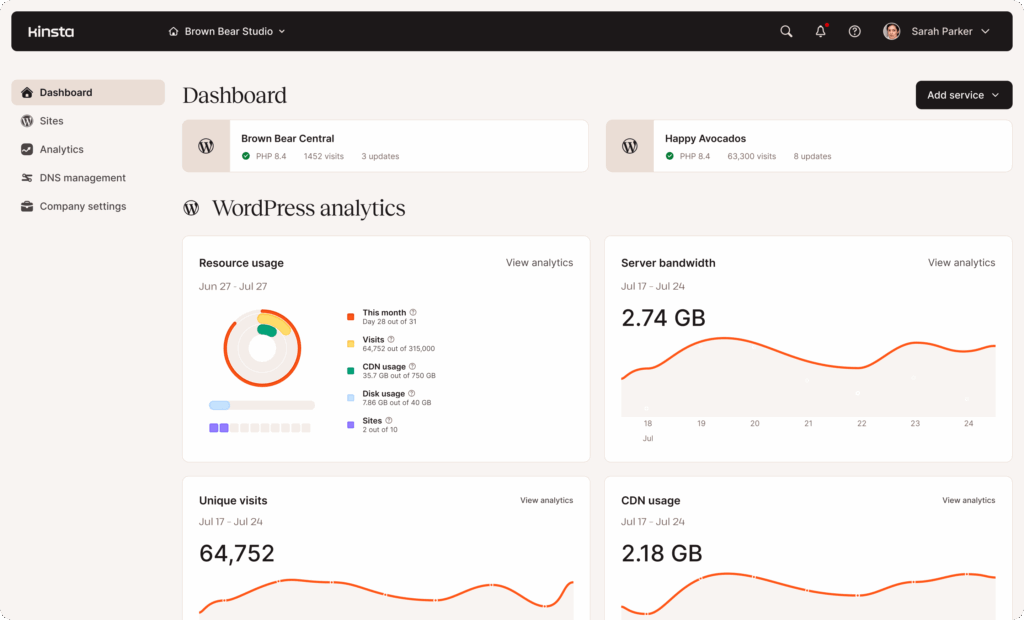
We’ve reviewed both Cloudways and Kinsta individually, tested their developer workflows, dug into their pricing models, and spent time in the dashboards. This comparison pulls from both reviews plus community feedback from Reddit and independent benchmarks to help you pick the right managed WordPress host for your stack.
Cloudways vs Kinsta at a Glance
| Cloudways | Kinsta | |
|---|---|---|
| Starting Price | $11/mo (DigitalOcean) | $35/mo (Single 35k) |
| Infrastructure | 5 providers (DO, Vultr, Linode, AWS, GCP) | Google Cloud C3D only |
| Sites per Plan | Unlimited | 1-150 (plan-dependent) |
| Traffic Limits | None (pay for server resources) | 25,000-3M visits (or bandwidth-based) |
| SSH/WP-CLI | Yes | Yes |
| Git Deploy | GitHub, GitLab, Bitbucket | Push-to-deploy + GitHub Actions |
| Staging | One-click with SSL | One-click (premium: $20/mo) |
| CDN | Cloudflare Enterprise (paid add-on) | Cloudflare (included, no Argo) |
| Root Access | No | No |
| Redis | Free on all plans | $100/mo add-on |
| Local Dev Tool | None | DevKinsta (free) |
| Our Score | 7/10 | 8/10 |
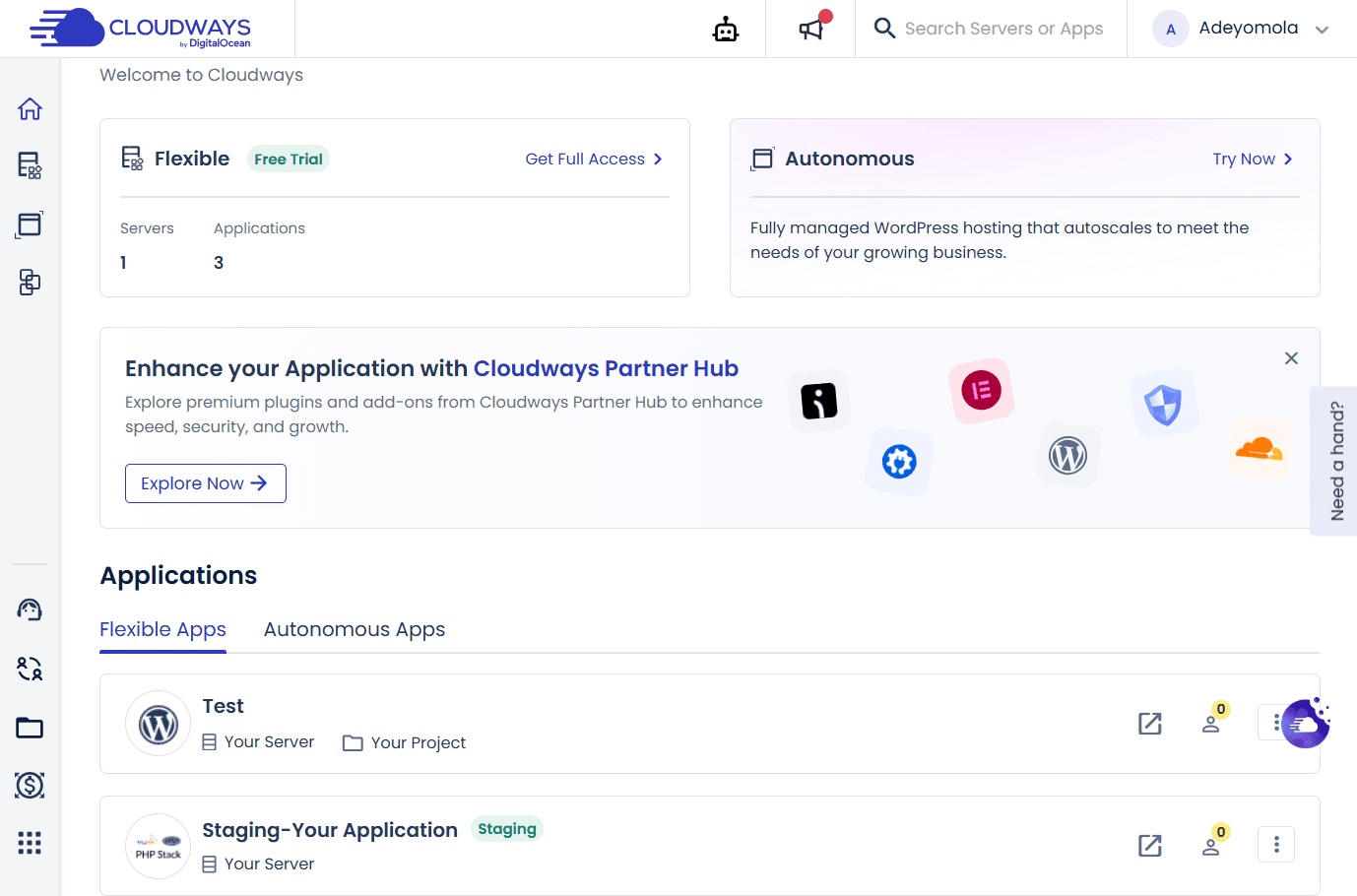
Developer Experience
Both platforms give you SSH, WP-CLI, Composer, and Git. The difference is in the details.
Cloudways connects you to a real SSH session on your server. You can restart Apache, MySQL, Memcached, and Varnish individually from the dashboard or the terminal. Server monitoring (CPU, RAM, disk, active MySQL connections) is available in real time. If you’ve ever diagnosed a slow WordPress site by staring at htop, having this in a GUI saves time. Git deployment works through the dashboard with GitHub, GitLab, or Bitbucket repos.
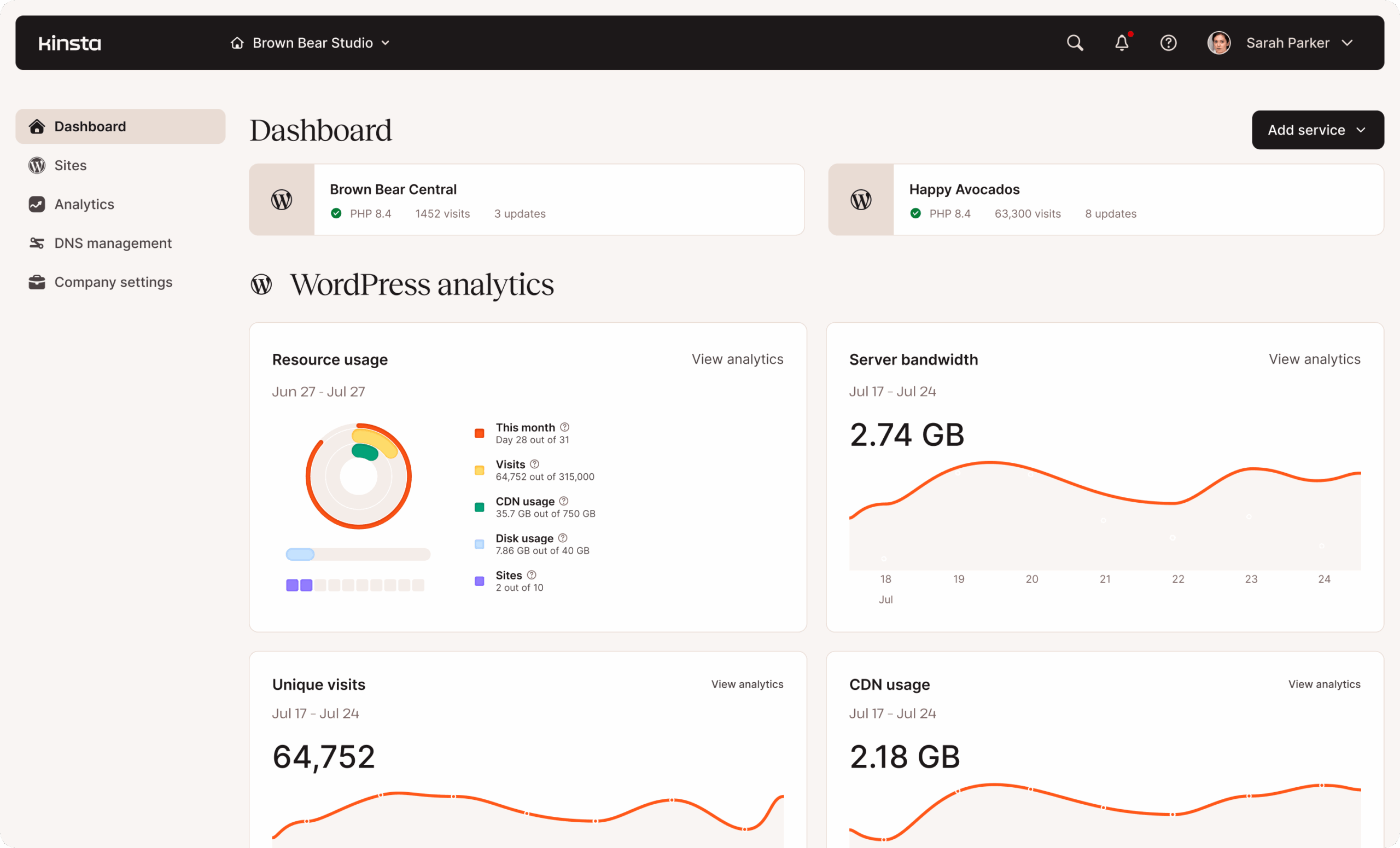
Kinsta gives you SSH with WP-CLI and Composer, plus a REST API for automating site management and running WP-CLI commands remotely. Git push-to-deploy is supported, and most teams wire up GitHub Actions for CI/CD. The standout is DevKinsta, a free Docker-based local development tool that pushes directly to Kinsta staging. Over 60,000 developers use it. Cloudways has no equivalent.
The gap: Cloudways gives you more visibility into server-level operations (you can see individual services, monitor resources, and tune caching layers). Kinsta gives you a more polished end-to-end workflow from local dev to production. If you want to see what your server is doing under the hood, Cloudways. If you want a clean pipeline from code to deploy, Kinsta.
Neither gives root access. You can’t install custom packages, run Node.js alongside WordPress, or modify Nginx configs directly on either platform. If you need that level of control, you’re looking at a raw VPS. Our VPS deployment guide walks through that approach.
Performance and Infrastructure
Kinsta runs exclusively on Google Cloud C3D machines (4th-gen AMD EPYC, DDR5 memory). All traffic routes through Cloudflare with 300+ edge locations. Independent testing by ToolTester recorded 100% uptime for three consecutive years, and Kinsta reported MySQL query times dropping from 89ms to 0.9ms after the C3D rollout. Average response time under load: 27ms (Hostingstep). Edge Caching cuts TTFB by about 50% for returning visitors.
Cloudways runs an Apache-based stack with Varnish full-page caching. Redis and Memcached are available as object caching layers on all plans. Performance depends on which cloud provider you pick. A tuned Cloudways server on Vultr HF is competitive with Kinsta on raw throughput. Independent benchmarks show average load times of 0.8 seconds with 200-300ms TTFB on the DigitalOcean stack. Cloudflare Enterprise CDN is available as a paid add-on at a discount over buying it directly.
The practical difference: Kinsta is fast out of the box with zero tuning. Cloudways can match or beat it, but you need to choose the right provider, configure caching properly, and potentially add the Cloudflare CDN. If you know what you’re doing, Cloudways gives you more levers to pull. If you want to install WordPress and have it perform well immediately, Kinsta removes that guesswork. Our WordPress performance optimization guide covers the techniques that matter regardless of which host you pick.
Pricing: What You’ll Actually Pay
This is where the comparison gets interesting. The two platforms use fundamentally different billing models.
Cloudways charges for server resources with no visitor caps. The $11/mo DigitalOcean plan gets you 1GB RAM, 25GB storage, and 1TB bandwidth with unlimited sites. No overage charges, no surprise bills if a post goes viral. Annual billing drops it to roughly $8.25/mo.
Kinsta charges per site with visitor caps. The $35/mo starter plan covers one site with 35,000 visits, 10GB storage, and 2 PHP workers. Annual billing brings it to $30/mo. See current Kinsta plans and pricing.
| Scenario | Cloudways Cost | Kinsta Cost |
|---|---|---|
| 1 site, low traffic | $11/mo | $35/mo |
| 3 sites, moderate traffic | $11-22/mo (same server) | $115/mo (WP 5 plan) |
| WooCommerce store, 80K visitors | ~$22-44/mo | $75/mo + $100/mo Redis = $175/mo |
| Agency managing 10 client sites | ~$44/mo (2 servers) | $310/mo (WP 10 plan) |
The Redis pricing is worth highlighting. Redis object caching is free on every Cloudways plan. On Kinsta, it costs $100/mo. For a WooCommerce store where Redis handles session data and cart caching, that single add-on can double your Kinsta bill.
Kinsta also counts visits differently than Google Analytics. Their server logs track unique IPs per 24-hour period, which typically shows 50-70% more “visits” than GA4 reports (because ad blockers, bots, and crawlers show up in server logs but not JavaScript-based analytics). Kinsta acknowledged this and launched bandwidth-based plans as an alternative. If you’re on a visit-based plan, our guide on managing bot traffic can help reduce inflated counts.
At equivalent price points around $100/month, Cloudways typically delivers 2-3x more RAM, CPU, and storage than Kinsta. You’re paying Kinsta’s premium for the polished dashboard, WordPress-specific tooling, and hands-off management. Whether that premium is worth it depends on how you value your time versus your budget.
Support Quality
This is Kinsta’s strongest card. Median response time under 2 minutes, 97% satisfaction rate, and the agents are actual WordPress engineers. No chatbots, no tier-1 script readers. They know what wp_options autoload bloat is and can fix it. Available 24/7 in 10 languages.
Cloudways support was once a strength, but quality has dipped since the DigitalOcean acquisition in 2022. Multiple Reddit and Trustpilot reports mention increased reliance on AI chatbots for initial triage and longer waits for human agents. When you do reach a person, the support leans more toward server-level expertise than WordPress-specific knowledge. If your problem is “MySQL is using too much memory,” Cloudways can help. If your problem is “this WooCommerce checkout hook is broken,” you’re probably on your own.
For developers who rarely need support and can troubleshoot their own WordPress issues, this difference barely matters. For agencies handing off client sites that need to “just work” with reliable support as a safety net, Kinsta’s support is worth the price gap alone.
Who Should Choose Which
Choose Cloudways if:
- You manage multiple sites and want one server bill
- You need to choose your cloud provider (or switch later)
- You run WooCommerce and want to avoid visitor-based pricing
- You need Redis without paying $100/mo extra
- Budget matters more than polish
Choose Kinsta if:
- You want everything managed with zero server interaction
- Premium support with guaranteed response times matters
- You want DevKinsta for local development
- Your site generates revenue and downtime costs real money
- You value a polished deploy pipeline over raw flexibility
There’s a third option worth mentioning. ScalaHosting offers managed VPS with full root access, AMD EPYC hardware, and a free cPanel alternative (SPanel) starting at $29.95/mo. It sits between Cloudways’ managed layer and a raw DIY server. If you want even more control and you’re comfortable managing your own server, a raw VPS from DigitalOcean or Vultr costs $5-12/mo with no management layer at all. We wrote a full guide on setting up your own WordPress server and another on the shared hosting vs VPS decision. If you go that route, pairing it with Fail2ban for security is a good idea.
Frequently Asked Questions
Is Cloudways or Kinsta faster?
Out of the box, Kinsta edges ahead thanks to Google Cloud C3D and automatic edge caching. A properly tuned Cloudways server on Vultr HF or DigitalOcean Premium matches Kinsta’s performance. Independent tests show Cloudways at 0.8s and Kinsta at 0.9s average load time, though results vary by configuration.
Can I host unlimited sites on Cloudways?
Yes. Cloudways has no per-site limits. You can run as many WordPress installations as your server resources support on any plan. Kinsta limits sites by plan tier (1 site on the starter, up to 150 on enterprise plans).
Does Kinsta include a free CDN?
Kinsta routes all traffic through Cloudflare with edge caching included on all plans. However, it does not include Argo Smart Routing (which typically cuts TTFB by 33%). Cloudways offers Cloudflare Enterprise as a paid add-on, which includes the full Enterprise feature set at a discounted rate.
Why is Redis $100/month on Kinsta?
Kinsta positions Redis as a premium add-on for high-traffic or WooCommerce sites. On Cloudways, Redis and Memcached are included free on all plans. If your site needs object caching (WooCommerce, membership sites, anything with heavy database queries), this pricing difference can significantly affect your total monthly cost.
Which is better for WooCommerce?
Cloudways, for most stores. WooCommerce pages (cart, checkout, account) are dynamic and can’t be cached, which means they consume PHP workers on Kinsta. A busy store can exhaust the 2 workers on Kinsta’s starter plan fast. Cloudways gives you more server resources per dollar and includes Redis free, both of which WooCommerce benefits from directly.
Final Verdict
For most developers running WordPress projects, Cloudways delivers more value per dollar. You get multi-cloud flexibility, unlimited sites, free Redis, and a billing model that doesn’t penalize traffic growth. The tradeoff is a less polished experience and support that has become inconsistent since the DigitalOcean acquisition.
Kinsta justifies the premium when the site generates revenue and support quality is non-negotiable. The 100% uptime track record, sub-2-minute support, and streamlined DevKinsta workflow make it the safer choice for production WordPress sites where reliability matters more than raw cost efficiency. If you’re running a membership or payment-gated site, both hosts handle Stripe and SSL out of the box. Our Stripe paywall guide covers the full setup.
Neither is a bad choice. They optimize for different priorities. Read our full Cloudways review and Kinsta review for the deep dive on each platform, check our guide on migrating WordPress to a new host if you’re ready to make the switch, or see our guide to hosting multiple WordPress sites on one server if you’re consolidating.