
TL;DR
- Shared hosting works fine under ~2,500 daily visitors with basic WordPress sites
- VPS gives you dedicated resources and root access, but you manage everything yourself
- Managed cloud hosting (Cloudways, Kinsta) is the sweet spot for most growing WordPress sites
- The real question isn’t shared vs VPS. It’s whether you want to manage a server or pay someone to do it
Most hosting comparison articles are written by hosting companies selling you their plans. This one isn’t. We run WordPress on our own infrastructure and have tested shared, VPS, and managed hosting firsthand. Here’s what actually matters when picking between them.
What Each Type Actually Gives You
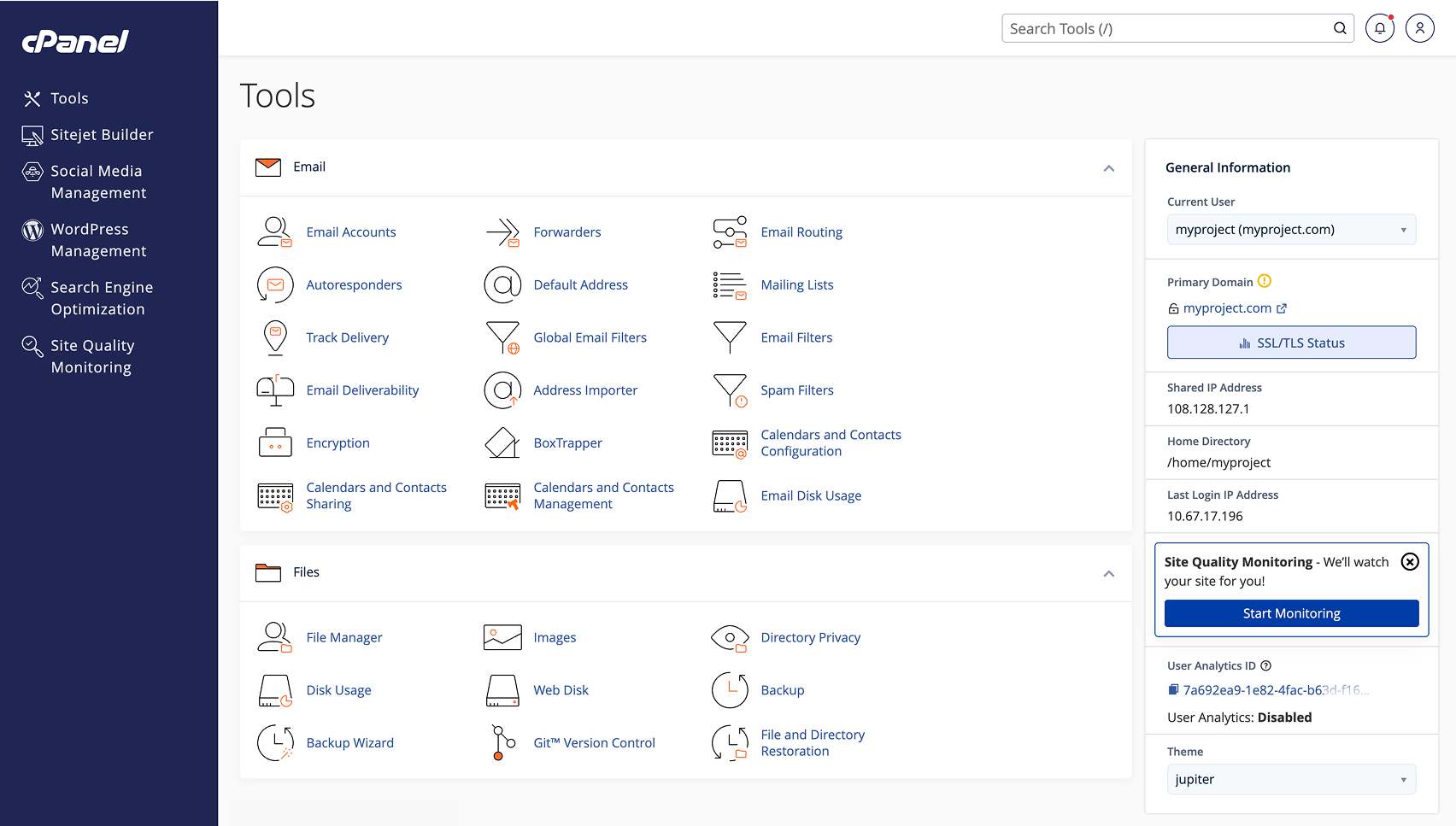
Shared hosting puts your WordPress site on a server with hundreds (sometimes 1,000+) other websites. Everyone shares the same CPU, RAM, and disk. Your hosting provider handles all server management, updates, security, and backups. You get a control panel like cPanel, one-click WordPress installs, and email hosting bundled in.
The tradeoff: you have no control over server configuration, and another site’s traffic spike can slow yours down. This is the “noisy neighbor” problem, and it’s the single most common complaint about shared hosting.
VPS (Virtual Private Server) gives you a dedicated slice of a physical server. Your CPU, RAM, and storage are yours alone. You get root access, meaning you can install any software, tune PHP settings, configure server-level caching, and set up custom firewall rules. Nobody else’s traffic affects your performance.
The tradeoff: you’re responsible for everything. Security patches, backups, firewall configuration, SSL certificates, email deliverability, software updates. If something breaks at 2 AM, that’s your problem. If you want a walkthrough of what VPS setup actually involves, our WordPress server setup guide covers the full process.
The Real Cost Breakdown
Shared hosting looks cheap on the surface, and it is. But VPS pricing is more complicated than the sticker price suggests.
| Expense | Shared Hosting | Self-Managed VPS |
|---|---|---|
| Hosting | $3-5/mo (intro), $10-15/mo (renewal) | $5-12/mo (raw VPS) |
| Control panel (cPanel) | Included | ~$16/mo ($192/yr) |
| Web server (LiteSpeed) | Included (on good hosts) | ~$9/mo ($110/yr) |
| Backups | Included | $2-5/mo (off-site) |
| Security/firewall | Included | $0 (DIY) or $5-10/mo |
| Email hosting | Included | $0 (DIY) or $4-6/mo |
| SSL certificate | Included (Let’s Encrypt) | Free (Let’s Encrypt, manual setup) |
| Realistic monthly total | $10-15/mo | $30-45/mo |
A $5/month VPS sounds cheaper than $10/month shared hosting. But once you add cPanel, LiteSpeed, backups, and security tooling, a self-managed VPS often costs 2-3x more than shared hosting at renewal prices. That gap closes if you skip cPanel (use free alternatives like CloudPanel) and handle security yourself, but then you’re trading money for time.
The hidden cost nobody mentions: your time. Expect 5-10 hours upfront to configure a VPS properly, plus ongoing maintenance. If you value your time, that factors into the real cost.
When Shared Hosting Stops Working
Shared hosting has a ceiling. Here are the concrete signs you’ve hit it:
- Page load times exceed 3 seconds after you’ve already optimized images, enabled caching, and minimized plugins. At that point, the bottleneck is the server, not your code. Our WordPress performance guide covers the optimization side.
- Traffic exceeds ~2,500-3,000 daily unique visitors. This is the rough threshold where shared hosting resources start getting strained for typical WordPress sites.
- You’re running WooCommerce or a membership site. Dynamic database queries from e-commerce and login-heavy sites demand consistent resources that shared hosting can’t guarantee.
- You’re managing 5+ WordPress sites on one shared account. Each site compounds resource usage.
- Unexplained downtime keeps happening and your host can’t resolve it. If other tenants are causing your outages, no amount of optimization on your end will fix it.
- You need custom server software like Redis, Elasticsearch, or specific PHP extensions your shared host won’t install.
If none of these apply, shared hosting is probably fine. Don’t upgrade just because someone on Reddit told you shared hosting is bad. For a simple blog or portfolio site getting a few hundred visitors a day, shared hosting does the job.
Managed Cloud: The Middle Ground
Most “shared vs VPS” articles present a false choice. There’s a third option that fits most growing WordPress sites better than either: managed cloud hosting.
Providers like Cloudways and Kinsta give you dedicated VPS resources without the management burden. You get isolated CPU and RAM, server-level caching, automated backups, and a support team that handles security patches and infrastructure. You don’t need to know how to configure Nginx or set up fail2ban.
Cloudways starts around $14/month and lets you choose your infrastructure provider (DigitalOcean, Vultr, AWS, or Google Cloud). You get a managed layer on top of raw cloud servers. We cover the details in our Cloudways review.
Kinsta starts at $29/month with Google Cloud infrastructure, containerized sites, and a WordPress-specific dashboard. It’s pricier but handles scaling automatically. Our Kinsta review breaks down whether the premium is worth it.
The community consensus from forums like LowEndTalk and Reddit’s r/webhosting is clear: once shared hosting renewals hit $10-15/month, you’re better off spending that on a managed cloud VPS with dedicated resources. You skip the “upgrade to a better shared plan” step entirely. If you’re deciding between the two, our Cloudways vs Kinsta comparison breaks down pricing, performance, and developer workflows side by side.
Which One Should You Pick?
Stay on Shared Hosting if:
- Your site gets under 2,500 daily visitors
- You don’t want to manage server infrastructure
- You’re running a standard blog, portfolio, or small business site
- Budget is under $15/month
Move to VPS or Managed Cloud if:
- Page loads are slow despite optimization
- You’re running WooCommerce or a membership plugin
- You need custom server software (Redis, Elasticsearch)
- You’re managing multiple WordPress sites
If you go the VPS route, the next decision is managed vs self-managed. Pick self-managed if you have sysadmin skills and want full control. Pick managed (Cloudways, Kinsta) if you want VPS performance without the ops work. If you do go fully self-managed, our VPS deployment guide walks through the complete setup with CI/CD, SSL, and automated backups.
And if you eventually outgrow your current host entirely, our WordPress migration guide covers how to move without downtime.
Frequently Asked Questions
Is shared hosting bad for WordPress?
Not inherently. For sites under 2,500 daily visitors with standard plugins and no e-commerce, shared hosting works fine. The problems start when you outgrow the resources or need server customization your host won’t allow.
How much traffic can shared hosting handle?
A well-optimized WordPress site on decent shared hosting (LiteSpeed + caching) can handle roughly 2,500-3,000 daily unique visitors. WooCommerce sites and sites with heavy plugins hit the ceiling sooner because of higher database load.
Is a $5/month VPS really cheaper than shared hosting?
Only if you skip paid tools. A raw $5 VPS needs a control panel (~$16/mo for cPanel), web server license (~$9/mo for LiteSpeed), off-site backups ($2-5/mo), and security tooling. The realistic cost of a self-managed VPS is $30-45/month. Free alternatives exist for each tool, but they require more setup time and expertise.
What’s the difference between managed hosting and a VPS?
A VPS gives you a virtual server you manage yourself. Managed hosting (like Cloudways or Kinsta) gives you that same dedicated server with a team handling security, updates, backups, and optimization. You get VPS performance without needing sysadmin skills.
Should I start with shared hosting or go straight to VPS?
Start with shared hosting unless you already have server management experience. It’s cheaper, simpler, and gives you time to focus on building your site instead of maintaining infrastructure. Switch when you hit the performance triggers listed above.
Summary
Shared hosting is a fine starting point for WordPress. Don’t let anyone tell you otherwise. It’s cheap, fully managed, and handles most small-to-medium sites without issues. The problems are real but specific: noisy neighbors, resource ceilings, and no root access.
When those problems start affecting your site, skip the “better shared plan” and go straight to a managed cloud VPS like Cloudways or Kinsta. You get dedicated resources without the ops overhead. Self-managed VPS is only worth it if you genuinely enjoy server administration or need customization that managed providers don’t support.
The hosting decision isn’t permanent. Start where it makes sense for your traffic and skills right now, and move up when the numbers tell you to.