Key Takeaways
- Memory bandwidth is everything: VRAM on GPUs and unified memory on Macs determine inference speed more than raw compute power
- Mac Mini M4 32GB ($1,149) is the strongest all-around pick: silent, efficient, runs 7B-14B models at 28-35 tokens per second with Ollama or MLX
- RTX 5090 is the speed king: 32GB GDDR7 pushes 185 tokens/sec on 8B models, but street prices sit around $2,900+ due to the 2026 DRAM shortage
- Used RTX 3090 ($650-800) is the value play: 24GB VRAM handles the same model sizes as a 4090 at a fraction of the cost
- Budget builds work: a $536 AMD mini PC with 32GB DDR5 runs 7B models at 18-25 tokens per second through iGPU acceleration
Running LLMs locally eliminates API costs, removes rate limits, and keeps your data on your own hardware. The tradeoff is that you need the right machine. Too little memory and the model either refuses to load or crawls through tokens. Too much and you overspent on hardware you will not fully use.
A lot changed in 2026. Apple Silicon unified memory made Macs legitimate inference machines. NVIDIA’s RTX 5090 brought 32GB of GDDR7 to the consumer market. And budget AMD mini PCs proved you can run useful models for under $600. After reviewing benchmarks across all of these platforms, here is what works.
How Much Memory Do You Need?
Memory capacity is the single biggest constraint for local LLM inference. If the model does not fit in your GPU’s VRAM (or your Mac’s unified memory), performance collapses as the system swaps to disk. The table below shows what you need at Q4_K_M quantization, the community-recommended sweet spot that cuts model size by roughly 75% with minimal quality loss.
| Model Size | Memory Needed (Q4) | Example Models | Minimum Hardware |
|---|---|---|---|
| 3B-8B | 4-6 GB | Llama 3.2 3B, Qwen3 8B | Any 8GB GPU or 16GB Mac |
| 13B-14B | 8-10 GB | Qwen3 14B, Llama 3.1 13B | 16GB GPU or 24GB+ Mac |
| 30B-34B | 18-20 GB | Qwen3 32B, DeepSeek Coder 33B | 24GB GPU or 48GB+ Mac |
| 70B | 40-42 GB | Llama 3.3 70B, DeepSeek-R1 70B | Dual 24GB GPUs or 64GB+ Mac |
A practical rule: keep total model size at roughly 60% of your available memory. That leaves headroom for the KV cache (which grows with context length) and the operating system. A 32GB Mac running a 14B Q4 model (roughly 10GB) sits comfortably at 31% utilization. A 24GB GPU running a 32B Q4 model (roughly 19GB) is right at the edge.
The Picks: Best Hardware for Running LLMs Locally
Mac Mini M4 (32GB) – Best Overall
The M4’s unified memory architecture lets the CPU and GPU share the same memory pool with zero copy overhead. That is a structural advantage for LLM inference, where the entire model sits in memory and gets processed by the GPU. No PCIe bottleneck, no split between system RAM and VRAM.
With 32GB of unified memory and 120 GB/s bandwidth, the Mac Mini M4 handles 7B-8B models at 28-35 tokens per second through Ollama and hits 32-42 tokens per second with MLX. Qwen3 14B runs at a usable 10-15 tok/s. The entire system draws under 40 watts during inference and produces almost no noise.
A real-world comparison puts this in perspective. On Qwen3 32B (quantized), a Mac Mini M4 with 64GB produced 11.7 tokens per second at roughly 40 watts. A dual RTX 3090 rig running the same model managed 9.2 tokens per second at roughly 700 watts. The Mac was 27% faster and 22 times more power efficient for single-model inference. If you have already gone through our guide on fine-tuning LLMs on Mac with MLX, this is the hardware that makes it practical.
The 32GB configuration runs everything up to 14B comfortably and can stretch to smaller 30B models with aggressive quantization. For most developers running coding assistants, chatbots, or local RAG pipelines, this is more than enough.
Mac Mini M4 Pro (48GB) – Best for Bigger Models
The M4 Pro bumps to a 14-core CPU, 20-core GPU, and more importantly, 273 GB/s memory bandwidth. That is more than double the base M4’s bandwidth, and it shows up directly in token generation speed for larger models.
48GB of unified memory puts 30B-32B models firmly in the comfort zone. The M4 Pro generates 12-18 tokens per second on Qwen3 32B and DeepSeek-R1 32B at Q4 quantization. With the 64GB configuration ($2,399), you can run 70B models quantized, though at slower speeds (6-10 tok/s).
Three Thunderbolt 5 ports (120Gb/s each) replace the base M4’s Thunderbolt 4. The system still draws under 65 watts at peak inference. If you regularly work with 30B+ models or want headroom for larger context windows, the Pro justifies its premium over the base M4.
NVIDIA RTX 5090 – Fastest Single GPU
The RTX 5090 is the fastest consumer GPU for LLM inference right now. 32GB of GDDR7 at 1,792 GB/s bandwidth pushes tokens faster than any single card you can buy without an enterprise contract.
The numbers are hard to argue with. Hardware Corner’s benchmarks show the RTX 5090 generating 185 tokens per second on Qwen3 8B, 124 tok/s on 14B, and 61 tok/s on 32B models. Compared to the RTX 4090, real-world LLM inference improved 25-35% across model sizes. At longer context lengths (32K+), the gap widens to 40-50% thanks to the higher memory bandwidth.
32GB of VRAM means you can run 32B models without quantization compromises, and 70B quantized fits (barely) in a single card. Two RTX 5090s with combined 64GB VRAM outperformed an NVIDIA H100 ($25,000+) on Llama 3.3 70B inference in multiple community benchmarks. Consumer hardware matching enterprise at a fraction of the cost.
The catch: MSRP is $1,999, but the 2026 DRAM shortage pushed street prices to $2,900 and up. The card draws 575 watts, needs a beefy power supply (850W minimum, 1000W recommended), and requires a case with adequate airflow. If your priority is absolute speed and you are building a dedicated inference rig, this is the GPU to get. If power draw, noise, and price matter, the Mac Mini options above deliver stronger value per dollar.
NVIDIA RTX 3090 (Used) – Best Value GPU
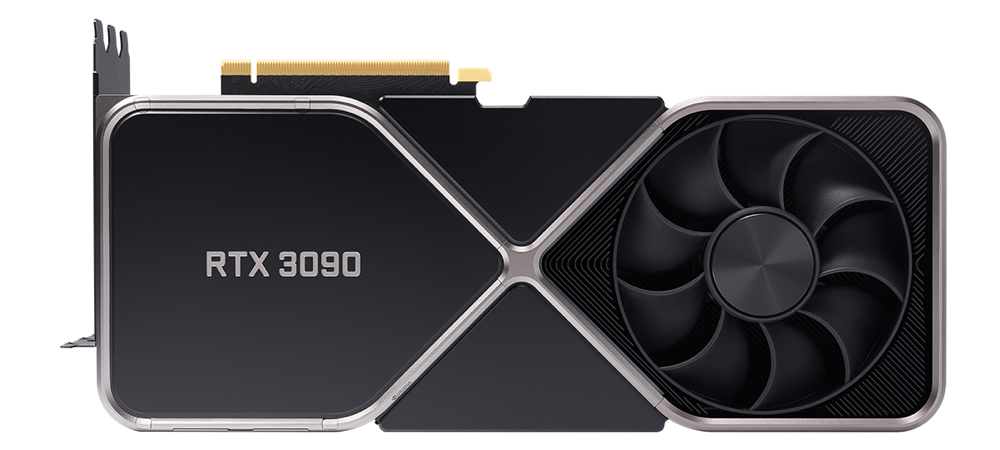
The r/LocalLLaMA community’s favorite budget recommendation, and for good reason. 24GB of VRAM at $650-800 used is the strongest VRAM-per-dollar ratio on the market in 2026.
The RTX 3090 shares its 24GB VRAM capacity with the RTX 4090, which means it runs the same model sizes. 7B models generate at 15-25 tokens per second. 13B models at Q4 quantization run comfortably. 32B models fit with aggressive quantization. The speed is slower than newer cards, but the model compatibility is identical.
Two used RTX 3090s ($1,300-$1,600 total) give you 48GB of combined VRAM, enough for 70B models. That dual setup still costs less than a single RTX 5090 at current street prices. You need a motherboard with two PCIe x16 slots, a 1000W+ power supply, and good case airflow since each card draws up to 350 watts. But for raw memory capacity on a budget, nothing else comes close.
Buy from reputable sellers on eBay or r/hardwareswap. Avoid ex-mining cards where possible (check the seller’s history). Most 3090s have years of life left in them for inference workloads, which are far less taxing than mining.
NVIDIA RTX 4090 – Proven but Overpriced
NVIDIA discontinued RTX 4090 production in October 2024, and as of March 2026, remaining new stock on Amazon sits at $2,755 and up. That is $1,156 above the original $1,599 MSRP. At these inflated prices, the RTX 4090 is hard to recommend. You are paying near-5090 money for 8GB less VRAM and 25-35% lower inference speed.
If you find one at or near MSRP, it remains a strong card. 24GB of GDDR6X with 1,008 GB/s bandwidth generates 35-50 tokens per second on 7B models and handles up to 32B quantized. The CUDA ecosystem support is mature and nearly every LLM framework works flawlessly with it. But at current market prices, spend the extra $150 on an RTX 5090 or save $2,000 and grab a used 3090 instead.
Minisforum UM790 Pro – Budget Build
Most hardware guides skip the sub-$600 tier entirely. That is a mistake. AMD’s Radeon 780M integrated GPU with 12 RDNA3 compute units shares system RAM as VRAM, and with 32GB DDR5 that gives Ollama enough memory to offload model layers to the iGPU.
The Minisforum UM790 Pro packs an AMD Ryzen 9 7940HS (8 cores, up to 5.2GHz), 32GB DDR5-5600, and a 1TB NVMe SSD into a box smaller than a Mac Mini. Through iGPU-accelerated inference, it pushes 18-25 tokens per second on Llama 3 8B at Q4 quantization. That is genuinely usable for local coding assistants and chatbots.
You will not run 30B+ models here. 32GB of shared system memory caps you at 7B-8B models comfortably, with 13B as a stretch. But as a first step into local AI, or as an always-on inference server for lighter models, $536 for a complete system (CPU, RAM, SSD, Wi-Fi 6E, dual USB4) is hard to beat. The Beelink SER8 ($599 with Ryzen 7 8845HS) offers a similar experience if the Minisforum is out of stock.
Mac vs PC for Local LLMs
This is not a religious debate. Each platform has clear technical advantages depending on your use case.
| Mac (Apple Silicon) | PC (NVIDIA GPU) | |
|---|---|---|
| Memory Architecture | Unified (CPU + GPU share pool) | Split (system RAM + VRAM) |
| Max Memory | Up to 512GB (Mac Studio Ultra) | 32GB per GPU (RTX 5090) |
| Bandwidth | 120-819 GB/s | 936-1,792 GB/s |
| Power Draw | 40-65W | 350-575W per GPU |
| Noise | Near silent | Loud under load |
| Software | Ollama, MLX, llama.cpp | Ollama, vLLM, TensorRT-LLM, llama.cpp |
| Training/Fine-Tuning | LoRA only (via MLX) | Full training + LoRA (CUDA) |
| Multi-User Serving | Limited | vLLM with continuous batching |
| Price/Performance | Strong for single-model inference | Strong for batch inference + speed |
Choose Mac if:
- You run one model at a time for personal use
- Power consumption and noise level matter (home office, apartment)
- You want a complete, compact system without building a PC
- You need huge memory capacity (up to 512GB unified)
- You primarily do inference, not training
Choose PC with NVIDIA GPU if:
- Raw inference speed is your top priority
- You plan to fine-tune or train models (CUDA required)
- You need to serve multiple users simultaneously (vLLM)
- You want to upgrade GPU independently of the rest of the system
- You also use the machine for gaming or content creation
One important software detail: MLX consistently outperforms Ollama on Apple Silicon for memory efficiency. In tests on M4 hardware, Ollama left only 16% of memory free when running Qwen 2.5 14B, while MLX left 74% free on the same model. If you go Mac, learn MLX alongside Ollama. Our MLX fine-tuning guide walks through the setup.
Software to Get Started
You do not need to compile anything from source. These tools have one-command installs and handle model downloading, quantization, and GPU acceleration automatically.
Start with Ollama. One install, one command (ollama run llama3.2), and you are chatting with a local model. It handles GPU detection, model downloads, and quantization automatically. Works on Mac, Linux, and Windows with CUDA, ROCm, and Metal acceleration.
If you prefer a graphical interface, LM Studio lets you browse and download models, tweak quantization, and chat through a local UI without touching the terminal. Think of it as a ChatGPT-like frontend pointed at your own hardware.
Under the hood, both Ollama and LM Studio run on llama.cpp. Running it directly gives you full control over inference parameters, batch sizes, and GPU layer offloading. It supports CUDA, Metal, Vulkan, and CPU backends across every platform.
Mac users should also try MLX, Apple’s own framework for Apple Silicon. It uses unified memory more aggressively than llama.cpp’s Metal backend. In our testing, MLX left 74% of memory free on Qwen 2.5 14B where Ollama left just 16% on the same model.
Frequently Asked Questions
Can I run a 70B model on a single GPU?
Only if you have 48GB+ of VRAM (no consumer GPU offers this as of March 2026). With a single 32GB RTX 5090, you can run 70B at aggressive Q3 quantization, but expect heavy VRAM pressure and slower speeds. The practical options for 70B are dual 24GB+ GPUs, a Mac with 64GB+ unified memory, or offloading some layers to CPU RAM (which tanks performance).
Is Apple Silicon actually good for LLMs or is it just marketing?
It is genuinely good for single-model inference. The unified memory architecture eliminates the PCIe bottleneck between CPU and GPU memory. A Mac Mini M4 at 40 watts outperformed a dual RTX 3090 rig at 700 watts on 32B model inference in multiple benchmarks. The weakness is batch inference, multi-user serving, and training, where CUDA and dedicated VRAM still win.
What quantization should I use?
Q4_K_M is the community standard for local inference. It reduces model size by roughly 75% compared to full FP16 precision with minimal quality degradation. Going lower (Q3, Q2) introduces noticeable quality loss. Going higher (Q6, Q8) delivers marginal quality gains at significant memory cost. Start with Q4_K_M and only adjust if you have a specific reason.
Should I buy an RTX 4090 now?
Not at current prices. NVIDIA discontinued production in October 2024, and remaining new stock is $2,755+. That is nearly RTX 5090 territory with less VRAM and lower performance. If you find a used 4090 at $1,200-$1,400, it is still a strong card. Otherwise, a used RTX 3090 at $650-800 gives you the same 24GB VRAM for less than half the cost.
Do AMD GPUs work for local LLMs?
Yes, through ROCm on Linux and Windows. Ollama and llama.cpp both support AMD GPUs from the RX 5500 XT onward. The RX 7900 XTX (24GB, $700-850) offers strong VRAM-per-dollar. The caveat is that CUDA has broader software support, so some newer frameworks and optimizations (vLLM, TensorRT-LLM) remain NVIDIA-only. For basic Ollama inference, AMD works fine.
Recommended Gear for Your LLM Setup
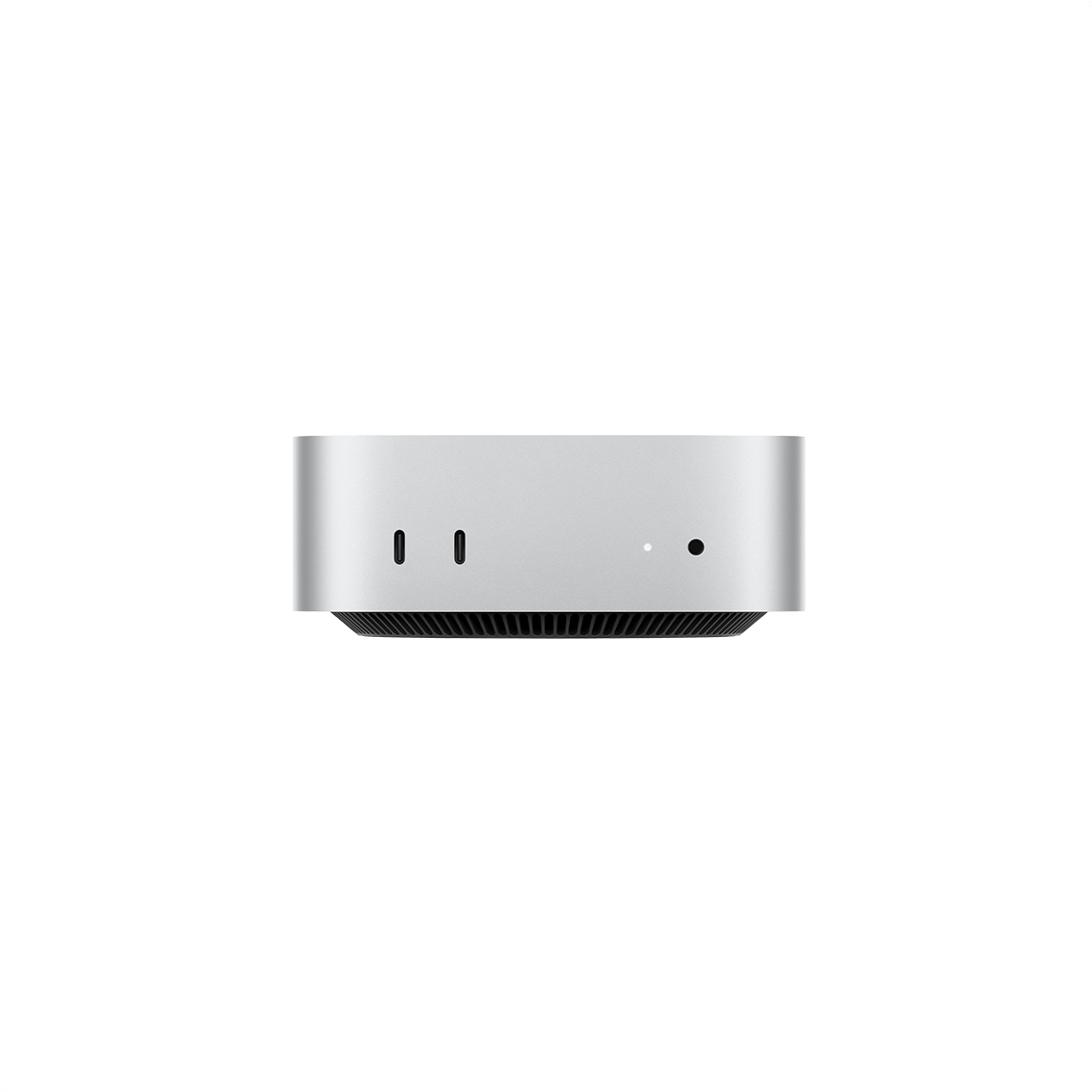
Mac Mini M4 (32GB)
Silent, efficient, runs 7B-14B at 28-35 tok/s
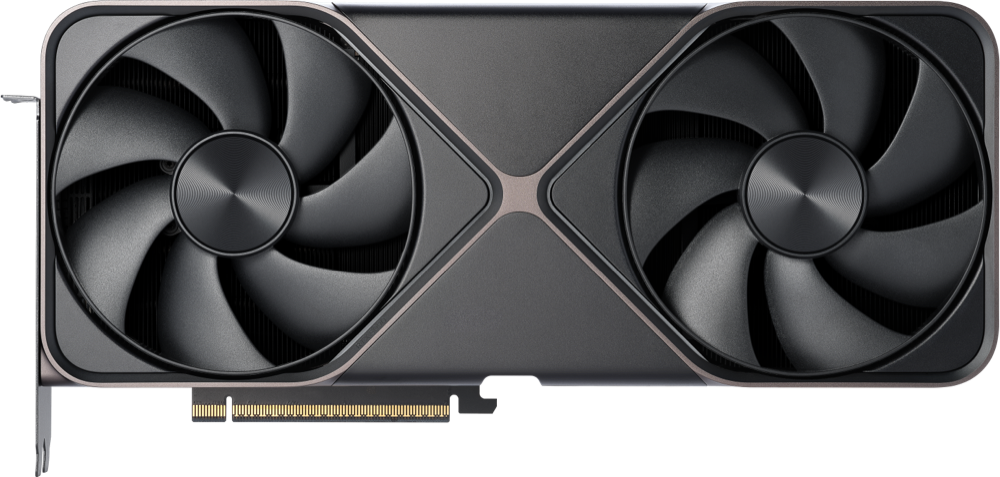
RTX 5090 (32GB)
185 tok/s on 8B, 61 tok/s on 32B models
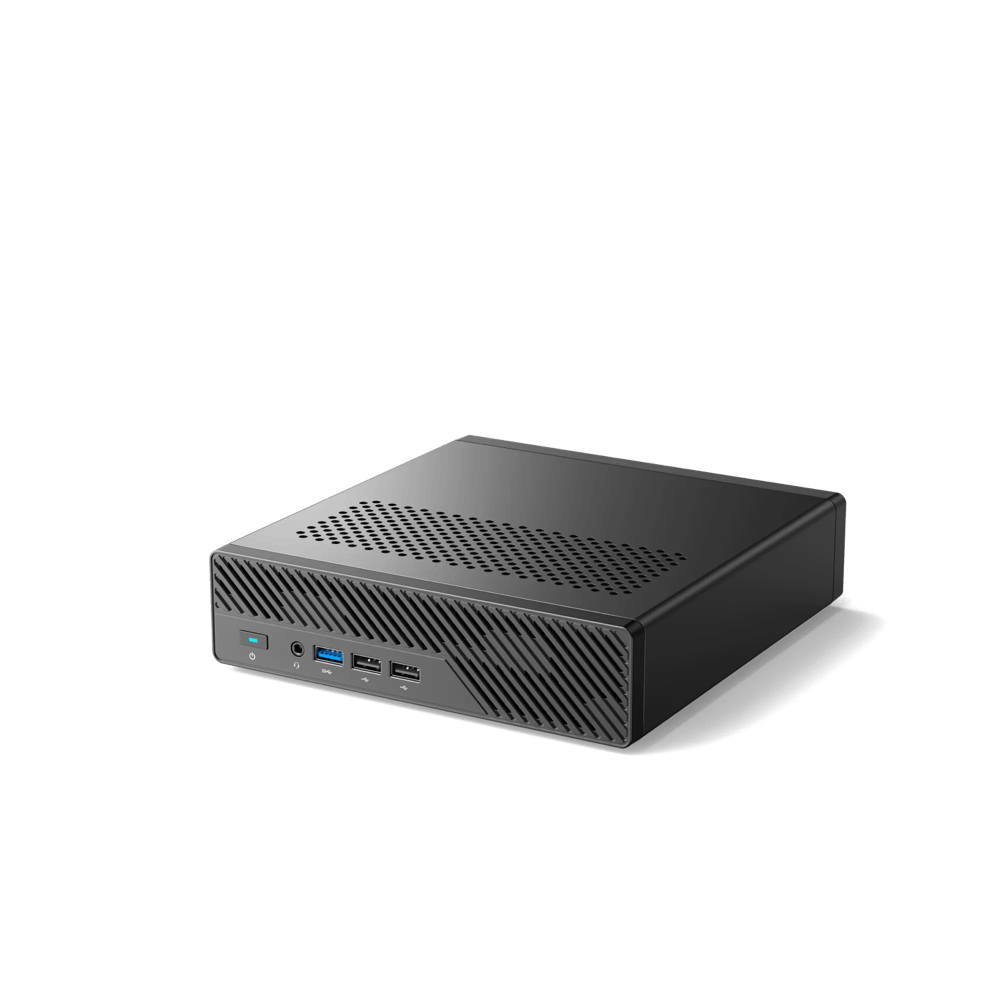
Minisforum UM790 Pro
Complete system, 18-25 tok/s on 7B models
A quality monitor for coding and a solid terminal emulator round out the setup. If you are building a dedicated workstation, check our desk accessories guide for cable management and ergonomic upgrades.
Summary
Local LLM hardware comes down to one question: how much memory do you need, and how fast do you want to move through it? For most developers, the Mac Mini M4 at $1,149 hits the right balance of performance, efficiency, and noise. For raw speed, the RTX 5090 is unmatched. And for getting started on a budget, a $536 AMD mini PC proves you do not need thousands of dollars to run useful models locally.