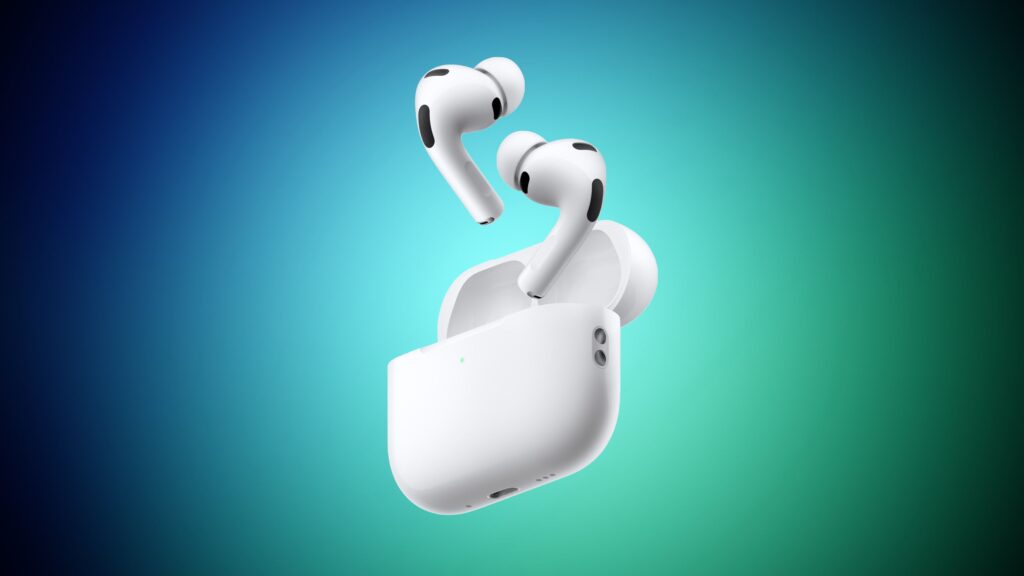
Over-ear headsets are great until you’re playing on a Steam Deck in bed, commuting with a Switch 2, or just sick of sweaty ear cups in the summer. Gaming earbuds have gotten surprisingly good in the last year, with proper 2.4GHz dongles, real ANC, and latency numbers that compete with full-size headsets.
I went through the current crop and picked eight pairs that make sense for console and handheld gamers. Every pick here works with at least two major platforms, and most cover all of them. If you’re shopping for earbuds to pair with your PS5, Switch 2, Steam Deck, or even just your phone for mobile gaming, I tested them all with those platforms in mind.
TL;DR
- SteelSeries Arctis GameBuds are the best overall. 2.4GHz dongle, Bluetooth 5.3, and 100+ game presets across PS5, Xbox, Switch 2, and PC.
- Sony INZONE Buds are the PS5 pick. Tempest 3D Audio support and 60 hours total battery make them the best choice for PlayStation players.
- AirPods Pro 3 are the Apple pick. If you’re already in the Apple ecosystem, the H3 chip, Spatial Audio, and class-leading ANC make them a strong gaming companion.
- Turtle Beach Battle Buds at $30 are the budget pick. Wired, zero latency, removable boom mic, and they work with everything.
- Why Gaming Earbuds Over a Headset?
- What to Look For
- SteelSeries Arctis GameBuds: Best Overall
- Sony INZONE Buds: Best for PS5
- AirPods Pro 3: Best for Apple Users
- ASUS ROG Cetra SpeedNova: Best Microphone
- HyperX Cloud Mix Buds 2: Best for Handhelds
- JBL Quantum TWS: Best Value
- Razer Hammerhead HyperSpeed: Best for Razer Fans
- Turtle Beach Battle Buds: Best Budget
- Platform Compatibility Matrix
- FAQ
- Final Verdict
Why Gaming Earbuds Over a Headset?
If you play exclusively at a desk, a full headset like the HyperX Cloud III is still the better audio experience. But earbuds win in every other scenario. They’re lighter for long sessions, they fit in your pocket for travel, and they don’t mess up your hair (yes, that matters). With the Switch 2 now supporting Bluetooth audio natively and the Steam Deck handling USB-C dongles without fuss, earbuds are a real option now in ways they weren’t a year ago.
Handheld gaming is the big one. Try wearing an over-ear headset on a plane with a Steam Deck and you’ll understand. Earbuds with ANC and a low-latency dongle give you the same competitive edge in a form factor that works on the go.
What to Look For
2.4GHz dongle vs Bluetooth. This is the single most important spec. Standard Bluetooth adds 150-200ms of latency, which is fine for watching videos but noticeable in fast-paced games. A 2.4GHz USB-C dongle brings that down to 20-40ms. If you’re playing anything competitive or timing-sensitive, you want a dongle. Every pick on this list except the budget wired option has one.
Platform compatibility. Not every dongle works with every device. PS5 and Steam Deck both have USB-C ports, so most dongles work out of the box. The Switch 2 supports Bluetooth audio and has a USB-C port for dongles. Xbox is the outlier. It doesn’t support USB audio, so you’re limited to Bluetooth or a 3.5mm cable into the controller.
Battery life. Look at both the earbud and case numbers. 8 hours of earbud time is solid for a gaming session. 30+ hours total (with the case) means you’re charging once a week. Wired earbuds obviously skip this concern entirely.
Mic quality. Most gaming earbuds have passable mics for party chat, but they won’t match a dedicated boom mic. If squad comms matter to you, I’ve flagged which picks have above-average mics below.
SteelSeries Arctis GameBuds: Best Overall
The GameBuds cover more platforms than any other earbud on this list. They work with everything: PS5, Xbox, Switch 2, PC, and mobile. The USB-C dongle delivers around 40ms latency over 2.4GHz, and you can swap to Bluetooth 5.3 for phone calls or music without missing a beat.
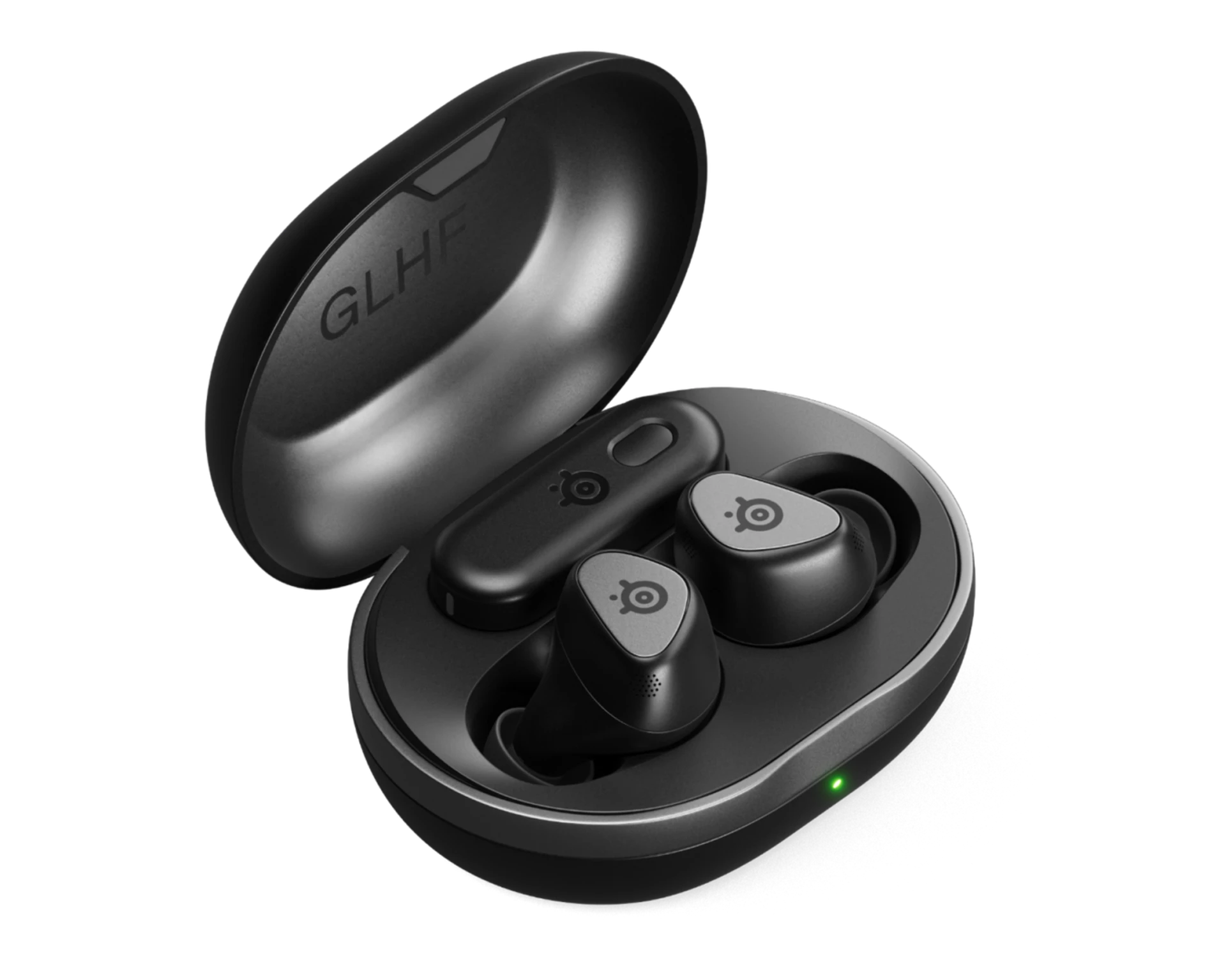
100+ game-specific audio presets through the SteelSeries GG app, IP55 dust and water resistance, and wireless charging on the case. The ANC is decent but not class-leading. Where the GameBuds really pull ahead is platform coverage. One dongle, every console.
The fit is compact and lightweight with silicone tips in three sizes. Some people with smaller ear canals have reported the buds sitting a bit loose, so it’s worth checking the fit before a long session. Battery life is strong: 10 hours on the buds themselves, 40 more from the case. That’s enough to get through a week of daily play without touching a charger.
Read our full SteelSeries Arctis GameBuds review for a deeper look at sound quality, ANC performance, and how they handle cross-platform switching.
Best for: Gamers who play across multiple platforms and want one pair of earbuds that handles all of them.
Sony INZONE Buds: Best for PS5
If you’re locked into the PlayStation ecosystem, the INZONE Buds are the obvious pick. They support Sony’s Tempest 3D Audio and 360 Spatial Sound, which gives you positional audio that you can hear working in games like Astro Bot and Returnal. The 2.4GHz dongle hits around 30ms latency, which is among the lowest on this list.
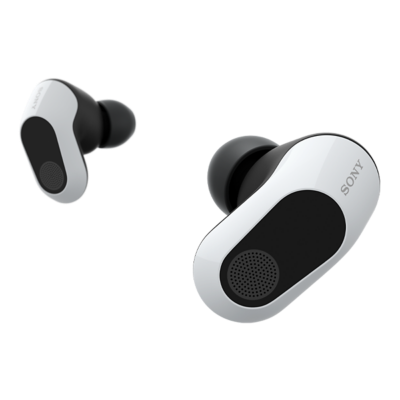
Uses the same 8.4mm driver as Sony’s WF-1000XM5, which is their flagship music earbud. Battery life is the best here at 12 hours on the buds and 48 total with the case. ANC is excellent. The tradeoff is the microphone, which is noticeably weaker than the competition for voice chat.
The INZONE Buds use LE Audio instead of standard Bluetooth for the wireless connection. That means they won’t pair with iPhones over Bluetooth (only through the dongle or Android via LE Audio). If you split time between PS5 and iPhone, this could be a dealbreaker. For pure PS5 or PS5-plus-Android users, it’s not an issue.
Best for: PS5 players who want the tightest integration with Sony’s audio ecosystem and don’t mind paying a premium.
AirPods Pro 3: Best for Apple Users
If you game on an iPhone, iPad, or Mac and already live in the Apple ecosystem, the AirPods Pro 3 are a no-brainer. They don’t have a 2.4GHz dongle, which means latency sits around 126ms over Bluetooth. That’s noticeably better than the 150-200ms you get from standard Bluetooth earbuds, but still higher than the sub-40ms dongle options above. For casual play, RPGs, and single-player games, you won’t feel the difference.
Apple users can also review our Apple Event 2026 recap for the latest AirPods 5 announcement.
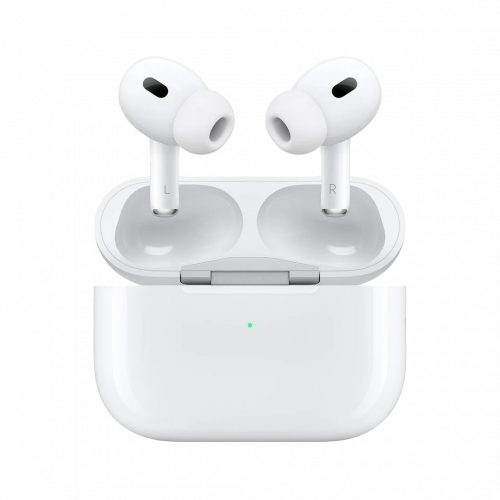
Personalized Spatial Audio with head tracking, class-leading ANC (27dB average attenuation), Adaptive Transparency mode, and the H3 chip that handles latency better than most standard Bluetooth codecs. Mac users get an extra perk: macOS Game Mode drops latency further when gaming. Battery is 6 hours on the buds, 30 total with the case, and a 5-minute charge gives you an hour of playback.
The main limitation is platform reach. AirPods Pro 3 connect over Bluetooth only, so they work with the Switch 2, Steam Deck, and PC out of the box. PS5 needs a third-party Bluetooth adapter, and Xbox doesn’t support them at all. If you game across multiple consoles, the SteelSeries GameBuds are the better call. But if your gaming revolves around Apple devices, mobile games, or you just want one pair of earbuds that handles everything from gaming to music to calls, the AirPods Pro 3 are hard to top.
Best for: Apple ecosystem users who want premium ANC and Spatial Audio for casual and single-player gaming.
ASUS ROG Cetra SpeedNova: Best Microphone
Most gaming earbuds have mediocre mics. The Cetra SpeedNova is the exception. It uses a bone-conduction AI noise canceling mic system that sounds genuinely good on voice chat. If you spend a lot of time in party chat or Discord calls while gaming, this is the pair to look at.
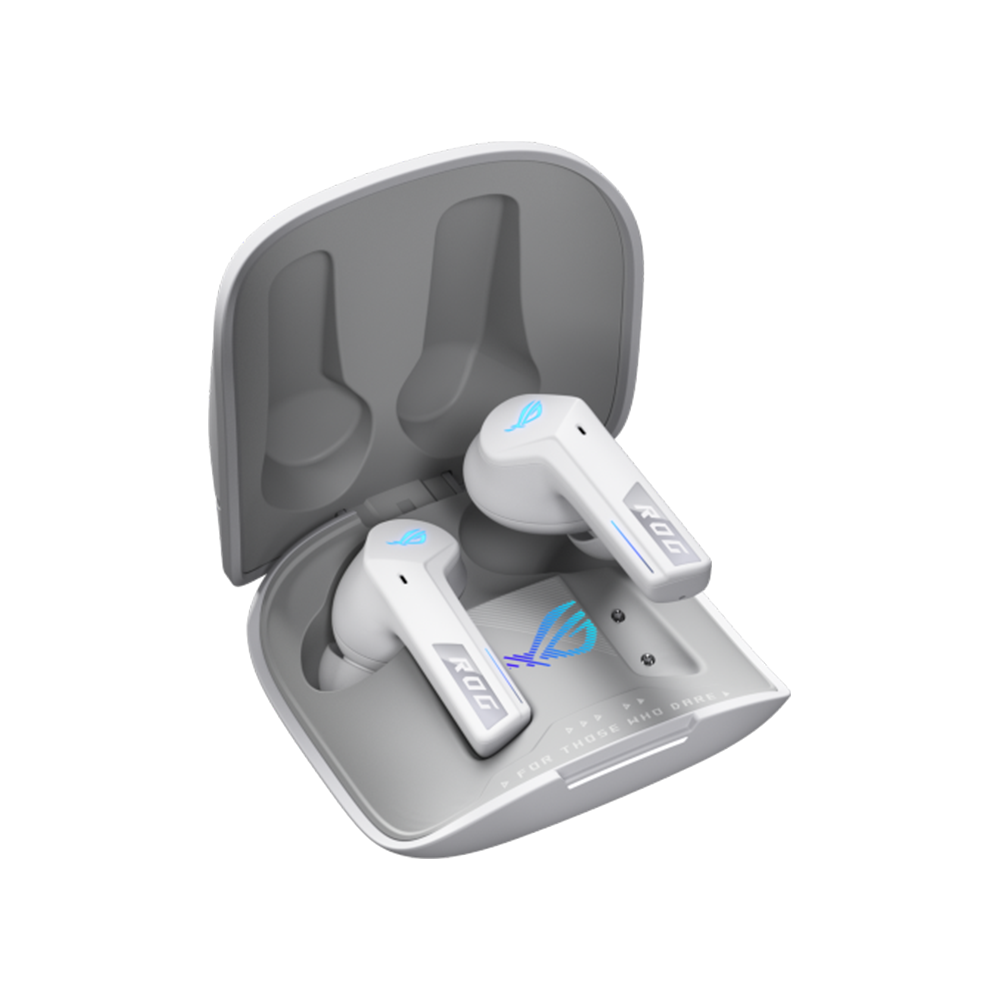
Dirac Opteo spatial audio tuning, simultaneous 2.4GHz and Bluetooth connection (listen to game audio on one, take calls on the other), ANC, and 10mm drivers. The 46 hours of total battery is the second highest on this list behind only the Sony.
The downsides are fit and software. The buds are on the larger side, and some reviewers have noted they don’t sit flush in every ear. The ASUS Armoury Crate software is also clunky compared to SteelSeries GG or Sony’s app. But if mic quality is your top priority, nothing else here touches it.
Best for: Players who rely on voice chat and want clear comms without a boom mic.
HyperX Cloud Mix Buds 2: Best for Handhelds
HyperX makes some of the most comfortable gaming audio gear on the market (their Cloud III over-ears are still one of our top picks), and the Cloud Mix Buds 2 carry that same philosophy into earbud form. The case is compact enough to toss in a bag next to your Steam Deck or Switch 2 without thinking about it.
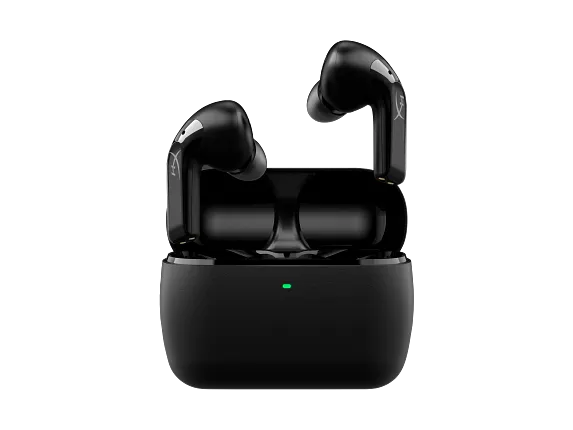
9mm drivers with DTS Headphone:X spatial audio, a USB-C dongle that plugs straight into the Steam Deck or Switch 2, and ANC for noisy environments. Battery life is the weakest here at 7 hours on the buds (19 total), so keep the case topped up.
The Cloud Mix Buds 2 don’t have the longest battery or the best mic, but they get the basics right: comfortable fit, reliable low-latency audio, and a case that doesn’t take up half your carry bag. For handheld players who want something they can grab and go, these are the ones I’d pick.
Best for: Steam Deck and Switch 2 players who want a grab-and-go setup with low-latency audio.
JBL Quantum TWS: Best Value
The JBL Quantum TWS lists at $150, but it rarely sells for that. You can regularly find it for $75-100, which makes it the best deal on this list for a 2.4GHz dongle earbud. At full price it’s hard to recommend over the SteelSeries or ASUS. At $80, you’re getting dongle-level latency for half the price of the SteelSeries.
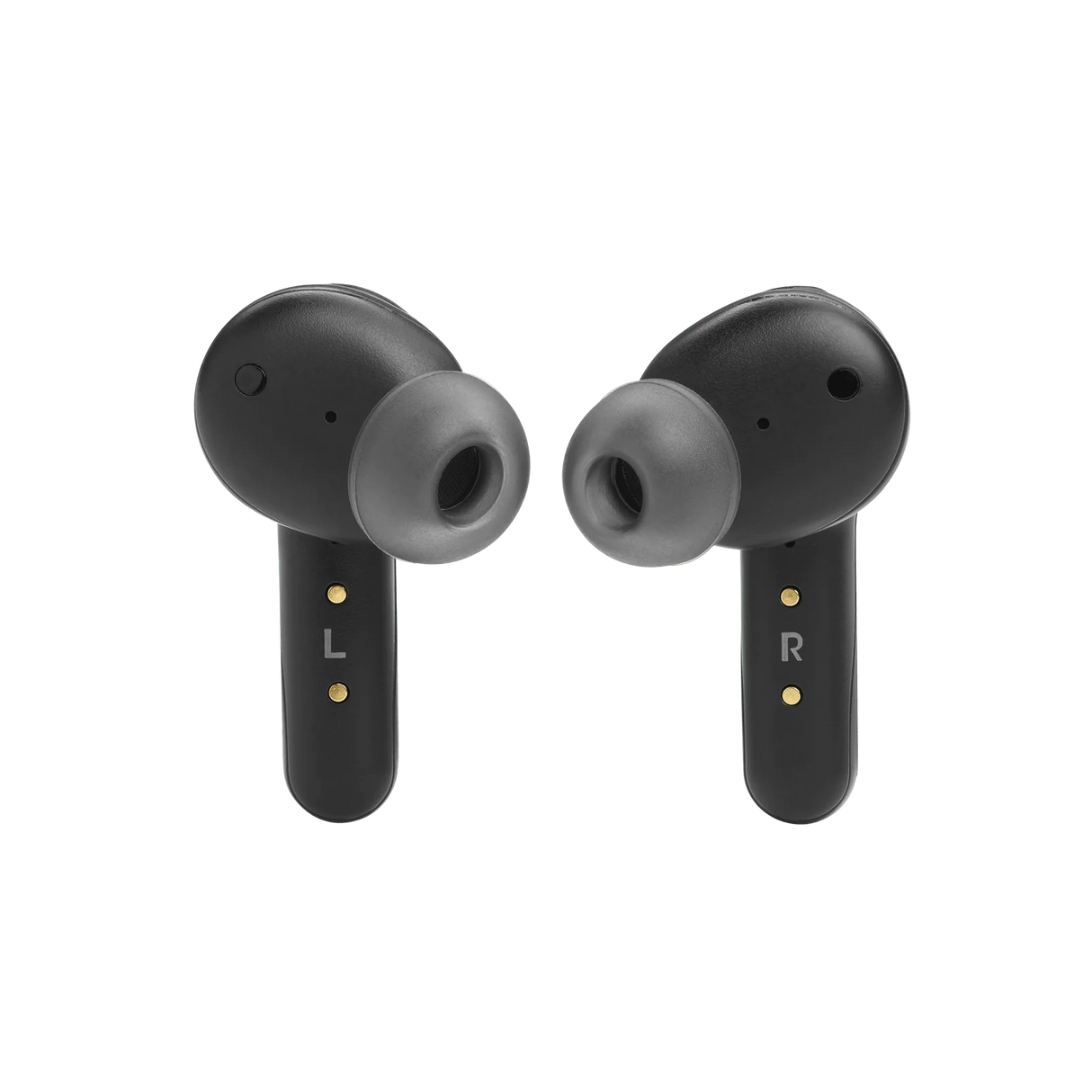
Under 40ms latency with the dongle, JBL QuantumSURROUND spatial audio, True Adaptive ANC, and 10mm drivers. Sound quality is solid for the price. The tradeoff is battery life: 8 hours on buds, 16 total. That’s manageable but you’ll be charging more often.
The main quirk is that the dongle eats into battery life faster than Bluetooth mode. JBL claims 8 hours, but real-world use with the 2.4GHz dongle is closer to 3-4. Keep the case handy. Controls are also a bit unintuitive compared to the SteelSeries or Sony, but you get used to them.
Best for: Budget-conscious gamers who want dongle-level latency without paying $150+.
Razer Hammerhead HyperSpeed: Best for Razer Fans
If your setup is already green and glowing, the Hammerhead HyperSpeed fits right in. Razer Chroma RGB on the case, HyperSpeed 2.4GHz wireless with sub-40ms latency, and tight integration with Razer’s Synapse software. The PS5 and Xbox versions have platform-specific tuning.
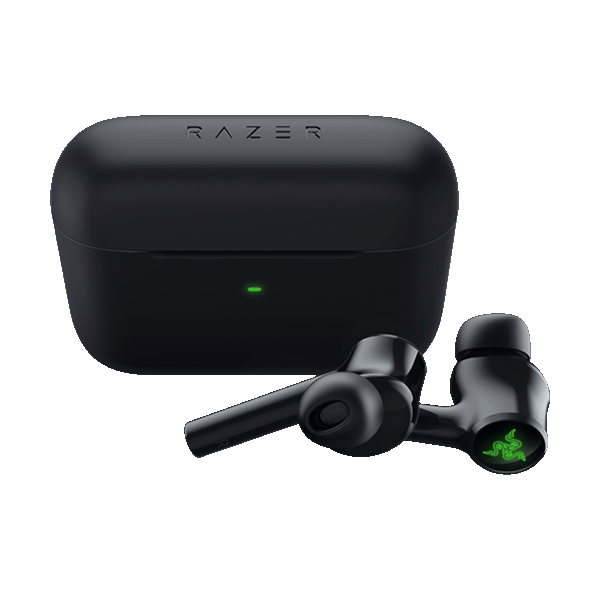
ANC with an adjustable transparency mode, AirPods-like stem design for a comfortable fit, and THX Spatial Audio support on PC. The 30 hours of total battery sounds good on paper.
Here’s the catch: battery life. Razer claims 30 hours total, but multiple reviewers report real-world numbers closer to 6-8 hours with the dongle active. The mic quality is also below average for voice chat. If you’re already in the Razer ecosystem and want earbuds that sync with your other peripherals, they work. Otherwise, the SteelSeries GameBuds do everything better at the same price.
Best for: Razer ecosystem users who want their earbuds to match their setup.
Turtle Beach Battle Buds: Best Budget
Sometimes the best solution is the simplest one. The Battle Buds are wired, they cost $30, and they work with literally everything that has a 3.5mm jack. PS5 controller, Xbox controller, Switch 2, Steam Deck, phone, laptop. Plug in and go. No latency, no charging to worry about, no software to install.
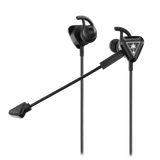
Removable boom mic for voice chat (way better than any wireless earbud mic at this price), inline controls, and a compact carrying case. There’s no ANC and no companion app. Just solid audio for $30.
The removable boom mic makes a bigger difference than you’d expect. Wireless earbuds struggle with mic quality because the microphones are tiny. The Battle Buds come with a clip-on boom that sits right by your mouth, which gives you clearer voice chat than earbuds costing five times as much. If you’re on a tight budget or just want a backup pair for travel, these are hard to beat.
Best for: Anyone on a budget, Xbox players (3.5mm is the only reliable wireless-free option), or gamers who want a no-fuss backup pair.
Platform Compatibility Matrix
Not every pair works the same on every platform. Here’s a quick reference so you can match your pick to your setup.
| Earbuds | PS5 | Xbox | Switch 2 | Steam Deck | PC |
|---|---|---|---|---|---|
| Arctis GameBuds | Dongle | BT/Dongle | Both | Dongle | Both |
| INZONE Buds | Dongle | — | BT | Dongle | Dongle |
| AirPods Pro 3 | —* | — | BT | BT | BT |
| ROG Cetra SpeedNova | Dongle | — | Both | Dongle | Both |
| Cloud Mix Buds 2 | Dongle | — | Both | Dongle | Both |
| JBL Quantum TWS | Dongle | — | Both | Dongle | Both |
| Hammerhead HyperSpeed | Dongle | BT (Xbox ver.) | BT | Dongle | Both |
| Battle Buds | 3.5mm | 3.5mm | 3.5mm | 3.5mm | 3.5mm |
Note on Xbox: Xbox Series X|S doesn’t support USB audio output, which means most USB-C dongles won’t work. Your options are Bluetooth (with latency), the 3.5mm jack on the controller, or the Xbox-specific versions of the GameBuds and Hammerhead that include a USB dongle designed for Xbox’s wireless protocol.
*AirPods Pro 3 on PS5: The PS5 doesn’t natively pair with AirPods over Bluetooth. You’d need a third-party Bluetooth adapter plugged into the USB port, which adds cost and potential latency. If PS5 is your primary console, the Sony INZONE Buds or SteelSeries GameBuds are better options.
Frequently Asked Questions
Are gaming earbuds good enough for competitive play?
With a 2.4GHz dongle, yes. The 20-40ms latency from a dongle connection is low enough that you won’t notice a difference from a wired headset in most games. Standard Bluetooth (150-200ms) is a different story. Avoid Bluetooth-only earbuds for competitive shooters or rhythm games.
Do I need a dongle, or is Bluetooth fine?
It depends on what you play. For single-player games, RPGs, and strategy games, Bluetooth latency (150-200ms) is usually fine. For shooters, fighting games, rhythm games, or anything where audio timing matters, you want the dongle. Most earbuds on this list include both options, so you can switch based on the situation.
Can I use AirPods for gaming?
Regular AirPods aren’t great for gaming because of standard Bluetooth latency. But the AirPods Pro 3 are a different story. Apple’s H3 chip brings latency down to around 126ms, and macOS Game Mode drops it further on Mac. They won’t match the sub-40ms of a 2.4GHz dongle, but for casual and single-player games on Apple devices, Switch 2, or Steam Deck, they work well. We included them in our picks above for Apple ecosystem users.
What latency is acceptable for gaming?
Under 40ms is competitive-grade and feels indistinguishable from wired. 40-80ms is fine for most games. 80-150ms is noticeable in fast-paced titles but workable for RPGs and turn-based games. Over 150ms and you’ll feel the delay in everything. Most 2.4GHz dongles land in the 20-40ms range.
Are wired earbuds still worth it in 2026?
For certain use cases, absolutely. Wired earbuds have zero latency, never need charging, and work with every device. They’re the most reliable option for Xbox (which has limited wireless audio support) and a great backup pair for travel. The Turtle Beach Battle Buds at $30 prove that wired doesn’t mean cheap quality.
Final Verdict
The SteelSeries Arctis GameBuds are the best gaming earbuds for most people. They work across every platform, the audio and battery life are both excellent, and the 2.4GHz dongle keeps latency competitive. If you’re a PS5 loyalist, the Sony INZONE Buds are worth the premium for Tempest 3D Audio. Apple users who game on iPhones, iPads, or Macs should grab the AirPods Pro 3 instead. And if you just want something reliable without spending $150+, the Turtle Beach Battle Buds at $30 prove that wired still works.
Whatever you pick, make sure it has a 2.4GHz dongle if you play anything competitive. Bluetooth has gotten better, but for gaming, the dongle still wins. Check the compatibility matrix above to make sure your pick works with your setup, before you buy. And if your monitor is due for an upgrade too, see our picks for the best monitors for coding and gaming. For the rest of your desk, our gaming desk accessories guide covers wrist rests, desk mats, and other comfort upgrades.