TL;DR
- Best overall: The Razer BlackWidow V4 has dedicated macro keys, a full-size layout for hotbar access, and mechanical switches built for long raid sessions.
- Budget pick: The Redragon K556 gets the job done for under $50 with hot-swappable mechanical switches.
- Premium pick: The Corsair K100 RGB brings an iCUE control dial, Cherry MX Speed switches, and six macro keys for serious raiders.
- Best wireless: The Logitech G915 X TKL offers 1ms LIGHTSPEED wireless with five G-keys and a compact footprint.
- Pair with an MMO mouse. The Logitech G600 ($38) adds 12 side buttons for a full extra hotbar at your thumb.
Top Picks at a Glance
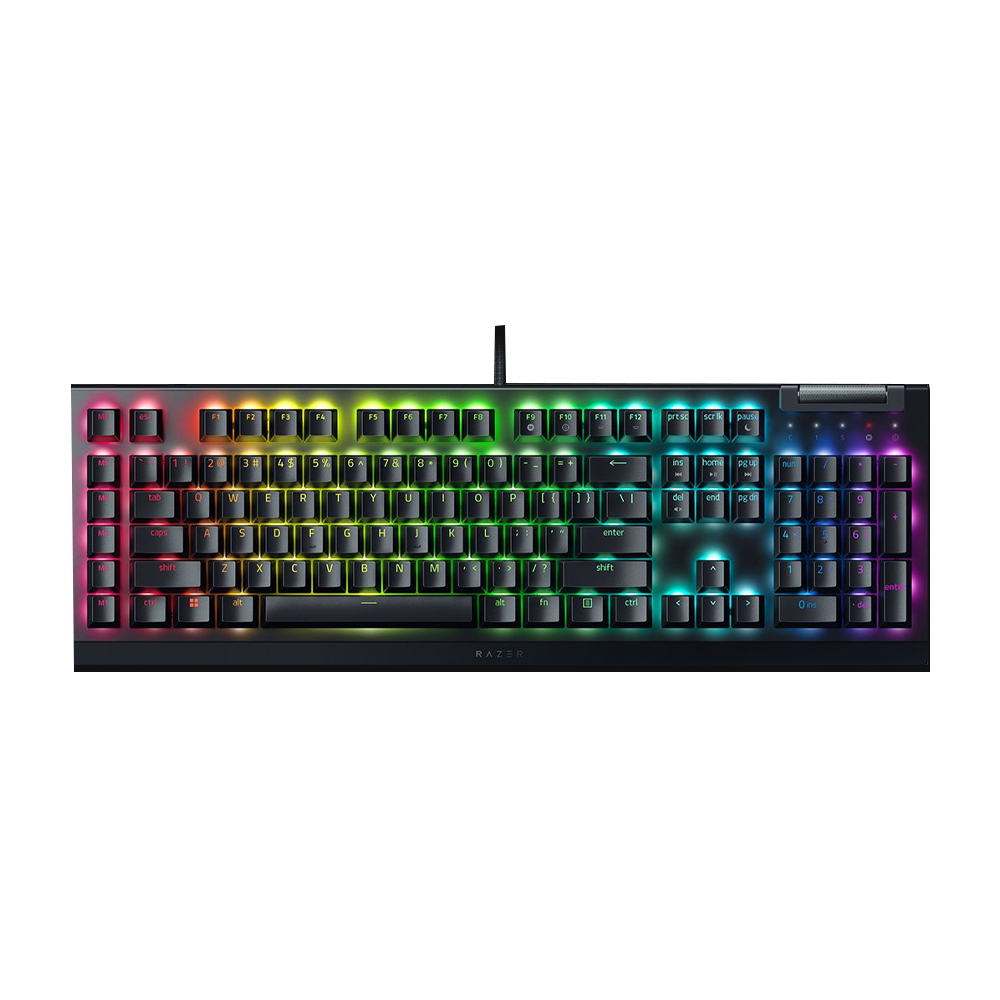
Razer BlackWidow V4
Dedicated macro keys, full-size layout, and Razer Green switches built for MMO grinding.
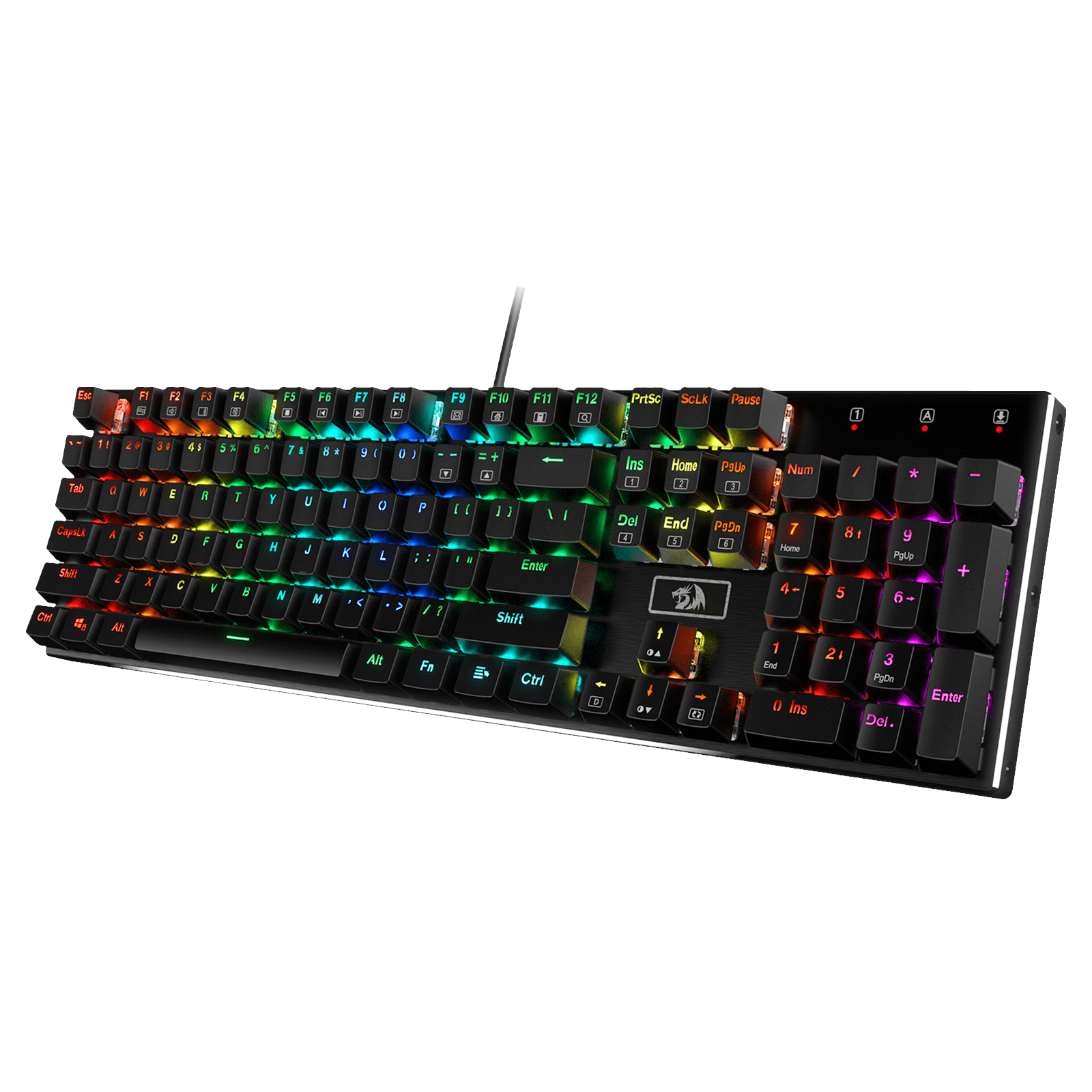
Redragon K556
Full-size mechanical keyboard with hot-swappable switches. Hard to beat at this price.
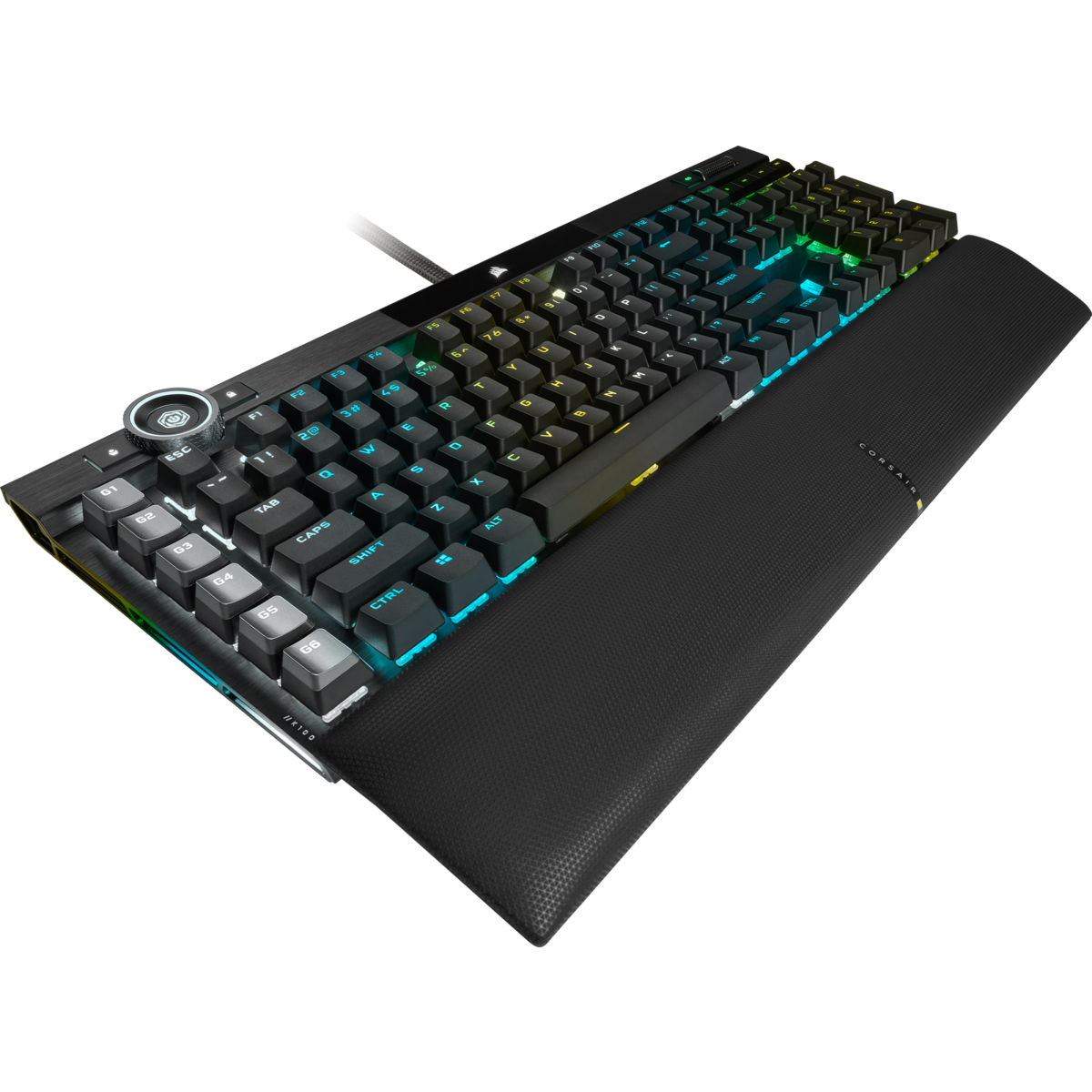
Corsair K100 RGB
iCUE control dial, per-key RGB, and six macro keys. The endgame keyboard for serious raiders.
Finding the best keyboard for Final Fantasy XIV is more than just picking something that feels nice to type on. FFXIV throws 36 keybinds at you across three hotbars minimum, and that number only grows once you start stacking Ctrl, Shift, and Alt modifiers. A keyboard that works fine for Valorant or general browsing can turn into a hand cramp machine during a two-hour Savage raid.
I tested keyboards ranging from $45 to $250 specifically for FFXIV gameplay, focusing on what actually matters: comfortable modifier access, enough keys for hotbar management, macro support, and switches that survive the kind of repetitive inputs MMOs demand. Whether you main a button-heavy job like Astrologian or something more straightforward like Samurai, this guide covers every budget level. New to mechanical keyboards? Our guide to mechanical keyboard switches explains linear, tactile, and clicky so you can pick the right feel.
- Top Picks at a Glance
- Quick Comparison
- Razer BlackWidow V4 — Best Overall
- Corsair K100 RGB — Premium Pick
- Logitech G915 X TKL — Best Wireless
- SteelSeries Apex Pro — Best Switches
- Redragon K556 — Budget Pick
- HORI TAC F14 — Best for Console Switchers
- Complete Your Setup: MMO Mice
- How to Choose a Keyboard for FFXIV
- FAQ
- Final Recommendations
Quick Comparison
| Keyboard | Switch Type | Size | Macro Keys | Price |
|---|---|---|---|---|
| Razer BlackWidow V4 | Razer Green (clicky) | Full-size | 6 dedicated | $150 |
| Corsair K100 RGB | Cherry MX Speed | Full-size | 6 dedicated + dial | $250 |
| Logitech G915 X TKL | GX Linear/Tactile | TKL | 5 G-keys | $200 |
| SteelSeries Apex Pro | OmniPoint 2.0 (adjustable) | Full-size | None (software) | $200 |
| Redragon K556 | Outemu Brown (hot-swap) | Full-size | None | $45 |
| HORI TAC F14 | Membrane | Half keyboard | 30+ programmable | $100 |
Razer BlackWidow V4: Best Overall Keyboard for FFXIV
Six dedicated macro keys along the left side give you instant access to frequently used abilities without burning hotbar slots. The full-size layout keeps the numpad for party targeting and F-row for targeting macros. Razer Synapse lets you build FFXIV-specific profiles that activate when the game launches.
The BlackWidow V4 hits the sweet spot for FFXIV players. You can assign complex macro sequences to the side keys, like popping multiple cooldowns in order or switching between hotbar sets. The Razer Green switches are clicky and tactile, which sounds like a small thing until you’re an hour into an Extreme trial and need to feel exactly when each keypress registers.
The magnetic wrist rest is a genuine comfort upgrade for long sessions. If you regularly do roulettes and raid nights back to back, your wrists will thank you. The only real downside is that Razer Synapse can be resource-hungry, but FFXIV is not exactly pushing modern hardware to its limits.
Corsair K100 RGB: Premium Pick
Cherry MX Speed switches have a 1.0mm actuation point, meaning keys fire almost the instant you touch them. For double-weaving oGCDs in Savage content, that responsiveness genuinely matters. The iCUE control dial can be mapped to volume, zoom, or scrolling through hotbar sets.
Some players bind the dial to camera zoom for screenshots. Others use it for push-to-talk in Discord during raids. It sounds gimmicky, but it becomes one of those things you miss when it is not there.
iCUE software is more stable than Synapse in my experience, and the per-key RGB lighting can sync with in-game events if you are into that. The price tag is steep, but the build quality matches it. This keyboard will last you through multiple expansion cycles.
Logitech G915 X TKL: Best Wireless Keyboard for FFXIV
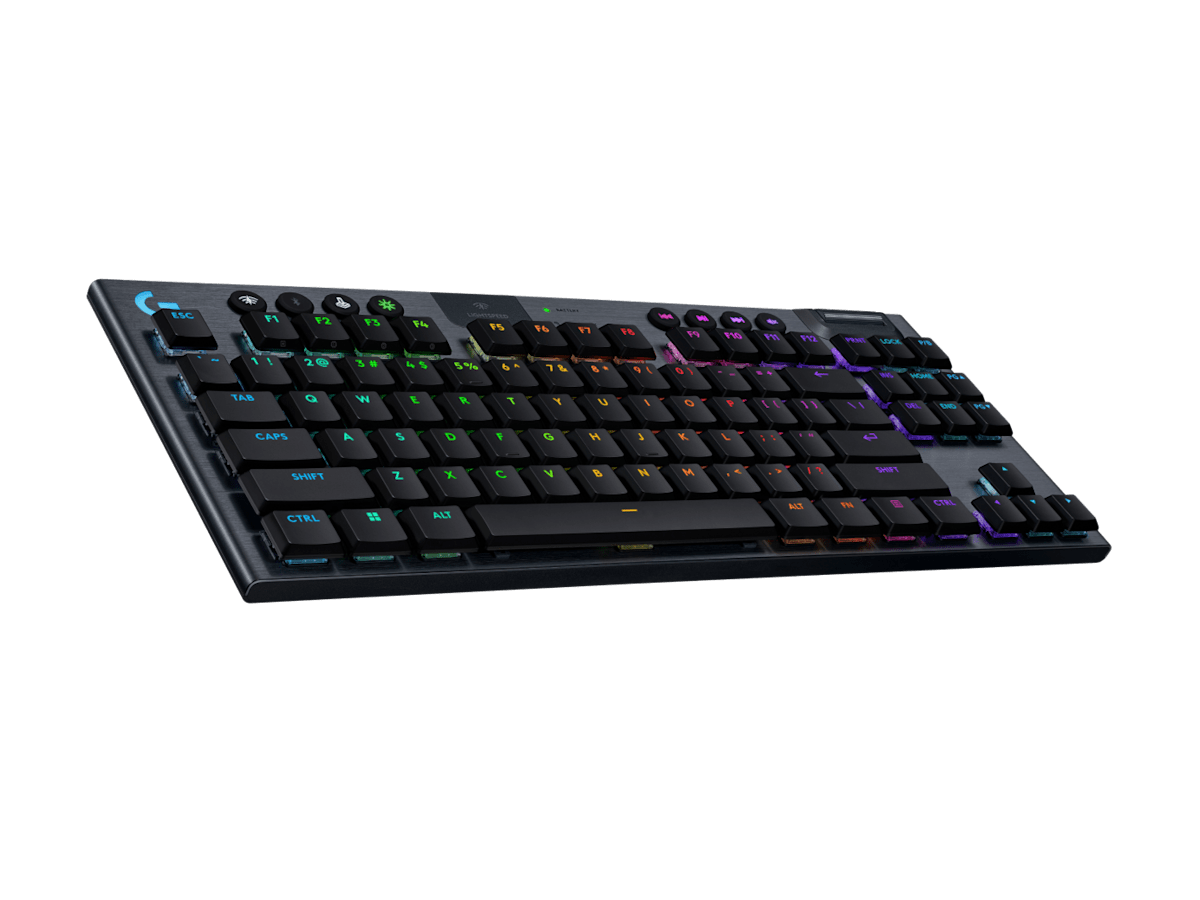
Logitech’s LIGHTSPEED wireless runs at 1ms latency, which is functionally identical to wired. The TKL layout drops the numpad, but five G-keys on the left side partially compensate. Battery life hits around 36 hours with RGB on.
If cable clutter drives you nuts or you play FFXIV from the couch, the G915 X TKL is the answer. The compact footprint gives you more desk space for mouse movement. If your desk setup is already tight, this keyboard fits where full-size boards simply cannot.
Low-profile switches take some adjustment if you are coming from standard mechanical boards. They are shallower and faster to actuate. Most FFXIV players end up preferring them after a week because the reduced travel means less finger fatigue across long play sessions.
SteelSeries Apex Pro: Best Switches for FFXIV
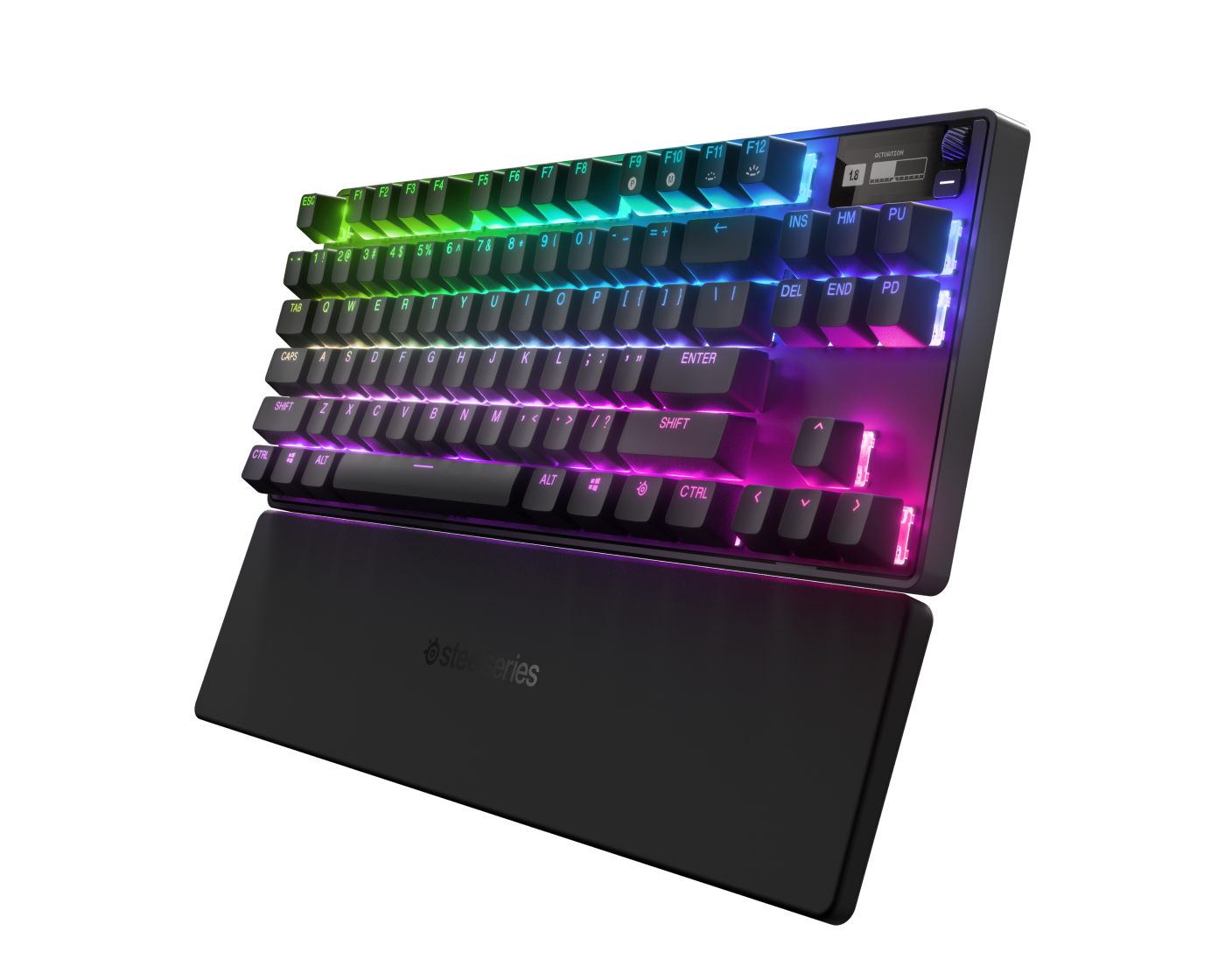
Adjustable actuation per key, from 0.2mm to 3.8mm. Set your movement keys (WASD) to a light 0.4mm for snappy dodging during mechanics, and set modifier keys (Ctrl, Shift, Alt) deeper at 2.0mm so you don’t accidentally trigger them during frantic moments.
This per-key tuning is something no other keyboard on this list can match. If you have ever fat-fingered Ctrl+3 instead of just 3 during a crucial heal window, you understand why adjustable actuation depth matters. The OLED display on the keyboard shows your current profile, which is a nice touch when switching between FFXIV and other games.
No dedicated macro keys is the main downside. You are relying on SteelSeries GG software to remap keys, which works but is not as convenient as physical macro buttons. At $200, it competes directly with the G915 X TKL and offers a very different value proposition. Pick this if switch customization matters more to you than wireless freedom.
Redragon K556: Best Budget Keyboard for FFXIV
At $45, this is the best value on the list by a wide margin. Full-size mechanical keyboard with Outemu Brown switches, a full numpad for targeting macros, and hot-swappable sockets so you can change switches later without soldering.
There are no dedicated macro keys, so you are working with the standard key layout plus whatever remapping your software allows. That is totally fine for most players. FFXIV’s built-in macro system and hotbar customization handle the heavy lifting, and the K556 gives you all the physical keys you need to make it work. If you are looking for budget mechanical keyboards in general, this one belongs on every shortlist.
Build quality is plastic but solid. It will not flex or creak during intense gameplay. The RGB looks surprisingly good for a sub-$50 keyboard, and the included keycap puller makes it easy to customize. The only thing missing is dedicated software for remapping, so you will want to use FFXIV’s native keybinding menu instead.
HORI TAC F14: Best for Console-to-PC Switchers
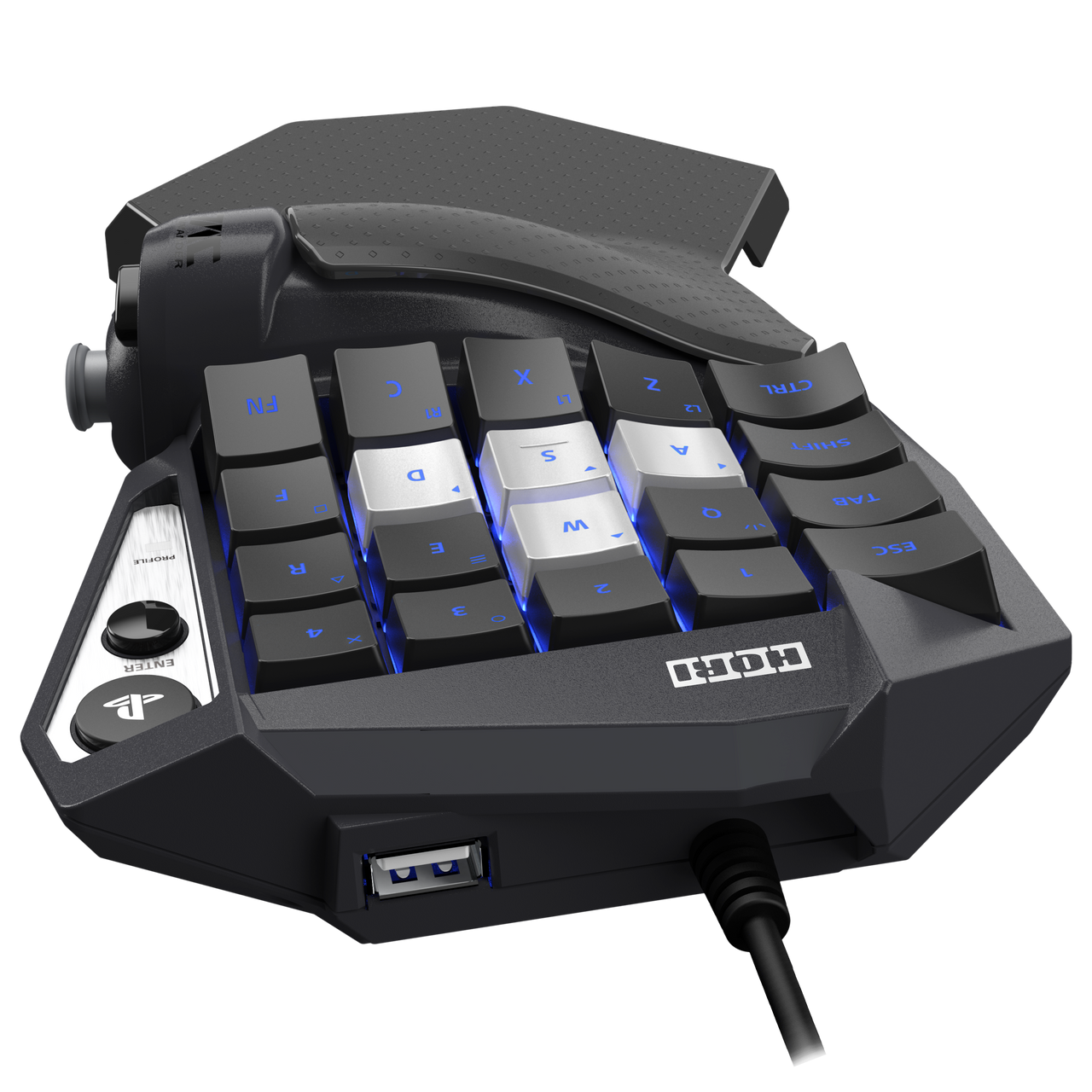
Every key on the device is programmable, and the analog stick on the left handles movement so you keep that controller-style feel. The keys around it handle abilities and modifiers. HORI’s software lets you create multiple profiles and switch between them on the fly.
The TAC F14 is not a traditional keyboard. It is a left-hand keypad designed specifically for console players making the jump to keyboard and mouse. If you have been playing FFXIV on PS5 with a controller and want to try keyboard controls, going straight to a full-size board can feel overwhelming. The TAC bridges that gap.
This is a niche pick, but it solves a real problem. The FFXIV community on Reddit regularly recommends it for players who want keyboard-level keybind access without completely abandoning their controller muscle memory. Keep in mind you will still need a mouse for camera control and targeting.
Complete Your Setup: MMO Mice
A keyboard handles most of your FFXIV keybinds, but pairing it with an MMO mouse changes your hotbar management entirely. Those 12 side buttons give you a full extra hotbar at your thumb, which means fewer awkward modifier combinations and faster access to oGCDs. Here are the two best options.
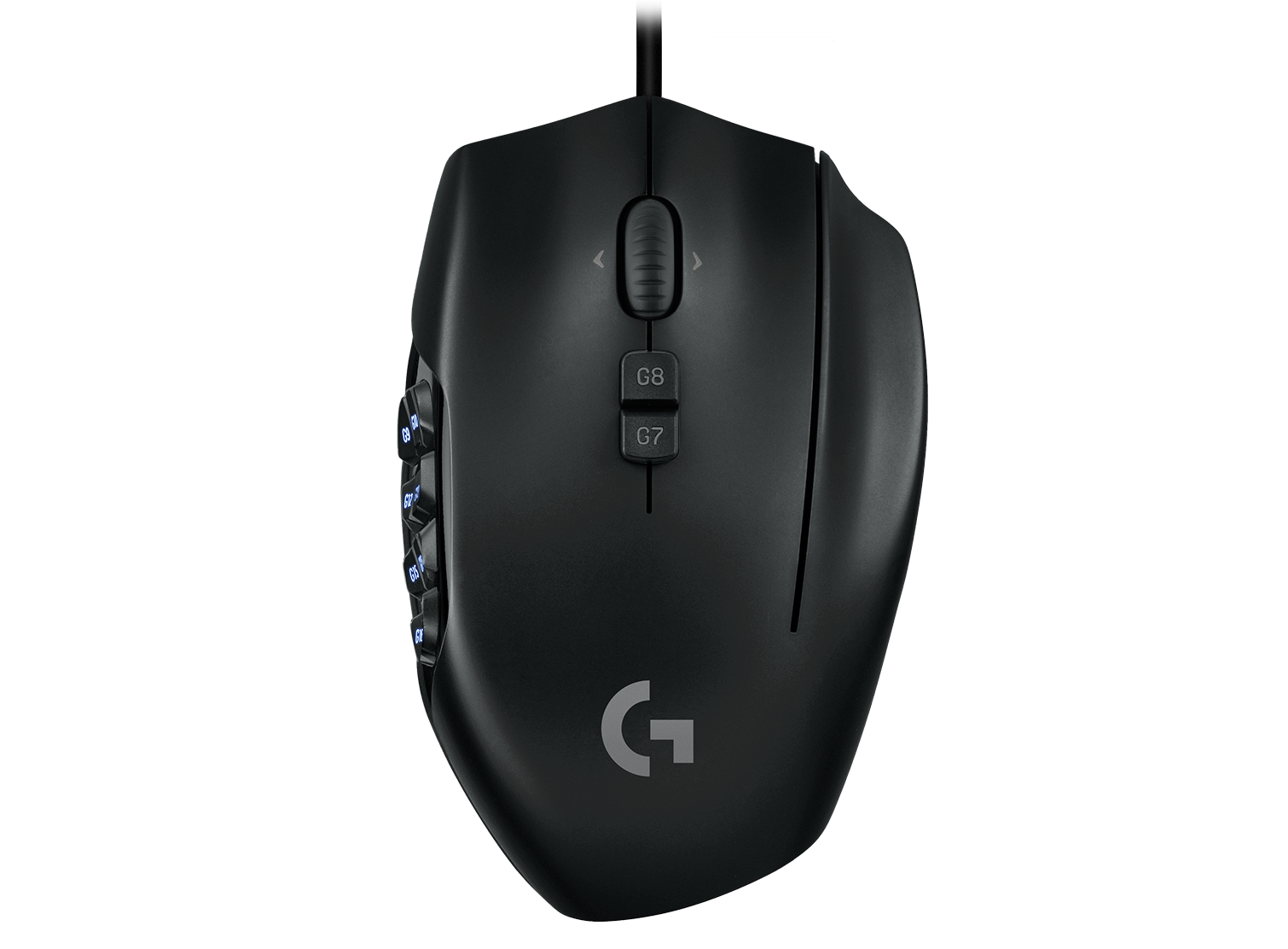
Logitech G600 MMO Mouse
12 side buttons plus a ring-finger “G-Shift” that doubles every button. 24 commands from your mouse alone.
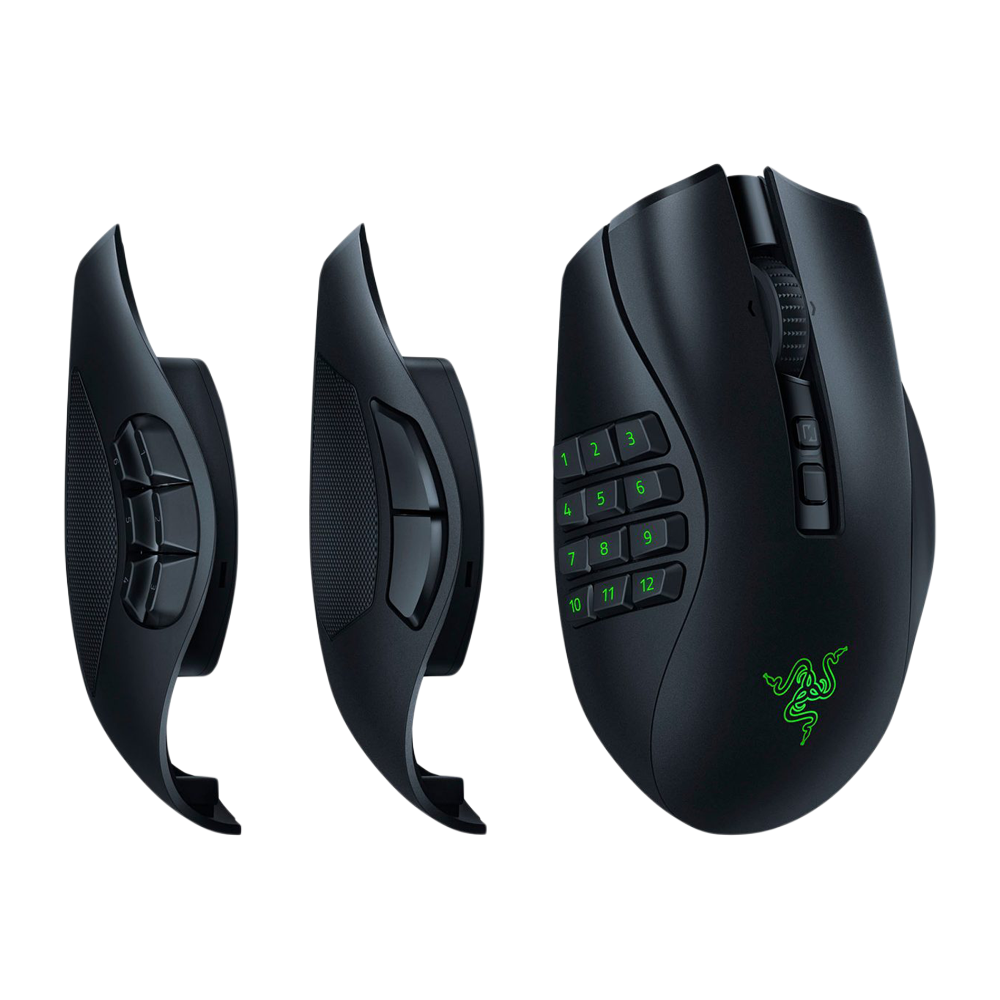
Razer Naga V2 Pro
Wireless with swappable side panels (12-button, 6-button, 2-button). Adapts to any playstyle.
The Logitech G600 has been the FFXIV community’s go-to MMO mouse for years, and for good reason. The G-Shift button under your ring finger acts as a modifier that doubles every button on the mouse, giving you 24 programmable inputs. At $38, it is almost unfairly good value. The side buttons have a slight angle that makes them easier to find by feel than flat grid layouts.
The Razer Naga V2 Pro is the premium option with wireless freedom and swappable side panels. The 12-button panel is what you want for FFXIV, but the ability to swap to a 6-button or 2-button layout for other games is a nice bonus. HyperSpeed wireless keeps latency at 1ms, and Synapse profiles can auto-switch when FFXIV launches.
How to Choose a Keyboard for FFXIV
FFXIV has specific demands that make some keyboards much better choices than others. Here is what to prioritize.
Full-Size vs. TKL
Full-size keyboards give you the numpad and a complete F-row, both of which are genuinely useful in FFXIV. The numpad works great for targeting party members (Numpad 1-8 maps to party list positions), and F1-F12 serves as another targeting row. TKL keyboards save desk space but force you to rebind those functions elsewhere. If desk space is not an issue, go full-size.
Macro Keys
Dedicated macro keys let you bind complex actions outside your normal hotbar layout. Popping multiple cooldowns in sequence, switching gear sets, or executing crafting macros all become one-button operations. The BlackWidow V4 and K100 both offer six dedicated macro keys, which is the sweet spot for FFXIV.
Switch Type
Mechanical switches matter for MMOs because you are pressing keys thousands of times per session. Linear switches (Cherry MX Red, Razer Yellow) are smooth and quiet, good for late-night gaming. Tactile switches (Brown, Razer Orange) give you a bump so you feel each actuation. Clicky switches (Blue, Razer Green) add an audible click on top of the bump. For FFXIV specifically, tactile switches are the community favorite because they confirm inputs without the noise of clicky switches.
Comfort for Long Sessions
FFXIV sessions regularly stretch past two hours, especially during raid nights or new patch content. Look for keyboards with included wrist rests (BlackWidow V4, K100) or budget for a separate one. Your overall desk ergonomics matter too, so consider keyboard height and angle alongside your chair and monitor setup. Good ambient lighting also reduces eye strain during those marathon sessions.
Frequently Asked Questions
Do I need a mechanical keyboard for FFXIV?
You do not strictly need one, but mechanical keyboards handle the volume of inputs FFXIV demands much better than membrane boards. The tactile feedback helps you confirm keypresses during fast-paced content, and mechanical switches last 50-100 million presses compared to 5-10 million for membrane. For casual play, any keyboard works. For Savage and Extreme content, mechanical is a noticeable upgrade.
Is a TKL keyboard good enough for Final Fantasy XIV?
Yes, but you will need to rebind some functions. You lose the numpad (used by many players for party targeting) and may find modifier-heavy setups more cramped. If desk space is limited or you prefer a compact layout, TKL works fine with rebinding. The Logitech G915 X TKL compensates with five G-keys on the left side.
Should I use an MMO mouse with my keyboard for FFXIV?
Strongly recommended. An MMO mouse with 12 side buttons gives you an entire extra hotbar on your thumb. This reduces reliance on Ctrl/Shift/Alt modifiers and speeds up your ability usage significantly. The Logitech G600 at $38 is the best value option, and many FFXIV raiders consider it essential.
How many keybinds do I actually need for FFXIV?
Most jobs use 24-36 keybinds across three hotbars. Healers and tanks tend to need more (closer to 36) because of role actions, defensive cooldowns, and targeting abilities. DPS jobs typically sit around 24-30. You will also want binds for sprint, mount, teleport, and a few commonly used menu shortcuts.
Can I use a controller instead of a keyboard for FFXIV?
Absolutely. FFXIV has excellent controller support, and many top raiders play on controller. The cross hotbar system is well-designed. However, keyboard and mouse gives you faster targeting, more keybind slots without modifier gymnastics, and quicker menu navigation. If you are curious about switching, the HORI TAC F14 offers a hybrid approach.
Final Recommendations
Every keyboard on this list works well for FFXIV. The right choice depends on your budget and what you value most.
| If You Need… | Get This |
|---|---|
| Best overall for FFXIV | Razer BlackWidow V4 ($150) |
| Premium with every feature | Corsair K100 RGB ($250) |
| Wireless and compact | Logitech G915 X TKL ($200) |
| Customizable switches | SteelSeries Apex Pro ($200) |
| Best under $50 | Redragon K556 ($45) |
| Console-to-PC transition | HORI TAC F14 ($100) |
| Best budget MMO mouse | Logitech G600 ($38) |
| Best premium MMO mouse | Razer Naga V2 Pro ($180) |
For most FFXIV players, the Razer BlackWidow V4 paired with a Logitech G600 is the setup that gets the best results without breaking the bank. You get dedicated macro keys, a full layout for all your hotbar needs, and 12 extra buttons on the mouse for instant ability access. That combo runs about $188 total and covers everything from casual roulettes to Savage progression.