
TL;DR
- Check your analytics first. High bounce rates, 0-second visits, and “Direct / None” traffic from unexpected countries are the biggest red flags.
- Cloudflare’s free plan gives you Bot Fight Mode and custom WAF rules. Start there.
- Add server-level protection with fail2ban and nginx rate limiting for defense that doesn’t depend on a third party.
- Layer your defenses. No single tool catches everything.
73% of our traffic was bots. We didn’t know for three months.
That’s not a hypothetical. We run a content site, and when we finally dug into our analytics, we found thousands of daily visits from China with 96% bounce rates, zero-second session durations, and 85% desktop traffic. Our real audience was buried under a mountain of automated garbage. If you’re running any kind of website in 2026, learning how to block bot traffic isn’t optional. It’s the difference between making decisions from real data and flying blind.
This guide covers every layer of protection we used to clean things up, with real configs and real results. Whether you’re on Cloudflare or not, using WordPress or a custom stack, there’s something here for you.
How to Tell If You Have a Bot Problem
Before you start blocking anything, you need to know what you’re dealing with. Most bot traffic doesn’t announce itself. It shows up in your analytics as visits that look almost normal, until you start asking the right questions.
The Red Flags
Here’s what tipped us off. Our site was getting around 4,500 visitors per month. Sounds decent, right? But when we broke it down by country, 3,353 of those visitors were from China. We’re an English-language site covering gaming, gear, and coding. Zero reason for 73% of our traffic to come from CN.
The other signals confirmed it:
- 96% bounce rate from CN traffic (real traffic was around 86%)
- 0-second average session duration from suspicious countries
- “Direct / None” as the dominant traffic source at 84%. Real users come from Google, Bing, social media. Bots don’t carry referrer headers.
- 85% desktop traffic when our real audience was 53% mobile
- Traffic spikes with no explanation. No new content, no social shares, just sudden jumps.
How to Check Your Own Site
Open your analytics tool and look at these breakdowns:
| Metric | What to Look For | Bot Signal |
|---|---|---|
| Country breakdown | Unexpected countries dominating traffic | High volume from countries outside your audience |
| Bounce rate by country | 95%+ bounce rate from specific regions | Bots hit one page and leave instantly |
| Session duration | 0-second visits from certain sources | Bots don’t read content |
| Traffic source | “Direct / None” as top source | Bots typically don’t carry referrer data |
| Device type | Desktop percentage suddenly way higher | Most bots report as desktop browsers |
If two or more of these match, you’ve probably got bots. Time to start layering defenses.
Layer 1: CDN and Edge Protection (Cloudflare)
Cloudflare’s free plan is the single most impactful thing you can do for bot protection on a small site. It sits in front of your server and filters traffic before it ever reaches your origin. Two features matter most here.
Bot Fight Mode
This is a one-toggle feature in the Cloudflare dashboard under Security > Bots. Turn it on and Cloudflare starts automatically challenging traffic it identifies as automated. It uses JavaScript detection, fingerprinting, and behavioral analysis to separate real browsers from scripts.
Bot Fight Mode is free and catches a lot of low-sophistication bots. It won’t stop everything, but it’s zero-effort protection that works immediately.
WAF Custom Rules (Country-Based Challenges)
This is where we got specific. After identifying that 73% of our bot traffic came from China, we created a custom WAF rule to challenge all CN traffic.
To set this up:
- Go to your Cloudflare dashboard
- Navigate to Security > WAF (or search “Custom rules”)
- Create a new custom rule
- Set the field to Country, operator to equals, value to the country you want to target
- Choose your action
Cloudflare gives you three challenge options:
| Action | What It Does | Best For |
|---|---|---|
| Managed Challenge | Cloudflare picks the best challenge automatically (usually invisible JS check) | Traffic you mostly trust but want to verify |
| Interactive Challenge | Visual CAPTCHA puzzle the visitor must solve | Traffic that’s mostly bots but might include some real users |
| Block | Flat deny. No challenge, no chance. | Countries or IPs with zero legitimate audience |
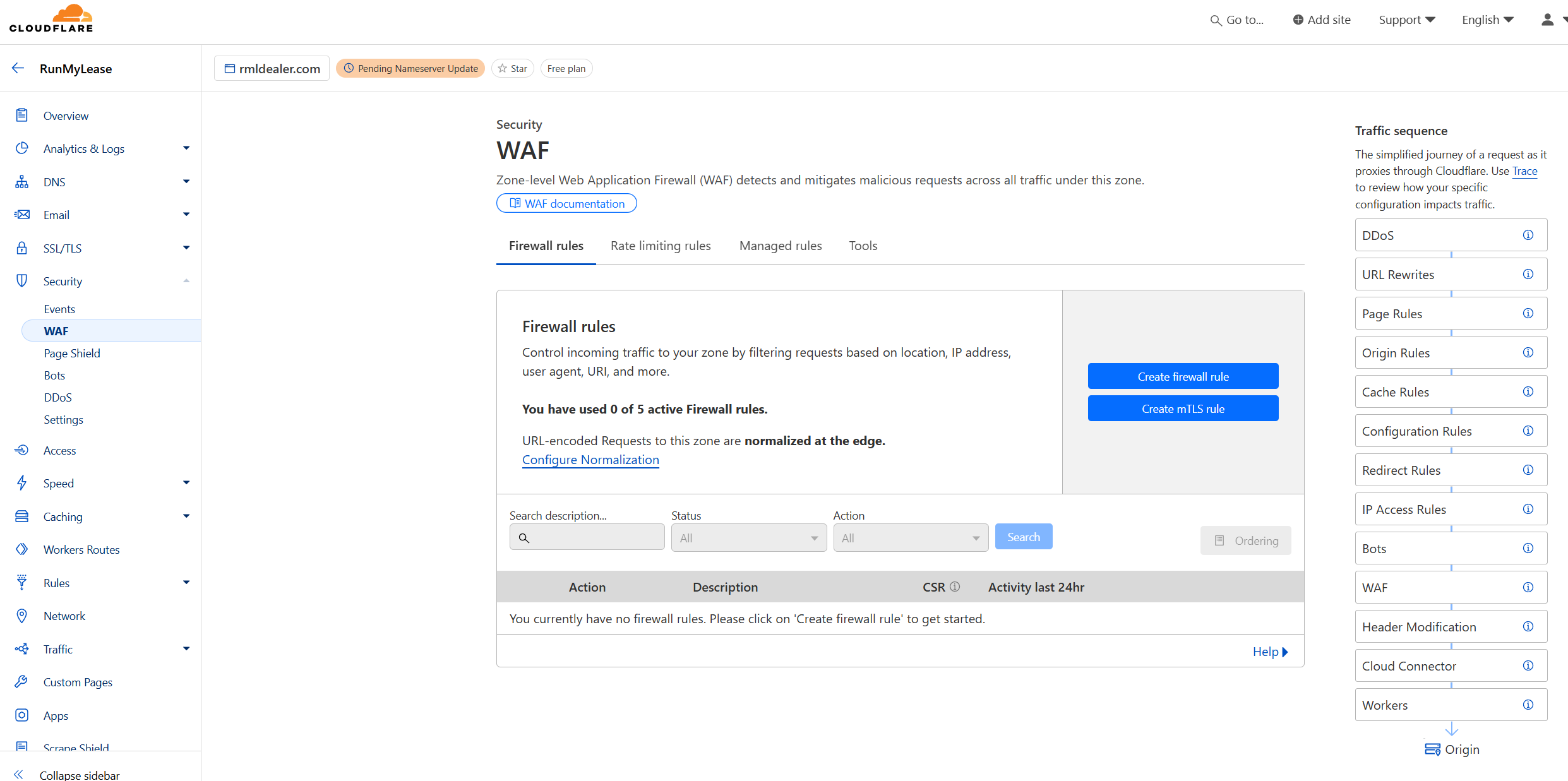
We started with Managed Challenge for CN traffic, which cut bot visits by about 95%. But some bots could solve the invisible JS check, so we upgraded to Interactive Challenge. That killed nearly all of it.
⚡ Important: WAF custom rules execute before Bot Fight Mode. If your custom rule blocks or challenges a request, Bot Fight Mode never sees it. That’s fine. Use custom rules for targeted threats and Bot Fight Mode as a catch-all.
The results were dramatic. After enabling both Bot Fight Mode and our CN Interactive Challenge rule:
- Visitors dropped from 4,541 to 1,198 (the bots disappeared)
- Bounce rate improved from 96% to 86%
- Average session duration jumped from 38 seconds to 2 minutes 11 seconds
- Device split flipped from 85% desktop to 53% mobile (our real audience)
Layer 2: Server-Level Defenses
Cloudflare handles the edge, but if you’re running your own VPS or dedicated server, you should add server-level protection too. This catches anything that bypasses your CDN or hits your server directly.
Nginx Rate Limiting
Rate limiting prevents any single IP from hammering your server with requests. Add this to your nginx config:
# In the http block:
limit_req_zone $binary_remote_addr zone=botlimit:10m rate=10r/s;

# In your server block:
location / {
    limit_req zone=botlimit burst=20 nodelay;
}
This allows 10 requests per second per IP address with a burst tolerance of 20. Legitimate users browsing your site won’t hit this limit. A bot scraping every page at full speed will get 503 errors after the first burst.
You can also block known bad bots by user agent. Add a map block to your nginx config:
map $http_user_agent $bad_bot {
    default 0;
    ~*(AhrefsBot|SemrushBot|MJ12bot|DotBot) 1;
    ~*(scrapy|python-requests|Go-http-client) 1;
}

server {
    if ($bad_bot) {
        return 403;
    }
}
This blocks common scraping bots and automated HTTP libraries. Update the list as you spot new offenders in your access logs.
Fail2ban
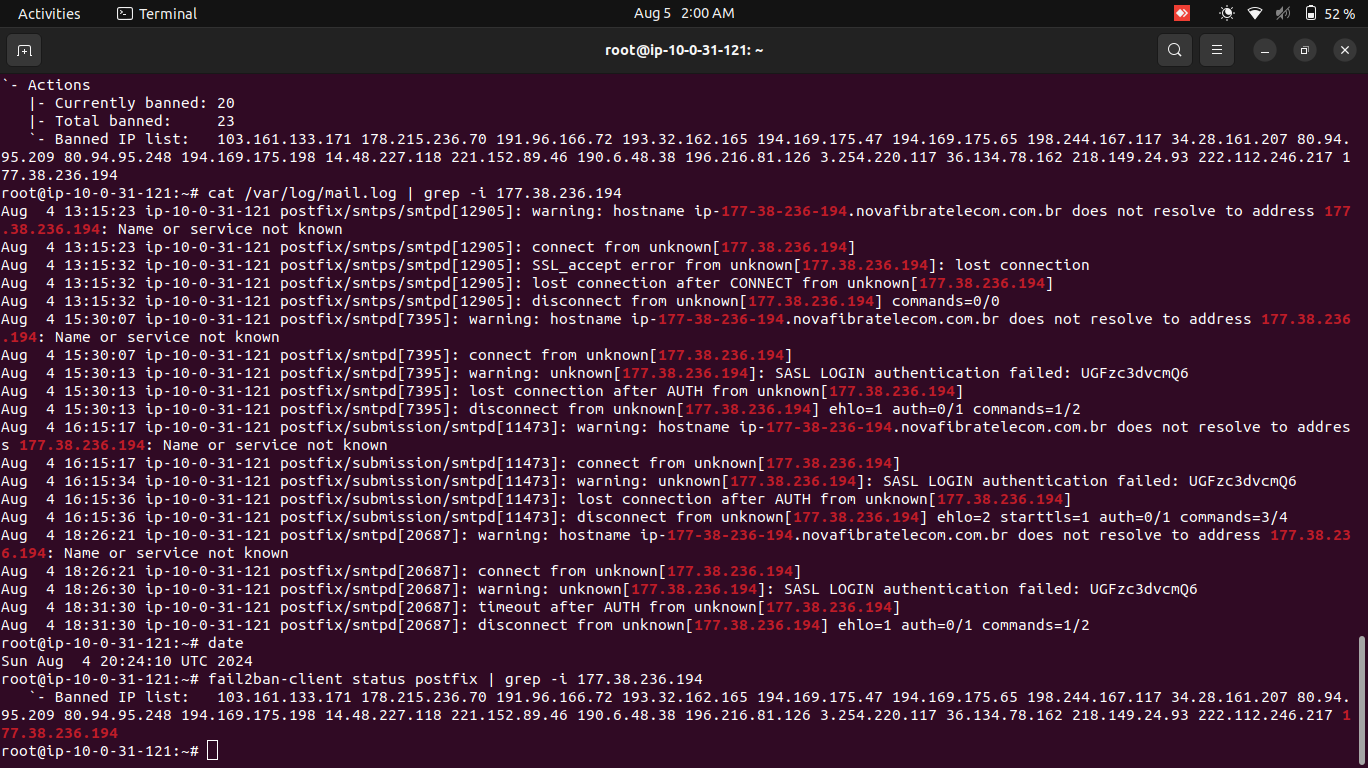
Fail2ban monitors your server logs and automatically bans IPs that show suspicious behavior. It’s been around forever and it works. Our full fail2ban guide covers custom Nginx filters, WordPress brute force protection, and the recidive jail for persistent attackers.
Install it:
sudo apt install fail2ban -yCreate a jail for nginx bad bots at /etc/fail2ban/jail.local:
[nginx-badbots]
enabled = true
port = http,https
filter = nginx-badbots
logpath = /var/log/nginx/access.log
maxretry = 5
findtime = 60
bantime = 86400
This bans any IP that triggers the bad bot filter 5 times within 60 seconds, for 24 hours. You’ll also want the SSH jail enabled to protect against brute force login attempts:
[sshd]
enabled = true
port = ssh
filter = sshd
logpath = /var/log/auth.log
maxretry = 3
findtime = 600
bantime = 3600
Useful fail2ban commands to know:
sudo fail2ban-client status nginx-badbotsto see currently banned IPssudo fail2ban-client set nginx-badbots unbanip 1.2.3.4to unban a specific IP- Check
/var/log/fail2ban.logto see what’s getting caught
UFW Firewall Rules
If you’ve identified specific IP ranges that are consistently abusive, you can block entire subnets at the firewall level:
sudo ufw deny from 203.0.113.0/24This is a blunt instrument. Use it for known bad networks, not as your primary defense.
Layer 3: Application-Level Protection
Your application itself can add another layer of defense. This is especially relevant for WordPress sites, but the concepts apply to any stack.
WordPress Security Plugins
Wordfence is the most popular option. The free version includes a web application firewall, malware scanner, and login security features. It blocks known malicious IPs using a community-maintained threat feed and can rate-limit login attempts.
Sucuri Security offers similar protection with a cloud-based WAF (paid tier) and free hardening features. If you’re not on Cloudflare, Sucuri’s WAF is a solid alternative for edge protection.
CAPTCHA Options
CAPTCHAs protect forms, login pages, and comment sections from automated submissions:
- Google reCAPTCHA v3 runs invisibly in the background, scoring visitors from 0 to 1 based on behavior. No user interaction needed unless the score is low.
- hCaptcha is a privacy-focused alternative that works the same way but doesn’t feed data to Google.
- Friendly Captcha uses proof-of-work puzzles that run in the background. No images to click, no tracking, and it’s free for small sites.
- ALTCHA is fully self-hosted and open source. Good if you want zero third-party dependencies.
Honeypot Fields
A honeypot is a hidden form field that real users never see (it’s invisible via CSS). Bots fill in every field they find, so if the honeypot field has a value when the form is submitted, you know it’s a bot. Simple, effective, zero user friction. Most WordPress form plugins (WPForms, Gravity Forms, Contact Form 7) have honeypot options built in.
robots.txt
Worth mentioning even though it’s limited. A robots.txt file tells well-behaved bots (Googlebot, Bingbot) which parts of your site to crawl and which to skip. Bad bots ignore it entirely. Still worth having because it keeps good crawlers efficient and prevents them from wasting resources on admin pages or search results.
How to Block Bot Traffic Without Cloudflare
Not everyone uses Cloudflare, and that’s fine. Here are alternatives that provide similar protection:
| Tool | Type | Cost | Best For |
|---|---|---|---|
| Sucuri WAF | Cloud WAF | From $10/mo | WordPress sites wanting edge protection without Cloudflare |
| SafeLine | Self-hosted WAF | Free (open source) | VPS owners who want full control, GDPR compliance |
| CrowdSec | Community IP reputation | Free | Community-driven blocklists, works alongside other tools |
| ModSecurity | Server WAF module | Free | Apache/Nginx servers, OWASP rule sets |
SafeLine deserves a closer look. It’s an open-source, self-hosted WAF that acts as a reverse proxy in front of your application. You deploy it on your own infrastructure, so no traffic leaves your network for third-party inspection. It handles bot detection, rate limiting, and attack mitigation. If you’re on a VPS and care about data sovereignty, it’s the strongest free option available.
CrowdSec takes a different approach. It’s a community-powered IP reputation system. When one CrowdSec user gets attacked from an IP, that IP gets flagged for everyone in the network. Think of it as a crowd-sourced fail2ban. It integrates with nginx, Apache, and most major platforms.
Protecting Your Analytics
Blocking bots at the network level is only half the battle. You also need clean analytics data to make good decisions about your site.
Not all analytics platforms handle bots the same way. In a side-by-side test, Plausible Analytics (which we use) blocked 100% of test bot traffic automatically. Google Analytics GA4 counted all of it as real visits. GA4 does have bot filtering, but it’s opt-in and doesn’t catch everything.
If you’re on GA4, go to Admin > Data Streams > your stream > More Tagging Settings and make sure “Exclude known bots” is checked. Even then, consider running a secondary analytics tool (Plausible, Fathom, or server-side analytics like GoAccess) to cross-reference your numbers.
After we added Cloudflare protection and compared our Plausible data, we discovered our real traffic was about 1,200 monthly visitors, not 4,500. Painful to see the number drop, but now we’re making decisions based on actual human behavior. That matters a lot more than a vanity number polluted with bot hits, especially if you’re building projects with AI tools and relying on analytics to guide your roadmap.
Frequently Asked Questions
Will blocking bots hurt my SEO?
No. Legitimate search engine crawlers (Googlebot, Bingbot) identify themselves with specific user agents and IP ranges. Cloudflare’s Bot Fight Mode and WAF rules don’t block verified search engine bots. If you’re using nginx user-agent blocking, just don’t add Googlebot or Bingbot to your block list.
Is Cloudflare’s free plan enough for bot protection?
For most small to medium sites, yes. The free plan includes Bot Fight Mode, 5 custom WAF rules, and basic rate limiting. You only need the Pro plan ($20/month) if you want Super Bot Fight Mode with more granular controls and additional WAF rules.
How do I know if fail2ban is working?
Run sudo fail2ban-client status to see all active jails, then sudo fail2ban-client status jail-name to see banned IPs for a specific jail. Check /var/log/fail2ban.log for a full history of bans and unbans.
Can bots bypass CAPTCHA?
Sophisticated bots can use CAPTCHA-solving services (both human farms and AI solvers), but it costs money per solve. For most small-site bot traffic, the economics don’t make sense. Adding CAPTCHA increases the cost of attacking your site enough to deter the vast majority of automated traffic.
What about AI scraping bots like GPTBot?
AI companies like OpenAI (GPTBot), Google (Google-Extended), and Anthropic (ClaudeBot) respect robots.txt. Add User-agent: GPTBot and Disallow: / to your robots.txt if you want to opt out of AI training data collection. This won’t stop all AI scrapers, but it blocks the ones from major companies.
Go Deeper on Web Security
This guide covers the practical side of blocking bot traffic, but bots are just one category of threat. Cross-site scripting, SQL injection, CSRF attacks, and session hijacking are all things you’ll eventually run into if you’re managing your own site or building web apps. Understanding the full picture helps you make better decisions about what to protect and how.
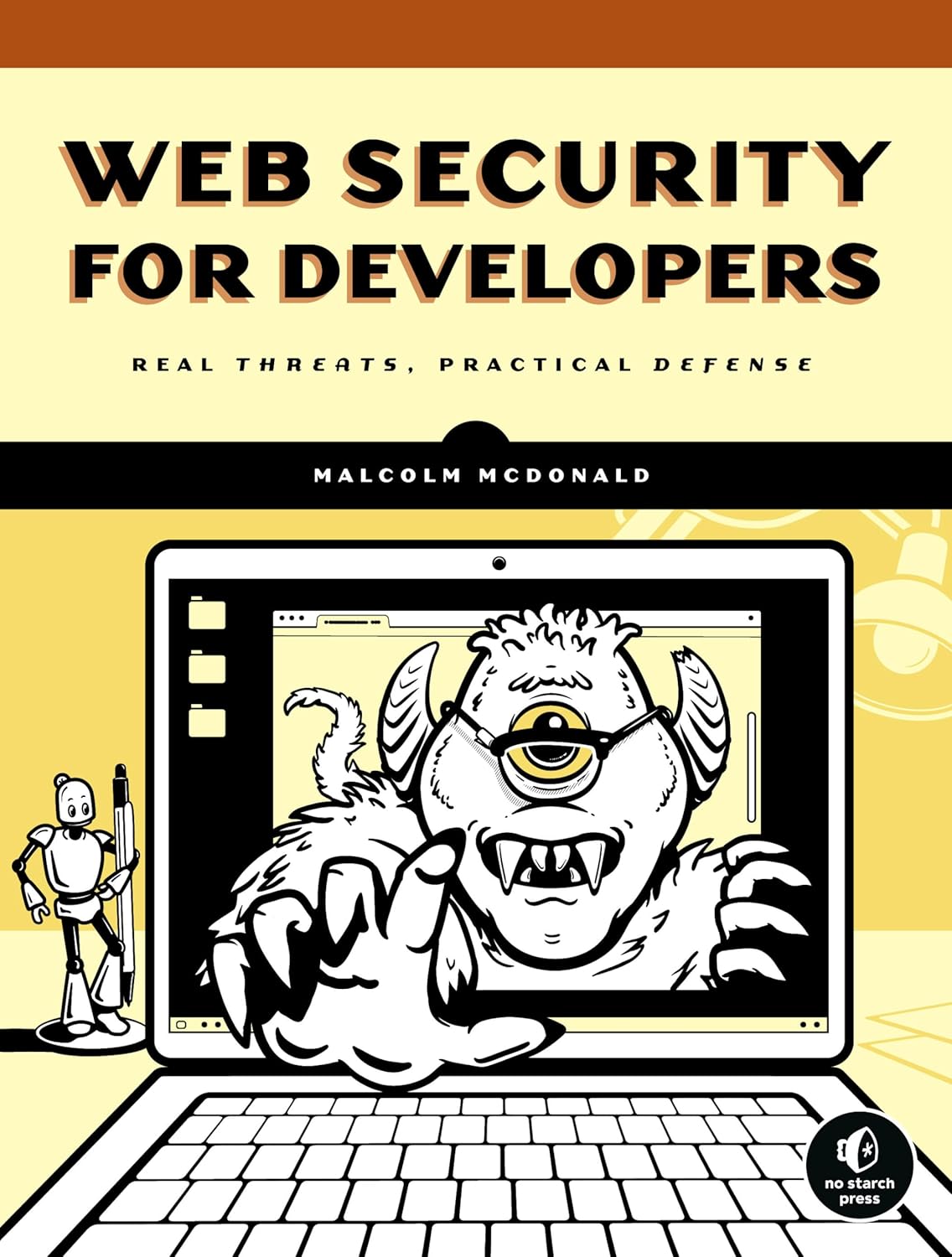
This is the book we wish we had when we started. Malcolm McDonald walks through every major web vulnerability with real code examples and practical fixes. It covers XSS, SQL injection, CSRF, authentication flaws, and yes, bot mitigation. Written for developers who aren’t security specialists but need to stop building sites with holes in them. It’s short, readable, and skips the academic theory in favor of things you can actually implement.
Summary
Bot traffic is a problem for every website, not just big ones. Over 40% of all internet traffic is automated, and if you’re not actively defending against it, your analytics are lying to you and your server is working harder than it needs to.
The layered approach works best:
- Edge: Cloudflare Bot Fight Mode + custom WAF rules (or Sucuri/SafeLine if you’re not on Cloudflare)
- Server: Nginx rate limiting + fail2ban + firewall rules
- Application: Security plugins, CAPTCHA on forms, honeypot fields
- Analytics: Use a tool that filters bots automatically, and cross-reference your data
Start with Cloudflare’s free plan and Bot Fight Mode. That alone will catch the majority of automated traffic. Then add fail2ban and nginx rate limiting on your server. Check your analytics monthly to catch new bot patterns before they pollute your data. Blocking bots is also one of the easiest wins for WordPress performance optimization, since less junk traffic means your server spends more time serving real users.
If you want to go deeper on web security fundamentals beyond bot protection, Web Security for Developers by Malcolm McDonald covers the full spectrum of threats and practical defenses. And if you’re using AI coding tools to build your projects, baking in security from the start saves you from painful retrofits later.