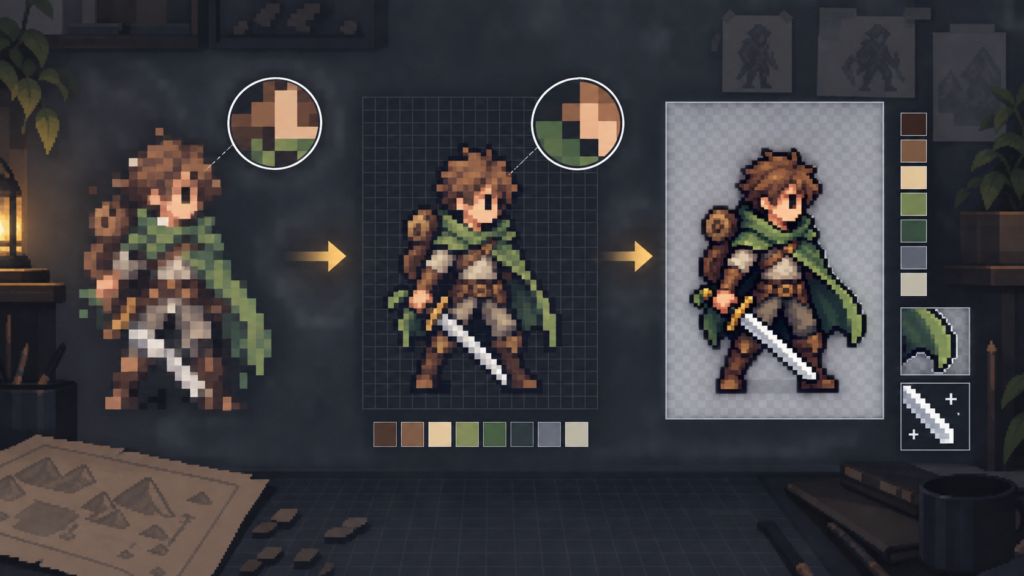
For strict production rules, a custom pipeline is usually the strongest AI pixel art solution. An off-the-shelf AI pixel art generator can produce useful concepts, sprites, animations, or tiles. It cannot know your game’s exact scale, viewpoint, palette, registration, layer rules, or export contract unless you build those constraints around it.
This comparison covers the main dedicated generators, general image models, cleanup tools, costs, and scaling methods. It also explains the local pipeline we built for our project. For more general options, see our overview of AI tools for game development.
Key Takeaways
- For a specific game: build a custom pipeline around a capable generator, your reference art, and deterministic cleanup.
- For a dedicated browser tool: PixelLab covers generation, editing, views, animation, tiles, and UI work.
- For API control: Retro Diffusion provides pixel-specific generation, repair, palettes, transparency, animation, and tilesets.
- For style training: Scenario fits teams that need custom models inside a wider asset platform.
- For free cleanup: Sprite Fusion Pixel Snapper rebuilds the implied pixel grid and reduces color noise.
- For enlargement: xBR and xBRZ scale clean low-resolution art, but they do not repair a broken source grid.
- Which AI Pixel Art Generator Should You Use?
- What Is an AI Pixel Art Generator?
- What Makes AI Pixel Art Usable in a Game?
- AI Pixel Art Generator Costs and Techniques
- PixelLab
- Retro Diffusion
- Scenario
- Sprite Fusion Pixel Snapper
- GPT Image 2 and General Image Models
- Why a Custom Pipeline Usually Wins
- How We Built Our Local Sprite Workbench
- Pixel Cleanup and Grid Recovery
- xBR and xBRZ
- Build or Buy Checklist
- Drawing Tablets for Pixel-Art Cleanup
- Frequently Asked Questions
Which AI Pixel Art Generator Should You Use?
Use PixelLab when you want one dedicated web application for sprites, animation, maps, tiles, and editing. Use Retro Diffusion when API access, pixel-specific controls, and pay-per-generation pricing matter. Use Scenario when custom style models must fit into a broader team asset system.
Use Sprite Fusion Pixel Snapper after another model produces pixel-like art with blur, mixed pixel sizes, or color noise. Use GPT Image 2 when reference-driven generation and flexible editing matter more than a native pixel grid.
Choose an Off-the-Shelf Tool if:
- You need concepts or prototypes quickly.
- Your art rules can fit the tool’s controls.
- You do not need exact runtime registration.
- You can finish each asset by hand.
Build a Custom Pipeline if:
- Your game has strict scale and viewpoint rules.
- Assets must match an existing library.
- Each asset category needs a different contract.
- Exports must fit exact canvases, layers, or slots.
What Is an AI Pixel Art Generator?
An AI pixel art generator creates images that follow pixel-art shapes, palettes, or grids from text and image inputs. Dedicated tools add controls for sprite dimensions, views, animation, transparency, tiles, and local edits.
The term covers three different techniques. Pixel-specific models aim for a logical grid during generation. General image models imitate the style and need cleanup. Post-processing tools reconstruct or scale pixels after generation.
- Pixel-native generation: creates sprite-shaped output with controls designed for pixel art.
- General image generation: uses references and prompts, but often produces soft edges or inconsistent pixel blocks.
- Grid recovery: detects the implied source pixels and rebuilds them as clean logical cells.
- Edge-aware scaling: enlarges clean low-resolution art while smoothing selected diagonals and curves.
What Makes AI Pixel Art Usable in a Game?
A convincing preview can still fail as a production sprite. The source must survive fixed dimensions, transparent edges, animation, neighboring tiles, color limits, and runtime placement.
| Production Check | What to Inspect | Common Failure |
|---|---|---|
| Logical grid | One consistent source-pixel size | Mixed pixel sizes and half-pixel edges |
| Palette | Intentional color count and ramps | Near-duplicate colors and muddy clusters |
| Transparency | Hard alpha where the style needs it | Soft halos around the silhouette |
| Silhouette | Readable shape at native size | Noise, doubled outlines, or weak limbs |
| Registration | Correct center, feet, weapon, and layer positions | Sprite jitter or paper-doll misalignment |
| Animation | Stable proportions across every frame | Changing anatomy and drifting details |
| Export | Exact canvas, file type, and naming rules | Manual fixes before every import |
A generator can provide the subject and broad design. The production pipeline still owns dimensions, registration, cleanup, and review. That boundary matters when you later import and animate a sprite in Godot or another engine.
AI Pixel Art Generator Costs and Techniques
Prices checked September 21, 2026. Subscription limits, credit costs, and licenses can change, so confirm them before purchase.
| Tool | Current Cost | Main Technique | Use It For |
|---|---|---|---|
| PixelLab | $12/month for 2,000 images; $24/month for 5,000; $50/month for 10,000 | Dedicated cloud pixel-art generation and editing | Characters, views, animation, maps, tiles, and UI |
| Retro Diffusion | About $0.015 to $0.18 per image; $0.07 to $0.25 per animation; $0.10 per tileset | Hosted pixel-art models, repair tools, API, and MCP | Automated workflows, palettes, transparency, and tiles |
| Scenario | 50 free daily credits; $15/month Starter; $45/month Pro; $75/month Max | Custom model training inside a wider media platform | Teams that need a shared style and API access |
| Sprite Fusion Pixel Snapper | Free web tool; desktop batch edition shown at $7.99 | Grid detection, dominant-cell sampling, and quantization | Repairing pixel-like output from another generator |
| GPT Image 2 | Per million tokens: $2.50 text input; $4 image input; $1 cached image input; $15 image output | General image generation and editing with reference inputs | Concepts, variants, inpainting, and custom front ends |
GPT Image 2 prices use token units, so they do not map to one fixed image price. Retro Diffusion uses prepaid credits and lists costs per generation. PixelLab and Scenario use monthly plans.
PixelLab: A Dedicated Production Toolset
PixelLab covers more pixel-art production tasks than a prompt box alone. Its official site lists character generation, four-direction and eight-direction views, skeleton animation, text animation, isometric work, inpainting, style consistency, maps, tilesets, textures, and interface art.
The service runs its models on cloud GPUs. PixelLab says more than 3,000 indie developers use it. The monthly image allowances make its costs easy to forecast for a small team.
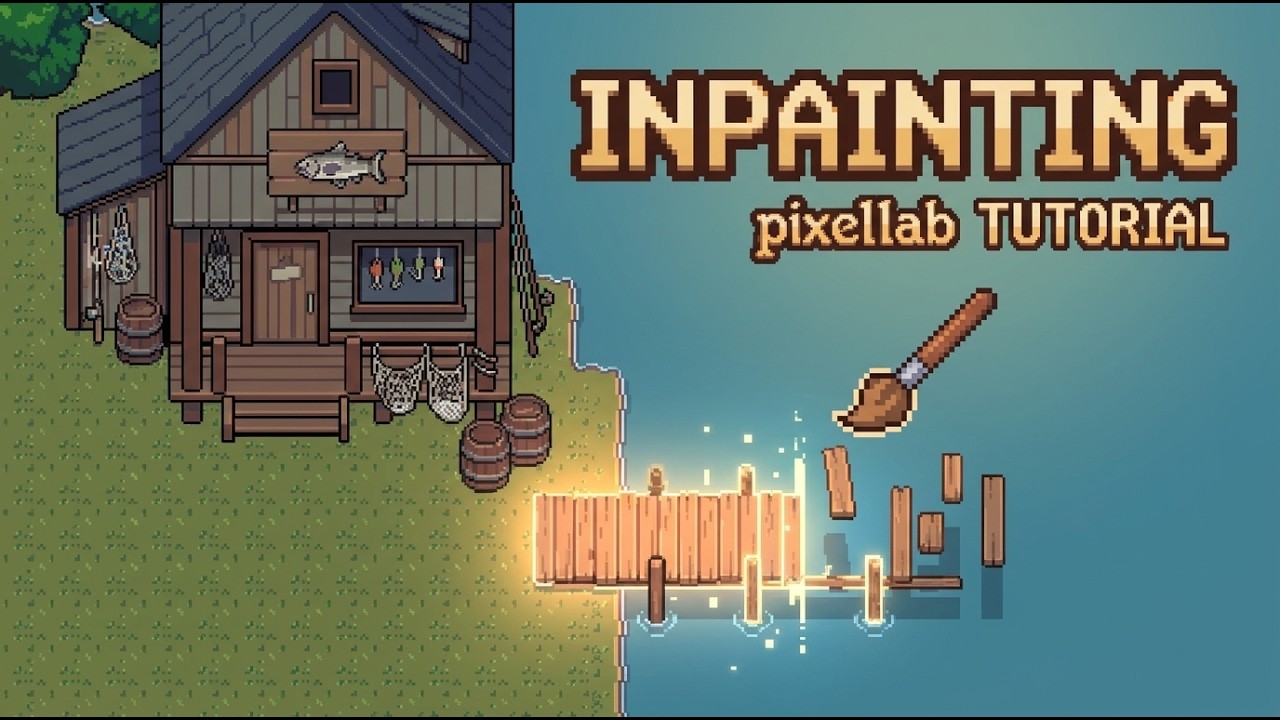
PixelLab is the clearest first test for a developer who wants a dedicated interface. Its limits appear when a game needs category rules that the service cannot express. Exact paper-doll registration, private asset libraries, and unusual export contracts still need another layer.
Retro Diffusion: Pixel-Specific Models and API Control
Retro Diffusion offers hosted tools for pixel-art generation, animation, tilesets, repair, palettes, and transparency. Its MCP server and API make it suitable for scripted pipelines and agent-driven tools.
The pay-per-generation model suits uneven workloads. Credits do not expire, according to its official repository. The listed image range starts near two cents and rises with the operation.
Choose it when you want a pixel-focused back end rather than a broad image model. You still need validation for native dimensions, frame registration, and compatibility with your existing art.
Scenario: Custom Models Inside a Wider Asset Platform
Scenario centers its product on custom model training, image generation, editing, and API access. It can carry a trained style across a team, but pixel art is one use case inside a larger media platform.
The free tier includes 50 free daily credits. Paid plans start at $15 per month for 1,500 credits. Scenario states that paid plans include commercial use, while free outputs are for evaluation and personal use.

Scenario makes sense when model training and team access matter more than pixel-native controls. Plan for a grid-recovery step if its output imitates pixels without producing a consistent logical grid.
Sprite Fusion Pixel Snapper: Free Grid Recovery
Sprite Fusion Pixel Snapper repairs images from other generators. The free browser version detects the implied pixel size, snaps the art to a logical grid, reduces the palette, accepts a custom palette, and preserves transparency.
Creator Hugo Duprez publishes the Rust source under the MIT license. The project includes command-line and WebAssembly paths, a manual pixel-size override, and batch support. Its GitHub repository showed about 3,200 stars and 205 forks on September 21, 2026.
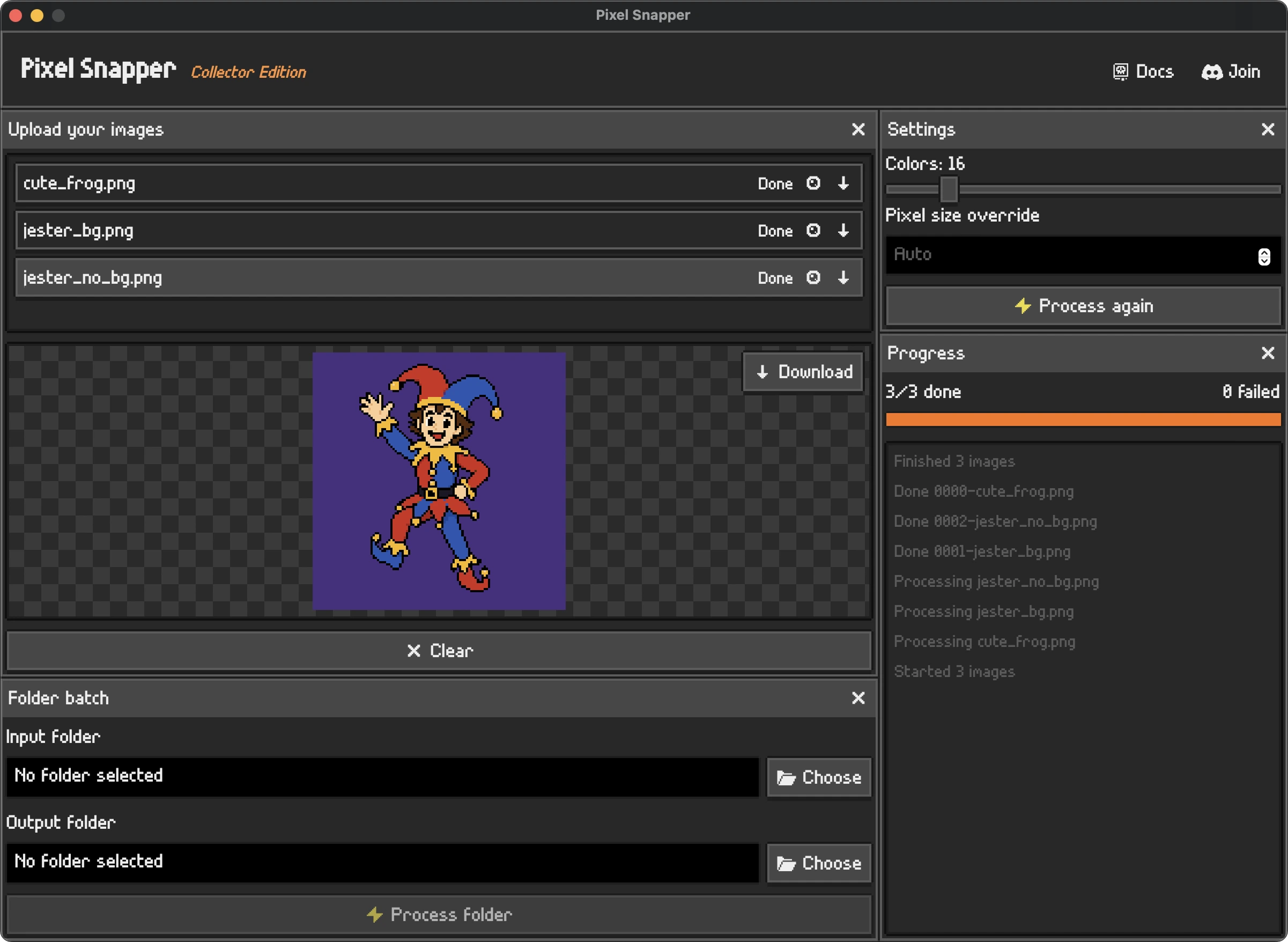
The web tool is free for hobby and commercial work. The desktop batch edition showed a sale price of $7.99, down from $9.99. The official page also warns that some images still need manual edits.
GPT Image 2 and General Image Models
GPT Image 2 supports generation, editing, flexible sizes, reference images, and high-fidelity image input. Those features help when the subject, material, color, or identity must come from an attached picture.
A general image model does not promise a true low-resolution grid. It can draw squares that look like pixels while changing their size across the image. Soft alpha, extra colors, and inconsistent outlines also survive the first pass.
General models work well at the front of a custom pipeline. Let the model solve the subject and broad design. Let deterministic code enforce the grid, palette, bounds, and export rules.
Why a Custom Pipeline Usually Wins for a Specific Game
For a specific game, rolling your own custom pipeline is usually the best practical option. The generator supplies visual candidates. Your code supplies the rules that make those candidates belong in the game.
A custom pipeline can use the same reference boards, category names, scale limits, and output checks that the rest of production uses. It can also expose controls that matter only to your renderer.
- Reference control: use approved characters, monsters, buildings, items, tiles, effects, and interface art as separate guides.
- Category contracts: give each asset type its own dimensions, viewpoint, detail budget, and export shape.
- Deterministic cleanup: apply the same alpha, palette, grid, outline, and trimming rules to every candidate.
- Runtime fit: preserve centers, layer positions, paper-doll masks, and frame registration.
- Review boundary: keep generation separate from library changes, metadata, publishing, and deployment.
This approach takes more engineering time than opening a web generator. It saves repeated correction when every accepted sprite must obey rules that no public service knows.
How We Built Our Local Sprite Workbench
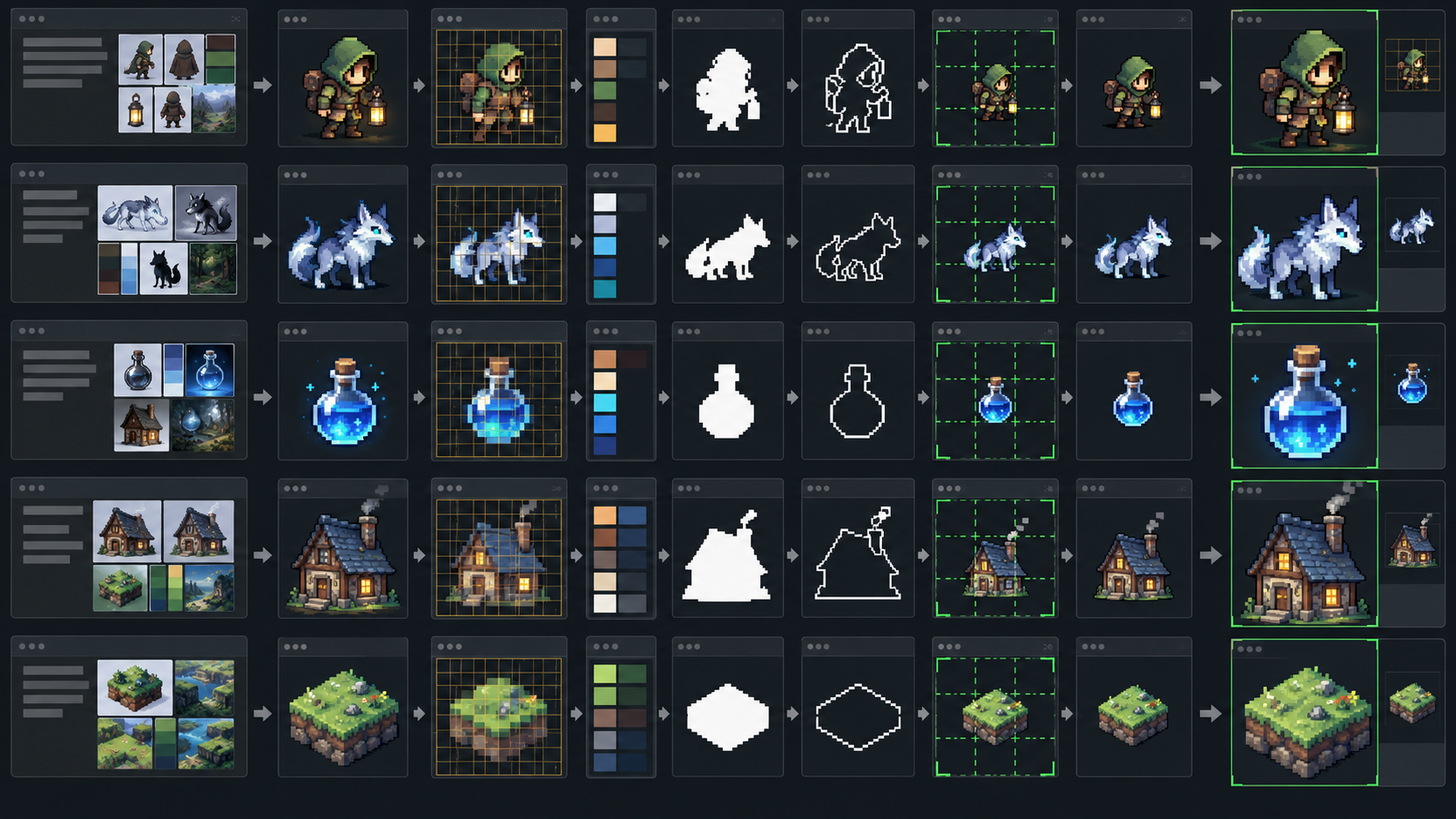
For our project, I built a local browser application that combines image generation with game-specific references and cleanup. It hot reloads during development and exports candidate PNG files for human review.
References and Category Contracts
The author can enter text, attach an image, or use both. An attached image controls the subject, forms, materials, colors, and identity. The selected project reference still controls scale, viewpoint, pixel density, registration, and production format.
Local keyword rules classify requests without another model call. The current contracts cover humanoids, creatures, player layers, mounts, item sets, buildings, props, effects, terrain, borders, tiles, and interface elements.
Each contract uses different instructions and reference boards. A humanoid can target a strict low-resolution footprint, while a boss or building can use more space. A terrain request produces one source tile instead of asking the model to invent a complete atlas.
Generation and Multi-Output Assets
The local app sends the selected contract, reference images, description, and optional source picture to the generator. The result loads directly into the cleanup workspace.
Item requests run several passes in parallel. One item can produce a 32 by 32 inventory icon, a smaller ground sprite, and an equipped form. The equipped form can be a held weapon, body layer, gloves, boots, headwear, or mount art.
Grid Detection and Manual Correction
The cleanup stage hardens transparency and quantizes the full-resolution source. It measures horizontal and vertical color changes to estimate the logical pixel size and grid offsets. Each logical cell then receives its dominant color.
The author can change the detected pixel size, X and Y offsets, palette size, edge snapping, outline cleanup, silhouette straightening, width, height, download scale, and xBRZ bias. The previews share zoom and pan.
Opaque bounds control width and height instead of the generated canvas. Left and right handles change width. Top and bottom handles change height. Nearest-neighbor sampling preserves the logical cells.
Full-Resolution Detail Allocation
A movable 3 by 3 grid redistributes a fixed pixel budget before the full-resolution source is discarded. The author can give more samples to a face while compressing empty sides or a plain torso. The total sprite dimensions remain unchanged.
This differs from stretching pixels after downsampling. The feature still has the source detail available when it decides where each final logical pixel comes from.
Export and Production Boundary
The app stores prompt history and exports a clean nearest-neighbor PNG or an xBRZ 5x PNG. It does not install art, change library indices, edit game records, assign final centers, publish data, or deploy the game.
Accepted art still enters the normal production review. The low-resolution source remains authored art. The enlarged version remains derived output. This boundary keeps a fast generation tool from making silent production changes.
The same principle fits a complete game-development workflow: generation accelerates one stage, but it does not replace integration, testing, or review.
Pixel Cleanup, Quantization, and Grid Recovery
Pixel cleanup starts by deciding what the source pixels were meant to be. Nearest-neighbor resizing alone cannot answer that question when the input already contains blur, grid drift, or mixed pixel sizes.
- Harden alpha: remove soft edge pixels that create halos.
- Quantize colors: merge small color variations into an intentional palette.
- Estimate pixel size: measure repeated horizontal and vertical color changes.
- Find grid offsets: align logical cell boundaries with the implied source grid.
- Sample each cell: choose a dominant color or another defined rule.
- Repair the silhouette: remove doubled outlines and straighten accidental noise.
- Trim and measure: report the real opaque width and height.
Sprite Fusion Pixel Snapper handles a useful subset of this process for free. A custom tool becomes worthwhile when the grid drifts, each category needs different rules, or the artist needs local control over proportions and detail.
xBR and xBRZ: Scaling Comes After Cleanup
xBR and xBRZ are edge-aware scaling filters. They enlarge clean low-resolution art and smooth selected diagonals without applying ordinary bilinear blur.
The standalone implementation of Hyllian’s xBR filter supports 2x, 3x, and 4x scaling with alpha interpolation. Zenju’s related xBRZ project supports alpha, multithreading, image slices, and feature-preserving rules under GPLv3.
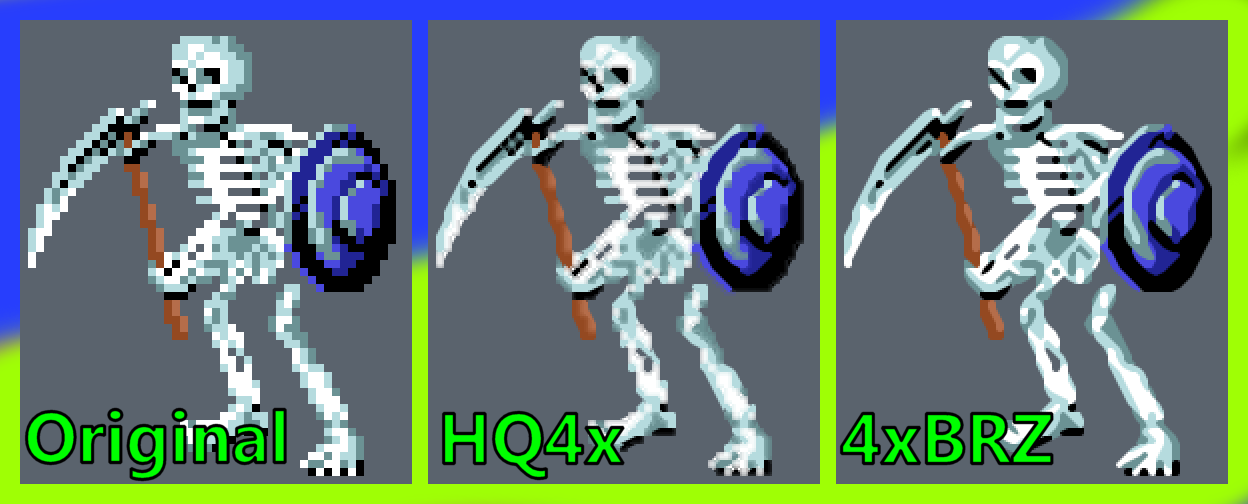
Run grid recovery before xBRZ. A scaler cannot identify the intended source grid or remove invented colors. It will enlarge those problems along with the art.
Build or Buy: A Practical Checklist
Start with a dedicated service when you need candidate art and can accept manual finishing. Add Pixel Snapper when the main problem is an inconsistent grid. Build a custom pipeline when the same project-specific corrections repeat across assets.
| If You Need | Start With |
|---|---|
| Characters, views, animation, maps, and editing in one browser tool | PixelLab |
| Pixel-specific API or MCP automation | Retro Diffusion |
| Custom style training across a team | Scenario |
| Free cleanup for generated pixel-like art | Sprite Fusion Pixel Snapper |
| Flexible reference-driven generation | GPT Image 2 plus cleanup |
| Exact scale, registration, layers, categories, and exports | A custom pipeline |
Prototype one complete asset path before building a large application. Measure the corrections that repeat. Encode those corrections, then leave subjective anatomy and design choices under human control.
Drawing Tablets for Pixel-Art Cleanup
A mouse handles single-pixel changes, but a pen tablet gives you direct stroke control for masks and silhouette corrections. These prices were checked in September 2026 and may change.

HUION Inspiroy H1060P
10-by-6.25-inch area and 12 shortcut keys

HUION Inspiroy H640P
Tablet bundle with an artist glove
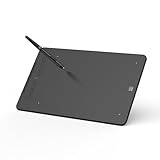
XPPen Deco mini7W V2
Wireless tablet with eight shortcut keys
The HUION Inspiroy H1060P has a 10-by-6.25-inch active area, a battery-free stylus, and 12 shortcut keys. The HUION Inspiroy H640P bundle costs the least and includes an artist glove. The XPPen Deco mini7W V2 adds Bluetooth 5.0, eight shortcut keys, and a 7-by-4.37-inch active area.
Frequently Asked Questions
Which AI pixel art generator is best for game development?
PixelLab is a strong dedicated starting point, while Retro Diffusion suits API-driven work. A custom pipeline is usually the best practical choice when a game has strict scale, palette, registration, and export rules.
Can AI generate production-ready pixel art?
AI can produce useful candidate art. Production use still needs checks for the logical grid, palette, alpha, silhouette, dimensions, registration, animation consistency, and license.
Is Sprite Fusion Pixel Snapper free?
Yes. The browser tool is free, open source, and available for hobby or commercial work. The desktop batch edition adds folder processing and showed a $7.99 sale price when checked.
Does xBRZ fix AI pixel art?
No. xBRZ enlarges low-resolution art with edge-aware rules. Use grid recovery and palette cleanup first, then apply xBRZ to the clean source.
Should I build my own pixel-art generator?
You usually do not need to train a new image model. Build a project-specific pipeline around an existing generator when repeated rules cover references, categories, cleanup, registration, and export.
Summary
Use dedicated generators for fast candidates, Pixel Snapper for grid recovery, and xBRZ only after the source is clean. For a game with fixed art rules, build a custom pipeline around the generator instead of asking one public tool to understand the whole production contract.