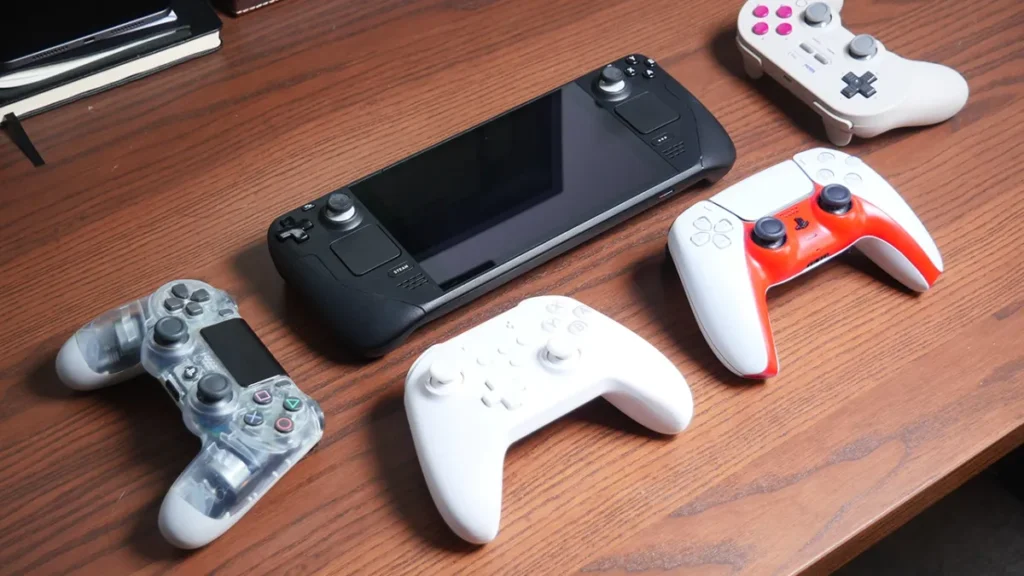
The Steam Deck is one of the best handheld gaming PCs ever made. But if you’ve docked yours to a TV, you’ve probably noticed something: the built-in controls don’t really work from the couch. You need a controller. And not just any controller. The Steam Deck has a Bluetooth latency problem that most buyer guides completely ignore.
TL;DR
- 8BitDo Ultimate 2C ($30) is the best value. Hall effect sticks, 2.4GHz dongle, 1000Hz polling. Hard to beat for the price.
- GuliKit TT Max ($95) is the premium pick. Adjustable tension sticks, best-in-class gyro, 2.4GHz wireless adapter included.
- Always use 2.4GHz or wired when docked. Bluetooth on SteamOS has documented input lag that makes action games feel sluggish.
Why Connection Type Matters More Than You Think
Here’s something most “best controller for Steam Deck” articles don’t mention: Bluetooth has a latency problem on SteamOS. Multiple Steam Community threads and GitHub issues document input lag of 50ms or more when using Bluetooth controllers with a docked Deck. Xbox controllers are especially bad, with some users reporting lag so severe that action games become unplayable.
The fix is simple. Use a controller with a dedicated 2.4GHz wireless dongle, or plug in via USB. A 2.4GHz connection bypasses the Bluetooth stack, cutting input lag to single-digit milliseconds. Most of the controllers on this list include a dongle in the box. If yours doesn’t, a wired USB-C connection works just as well.
⚡ Quick tip: If your dock isn’t plugged into power, the USB ports run in low-power mode. This can add even more latency. Always power your dock.
What to Look For in a Docked Steam Deck Controller
When you’re playing on a TV instead of the handheld screen, your priorities shift. Here’s what matters most:
- Connection type: 2.4GHz dongle or wired USB. Bluetooth works but adds latency. If a controller only supports Bluetooth, know what you’re trading off.
- Hall effect sticks: No stick drift, ever. Traditional potentiometer sticks wear out. Hall effect uses magnets and lasts much longer.
- Gyro support: Steam Input has excellent gyro aiming. If a controller supports it, you get mouse-like precision in shooters without touching the right stick.
- Battery life: You’re on the couch now. Anything under 15 hours means frequent charging interruptions.
- Comfort: Longer sessions on the TV mean ergonomics matter more than they do in short handheld bursts.
The Best Controllers for Steam Deck on Your TV
Every controller here has been evaluated specifically for docked play. Connection type, latency, and couch comfort were weighted higher than features you’d never notice on a 7-inch screen.
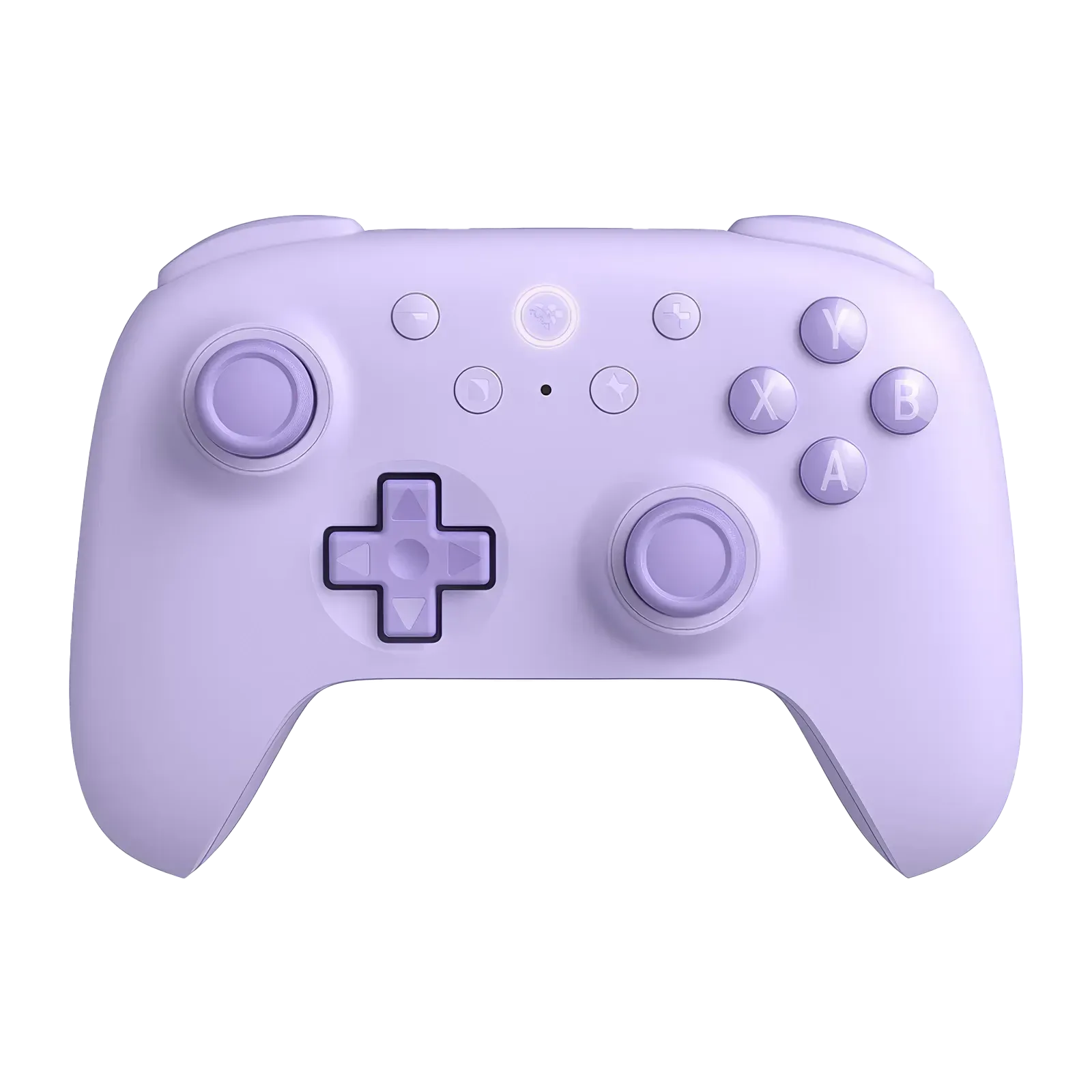
8BitDo Ultimate 2C
2.4GHz + Hall effect at $30
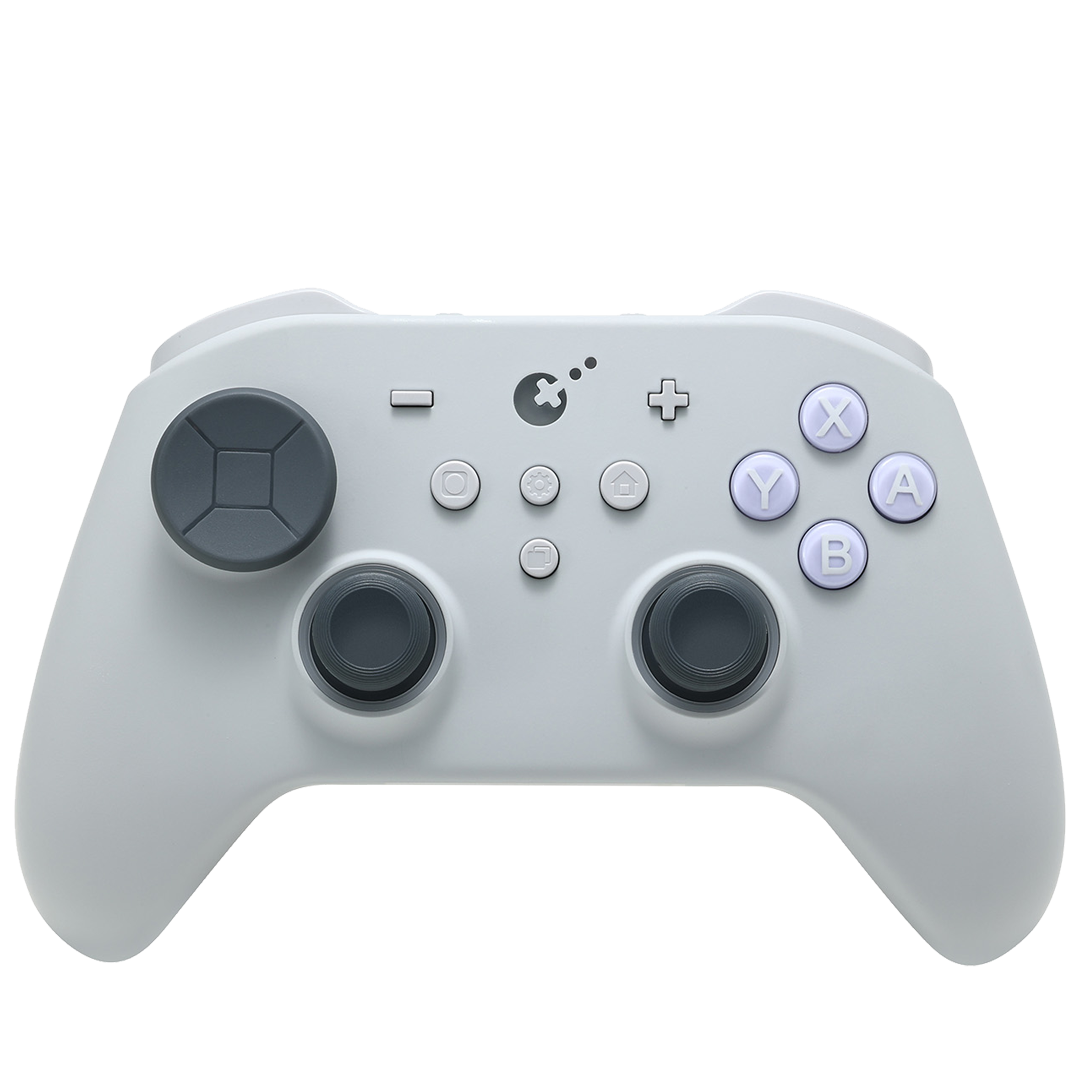
GuliKit TT Max
Adjustable sticks + best gyro
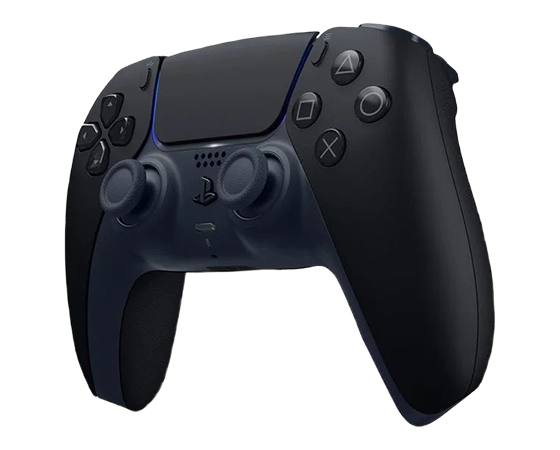
DualSense
Adaptive triggers + haptic feedback
8BitDo Ultimate 2C is the right controller for most people docking their Steam Deck. At $30 with a wireless dongle in the box, it’s hard to argue with. GuliKit TT Max is the premium upgrade for players who want adjustable sticks and the best gyro on the market. DualSense brings adaptive triggers and haptic feedback that nothing else matches, though it’s Bluetooth-only on the Deck. For a full breakdown of every 8BitDo controller ranked by platform, see our best 8BitDo controllers guide.
8BitDo Ultimate 2C – Best Value
The 2C packs features that used to cost $70+ into a $30 package. The D-pad is excellent for 2D games and menu navigation, and battery life sits around 19 hours. The tradeoffs are predictable at this price: no back paddles, no charging dock, and the plastic build feels lighter than premium alternatives. But the analog sticks are drift-proof and the latency over 2.4GHz is imperceptible. If you want a deeper look, we wrote a full review of the 8BitDo Ultimate 2C.
Hall effect joysticks, 2.4GHz wireless dongle, and 1000Hz polling in both wireless and wired modes. 19-hour battery life. The best value for docked Steam Deck play by a wide margin.
GuliKit TT Max – Premium Pick
The TT Max is the controller for people who want the absolute best docked experience. Its TMR720 sticks have adjustable tension, meaning you can make them tighter for shooters or looser for platformers. The sticks are also swappable across platforms (they work in DualSense, Xbox, and Switch Pro shells). The standout feature for Steam Deck use is the gyro. GuliKit’s implementation is the smoothest available, and Steam Input’s gyro support turns it into a genuine advantage in shooters. Four back paddles round out the package.
Adjustable tension TMR720 sticks, best-in-class gyro, Hyperlink Gen 2 wireless adapter for stable 2.4GHz, and four back paddles. At $95 it’s not cheap, but no other controller we’ve tested matches this feature set for docked play.
DualSense – Best Haptics
No controller does haptic feedback like the DualSense. Adaptive triggers that simulate bowstring tension, rain you can feel through the controller, and rumble that actually matches what’s happening on screen. Steam supports DualSense haptics natively, and a growing number of PC games take full advantage of it. The catch for docked use: it’s Bluetooth only on the Steam Deck. You will notice slightly more input lag compared to 2.4GHz controllers, especially in fast-paced games. For RPGs and strategy games, it’s a non-issue.
Adaptive triggers, haptic feedback, built-in mic, and gyro. The most immersive controller available. Bluetooth only on Steam Deck, so expect slightly higher latency than 2.4GHz options.
8BitDo Ultimate 2 – Best with Dock
The Ultimate 2 is the bigger sibling of the 2C. It comes with a charging dock that doubles as the 2.4GHz wireless receiver, so you drop the controller on the dock when you’re done and it’s always charged and connected. Two programmable back paddles give you extra inputs without taking your thumbs off the sticks. Build quality is a step above the 2C. The grips are textured and the weight feels more balanced. The triggers have more travel too.
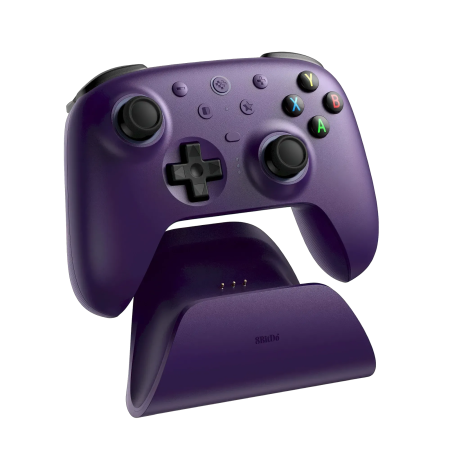
Hall effect sticks, 2.4GHz via charging dock, two back paddles, and improved ergonomics over the 2C. At $70 it sits right between the budget 2C and the premium TT Max. The dock is a real convenience if you play docked every day.
Xbox Elite Series 2 – Premium Alternative
The Elite 2 is still one of the best-feeling controllers ever made. If you already own one, it works well with the Steam Deck. The problem for docked Deck use is connectivity. The Elite 2 only supports Bluetooth on SteamOS (the Xbox Wireless Adapter doesn’t work on Linux). That means you’re subject to the same Bluetooth latency issues. For casual or slower-paced games it’s fine. But if you’re buying new specifically for a docked Steam Deck, the GuliKit TT Max gives you similar premium build quality with the 2.4GHz advantage.
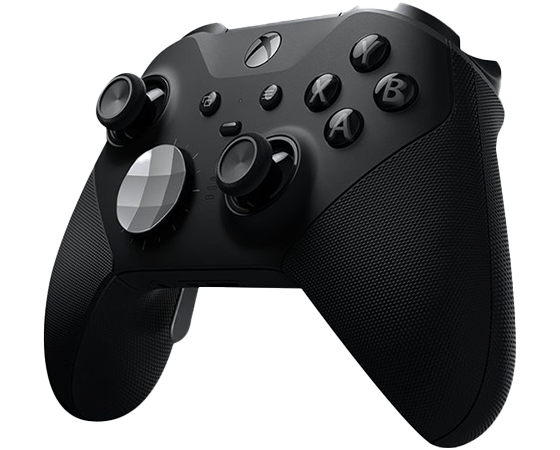
Adjustable tension thumbsticks, hair trigger locks, swappable D-pads, and four back paddles. Premium build, but Bluetooth-only on SteamOS means higher latency than 2.4GHz controllers when docked.
How to Connect Your Controller
Setup depends on your connection type. All three methods work when docked.
| Method | How | Latency |
|---|---|---|
| 2.4GHz dongle | Plug dongle into dock USB port. Controller auto-pairs. | Lowest (1-4ms) |
| USB wired | USB-C cable from controller to dock. | Lowest (1-4ms) |
| Bluetooth | Steam button > Settings > Bluetooth > pair controller. | Higher (20-80ms) |
If you’re using a dock, make sure it’s powered. Unpowered docks run USB ports in low-power mode, which can increase latency even with wired connections. For the best experience with any of these controllers, check our Steam Deck accessories guide for dock recommendations.
Frequently Asked Questions
Do all controllers work with the Steam Deck?
Most modern controllers work with the Steam Deck over Bluetooth or USB. However, some features (like the Xbox Wireless Adapter) don’t work on SteamOS since it runs Linux. Stick to Bluetooth, 2.4GHz dongles, or wired USB for guaranteed compatibility.
Does Bluetooth really have input lag on the Steam Deck?
Yes. Multiple users have documented noticeable Bluetooth latency on SteamOS, particularly with Xbox controllers. The lag ranges from barely noticeable in menu-heavy games to bad enough to affect gameplay in action titles. A 2.4GHz dongle or wired connection eliminates this.
Do I need a dock to use a controller with my Steam Deck?
No. You can pair a Bluetooth controller and play on the built-in screen. But if you want to play on a TV, you need a dock (or a USB-C hub) for video output. The dock also provides USB ports for 2.4GHz dongles and wired controllers.
Can I use gyro aiming with a controller on the Steam Deck?
Yes. Steam Input has built-in gyro support. Controllers with gyro sensors (DualSense, GuliKit TT Max, 8BitDo Ultimate 2C) can use motion aiming in any game through Steam’s controller configuration. The GuliKit TT Max has the best gyro implementation for precision aiming.
What’s the best budget controller for a docked Steam Deck?
The 8BitDo Ultimate 2C at $30. It has hall effect sticks (no drift), a 2.4GHz dongle (no latency), and 1000Hz polling. Nothing else under $50 comes close to that combination of features for docked play.
Summary
The biggest thing to know about using a controller with a docked Steam Deck is that connection type matters. Bluetooth works, but 2.4GHz is better. If you take one thing from this guide, let it be that.
For most people, the 8BitDo Ultimate 2C is the right call. $30 for hall effect sticks, a 2.4GHz dongle, and 1000Hz polling is the kind of value that makes it hard to justify spending more. If you want the absolute best and don’t mind paying for it, the GuliKit TT Max is the controller to beat for docked play. The DualSense Edge also works great on PC if you’re playing games like Assassin’s Creed Shadows where the back buttons give you faster weapon swaps and parry inputs.