8BitDo Ultimate 2C Wireless Controller
Hall Effect sticks, 1000Hz polling, and 19-hour battery life for $30. The D-pad is hit-or-miss depending on what you play, but the value here is absurd.
Hall Effect joysticks used to be a $150 feature. The 8BitDo Ultimate 2C puts them in a $30 wireless controller alongside 1000Hz polling, Hall Effect triggers, and extra shoulder buttons. On paper, it sounds too good. In practice, it mostly lives up to the hype, with one notable asterisk. This 8BitDo Ultimate 2C review breaks down what you’re actually getting (and giving up) at this price point, and whether it’s worth picking over controllers that cost twice as much.
If you’re shopping for Switch 2 accessories or Steam Deck gear, keep this one on your radar. It works with both.
Specifications
| Spec | 8BitDo Ultimate 2C |
|---|---|
| Price | $30 |
| Connectivity | 2.4GHz wireless, Bluetooth, USB-C wired |
| Polling rate | 1000Hz (2.4GHz/wired), ~200Hz (Bluetooth) |
| Joysticks | Hall Effect |
| Triggers | Hall Effect analog (PC version only) |
| Extra buttons | L4/R4 remappable bumpers |
| Motion control | 6-axis gyro (Bluetooth/Switch version) |
| Battery life | 19 hours (2.4GHz), 32 hours (Bluetooth) |
| Weight | 217.5g |
| Compatibility | Windows 10+, Android 9+, Switch, Switch 2 (via update) |
| Layout | Xbox-style offset sticks |
One thing to know upfront: there are two versions. The wireless model (PC/Android) has Hall Effect triggers and a 2.4GHz dongle. The Bluetooth model (Switch/mobile) uses standard analog triggers and skips the dongle but adds full Switch compatibility with gyro. This review focuses on the wireless PC version (ASIN B0D736BCNM).
Design & Build Quality
At 217.5g, the Ultimate 2C is noticeably lighter than a DualSense (280g) or Xbox Wireless controller (~290g). That low weight is polarizing. Some people find it comfortable for long sessions. Others think it feels like a toy. I’d land somewhere in the middle: the plastics are solid and don’t creak, but there’s no denying it lacks the heft of a $60 controller.
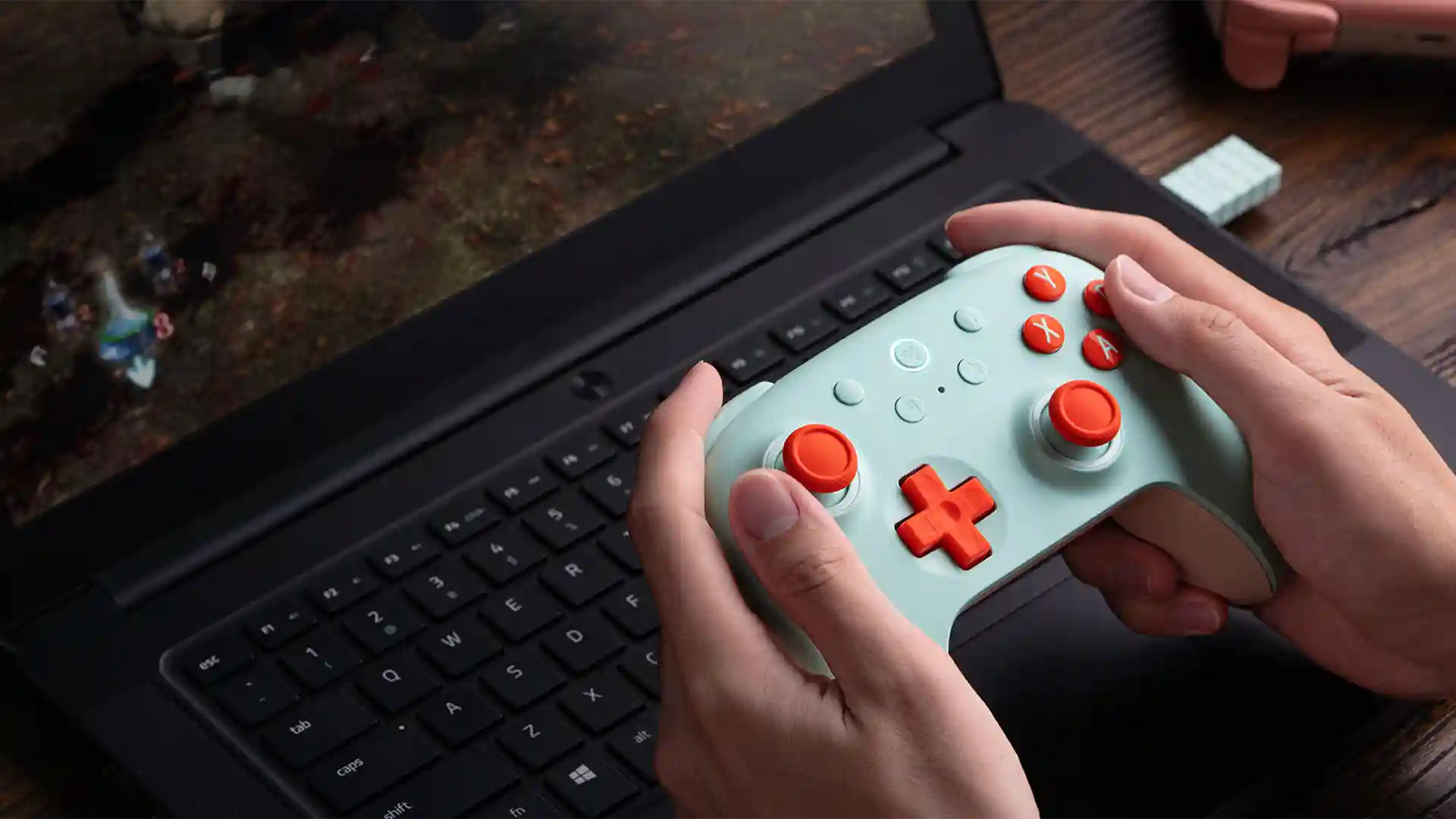
The shell has a chalk-like matte texture that prevents slipping without being sticky. It grips well in sweaty hands, which is a small detail that matters during intense sessions. The face buttons feel springy and responsive, and the shoulder bumpers (L/R, plus the extra L4/R4) have a satisfying mechanical click. The ABXY buttons use membrane switches, similar to what you’d find on a standard Xbox controller.
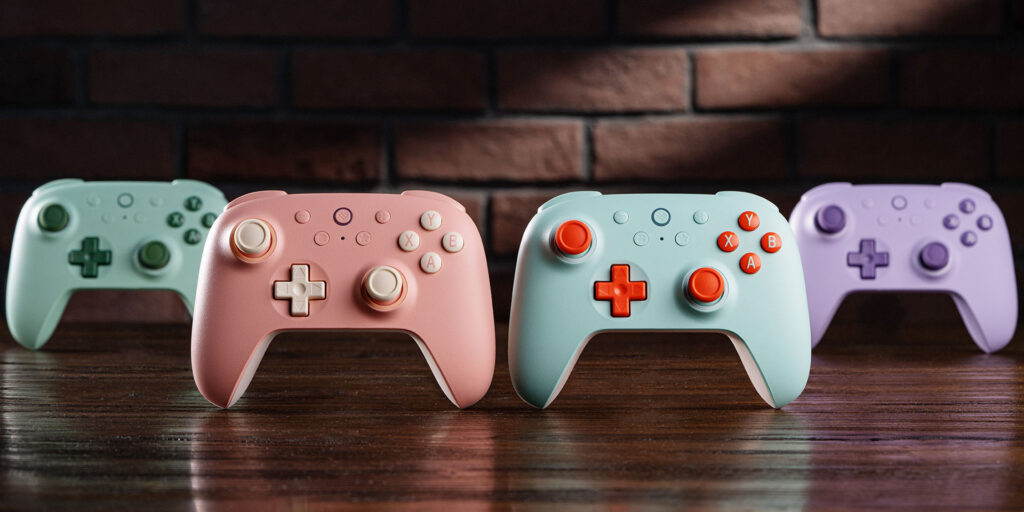
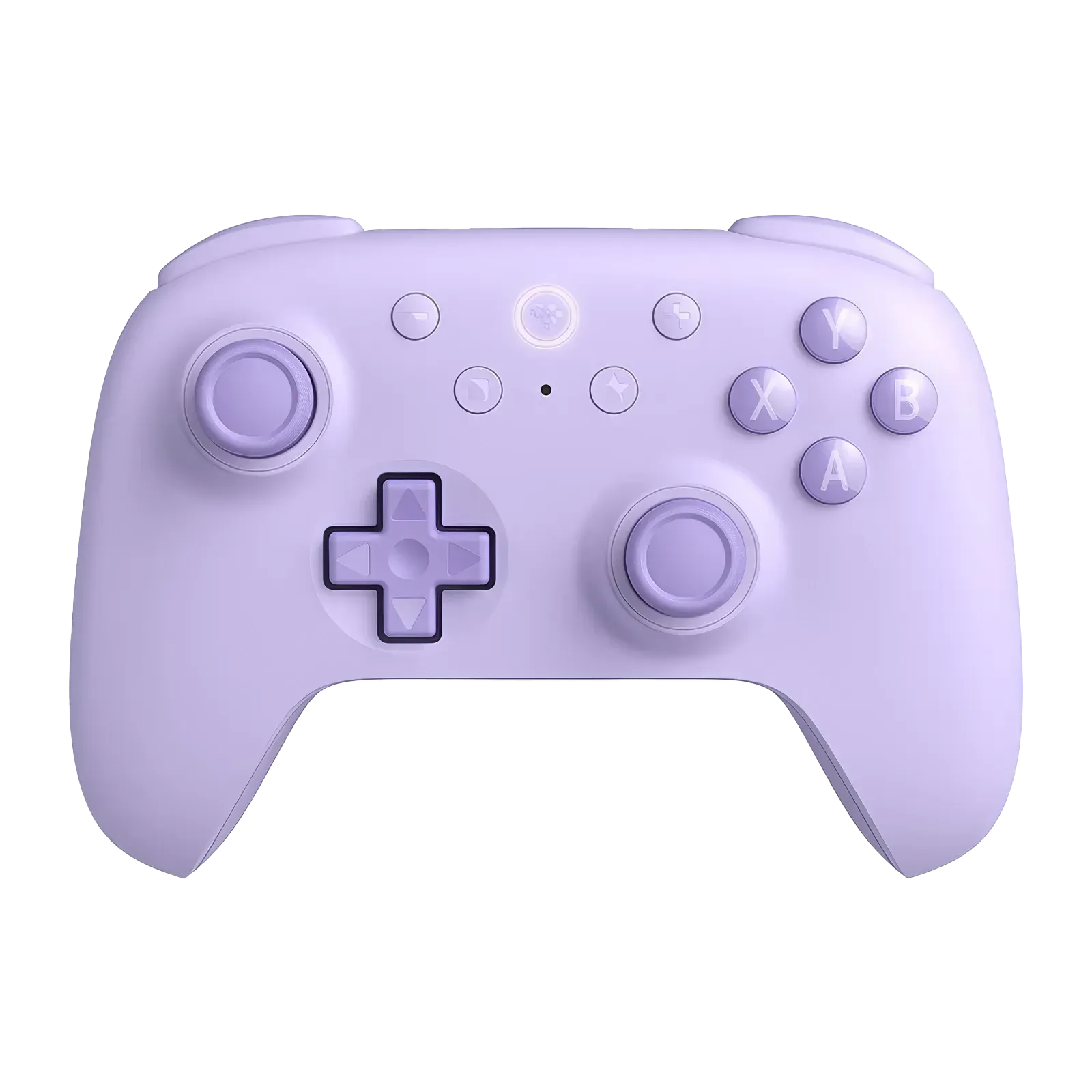
8BitDo offers the 2C in pastel colors (Mint, Peach, Green, Purple) plus special editions like a transparent black shell and a Black Myth: Wukong collaboration. The color options are a nice touch. Most budget controllers ship in boring black.
Features & Performance
The headline feature is Hall Effect joysticks, which use magnets instead of physical contact points. That means no potentiometer wear and, in theory, no stick drift. Ever. At $30, this alone would be enough to justify the purchase for anyone who’s thrown out a drifting DualSense or Joy-Con.
The PC version also gets Hall Effect analog triggers. They’re smooth with a short throw, and they feel more responsive than standard potentiometer triggers. There’s a minor trigger deadzone that persists even after calibration, but it’s not something you’d notice outside of testing.
Latency
This is where the 2C punches way above its price. Independent testing from Gamepadla measured the following average latency:
| Connection | Button latency (avg) | Stick latency (avg) |
|---|---|---|
| USB wired | 5.76ms | 3.87ms |
| 2.4GHz wireless | 6.83ms | 6.07ms |
| Bluetooth | 13.98ms | 10.69ms |
Those wired numbers earned an A+ LatScore, putting it on par with controllers three or four times its price. The 2.4GHz connection adds roughly 1ms of overhead, which is excellent. Bluetooth roughly doubles latency, which is typical for any Bluetooth controller.
One note: 8BitDo claims 1000Hz polling, but Gamepadla measured the actual polling rate at ~798Hz wired and ~850Hz on 2.4GHz. Still fast, just not quite the advertised number. In practice, the difference between 800Hz and 1000Hz isn’t something you’ll feel.
Extra buttons and battery
The L4/R4 remappable bumpers sit on top of the controller, above the standard shoulder buttons. They’re not back paddles (which would sit under the grips), so the ergonomics take some adjustment. But having extra buttons at this price is rare, and they’re useful for shooters where you want to jump or reload without lifting your thumb off the stick.
Battery life is strong. 8BitDo rates the 2C at 19 hours on 2.4GHz and 32 hours on Bluetooth. Real-world numbers from reviewers land around 15-20 hours depending on usage, which is still much better than a DualSense (roughly 12 hours). A full charge takes about 2 hours over USB-C.
The D-Pad Situation
Every review of the 8BitDo Ultimate 2C eventually gets to the D-pad, and opinions split hard. PC Gamer called it “slightly mushy.” Lon.TV said it made it “hard to keep Link walking in a straight line” in Zelda. HLPlanet called it “too loose.” Meanwhile, Rice Digital called it “one of the best D-pads ever tested.”
The disagreement makes sense once you understand the design. The D-pad uses a smooth-rolling pivot that rolls easily between directions. If you play fighting games or modern action titles, that fluidity feels great. If you play retro 2D platformers or games that demand precise cardinal direction inputs, the diagonals bleed through and you’ll walk at angles when you meant to walk straight.
My take: the D-pad is fine for most modern games. If you’re primarily playing retro or 2D titles, this controller isn’t the right fit. Know your use case before you buy.
8BitDo Ultimate 2C vs the Competition
| Feature | 8BitDo Ultimate 2C | Xbox Wireless | DualSense |
|---|---|---|---|
| Price | $30 | $60 | $70 |
| Hall Effect sticks | Yes | No | No |
| Hall Effect triggers | Yes | No | No (adaptive) |
| Polling rate | ~800-850Hz | 125Hz wireless | ~250Hz |
| Battery life | 19-32 hrs | ~40 hrs (AA) | ~12 hrs |
| Extra buttons | L4/R4 bumpers | None (base) | None (base) |
| Haptics | Standard rumble | Standard rumble | HD haptics |
| Weight | 217.5g | ~290g | 280g |
The 2C beats both the Xbox and DualSense on measurable specs like polling rate, drift protection (Hall Effect), and extra inputs. It loses on build quality feel, haptic feedback (DualSense’s haptics are still unmatched), and ecosystem integration. The Xbox controller works natively on everything. The DualSense has adaptive triggers that no budget controller can replicate.
But here’s the value reality: you can buy four 8BitDo Ultimate 2Cs for the price of one DualSense Edge. If you care about latency, drift prevention, and extra buttons more than premium haptics, the math is hard to argue with.
The more interesting comparison is the 8BitDo Ultimate 2 ($50-60), which gets you broader platform support, TMR joysticks (arguably more advanced than Hall Effect), switchable Hall/tactile triggers, and RGB. Whether that’s worth the extra $20-30 depends on how much you value aesthetics and multi-platform flexibility. For the full 8BitDo lineup ranked by platform and use case, see our best 8BitDo controllers guide.
Pair It With
The joystick tops on the 2C are smooth, and multiple reviewers noted their thumbs sliding off the center. Silicone thumb grip caps ($3-5 on Amazon) solve this immediately and I’d consider them a near-essential accessory. They snap on over the existing sticks and add the texture the stock caps lack.
Pros and Cons
✅ Pros
- Hall Effect sticks and triggers at $30
- Sub-7ms latency on 2.4GHz (A+ tier)
- 19-32 hour battery life
- L4/R4 extra remappable bumpers
- Switch 2 compatible via firmware update
- Solid build for the price, good grip texture
- Pastel color options
❌ Cons
- D-pad is mushy for retro/2D games
- Lightweight feel won’t appeal to everyone
- Smooth stick tops (get silicone caps)
- No gyro on PC wireless version
- Bluetooth officially Android-only (PC BT needs manual setup)
- No HD Rumble or NFC (Switch users)
- Soldered battery (not user-replaceable)
Who Should Buy?
Buy it if: You want a drift-proof controller without spending $60+. You play on PC, Android, Switch, or Switch 2. You want a solid controller for a docked Steam Deck. You care about input latency and want something that competes with (or beats) first-party controllers in measurable performance. You’re tired of replacing controllers because of stick drift.
Skip it if: You primarily play retro 2D games and need a reliable D-pad. You have large hands and need a heavier, wider grip. You want HD Rumble or amiibo NFC support on Switch. You need native Bluetooth on Windows without manual configuration.
Final Verdict
The 8BitDo Ultimate 2C does something that seemed impossible a couple years ago: it puts competitive-grade latency and drift-proof Hall Effect sticks in a $30 controller. The D-pad won’t work for everyone, and the lightweight build takes some getting used to. But for the majority of PC and Switch gamers, it’s the best value in controllers right now. The fact that it also works with Switch 2 via a firmware update makes it an even easier recommendation.
Drift-proof, low-latency, and $30. The 8BitDo Ultimate 2C is the budget controller to beat.
Check Price on Amazon →Frequently Asked Questions
Does the 8BitDo Ultimate 2C have stick drift?
The Hall Effect joysticks use magnets instead of physical contact points, so there’s no mechanical wear that causes traditional stick drift. Some users have reported minor centering inconsistencies, but it’s far less common than potentiometer-based drift on Xbox or PlayStation controllers.
Does the 8BitDo Ultimate 2C work with Nintendo Switch 2?
Yes. The Bluetooth version is confirmed compatible with Switch 2 via a firmware update released in June 2025. You’ll need to update the firmware through 8BitDo’s support site using a USB-C connection to a PC. It won’t pair with Switch 2 out of the box without the update.
What is the actual latency of the 8BitDo Ultimate 2C?
Independent testing shows average button latency of 5.76ms over USB (A+ tier), 6.83ms over 2.4GHz wireless, and 13.98ms over Bluetooth. The wired and 2.4GHz numbers compete with controllers that cost three to four times more.
Is the D-pad on the 8BitDo Ultimate 2C good?
It depends on what you play. The D-pad uses a smooth-rolling design that works well for fighting games and modern titles. For retro 2D games that need precise cardinal directions, it tends to register unintended diagonals. Reviewer opinions on the D-pad are split almost 50/50.
Is the 8BitDo Ultimate 2C worth it over the Pro 2?
The Ultimate 2C and Pro 2 target different audiences. The 2C is newer with Hall Effect sticks, 1000Hz polling, and a lower price ($30 vs $50). The Pro 2 has a symmetric stick layout, slightly better D-pad, and broader platform support. If you want the latest tech at the lowest price, go with the 2C. If you prefer a symmetric layout or play mostly retro games, the Pro 2 is worth the extra cost.