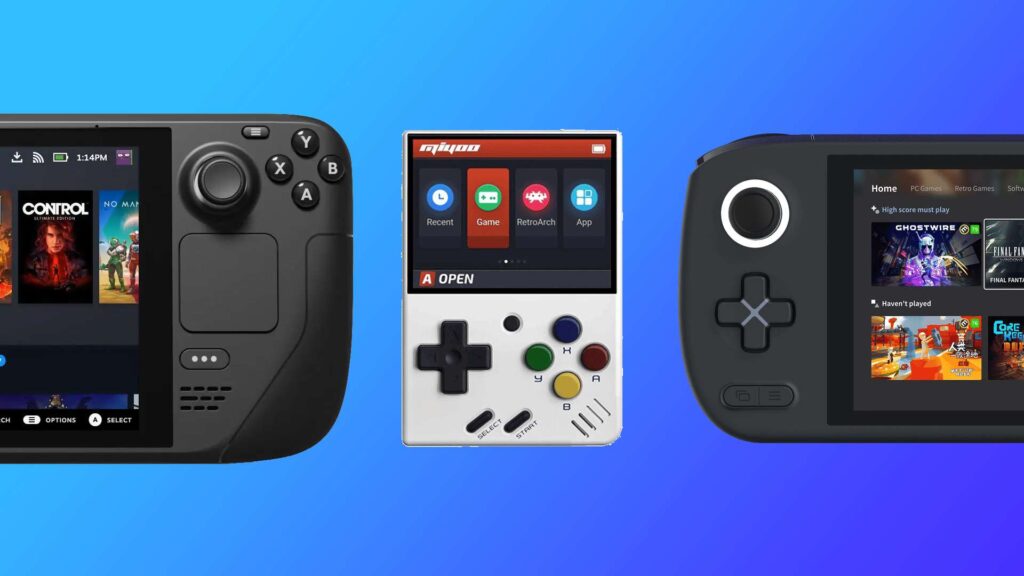
The retro gaming handheld market went from a handful of options to an overwhelming flood of devices from brands like Anbernic, Miyoo, TrimUI, and dozens of others. Most cost under $100, and they all promise to play your childhood favorites on the go. The problem is figuring out which ones are actually worth buying.
After comparing specs, community firmware support, emulation performance, and real-world reviews across the major retro handheld sites and the r/SBCGaming community, these are the six best retro gaming handhelds under $100 you can buy right now on Amazon.
TL;DR
- Best pocket-sized: Miyoo Mini Plus ($65) plays everything up to PS1 flawlessly and fits in a jeans pocket.
- Best with analog sticks: Anbernic RG35XX H ($73) adds dual joysticks and HDMI output in a horizontal PSP-style layout.
- Best clamshell: Anbernic RG35XX SP ($75) nails the GBA SP nostalgia with a flip design that protects the screen.
- Sharpest screen: TrimUI Brick ($80) packs a 1024×768 display into a Game Boy-shaped body with premium clicky buttons.
- Best for 4-inch gaming: Anbernic RG40XX H ($85) has the largest screen in this price range and handles N64 and Dreamcast well.
How We Picked These
Every handheld on this list meets four criteria. First, it has to be available on Amazon with Prime shipping. The retro handheld space is full of AliExpress-only devices that take weeks to arrive and have no return policy. Second, it needs active custom firmware support from the community. Stock firmware on these devices is usually terrible. Third, it has to handle at least PS1-era games without stuttering. And fourth, the build quality has to be good enough that it won’t fall apart after a month of use.
We also weighted real community feedback from r/SBCGaming and sites like Retro Handhelds and RetroDodo over spec sheets alone. A handheld with a faster chipset that runs hot and has mushy buttons is worse than a slightly slower one that feels great in your hands.
Best Under $70
These two handhelds are the entry point. Both handle 8-bit through PS1 games perfectly and cost less than a new AAA game.
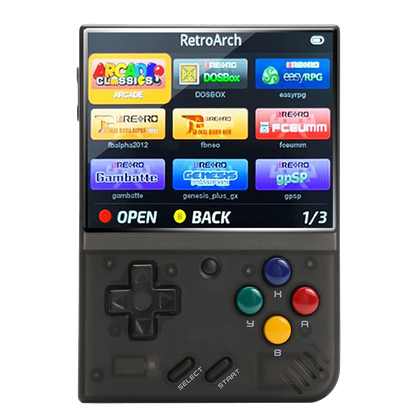
Miyoo Mini Plus
Pocket-sized. OnionOS. Flawless PS1.
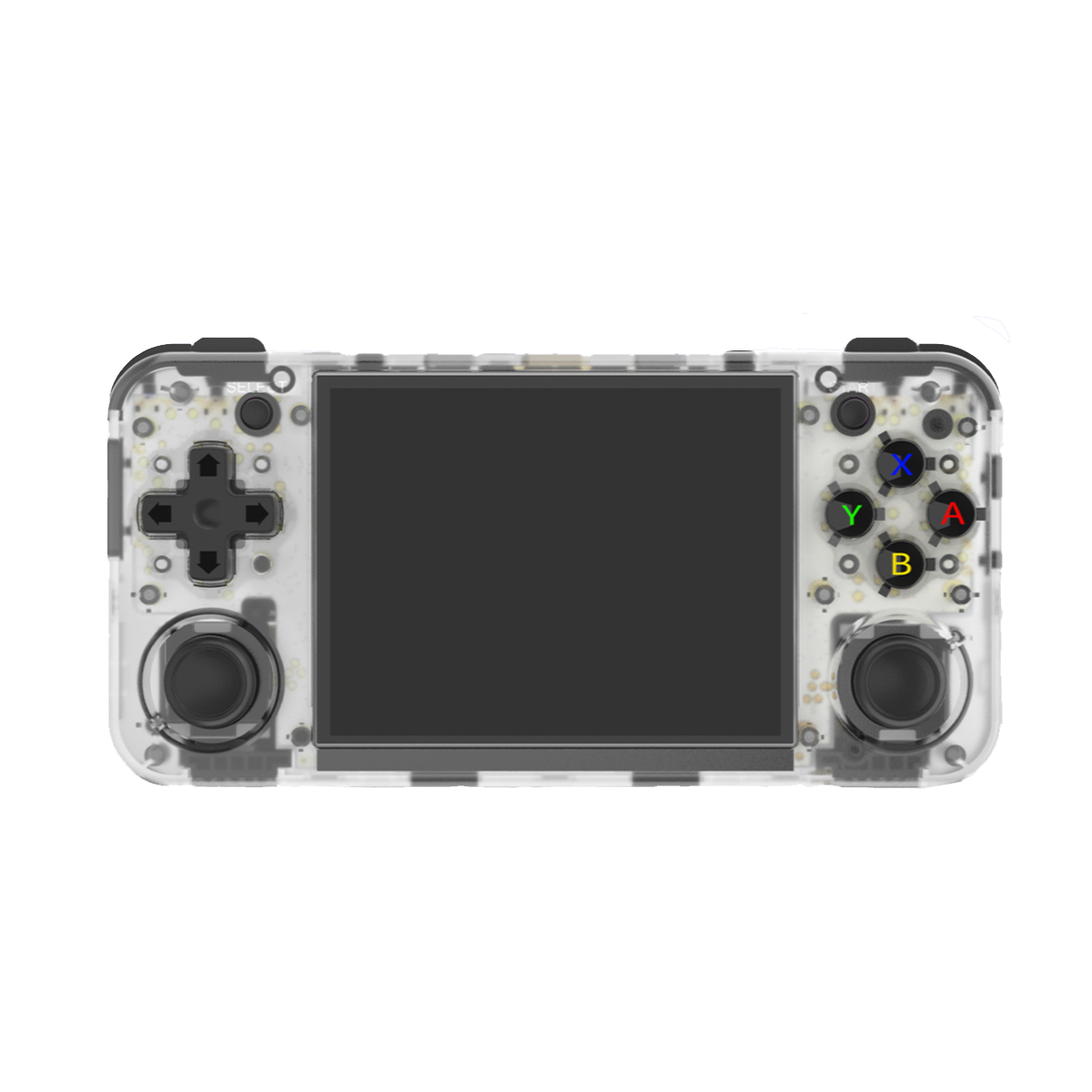
Anbernic RG35XX H
Horizontal layout. HDMI output. Analog sticks.
Miyoo Mini Plus ($65) — Best Pocket-Sized
The Miyoo Mini Plus is the handheld that launched a thousand Reddit posts. It’s small enough to fit in a jeans pocket (roughly the size of a deck of cards), has a sharp 3.5-inch IPS screen at 640×480, and runs OnionOS, which is widely considered the best custom firmware in the retro handheld scene. Setup takes minutes, the interface is clean, and game compatibility up through PS1 is near-perfect.
The trade-offs are real, though. There’s no Bluetooth, no HDMI output, and the Cortex A7 chipset means anything above PS1 (N64, Dreamcast, PSP) either struggles or doesn’t run at all. The 3000mAh battery lasts around 4-6 hours depending on what you’re emulating. If your goal is playing SNES, GBA, Genesis, and PS1 on the go without fuss, this is the one to get.
Anbernic RG35XX H ($73) — Best With Analog Sticks
The RG35XX H takes the same Allwinner H700 chipset from several Anbernic handhelds and puts it in a wider, horizontal body with dual analog sticks. The 3.5-inch screen runs at the same 640×480 as the Miyoo, but the form factor is more comfortable for longer sessions since your hands aren’t cramped around a tiny vertical slab.
The big selling points are the analog sticks (useful for N64 and PSP titles that need them) and the mini-HDMI output for playing on a TV. It also supports community firmware like MuOS and Knulli. The downside is the size. It doesn’t fit in a pocket the way the Miyoo does, and the build quality, while decent, feels slightly cheaper than the TrimUI or Miyoo devices.
Best $70–$85
Spend a little more and you get better screens, more form factor options, and stronger emulation performance. This is the sweet spot for most buyers.
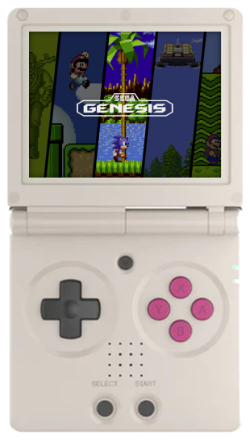
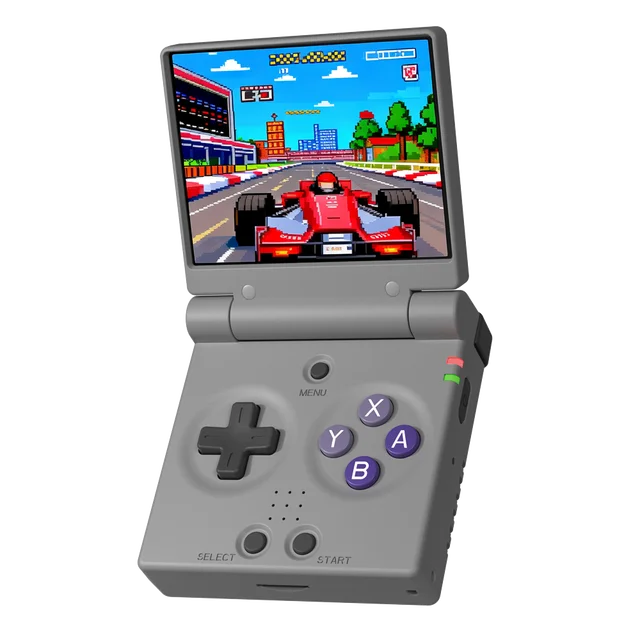
Anbernic RG35XX SP
GBA SP design. Folds shut. Dreamcast-capable.
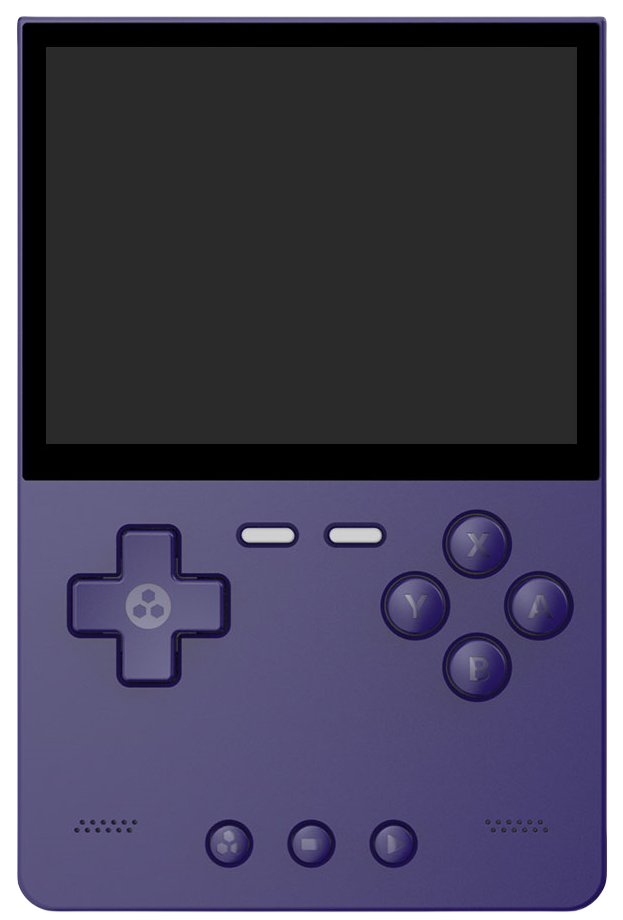
TrimUI Brick
1024×768 display. Game Boy shape. Premium buttons.
Miyoo Mini Flip
Clamshell OnionOS. Shirt-pocket sized.
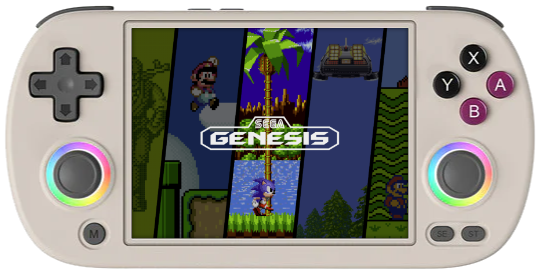
Anbernic RG40XX H
4-inch display. Stronger N64 and Dreamcast.
Anbernic RG35XX SP ($75) — Best Clamshell
If you grew up with a GBA SP, this one’s going to hit different. The RG35XX SP folds in half with a hinge rated for 180-degree positioning, protecting the 3.5-inch screen when it’s in your bag. It runs the same H700 chip as the RG35XX H, so emulation performance is identical. PS1 runs perfectly, Dreamcast and N64 are playable, and the community firmware support (MuOS, MinUI, Knulli) is excellent.
The 3300mAh battery gives you 2-8 hours depending on the system you’re emulating. The dual microSD slots are a nice bonus since you can keep your OS on one card and your ROMs on another. The L2/R2 shoulder buttons require a bit more pressure than you’d expect, which is the main complaint in community reviews. Otherwise, this is one of the most popular handhelds in the space for a reason.
TrimUI Brick ($80) — Sharpest Screen
The TrimUI Brick looks like someone took a Game Boy, gave it a 1024×768 IPS display, and added buttons that actually click. The vertical form factor is ideal for 4:3 games (which is most retro titles), and the pixel density at 3.2 inches is noticeably sharper than anything else at this price. CrossMix OS, the community firmware, is solid and polished.
The Brick handles DS and PS1 perfectly, with Dreamcast and Saturn titles mostly working. It has Bluetooth 2.1 and 5G WiFi, which the Miyoo Mini Plus lacks. The main trade-off is the screen size. At 3.2 inches, it’s the smallest display on this list, and games that benefit from more screen real estate (RPGs with small text) can feel cramped. It can also run warm during extended play sessions. But for GBA, SNES, and Game Boy titles, the pixel-perfect clarity is hard to beat.
Miyoo Mini Flip ($80) — Best Travel Companion
The Miyoo Mini Flip takes the same internals as the Mini Plus and wraps them in a GBA SP-inspired clamshell body. It folds down small enough for a shirt pocket, and OnionOS support means you get the same polished experience as the full-sized Miyoo. The 2.8-inch screen at 750×560 is small but sharp.
The smaller screen and 2500mAh battery are the main compromises. You’re paying $15 more than the Mini Plus for the clamshell design and screen protection. If you travel frequently and want something that can take a beating in a bag without worrying about screen scratches, it’s a worthwhile premium. If screen size matters more, stick with the Miyoo Mini Plus or the Anbernic RG35XX SP for the same clamshell concept with a larger display.
Anbernic RG40XX H ($85) — Biggest Screen Under $100
The RG40XX H bumps the screen to 4 inches while keeping the horizontal PSP-style layout. The extra screen real estate makes a noticeable difference for text-heavy RPGs and games with smaller UI elements. It runs a slightly more capable chipset that handles N64 and Dreamcast games more consistently than the H700-based handhelds.
The 5000mAh battery is the largest on this list, lasting 5-7 hours in most tests. It has dual analog sticks, HDMI output, and supports the same community firmware ecosystem. The downside is bulk. It’s the heaviest and widest option here, so pocketability is out. Think of it as more of a “throw in a backpack” handheld than a pocket device. If screen size and battery life are your top priorities, this is the one.
What These Handhelds Actually Play
Every listing on Amazon says “plays 5000+ retro games” but the reality depends entirely on which consoles you care about. Here’s what actually works at this price range, based on community testing.
| System | Under $70 | $70–$85 |
|---|---|---|
| Game Boy / GBC / GBA | Perfect | Perfect |
| NES / SNES / Genesis | Perfect | Perfect |
| PS1 | Perfect | Perfect |
| Nintendo DS | Good (single screen) | Good to Great |
| N64 | Playable (some stutter) | Good (RG40XX H best) |
| Dreamcast | Hit or miss | Good (RG35XX SP, RG40XX H) |
| PSP | Some titles at 1x | Playable at 1x |
| PS2 / GameCube | No | No |
The hard boundary for sub-$100 handhelds is PS2 and GameCube. If those are your target consoles, you need to spend $150+ for something with a Snapdragon 865 or equivalent. For PS1 and everything below it, every handheld on this list handles it without issue. The differences show up in N64, Dreamcast, and PSP performance, where the $70-$85 tier has a clear edge.
If you’re into retro gaming on original hardware instead, our complete console collecting guide covers what to look for when buying vintage systems.
What to Look for Before Buying
Screen ratio matters. Most retro games were designed for 4:3 screens. Handhelds with 16:9 displays either stretch the image or add black bars on the sides. Every handheld on this list uses a 4:3 (or close) screen ratio, which is what you want for accurate retro gaming.
Custom firmware is everything. The stock firmware on most Chinese retro handhelds is clunky, poorly organized, and sometimes buggy. Community projects like OnionOS (Miyoo), CrossMix (TrimUI), MuOS, and Knulli (Anbernic) transform these devices. Before buying, check that your handheld has active firmware support.
Storage type. Some handhelds use built-in eMMC storage with expansion via microSD, while others rely entirely on microSD cards. Dual-slot designs (like the RG35XX SP) let you keep your OS and ROMs separate, which makes firmware updates easier.
Battery capacity isn’t the whole story. A 3000mAh battery playing GBA games lasts much longer than the same battery running Dreamcast titles. The chipset’s power draw matters as much as the battery size. The RG40XX H’s 5000mAh battery doesn’t last twice as long as the Miyoo’s 3000mAh because it’s also powering a larger screen and stronger chipset.
Frequently Asked Questions
Are retro gaming handhelds legal?
The handhelds themselves are completely legal. They run open-source emulation software. The legal gray area is ROMs. Downloading games you don’t own is piracy. Dumping ROMs from cartridges you own is generally considered legal for personal use, though the law varies by country.
Do these come with games pre-loaded?
Most Amazon listings include a microSD card with games pre-loaded, but the quality varies wildly. Many include duplicate ROMs, mislabeled files, or games that don’t run well on the hardware. The community recommendation is to format the included card, install custom firmware, and add your own ROM collection.
Can these handhelds play PS2 or GameCube games?
Not at this price point. PS2 and GameCube emulation requires significantly more processing power. You need a handheld with at least a Snapdragon 865 chip (like the Retroid Pocket 5 at $150+) to run those consoles reliably. Everything on this list tops out at Dreamcast/PSP-level emulation.
Which custom firmware should I use?
It depends on the device. OnionOS for Miyoo handhelds, CrossMix OS for TrimUI devices, and MuOS or Knulli for Anbernic. All of them are free, have active communities, and install from a microSD card. Check r/SBCGaming for setup guides specific to your device.
Is the Miyoo Mini Plus or Anbernic RG35XX SP a better buy?
They target different needs. The Miyoo Mini Plus is smaller, cheaper, and has the best firmware (OnionOS). The RG35XX SP has a folding design that protects the screen, dual SD slots, and slightly better Dreamcast performance. If pocketability matters most, get the Miyoo. If you want screen protection and more storage flexibility, get the SP.
If you would rather buy the real thing, our console price tracker carries loose and boxed prices for every retro console.
Summary
If you want the simplest recommendation: get the Miyoo Mini Plus if you value pocketability, or the Anbernic RG35XX SP if you want a clamshell design with screen protection. Both are excellent for PS1 and everything below. If you want the best screen in this price range, the TrimUI Brick is the one. And if you want the biggest display and longest battery for extended sessions, the Anbernic RG40XX H does that at $85.
None of these will run PS2 or GameCube. That’s a $150+ problem. But for the 8-bit through PS1 era, plus some N64 and Dreamcast on the higher-end models, sub-$100 handhelds have never been this good.
If you’re looking for a more powerful portable gaming experience, check out our best Steam Deck accessories guide for leveling up a Steam Deck setup. And if you’re into collecting retro hardware, our console collecting guide covers the real deal.