
Halo: Campaign Evolved co-op is the headline feature of this remake, and it works differently than the couch co-op longtime fans remember. Early access started on July 23, 2026, with the full launch on July 28, and the game brings back cooperative play across four players online, two players in local split-screen, and full crossplay between every platform it runs on. This is also the first mainline Halo to launch on PlayStation 5, which is exactly why the co-op setup has a few extra hoops.
For how the launch is actually going, our live Campaign Evolved player count tracker follows the Steam numbers, the sales estimates, and the news around the studio.
Here is how to play with friends: who can join whom, which platforms allow split-screen, what accounts each player needs, and the PlayStation Plus quirk that caused a stir before launch. Halo: Campaign Evolved is climbing the charts fast, right up there with the other most-played games on Steam right now, so odds are the friends you want to squad up with are on a mix of consoles and PC.
Key Takeaways
- Co-op is back: up to 4 players online and 2 players in local split-screen, though split-screen is console-only.
- Full crossplay: Xbox Series X|S, PS5, and PC (Steam and the Microsoft Store) all play together, with shared cross-progression.
- Everyone needs a Microsoft account: even on PS5, you link a Microsoft account to add and join cross-platform friends.
- PS Plus is not required for local split-screen: Microsoft corrected its own pre-launch info; you only need a subscription for online co-op.
- No PvP: this is a campaign remake, so co-op is the whole multiplayer offering.
- Does Halo: Campaign Evolved Have Co-Op?
- Every Platform and Where Crossplay Works
- How to Play Online Co-Op in Halo: Campaign Evolved
- Split-Screen Co-Op and Its Account Requirements
- Crossplay, Cross-Progression, and Voice Chat
- What You Need to Play, by Platform
- Gear for Co-Op Sessions
- Frequently Asked Questions
- Summary
Does Halo: Campaign Evolved Have Co-Op?
Yes. Halo: Campaign Evolved supports co-op two ways: up to four players online and two players in local split-screen. The whole campaign is playable cooperatively from start to finish, and progress you make together carries over to each player’s own save.
The catch worth knowing up front is that split-screen is console-only. On PS5 and Xbox Series X|S, two people can share one screen. On PC, there is no split-screen at all, so PC players team up online instead. There is also no competitive multiplayer in this release. It is a remake of the original campaign with a new co-op layer on top, so cooperative play is the entire multiplayer package.

Every Platform and Where Crossplay Works
Halo: Campaign Evolved runs on Xbox Series X|S, PC through Steam and the Microsoft Store, PlayStation 5, and Xbox Cloud Gaming. It is on Game Pass day one for Ultimate and PC Game Pass subscribers from the July 28 launch, and Xbox Play Anywhere lets one purchase cover both Xbox and PC. The standard edition runs $49.99, while the $69.99 Premium Edition adds cosmetic skins, a digital artbook, a short story, and the July 23 early access window.
Crossplay is on across all of it. A player on PS5 can drop into a Fireteam with friends on Xbox and PC, and everyone’s unlocks travel with them thanks to cross-progression. The table below shows what each platform supports. If you are weighing which version to buy, our breakdown of how game editions stack up applies here too: the Premium tier is mostly early access plus cosmetics.
| Platform | Online Co-Op | Split-Screen | Crossplay |
|---|---|---|---|
| Xbox Series X|S | Yes (up to 4) | Yes (2 players) | Yes |
| PlayStation 5 | Yes (up to 4) | Yes (2 players) | Yes |
| PC (Steam / Microsoft Store) | Yes (up to 4) | No | Yes |
| Xbox Cloud Gaming | Yes (up to 4) | No | Yes |
The PS5 release is the big story here. Campaign Evolved is the first time a mainline Halo game has shipped on PlayStation, and it plays with Xbox and PC users through the same crossplay system, as of July 2026.
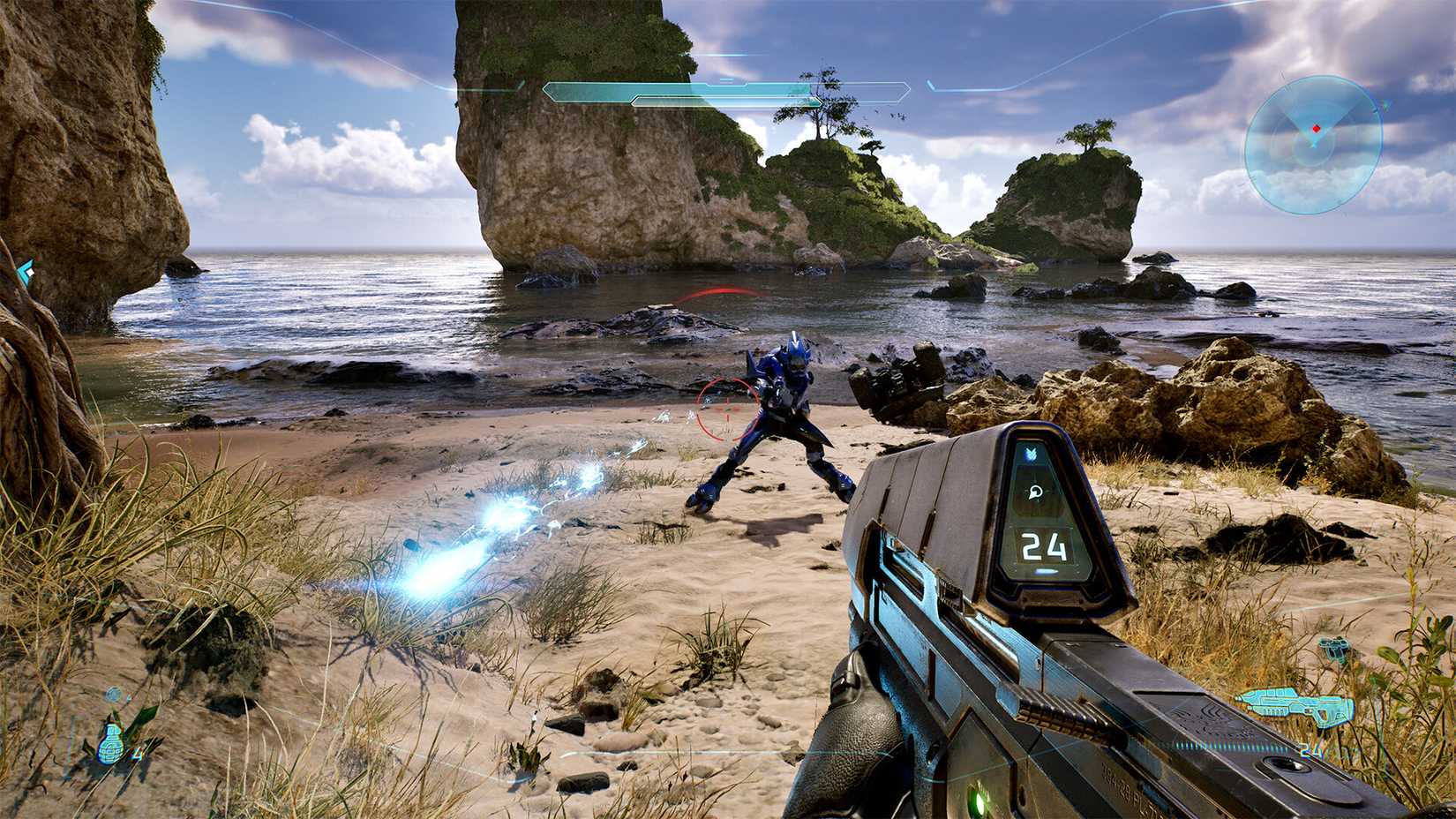
How to Play Online Co-Op in Halo: Campaign Evolved
Online co-op runs through a Fireteam you build from the main menu. The one setting people miss is Cross-Play, which has to be enabled before cross-platform friends will show up. Here is the full sequence.
- Open the main menu and turn on Cross-Play under Account Settings if you plan to squad with players on other platforms.
- Select “Play Co-Op” from the main menu.
- Invite friends into your Fireteam. Same-platform friends appear under the Platform list; players on other systems appear under the Cross-Platform list.
- To add a cross-platform friend, use their Xbox Gamertag, which includes the number suffix (for example, Deathtracker#443).
- Once everyone is in the Fireteam, choose “Start Campaign” to load in together.
Every online player needs a Microsoft account to use cross-platform features, even on PS5. That account is what the game’s friends system and voice chat run on. Online co-op also needs an online-capable subscription: PlayStation Plus on PS5, and Xbox Game Pass Core or higher on Xbox. PC players do not need a console subscription for online play.
Split-Screen Co-Op and Its Account Requirements
Local split-screen is two players on PS5 or Xbox Series X|S. PC does not support it. Both platforms need each player signed into a separate account, and this is where the requirements get specific.
On PS5, each player needs their own PlayStation Network account, and each of those PSN accounts must be linked to its own Microsoft account before the second player can join split-screen. On Xbox Series X|S, the second player likewise needs a unique Microsoft account to hop in. The reason is the shared friends and progression system, which is built on Xbox Network across every platform.
⚡ Quick tip: PlayStation Plus is not required for local split-screen. Microsoft’s pre-launch info wrongly stated that both accounts needed PS Plus, then corrected it. You only need PS Plus for online co-op, not couch co-op.
So the setup for couch co-op on PS5 comes down to two things per player: a PlayStation account and a Microsoft account linked to it. Get the second player’s accounts sorted before you sit down, and split-screen drops you straight into the campaign together with no subscription needed for local play.
Crossplay, Cross-Progression, and Voice Chat
Crossplay and cross-progression are the features that make co-op painless across a mixed group. Anything you unlock while playing together, whether it is a completed mission, a rally point, a skull, or a terminal, counts toward your individual progress too. Nobody has to replay content just because they joined as a guest, and the host is not the only one who keeps the rewards.
The crossplay reaches into split-screen as well. Two players sharing a PS5 can link up online with two players sharing an Xbox to form a full four-person Fireteam. That flexibility mirrors the kind of cross-platform continuity we covered when cross-save came to Zenless Zone Zero on Steam, where your account, not your hardware, holds your progress.
For talking to your team, the game has built-in cross-platform voice chat that runs through Xbox Network, so a PS5 player and a PC player can hear each other without extra setup. If your group already lives on Discord, there is native Discord integration for private group calls instead. Not every co-op game works that way. Big Walk drops outside voice apps and hands you in-game walkie-talkies and megaphones, which our Big Walk communication guide breaks down tool by tool.
What You Need to Play, by Platform
Requirements differ between local and online play, and the subscription rules trip people up. This table sums up what each player actually needs.
| Scenario | Accounts Needed | Subscription Needed |
|---|---|---|
| PS5 local split-screen | PSN account + linked Microsoft account per player | None |
| Xbox local split-screen | Unique Microsoft account per player | None |
| PS5 online co-op | PSN account + Microsoft account | PlayStation Plus |
| Xbox online co-op | Microsoft account | Game Pass Core or higher |
| PC online co-op | Microsoft account | None |
The through-line: a Microsoft account is the universal key, local play never needs a paid subscription, and only online co-op on console pulls in PlayStation Plus or Game Pass.
Gear for Co-Op Sessions
Co-op runs long, and a mixed-platform Fireteam lives or dies on clear comms and a comfortable setup. These three are the picks /SKILL readers reach for most: a controller for the couch, a headset for cross-platform voice, and a display for the campaign, with prices accurate as of July 2026.

8BitDo Ultimate 2
Hall-effect sticks and a charging dock, so player two is always topped up for a split-screen session.

SteelSeries Arctis Nova 7
A 38-hour battery and a clear mic keep cross-platform voice chat going through the whole campaign.

Samsung Odyssey G55C
A 32-inch QHD 165Hz curved panel that makes the remade Halo rings pop on PC.
Frequently Asked Questions
Is Halo: Campaign Evolved crossplay?
Yes. Halo: Campaign Evolved has full crossplay across Xbox Series X|S, PlayStation 5, and PC on both Steam and the Microsoft Store. Players on any of those platforms can join the same four-player Fireteam and share cross-progression.
Does Halo: Campaign Evolved have split-screen co-op?
Yes, but only on console. Two players can share one screen on PS5 or Xbox Series X|S. PC does not support split-screen, so PC players team up online instead.
Do you need PlayStation Plus for split-screen on PS5?
No. PlayStation Plus is not required for local split-screen. Each player needs a PlayStation account linked to a Microsoft account, but no paid subscription. PS Plus is only required for online co-op.
How many players can play Halo: Campaign Evolved co-op?
Up to four players can play online co-op together. Local split-screen supports two players on a single console. Two split-screen pairs on different consoles can also combine online into a full four-player team.
Do PS5 players need a Microsoft account?
Yes. Every player needs a Microsoft account to use cross-platform features, including on PS5. Your PSN account links to a Microsoft account, which powers the friends system and voice chat.
Is Halo: Campaign Evolved on PS5?
Yes. It is the first mainline Halo game to launch on PlayStation 5, releasing alongside the Xbox and PC versions with full crossplay. Early access began July 23, 2026, with the global launch on July 28.
Summary
Halo: Campaign Evolved co-op covers four-player online play, two-player console split-screen, and full crossplay across Xbox, PS5, and PC, with unlocks shared through cross-progression. The one thing to sort before you play with friends is accounts: everyone needs a Microsoft account, and PS5 split-screen players need a linked PlayStation account each, though no PlayStation Plus for local play.
Enable Cross-Play, build your Fireteam, and the campaign scales to your whole squad no matter what they play on. For more on what is topping the charts alongside it, check the current most-played games on Steam.
Aliens: Fireteam Elite 2 also launched with day one crossplay across Steam, the Epic Games Store, Xbox, and PS5, and it raised co-op from three players to four. Its PC build had a rougher start, which we cover in our Aliens: Fireteam Elite 2 PC performance guide.