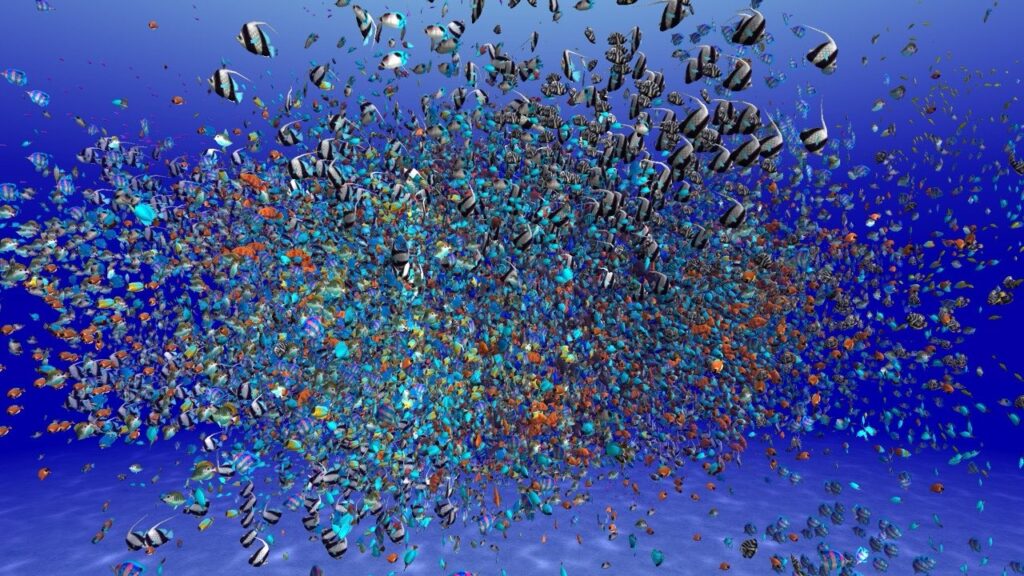
You start building an RTS or tower defense game in Godot 4, spawn 50 CharacterBody3D units, and the framerate drops to 15 FPS. This is a documented problem. Godot’s built-in physics nodes were designed for player characters and a handful of NPCs, not for hundreds of units moving every frame. The fix is straightforward but requires a fundamentally different approach: drop the per-node physics model and batch your rendering with MultiMesh while handling movement in code. This guide walks through both approaches with GDScript examples, shows you where each one breaks down, and gives you a clear framework for deciding which to use in your game.
Key Takeaways
- CharacterBody3D breaks at ~50 units: Godot’s built-in physics engine runs move_and_slide collision checks per node, and performance collapses once you pass a few dozen moving bodies
- MultiMesh renders thousands in one draw call: instead of one node per unit, you get one mesh resource that draws all instances at once while you control each transform from a loop
- The tradeoff is convenience vs scale: CharacterBody3D gives you collision, sliding, and pathfinding for free. MultiMesh gives you raw performance but you write all movement and state logic yourself
- Hybrid approaches work well: use CharacterBody3D for the player and important NPCs, MultiMesh for armies, crowds, and anything that exists in large numbers
Why Units Tank Performance in Godot
Every CharacterBody3D in your scene is a full physics node. When you call move_and_slide(), Godot runs collision detection against every nearby body, checks for floor contacts, resolves overlaps, and updates the physics state. Multiply that by 100 units and you are running hundreds of narrow-phase collision checks per physics frame.
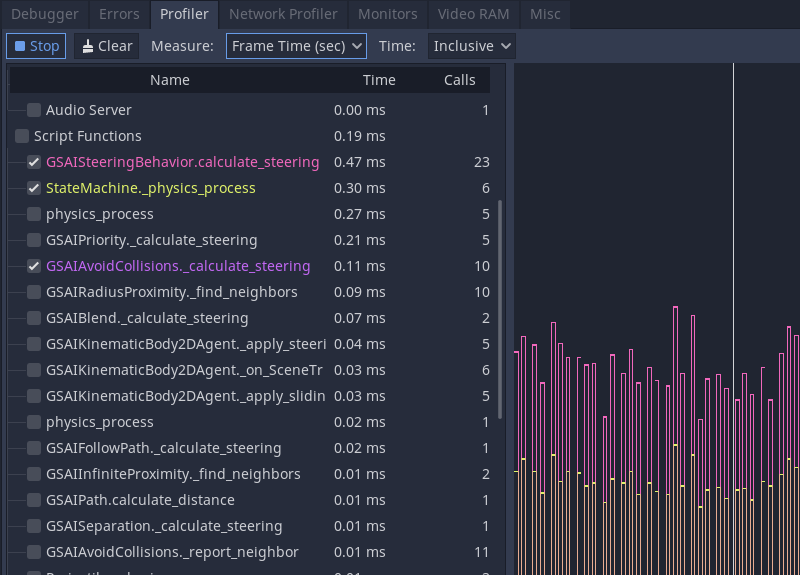
The bottleneck is not rendering. A hundred low-poly meshes barely registers on the GPU. The bottleneck is move_and_slide() and the collision pipeline behind it. GitHub issue #93184 documents sub-15 FPS with roughly 50 CharacterBody3D nodes in a production level, with profiling showing that AABB culling and the “CheckIfStuck” function consume most of the frame time. Issue #78761 shows even worse results: performance tanking after just 10-40 instances on GodotPhysics.
There is a cascading failure mode too. Once physics takes too long, Godot tries to catch up by running multiple physics updates per frame. With eight physics ticks crammed into a single render frame, the game becomes unplayable. The engine is fighting itself.
Approach 1: CharacterBody3D Per Unit
This is what most Godot tutorials teach and what feels natural when you are starting out. Each unit is a scene with a CharacterBody3D root, a MeshInstance3D for the visual, a CollisionShape3D for physics, and a NavigationAgent3D for pathfinding. Spawn 20 of these and everything works fine.
The Setup
A basic unit scene tree looks like this:
Unit (CharacterBody3D)
├── MeshInstance3D (unit model)
├── CollisionShape3D (SphereShape3D)
└── NavigationAgent3D
The movement script is simple:
extends CharacterBody3D

@export var speed: float = 5.0
@onready var nav_agent: NavigationAgent3D = $NavigationAgent3D

func set_target(pos: Vector3) -> void:
    nav_agent.target_position = pos

func _physics_process(_delta: float) -> void:
    if nav_agent.is_navigation_finished():
        return

    var next_pos = nav_agent.get_next_path_position()
    var direction = (next_pos - global_position).normalized()
    velocity = direction * speed
    move_and_slide()
Where It Breaks
This approach hits a wall fast. Based on community benchmarks and documented GitHub issues:
| Unit Count | GodotPhysics FPS | Jolt Physics FPS |
|---|---|---|
| 10-30 | 60 FPS | 60 FPS |
| 40-50 | 15-30 FPS | 60 FPS |
| 100+ | <10 FPS | 40-60 FPS |
| 250+ | unplayable | 15-30 FPS |
| 800+ | unplayable | <15 FPS |
Switching to Jolt Physics buys you roughly 20x more headroom (up to ~800 instances before degradation), but even Jolt cannot save you past a few hundred units. The problem is architectural: you are paying per-node overhead for every unit, every frame.
Collision shape type matters too. Convex shapes perform dramatically worse than simple SphereShape3D or BoxShape3D. If you are using convex hulls or trimeshes for unit collision, switch to spheres first. That alone can double your unit count.
Approach 2: MultiMesh With Manual Movement
MultiMesh is Godot’s instanced rendering system. Instead of creating a separate MeshInstance3D for each unit, you create one MultiMesh resource that holds a single mesh reference plus an array of transforms. The GPU draws all instances in one call. If you have read our guide on rendering 1,000+ units on mobile, this is the same core technique applied specifically to the CharacterBody3D scaling problem.
The catch: MultiMesh handles rendering only. There are no collision shapes, no navigation agents, no physics responses. You write all of that yourself.
The Setup
Your scene tree is minimal:
UnitManager (Node3D)
└── MultiMeshInstance3D
The manager script creates the MultiMesh, spawns instances, and runs movement in a loop:
extends Node3D

@export var unit_count: int = 1000
@export var speed: float = 5.0

var positions: PackedVector3Array
var targets: PackedVector3Array
var multimesh: MultiMesh

func _ready() -> void:
    positions.resize(unit_count)
    targets.resize(unit_count)

    multimesh = MultiMesh.new()
    multimesh.transform_format = MultiMesh.TRANSFORM_3D
    multimesh.mesh = preload("res://unit_mesh.tres")
    multimesh.instance_count = unit_count

    $MultiMeshInstance3D.multimesh = multimesh

    # Spawn in a grid
    for i in unit_count:
        var x = (i % 50) * 2.0
        var z = (i / 50) * 2.0
        positions[i] = Vector3(x, 0, z)
        targets[i] = positions[i]
        multimesh.set_instance_transform(
            i, Transform3D(Basis(), positions[i])
        )

func _process(delta: float) -> void:
    for i in unit_count:
        if positions[i].distance_to(targets[i]) < 0.5:
            continue
        var dir = (targets[i] - positions[i]).normalized()
        positions[i] += dir * speed * delta
        multimesh.set_instance_transform(
            i, Transform3D(Basis(), positions[i])
        )
Adding Collision Without Physics Nodes
You do not need CharacterBody3D for collision. For unit-to-unit avoidance, a simple separation loop works:
func apply_separation() -> void:
    var separation_radius: float = 1.5
    for i in unit_count:
        for j in range(i + 1, unit_count):
            var diff = positions[i] - positions[j]
            var dist = diff.length()
            if dist < separation_radius and dist > 0.01:
                var push = diff.normalized() * (separation_radius - dist) * 0.5
                positions[i] += push
                positions[j] -= push
This is O(n squared) and will become slow past ~500 units. The fix is spatial partitioning. A flat grid is the simplest approach: divide the world into cells, only check neighbors in adjacent cells. This drops collision checks from O(n squared) to near-constant per unit. Our RTS combat system guide covers spatial partitioning in detail. For a full implementation of avoidance steering with AABB edge distance and a perpendicular projection trick that prevents oscillation, see the steering behaviors guide.
Handling State Per Instance
MultiMesh supports custom data per instance through set_instance_custom_data(), which gives you a Color (four floats) per instance. Use this for health, team ID, animation frame, or state flags. For more complex state, keep parallel arrays:
var healths: PackedFloat32Array
var states: PackedInt32Array  # 0=idle, 1=moving, 2=attacking
var team_ids: PackedInt32Array

func _ready() -> void:
    healths.resize(unit_count)
    states.resize(unit_count)
    team_ids.resize(unit_count)
    healths.fill(100.0)
    states.fill(0)
    team_ids.fill(0)
The key insight: your data layout is already cache-friendly. Iterating through packed arrays is fast because the data sits contiguously in memory. This is the same principle behind ECS architectures, and it is one reason MultiMesh scales so much better than individual nodes.
Godot MultiMesh Performance Comparison
Here is what to expect from each approach based on community reports, GitHub issue data, and the Godot documentation. These numbers assume a mid-range desktop with GodotPhysics (not Jolt) for the CharacterBody3D column:
| Unit Count | CharacterBody3D | MultiMesh + Manual | Winner |
|---|---|---|---|
| 10 | 60 FPS, zero issues | 60 FPS, extra code | CharacterBody3D |
| 50 | 15-30 FPS, physics struggling | 60 FPS | MultiMesh |
| 200 | <10 FPS, unplayable | 60 FPS | MultiMesh |
| 1,000 | impossible | 50-60 FPS | MultiMesh |
| 5,000 | impossible | 30-45 FPS* | MultiMesh |
| 10,000+ | impossible | depends on logic** | MultiMesh |
*At 5,000 units, rendering is still cheap but your movement/AI loop starts mattering. GDScript will become the bottleneck. Consider moving hot loops to C# or GDExtension. If you are weighing GDScript vs C#, this is one of the scenarios where C# pays off.
**Past 10,000 units, the CPU cost of your update loop dominates. Use spatial partitioning, stagger updates across frames (update 1/4 of units per frame), and skip off-screen units. Reddit user discussions of 20,000-unit battles in Godot confirm this approach works with careful optimization.
When to Use Which Approach
Use CharacterBody3D if:
- Your game has fewer than 30-50 moving units at once
- Units need precise physics collision (platformer enemies, NPCs)
- You need built-in navigation with obstacle avoidance
- Development speed matters more than runtime performance
- Each unit has unique, complex behavior trees
Use MultiMesh if:
- You need 100+ identical or similar units on screen
- Units follow simple movement patterns (move to target, flock)
- You are building an RTS, tower defense, colony sim, or bullet hell
- You want to target mobile devices (tighter performance budgets)
- You are comfortable writing custom collision and pathfinding
The best approach for most games is a hybrid. Use CharacterBody3D for the player character and a handful of important NPCs that need full physics. Use MultiMesh for armies, crowds, projectiles, and anything that exists in large numbers. The player does not notice whether soldier #347 has pixel-perfect collision sliding. They notice when the game freezes.
Going Further: Servers API
If MultiMesh with manual logic is not enough, Godot exposes the RenderingServer and PhysicsServer3D APIs directly. This skips the node system entirely and lets you create visual instances and physics bodies through raw server calls. The Godot documentation on Servers recommends this for "code that creates dozens of thousands of instances."
The tradeoff: Servers API code is harder to read, harder to debug, and the Godot editor cannot visualize your entities. But if you need 20,000+ units with some form of collision, this is the path. Most developers will not need to go this far. MultiMesh with manual movement handles the vast majority of unit-scaling scenarios in Godot.
Frequently Asked Questions
Can Jolt Physics fix the CharacterBody3D scaling problem?
Jolt gets you roughly 20x more headroom than GodotPhysics, handling around 800 CharacterBody3D instances before performance degrades. That is enough for some games, but it still cannot match MultiMesh for thousands of units. Jolt is a good middle ground if you need physics collision and your unit count stays under a few hundred.
How do I handle pathfinding without NavigationAgent3D?
Use NavigationServer3D directly. Call NavigationServer3D.map_get_path() to get a path between two points, then follow the path waypoints in your manual movement loop. You can also stagger pathfinding requests across frames so you are not computing 1,000 paths simultaneously.
Does MultiMesh support different meshes per unit type?
No. Each MultiMesh draws one mesh. For multiple unit types, create separate MultiMesh instances, one per unit type. A typical RTS might have 3-5 MultiMesh instances (infantry, archers, cavalry, siege) and that is still only 3-5 draw calls total.
What about 2D games? Does the same advice apply?
Yes. CharacterBody2D has the same per-node physics overhead. Use MultiMesh2D or the Servers API for 2D games that need hundreds of moving entities. Vampire Survivors-style games commonly use this approach.
Can I animate MultiMesh units?
Not with Godot's animation system directly. You can fake animation by swapping mesh references, using shader-based vertex animation, or storing animation frames in the custom instance data and handling it in a shader. Shader-based animation scales perfectly since the GPU does the work.
Our Dev Gear
Game dev means long sessions staring at code and the Godot editor. These are the tools we build with every day.
MacBook Pro M5 Pro
24GB unified memory handles Godot, Blender, and testing simultaneously
Logitech MX Master 3S
Quiet clicks, 8K DPI tracking, and a scroll wheel built for code review

LG UltraGear 45GR95QE-B
45-inch 240Hz OLED with 0.03ms response. Code on one half, test on the other
Summary
CharacterBody3D is the right tool for small unit counts where you need physics collision and navigation. Once you pass ~50 units on GodotPhysics (or a few hundred with Jolt), the per-node overhead makes the game unplayable. MultiMesh solves this by batching all rendering into a single draw call and letting you manage movement through packed arrays and simple loops. You lose the convenience of built-in physics, but you gain the ability to scale to thousands of units at 60 FPS.
For most games with large unit counts, the MacBook Pro M5 Pro has enough headroom to develop and test at scale. Start with CharacterBody3D for prototyping, profile with Godot's built-in profiler when things slow down, and migrate hot paths to MultiMesh when you hit the wall. That approach gets you the fastest development time and the best runtime performance where it counts. Godot 4 2D animation guide applies the same node-vs-MultiMesh decision to 2D sprites.