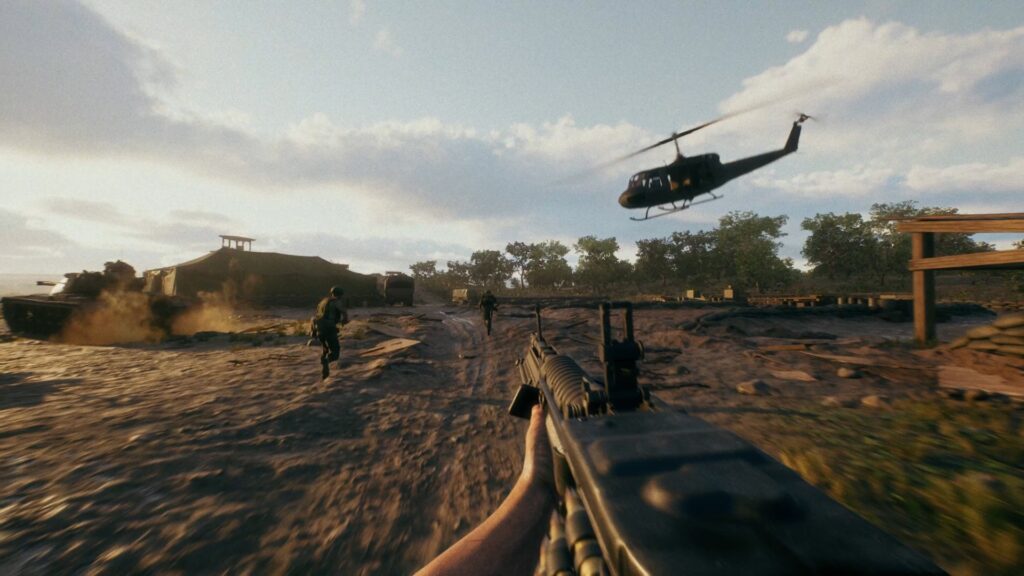
Hell Let Loose: Vietnam launched on August 13, 2026 and drew more than 26,000 concurrent Steam players within three days, with launch concurrents that Team17 says ran almost three times the all-time peak of the original Hell Let Loose. The launch also went Mixed on Steam, at 59.5 percent positive across 5,983 reviews in three days, and the negative reviews concentrate on two problems: crashes on AMD GPUs and Unreal Engine 5 performance. One reviewer logged 27 crashes in 10 hours on a Radeon RX 7900 XTX.
The problems are real, and most of them are fixable from your side today. This guide collects the Hell Let Loose Vietnam best settings and the crash fixes that players confirm work: the DirectX launch options the developers point AMD users toward, the Adrenalin toggle behind the Driver Timeout errors, the Easy Anti-Cheat repair that one player says took him from a 90 percent crash rate to zero, and a full video settings table checked against the in-game menu. Hotfix 1 shipped on August 16 with AMD stability improvements, so start with an updated game and go from there.
Key Takeaways
- AMD crashes have a fix chain: update or roll back the driver with a clean install, add the developer-suggested launch options, and turn Radeon Anti-Lag off for this game.
- The DX11 workaround has a cost: forcing -dx11 stops many AMD crashes but can cut frame rates hard. Test -dx12 with the other flags first.
- The Easy Anti-Cheat fix has the strongest player reports: run the EAC setup as administrator with fullscreen optimizations disabled.
- Shadows and foliage are the FPS killers: set both to Low, turn off Film Grain for up to 10 extra FPS, and keep Texture Quality at High if your GPU has the VRAM.
- Hotfix 1 is live as of August 16: it improves AMD GPU stability, adds official servers, and reworks the Server Browser to surface joinable, low-ping servers.
Why Hell Let Loose: Vietnam Crashes
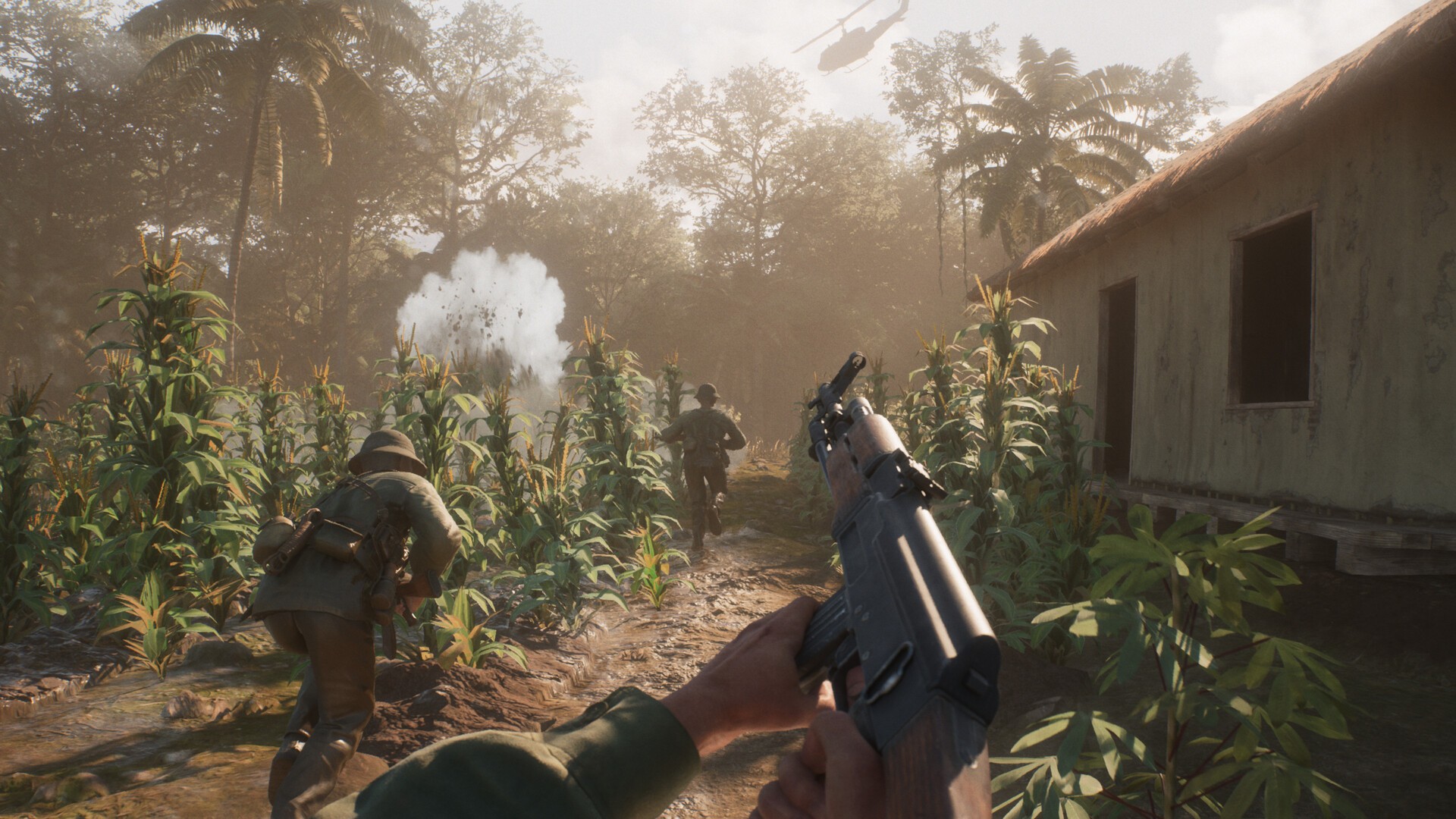
Hell Let Loose: Vietnam runs on Unreal Engine 5 with DirectX 12, and the crash reports cluster on AMD hardware. Radeon users report Driver Timeout errors that hit when the engine processes dynamic lighting and dense foliage shaders, which is most of a Vietnam map. The developers have acknowledged the problem directly: Hotfix 1, released August 16, lists “further stability improvements for players using AMD GPUs,” and the team says more patches are coming in the following weeks.
This crash family is not new to the franchise. The original Hell Let Loose has hit similar DirectX 12 instability on AMD cards after driver updates, and its developers shipped a dedicated hotfix for AMD DX12 crashes earlier this year. The fixes below follow the same logic that worked there: control which DirectX version the game uses, stabilize the driver, and remove the extras that trigger timeouts.
Fix Crashes on AMD GPUs
Work through these in order. Each step is cheaper than the one after it, and many players only need the first two.
- Update the driver with a clean install. Open AMD Software: Adrenalin Edition and install the latest stable driver with the clean-install option. If the newest driver still crashes, roll back: boot into Safe Mode, remove the driver with Display Driver Uninstaller, and install an older WHQL release. Original Hell Let Loose players have reported the same crashes vanishing on an older driver.
- Add the launch options. Team17’s official launch post lists
-dx12in the Steam launch options as the temporary AMD workaround. Community guides extend it to-dx12 -USEALLAVAILABLECORES -malloc=system, with-dx11in place of-dx12as the fallback. The DX11 version stops more crashes but can cost serious frame rate; one player reported drops to 20 FPS near buildings on DX11, so try the DX12 line first. - Turn Radeon Anti-Lag off for this game. In Adrenalin, open Gaming, select Hell Let Loose: Vietnam, and toggle Anti-Lag off. Players report this stops both crashes and the white ground-flickering on AMD systems. Disable the Adrenalin in-game overlay while you are there.
- Clear the shader cache. Run Windows Disk Cleanup, check DirectX Shader Cache, and restart. The first match afterward stutters while shaders rebuild. That is expected.
- Remove instability multipliers. Reset GPU overclocks and undervolts, and disable XMP/EXPO memory profiles if crashes continue. For persistent Driver Timeouts, a small underclock of 50 to 100 MHz in Afterburner keeps the card under its reset threshold, and separate PCIe power cables from the PSU beat a daisy-chained connector.
Crash Fixes for Every PC
These apply to Nvidia and AMD systems alike, and the first one has the strongest success reports of any fix in this guide.
- Repair Easy Anti-Cheat. Open the game folder under
Steam\steamapps\common, enter the EasyAntiCheat folder, right-clickEasyAntiCheat_EOS_Setup.exe, open Properties, and on the Compatibility tab enable Run as Administrator and Disable Fullscreen Optimizations. One player reported going from a 90 percent crash rate to zero after this change. Running the setup and choosing Repair Service fixes a corrupted EAC install the same way. - Verify game files. Steam library, right-click the game, Properties, Installed Files, Verify Integrity of Game Files.
- Kill the overlays. Steam overlay, Discord overlay, the Nvidia and AMD overlays, plus Overwolf, OBS, Afterburner, and RivaTuner. Overlay hooks are a standard UE5 crash trigger.
- Reinstall the runtimes. Install both the x86 and x64 Visual C++ redistributables and the DirectX runtime from Microsoft. This has resolved launch crashes for multiple players.
- Set a fixed page file. In Advanced System Settings, set virtual memory to an initial size of 8192 MB and a maximum of 16384 MB, then restart. UE5 games with 16 GB of RAM lean on the page file hard.
- Add security exceptions. Put the game and EAC executables in your antivirus exceptions and allow them through Windows Firewall.
- Reset video settings if you played the Crossplay Playtest. Team17 recommends resetting Video settings to default so the launch build recalibrates them.
Best Video Settings for Higher FPS
Set Master Quality to Custom first, or the preset will overwrite individual changes. Shadow Quality and Foliage Quality are the two biggest frame costs in the jungle, and Film Grain alone is worth up to 10 FPS. Keep Texture Quality at High if your card has the VRAM, and keep view distance settings up, since they control how far you can spot enemies.
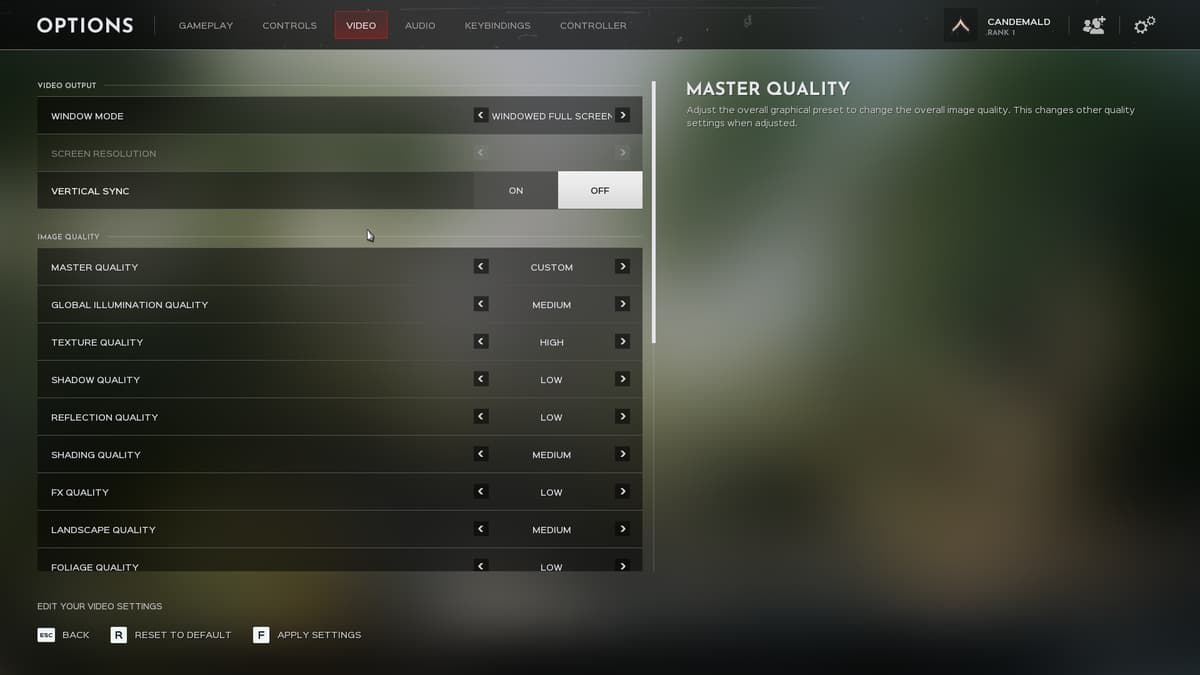
| Setting | Recommended |
|---|---|
| Window Mode | Windowed Full Screen |
| Vertical Sync | Off |
| Master Quality | Custom |
| Global Illumination Quality | Medium |
| Texture Quality | High (drop to Medium on 6 GB cards) |
| Shadow Quality | Low |
| Reflection Quality | Low |
| Shading Quality | Medium |
| FX Quality | Low |
| Landscape Quality | Medium |
| Foliage Quality | Low |
| Post Process Quality | Low |
| SSAO | Off |
| Motion Blur | Off |
| Film Grain | Off |
| Anti-Aliasing | TSR Quality High, Resolution Scale 100 (DLSS on Nvidia) |
| Low Latency | On |
| Hardware Lumen | Off |
| Frame Rate Limit | 1 below your refresh rate (143 on a 144 Hz monitor) |
On the Gameplay tab, set Field of View to 103 and ADS Field of View to 75, turn Camera Motion off, and keep the team, unit, and vehicle view distances at 250. Nvidia cards should use DLSS for upscaling; AMD and everyone else should use TSR, which is what the official performance targets assume. The minimum spec targets 1080p/60 with TSR at 71 percent resolution or DLSS Ultra Performance, so a native-resolution 60 FPS needs hardware above the minimum.
One hardware note carries more weight than any setting: install the game on an SSD. Hard drive installs produce texture and traversal stutter that no menu change removes.
Fix Full Servers and Long Queues
Launch demand outran the server supply, and Hotfix 1 changed how the Server Browser works to compensate. The browser now refreshes automatically more often, hides full servers from the default list, and prioritizes low-ping servers with 80 or fewer players so open slots surface first. If you want to see full servers again, adjust the browser filters.
Team17 is also rolling out additional official servers across all regions, and the hotfix fixed server crashes triggered by RCON broadcasts and NVA Tunnels. If a region still shows nothing joinable at peak hours, Team17’s own advice works with the browser changes: join a server showing 50 or fewer players, because it will be near full by the time you load in.
⚡ Quick tip: The Getting Started tutorial is skippable. Press Esc to jump straight into multiplayer. Only the Squad Leader and Commander tutorials are required, and only to unlock those two roles.
System Requirements
| Spec | Minimum (1080p/60, TSR 71% or DLSS Ultra Perf.) | Recommended (1080p/60, TSR 100% High or DLSS Balanced) |
|---|---|---|
| OS | Windows 10 64-bit | Windows 11 64-bit |
| CPU | Intel Core i5-10600K / AMD Ryzen 5 3600X | Intel Core i5-12600K / AMD Ryzen 5 7600X |
| GPU | Nvidia RTX 2060 Super / AMD RX 6600 XT | Nvidia RTX 3060 Ti / AMD RX 6900 XT |
| RAM | 16 GB | 16 GB |
| DirectX | Version 12 | Version 12 |
| Storage | 30 GB | 30 GB |
Both official tiers assume upscaling to hit 1080p/60, which is unusual and worth reading literally: the requirements describe upscaled performance, not native. The game also runs on SteamOS and Linux, and it is live on PS5 and Xbox Series X|S.
Gear for the Jungle Grind
Hell Let Loose is a voice-comms game where footsteps and direction matter, and the stutter fixes above assume an SSD. These three picks cover the audio, the display, and the storage. Prices checked August 2026.

Sony INZONE H9 II
Wireless with noise cancelling, 29 percent off list. Clear squad comms and directional footsteps in one headset.

LG UltraGear 27GR83Q-B
27-inch QHD IPS at 240Hz, 47 percent off list. Spotting a helmet in the treeline is easier at high refresh.

Kingston NV3 1TB
PCIe 4.0 speeds up to 6,000MB/s. The stutter fix that is hardware, not settings.
Frequently Asked Questions
Why does Hell Let Loose: Vietnam keep crashing on AMD GPUs?
Radeon users report Driver Timeout errors when the Unreal Engine 5 renderer processes dynamic lighting and dense foliage under DirectX 12. The developers acknowledged the AMD instability and shipped stability improvements in Hotfix 1 on August 16, with more patches planned. Until a full fix lands, the driver clean-install, the developer-suggested launch options, and turning Radeon Anti-Lag off are the fixes players confirm.
Does the DX11 launch option fix the crashes?
Forcing DirectX 11 with the -dx11 launch option stops many AMD crashes, but it can cut performance hard. One player reported 20 FPS near buildings on DX11. Try -dx12 with -USEALLAVAILABLECORES -malloc=system first, and keep -dx11 as the fallback when nothing else holds.
What are the best settings for FPS in Hell Let Loose: Vietnam?
Set Master Quality to Custom, drop Shadow Quality and Foliage Quality to Low, turn off Motion Blur, Film Grain, and SSAO, and keep Texture Quality at High if you have the VRAM. Use DLSS on Nvidia or TSR elsewhere, cap frames 1 below your refresh rate, and install on an SSD. Film Grain alone is worth up to 10 FPS.
Are the developers fixing the launch problems?
Yes. Hotfix 1 went live on August 16 on all platforms with AMD GPU stability improvements, additional official servers, server stability fixes, Server Browser changes, and a PS5 audio fix. The team says it is the first of multiple post-launch patches arriving over the coming weeks, tracked in the Dev Comms thread on Steam.
Why are all the servers full?
Team17 reports launch concurrents at almost three times the original Hell Let Loose’s all-time peak, and server supply is catching up. Hotfix 1 made the Server Browser hide full servers by default and prioritize low-ping servers with 80 or fewer players, and Team17 is adding official servers in every region.
Does Hell Let Loose: Vietnam run on Steam Deck or Linux?
The game works on SteamOS and Linux at launch. The official system requirements target desktop hardware, so expect reduced settings on handhelds.
Summary
The launch problems in Hell Let Loose: Vietnam split into three buckets, and each has a working answer. AMD crashes respond to the driver clean-install, the developer-suggested launch options, and Anti-Lag off. Universal crashes respond to the Easy Anti-Cheat compatibility fix and clean runtimes. Frame rate responds to Low shadows and foliage, Film Grain off, upscaling, and an SSD. Hotfix 1 already improved AMD stability and the Server Browser, and more patches are scheduled.
Mistfall Hunter’s launch had the same shape, and our Mistfall Hunter settings guide covers its fixes. For the other hardcore shooter climbing Steam right now, our Escape from Tarkov seasons guide explains the season system pulling players back.
Launch-week performance problems are not unique to this one. Aliens: Fireteam Elite 2 arrived on August 25, 2026 with stutter that persists above 100fps, which points at frame pacing rather than GPU load. We walk through how to fix the stutter in Aliens: Fireteam Elite 2 in a separate guide.