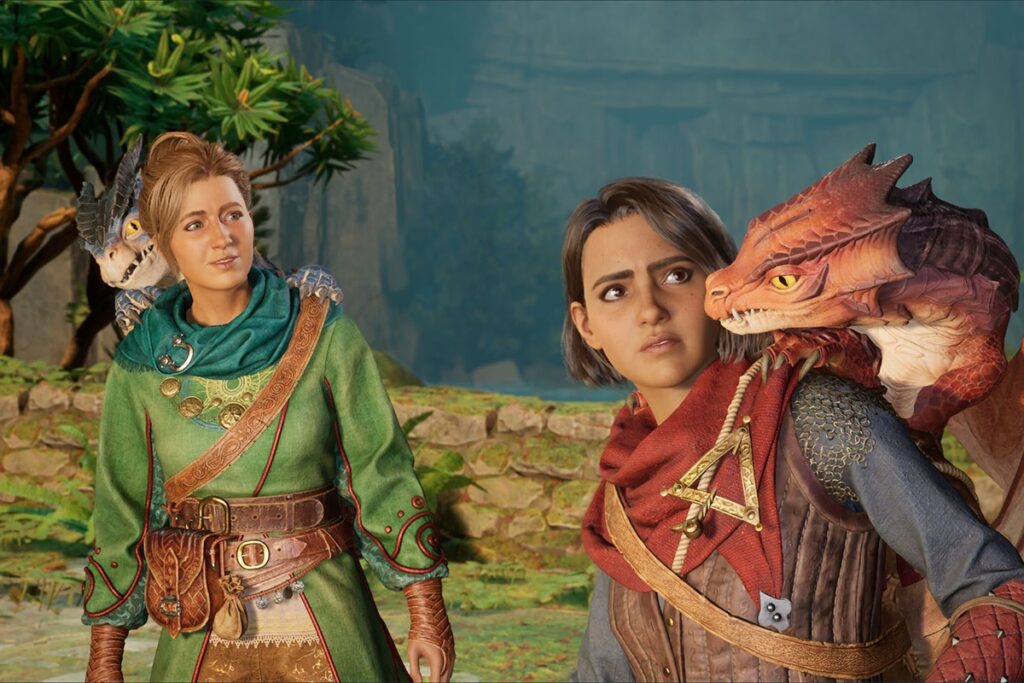
Want to play Split Fiction with your partner, but they’re not really a gamer? You’re not alone. Hazelight’s latest co-op adventure is incredible, but it’s more demanding than It Takes Two—and that skill gap can lead to frustration if you’re not prepared.
This guide covers everything you need to know to make Split Fiction enjoyable for both of you, regardless of experience level.
Quick Setup for Skill-Gap Pairs:
- Non-gamer plays as Zoe (slower, puzzle-focused gameplay)
- Enable Reduced Enemy Damage for their character only
- Turn on Skip to Checkpoint in accessibility settings
- Only one person needs to own the game (Friend Pass)
Character Selection: Who Should Play Who
This is the most important decision you’ll make, and it’s not about who looks cooler.
Zoe is the fantasy writer. Her levels are slower-paced, puzzle-focused, and emphasize exploration over reflexes. If your partner struggles with fast-paced action or precise timing, Zoe is the pick.
Mio is the sci-fi writer. Her levels feature shooting, quick platforming, and more intense action sequences. The experienced gamer should take Mio.
Throughout the game, there are moments where Mio handles complex mechanics while Zoe supports from a simpler role. The game was designed with this dynamic in mind—use it to your advantage.
Pro tip: If you’re playing couch co-op, nothing stops you from swapping controllers for specific sections if needed.
Essential Accessibility Settings
Split Fiction doesn’t have a traditional difficulty slider, but it has something better—per-player accessibility options that let you customize the experience for each person.
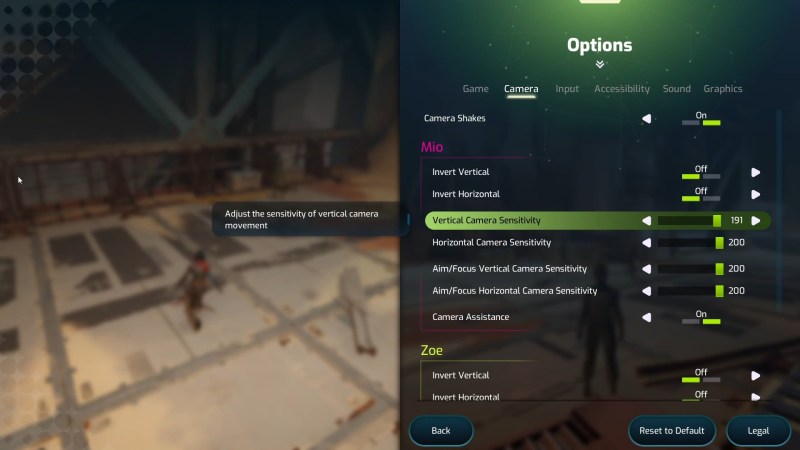
Reduced Enemy Damage
This toggle makes combat significantly more forgiving by reducing how much damage enemies deal. The brilliant part? It’s per-character. You can enable it for Zoe while leaving Mio on normal difficulty.
With this enabled, it’s nearly impossible to die in combat. Perfect for someone who’s still learning the controls.
Where to find it: Settings → Accessibility → Reduced Enemy Damage (toggle for Mio/Zoe separately)
Skip to Next Checkpoint
If a section becomes genuinely frustrating, you can skip ahead to the next checkpoint. This doesn’t jump entire chapters—just a few minutes of gameplay at most.
Some players feel guilty using this, but don’t. The story and later levels are worth experiencing, and skipping one tricky platforming section won’t diminish the overall adventure.
Where to find it: Settings → Accessibility → Allow Skipping to Next Checkpoint
Tips for the Experienced Player
Your job isn’t just to beat the game—it’s to make sure your partner has fun. Here’s how:
Be patient. What takes you 30 seconds might take them three minutes. That’s okay. Rushing them or sighing audibly will kill the vibe faster than any boss fight.
Don’t backseat game. Resist the urge to constantly tell them what to do. Let them figure things out. Offer help when asked, not before.
Celebrate the wins. Beat a tough section? Hype it up. Their victories matter more than yours in this context.
Take the harder role. When the game splits you into different tasks, volunteer for the more mechanically demanding one. This happens naturally if you’re playing Mio, but pay attention during shared sections too.
What to Expect in Each World
Without spoiling anything, here’s a general sense of what’s coming:
Early game: Tutorial sections that introduce mechanics gradually. Very forgiving. Good time to let your partner get comfortable with the controls.
Mid game: Difficulty ramps up with more complex platforming and tougher enemies. This is where the accessibility settings become valuable.
Late game: Some genuinely challenging sections, but also the most rewarding moments. The story payoff is worth pushing through any frustration.
The game has frequent checkpoints throughout—if someone dies, you’re rarely set back more than a minute or two.
When It Gets Frustrating
It will happen. Here’s how to handle it:
Take breaks. The game is designed to be played in sessions. Each world takes about an hour. Play one world, stop, come back later. You’ll both enjoy it more.
Use the skip feature guilt-free. Seriously. The developers included it because they want everyone to experience the whole game, not just skilled players.
Remember why you’re playing. This isn’t about conquering a challenge—it’s about spending time together. If a section is causing genuine stress, skip it and move on.
The story is worth it. The final chapters of Split Fiction are genuinely special. Whatever it takes to get there together is worth it.
FAQ
Can a complete non-gamer enjoy Split Fiction?
Yes, with the right settings and a patient partner. The reduced damage option and checkpoint skipping make it accessible to almost anyone. That said, if they’ve never held a controller, consider starting with It Takes Two—it’s slightly more forgiving and teaches the same fundamentals.
Is It Takes Two easier than Split Fiction?
Generally, yes. It Takes Two has simpler mechanics and a gentler difficulty curve. If your partner is brand new to gaming, that’s a better starting point. But Split Fiction is absolutely playable for beginners with the accessibility options enabled.
Does the Friend Pass work for the whole game?
Yes. Only one person needs to own Split Fiction. The other player downloads the free Friend Pass and can play the entire game with you—online or local co-op, any platform.
Can we swap characters mid-game?
Not officially, but if you’re playing local co-op, you can just swap controllers. For online play, you’d need to start a new save.
Last updated: February 2026