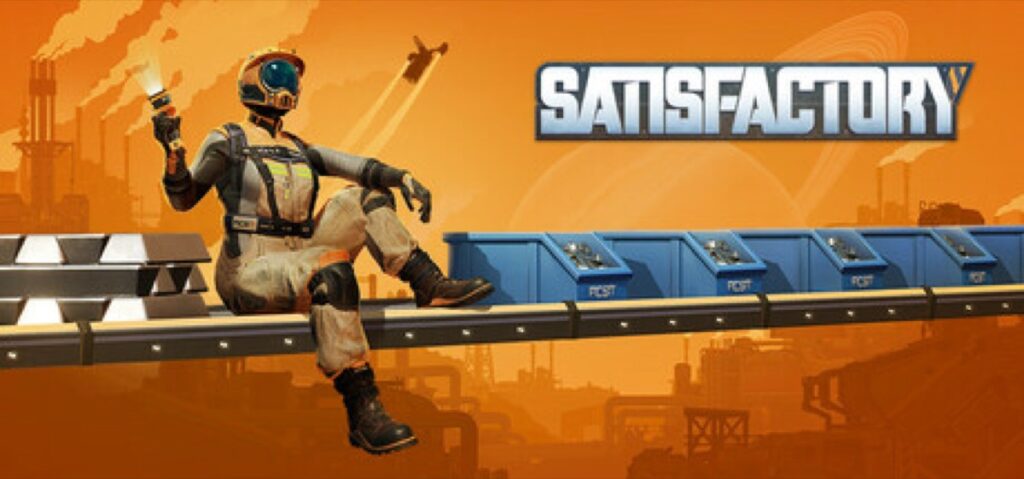
After 100+ hours building factories in Satisfactory 1.0, I’ve made every mistake a new player can make—spaghetti conveyor belts, power grid collapses, resource bottlenecks that brought entire production lines to a halt. This guide distills everything I wish I knew on day one into actionable tips that’ll have you building efficient automated factories from the start.
Table of Contents
- Quick Answer
- Getting Started with The HUB
- Understanding Automation Basics
- Mastering Conveyor Belts
- Power Management Fundamentals
- Factory Layout Tips
- Resource Management Strategies
- Common Mistakes to Avoid
- Pro Tips
- FAQ
- Related Guides
Quick Answer
If you’re short on time, here’s what every Satisfactory beginner needs to know:
- Start in the Grass Fields — easiest biome with abundant resources
- Automate iron and copper first — these are your foundation for everything
- Build on foundations — always use foundations for clean, expandable layouts
- Don’t over-complicate early — simple setups that work beat complex setups that don’t
- Keep power capacity ahead of demand — power grid failures cascade badly
Getting Started with The HUB
The HUB is your home base in Satisfactory—it’s where you’ll unlock new technologies, store items, and respawn if something goes wrong. When you first drop onto the alien planet, building and upgrading your HUB is priority one.
Initial Setup Steps:
- Find a flat area near iron and copper deposits
- Use your scanner (V key) to locate resource nodes
- Place your HUB and start the tutorial milestones
- Manually gather resources to complete Tier 0 objectives
The first few milestones teach you the basics: gathering resources by hand, crafting in the equipment workshop, and understanding how the milestone system unlocks new content. Don’t rush past these—they set up essential knowledge for later.
Key Tip: Your starting location matters. The Grass Fields biome offers the gentlest introduction with plentiful iron, copper, limestone, and relatively docile wildlife. The Rocky Desert is another solid choice for slightly more experienced players.
Understanding Automation Basics
Satisfactory is fundamentally about automation. The sooner you stop hand-crafting items and let machines do the work, the faster you’ll progress.
Your First Production Line:
The core automation loop is simple: Miner → Conveyor Belt → Constructor/Smelter → Storage. Once you unlock the Miner Mk.1, place it on a resource node and connect it to a Smelter (for ores) or Constructor (for processed materials).
Basic Production Chain Example:
Iron Ore Node → Miner Mk.1 → Smelter (makes Iron Ingots) → Constructor (makes Iron Plates/Rods)
Start with one production line for Iron Plates and one for Iron Rods. These two components are used in almost every recipe in early game. Once these are automated, you’ll never need to hand-craft them again.
The Golden Rule: If you’re crafting something by hand more than twice, automate it. Your time is better spent planning and building than standing at a workbench.
Mastering Conveyor Belts
Conveyor belts are the arteries of your factory. Understanding how they work prevents the dreaded “spaghetti factory” that plagues many new players.
Belt Basics:
- Mk.1 Belts move 60 items per minute — enough for early game
- Output ports (orange) send items out; Input ports (blue) receive items
- Splitters divide one belt into two or three
- Mergers combine two or three belts into one
Avoiding Spaghetti:
The key to clean belt layouts is building on foundations and leaving space between machines. A good rule of thumb is to leave at least one foundation width between parallel production lines. This gives you room to route belts without them crossing chaotically.
Pro Tip: Use vertical belts (conveyor lifts) early. Routing materials up and down is cleaner than snaking belts around obstacles on the same level.
Power Management Fundamentals
Power is the lifeblood of your factory. When your power grid fails, everything stops—and in Satisfactory, outages cascade. One overloaded circuit can shut down your entire operation.
Early Power Setup:
- Biomass Burners — Your first power source. Feed them leaves, wood, or biomass
- Coal Generators — Your first automated power (requires water + coal)
- Fuel Generators — Mid-game power using oil products
The 80% Rule: Keep your power consumption at 80% or less of total capacity. This buffer prevents brownouts when you add new machines and gives you breathing room to expand.
Power Priority Order:
First Priority: Automate coal power ASAP — Biomass Burners require manual feeding
Second Priority: Build more generators than you need immediately
Third Priority: Separate power grids for different factory sections (optional but helpful)
Factory Layout Tips
How you organize your factory determines how painful or pleasant expansion will be. A little planning upfront saves hours of demolition later.
Foundation First:
Always build on foundations. They provide a grid system that makes machine alignment trivial and belt routing predictable. Start with a flat foundation platform, then build your production lines on top.
Layout Strategies:
- Main Bus — Route primary resources (iron, copper, etc.) down a central “highway” and branch off to production areas
- Modular Pods — Build self-contained factories for each product type
- Vertical Building — Stack production floors to save ground space
Spacing Matters: Leave room to expand. If you’re building a factory that makes 30 Iron Plates per minute, leave space to triple it later. You will need more of everything than you think.
Resource Management Strategies
Satisfactory rewards thinking ahead about resources. Running out of iron mid-production is frustrating; planning for abundance is satisfying.
Early Game Priorities:
- Iron — Foundation of everything; automate heavily
- Copper — Essential for power and electronics
- Limestone/Concrete — Used for foundations and buildings
- Coal — Critical for steel and power
The Sink Strategy: Once you unlock the AWESOME Sink, feed it excess production. You’ll earn coupons for cosmetics and useful items while preventing storage overflow. Items like excess concrete or cable make great sink fodder.
Common Mistakes to Avoid
Learn from the mistakes of those who came before you:
Mistake 1: Building Without Foundations
Building directly on terrain seems faster but creates alignment nightmares. Always use foundations.
Mistake 2: Ignoring Power Margins
Running at 100% power capacity means any new machine triggers a blackout. Maintain buffer capacity.
Mistake 3: Not Automating Biomass
If you’re still on Biomass Burners, rush to coal power. Manual feeding doesn’t scale.
Mistake 4: Over-Engineering Early
Your first factory doesn’t need to be perfect. Get it working, then iterate. Paralysis by planning is real.
Mistake 5: Ignoring the MAM
The Molecular Analysis Machine unlocks alternate recipes and important technologies. Feed it research items regularly.
Pro Tips
- Use the build gun’s “Z” nudge feature to fine-tune placement without starting over
- Ctrl+C copies building settings (like machine recipes) to paste onto other machines
- Unlock Conveyor Lifts early — they make vertical logistics trivial
- Mark resource nodes on your map with beacons for future expansion planning
- Build your coal power near water — water extractors need to be in water, and pipes have limited range
- The Chainsaw is a game-changer — clearing vegetation for biomass becomes effortless
- Use stackable conveyor poles to build clean, organized belt highways
FAQ
What’s the best starting location in Satisfactory?
The Grass Fields biome is ideal for beginners. It has abundant iron, copper, and limestone with flat terrain and relatively harmless wildlife. The Rocky Desert is a solid second choice with denser resource nodes.
How do I prevent conveyor belt spaghetti?
Build on foundations, leave space between machines, use conveyor lifts for vertical routing, and plan your belt paths before building. The Main Bus layout strategy helps keep things organized.
When should I switch from Biomass Burners to Coal Power?
As soon as possible. Once you unlock Coal Generators (Tier 3), prioritize building them near a water source. Automated power frees you from constant biomass feeding and enables true factory scaling.
What should I automate first?
Iron Plates and Iron Rods. These components appear in virtually every early-game recipe. Once automated, move to copper wire and cable, then concrete.
Can I play Satisfactory solo?
Absolutely. The game is fully playable solo and many players prefer it. Multiplayer adds fun chaos but isn’t required. The game auto-saves regularly, and there’s no penalty for taking your time.
Related Guides
- Schedule 1 Beginner Guide: 10 Tips to Build Your Empire Fast
- Arknights Endfield Beginner Guide: 10 Tips to Dominate Talos-II
Summary
Satisfactory rewards methodical planning and embracing automation. Start in the Grass Fields, build on foundations from day one, automate iron and copper production immediately, and keep your power grid healthy with buffer capacity. Don’t stress about perfection—your first factory is a learning experience, not your final build. The real satisfaction comes from watching a complex system you designed run flawlessly while you plan your next expansion.
Now get out there and build something satisfactory.