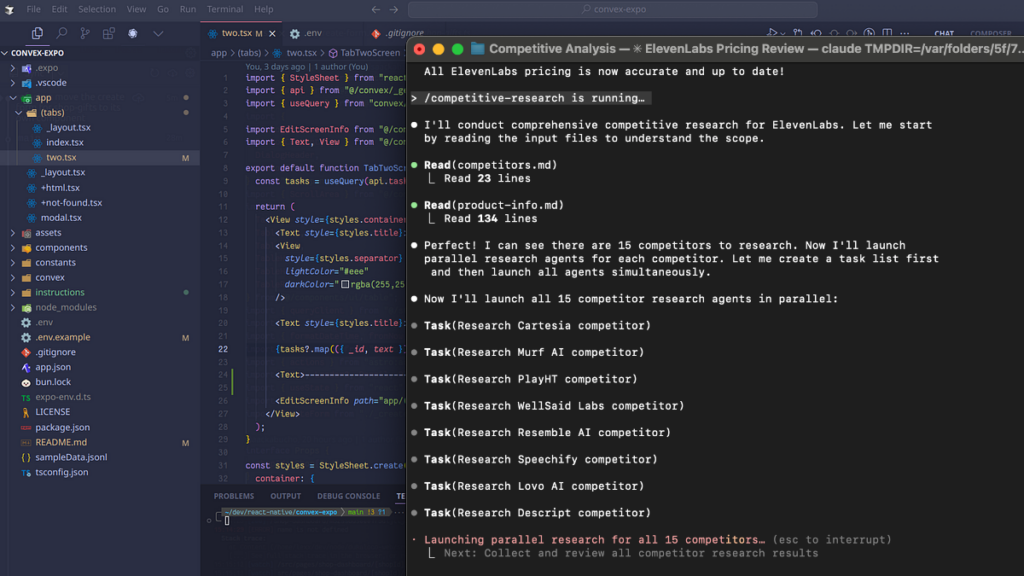
Two AI coding tools dominate developer conversations right now: Cursor and Claude Code. Both promise to transform how you write code. But they approach the problem from opposite directions, and picking the wrong one for your workflow will cost you time and money.
After testing both extensively and reading what hundreds of developers say on Reddit and forums, here’s the practical guide to choosing between them.
Quick Answer
- You want a familiar VS Code environment
- You need to review every change visually
- You’re doing focused, convergent work
- Multi-model flexibility matters to you
- You’re comfortable working in terminal
- You want AI to handle multi-step tasks autonomously
- You run parallel workstreams
- Deep architectural reasoning matters more than visual diffs
Use both if budget allows. They’re genuinely complementary: Claude Code for exploration, Cursor for convergence and review.
What is Cursor?
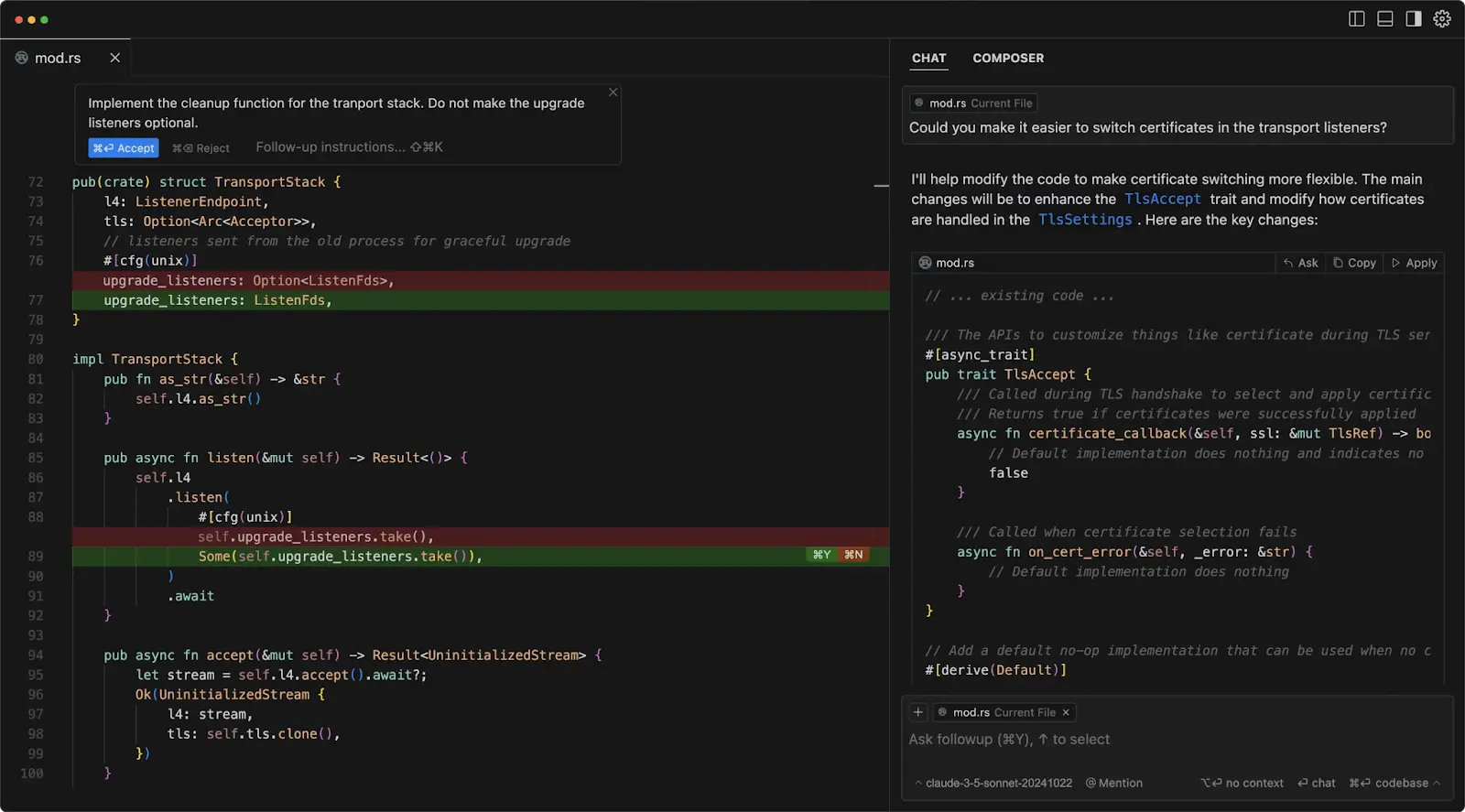
Cursor is a VS Code fork with AI baked into its DNA. It looks and feels exactly like VS Code because it is VS Code, just with powerful AI features layered on top.
The core features:
- Tab completion: AI predicts your next edit as you type
- Cmd+K: Surgical inline edits with natural language
- Agent mode: Handles larger, multi-file tasks
- Multi-model support: Works with GPT, Claude, and Gemini
- Checkpoints: Built-in safety net to revert changes
The philosophy is “you drive, AI assists.” Changes appear in your editor in real-time with familiar red/green diff highlighting. You stay in control, reviewing and approving each modification.
What is Claude Code?
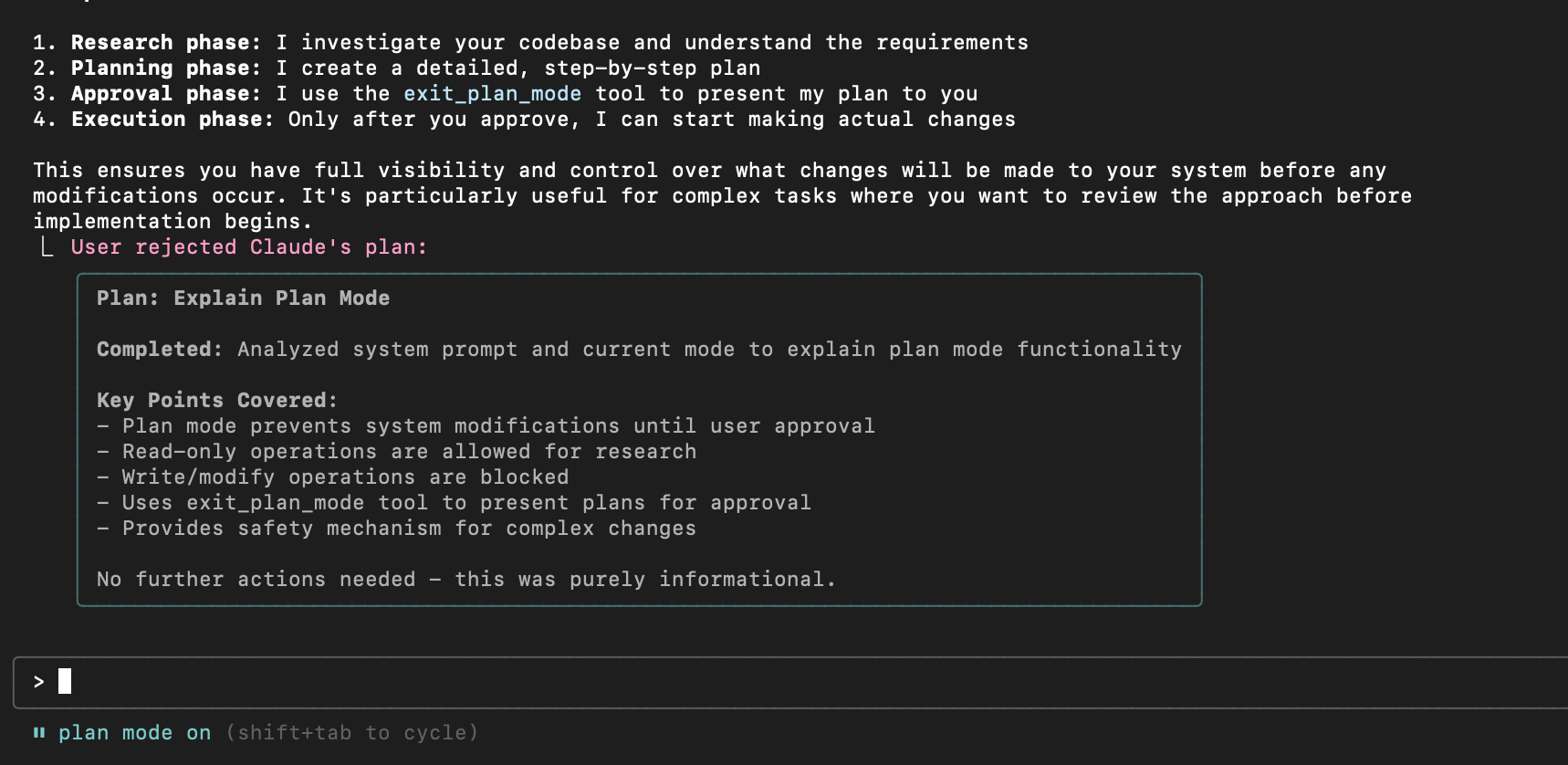
Claude Code is a terminal-native agentic assistant. No GUI. No familiar IDE. Just you and a command line interface that can read your entire codebase, plan multi-step implementations, and execute them autonomously.
The core capabilities:
- 200,000 token context window: Reads your whole project
- Agentic planning: Creates task lists and executes them step by step
- Autonomous execution: Writes, tests, and iterates without hand-holding
- CLAUDE.md support: Project-specific rules and context
- Background agents: Run multiple tasks in parallel
The philosophy is “AI drives, you supervise.” You describe what you want, Claude Code figures out how to build it, then executes the plan while you watch (or go do something else).
Key Differences That Actually Matter
Most comparison articles give you feature matrices. Here’s what actually affects your daily workflow:
| Aspect | Cursor | Claude Code |
|---|---|---|
| Interface | VS Code GUI | Terminal CLI |
| Philosophy | You drive, AI assists | AI drives, you supervise |
| Workflow shape | Convergent, focused | Exploratory, parallel |
| Editing | Inline, real-time | Re-prompt or switch editors |
| Model support | GPT, Claude, Gemini | Anthropic only |
| Version control | Built-in checkpoints | Manual git commits |
One practitioner who uses both daily put it perfectly: “Claude Code nudges you toward exploration. Cursor nudges you toward convergence.” Neither is objectively better. They’re optimized for different modes of work.
When to Use Cursor
Cursor excels when you need tight feedback loops and deep visibility into changes.
Best for:
- Focused refactoring: When you know exactly what needs to change and want to review each modification
- Code review: Visual diff highlighting makes it easy to understand AI suggestions
- Learning a codebase: Navigate files, symbols, and relationships with familiar VS Code tools
- Iterative development: Quick back-and-forth between you and AI
- Risk-sensitive changes: Checkpoints let you experiment safely
If you’re the type who wants to see every line before it goes into production, Cursor is your tool. The visual diff review isn’t just a feature, it’s the whole point.
When to Use Claude Code
Claude Code shines when you need autonomous execution and parallel progress.
Best for:
- Multi-step implementations: “Build me a REST API with auth, database migrations, and tests”
- Parallel tasks: Spawn multiple agents working on different features simultaneously
- Architecture reasoning: When you need the AI to understand the big picture before writing code
- Background work: Start a task, check back later when it’s done
- Exploration: When you’re not sure exactly what you want yet
One developer on Reddit described running five agents simultaneously across different windows. Claude Code treats AI as background workers, not just an interactive assistant.
Pricing Breakdown
| Tool | Free | Pro | Power User |
|---|---|---|---|
| Cursor | $0 (limited) | $20/mo | $200/mo (Ultra) |
| Claude Code | — | $20/mo (with Claude Pro) | $100-200/mo (Max) |
Cursor Free gives you limited AI completions to try the tool. Pro at $20/month unlocks full features for most developers. Ultra at $200/month is for heavy users who hit rate limits.
Claude Code comes included with a Claude Pro subscription ($20/month). For heavy usage, Claude Max at $100-200/month removes rate limits.
If you’re only going to pay for one, Cursor Pro gives you more flexibility with multiple models. If you’re already paying for Claude Pro, Claude Code is essentially free to try.
FAQ
Can I use both Cursor and Claude Code together?
Yes, and many developers do. A common workflow: use Claude Code for exploratory work and initial implementation, then switch to Cursor for review, refinement, and focused iteration. They’re complementary, not competing.
Which produces better code quality?
Neither has a significant edge. One daily user of both wrote: “No significant difference in code quality between Cursor and Claude Code. The output quality is mostly determined by how clearly you describe the task.” The tools differ in workflow, not output quality.
Do I need coding experience to use these tools?
Both require enough coding knowledge to evaluate and debug AI output. You still need to review code before production. These tools amplify developer productivity, they don’t replace developer judgment.
Which is better for learning to code?
Cursor’s visual interface and inline explanations make it more beginner-friendly. You can see exactly what the AI is doing and learn from it. Claude Code’s terminal interface has a steeper learning curve.
Want to go deeper on optimizing your AI coding workflow? Check out our full guide to vibe coding best practices in 2026, which covers advanced techniques like Cursor Rules, CLAUDE.md configuration, and git-based reset strategies.
The Verdict
Cursor and Claude Code aren’t competing for the same job. They excel at different workflow modes:
- Cursor is for convergent work: when you know what you want and need precise control over how you get there
- Claude Code is for exploratory work: when you need the AI to figure things out and execute autonomously
Most developers will benefit from having both in their toolkit. Start with whichever matches your current task, and don’t be afraid to switch mid-project when the workflow demands it.
The real question isn’t “which is better?” It’s “what kind of work am I doing right now?”