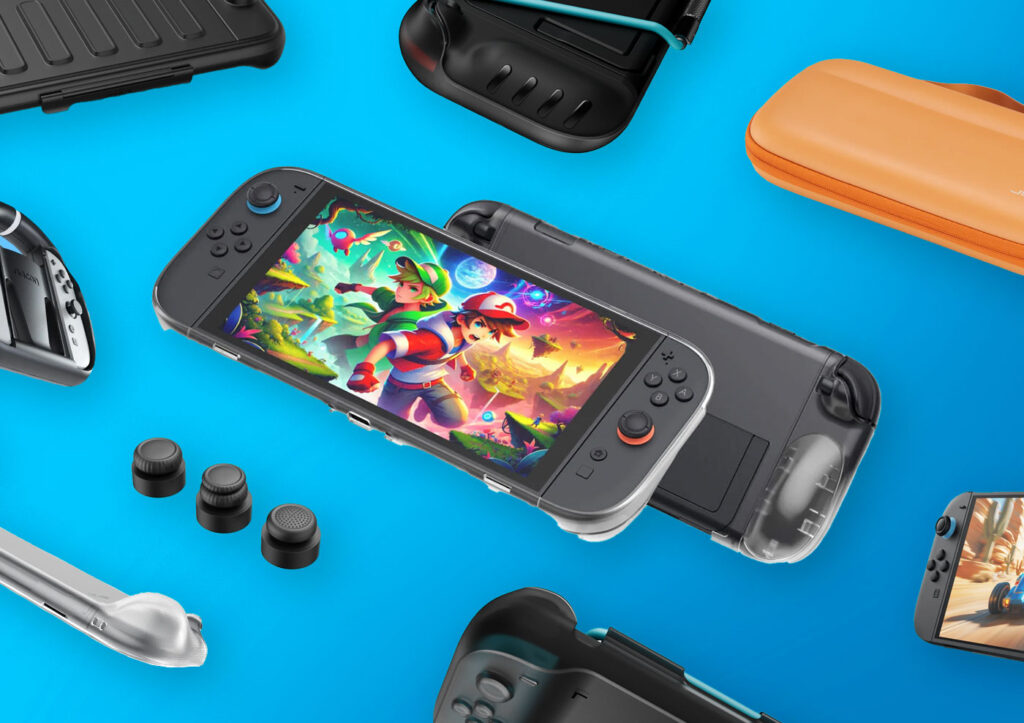
The Nintendo Switch 2 is here, and it’s excellent. But out of the box, the console is missing a few things that most owners will want within the first week: screen protection, extra storage, and a case that actually fits your charger. The best Nintendo Switch 2 accessories don’t cost much individually, and the right ones transform how you use the console. Here’s what to buy first, ordered by impact per dollar.
Disclosure: /SKILL is reader-supported. When you buy through links on our site, we may earn an affiliate commission at no extra cost to you. Learn more
⚠️ Important: The Switch 2 uses microSD Express cards only. Standard microSD cards will NOT work. Don’t make this mistake.
In This Guide
Quick verdict
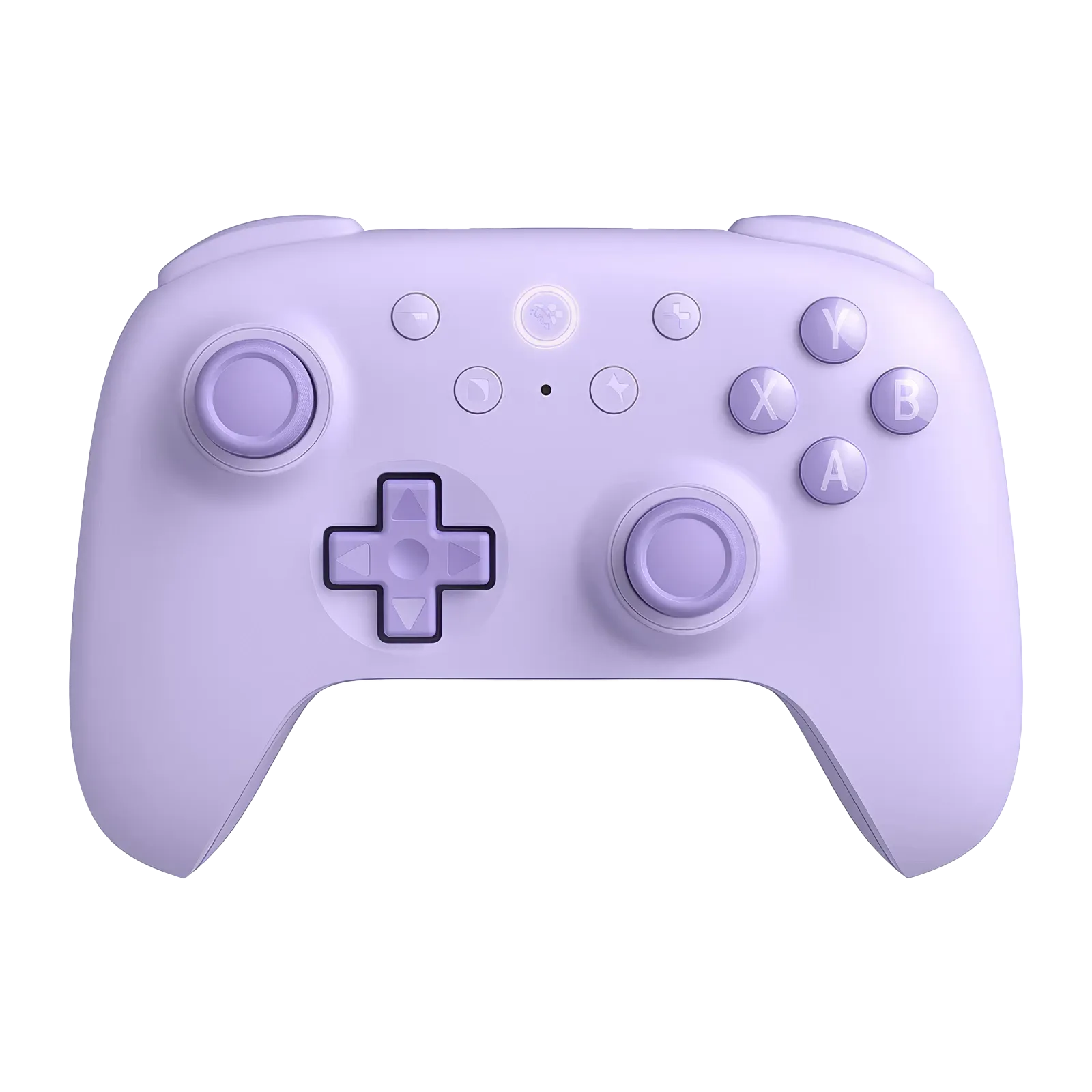
8BitDo Ultimate 2C
Hall effect sticks and triggers, 1000Hz polling, Bluetooth + USB-C. A $30 controller that embarrasses the $89 Pro.
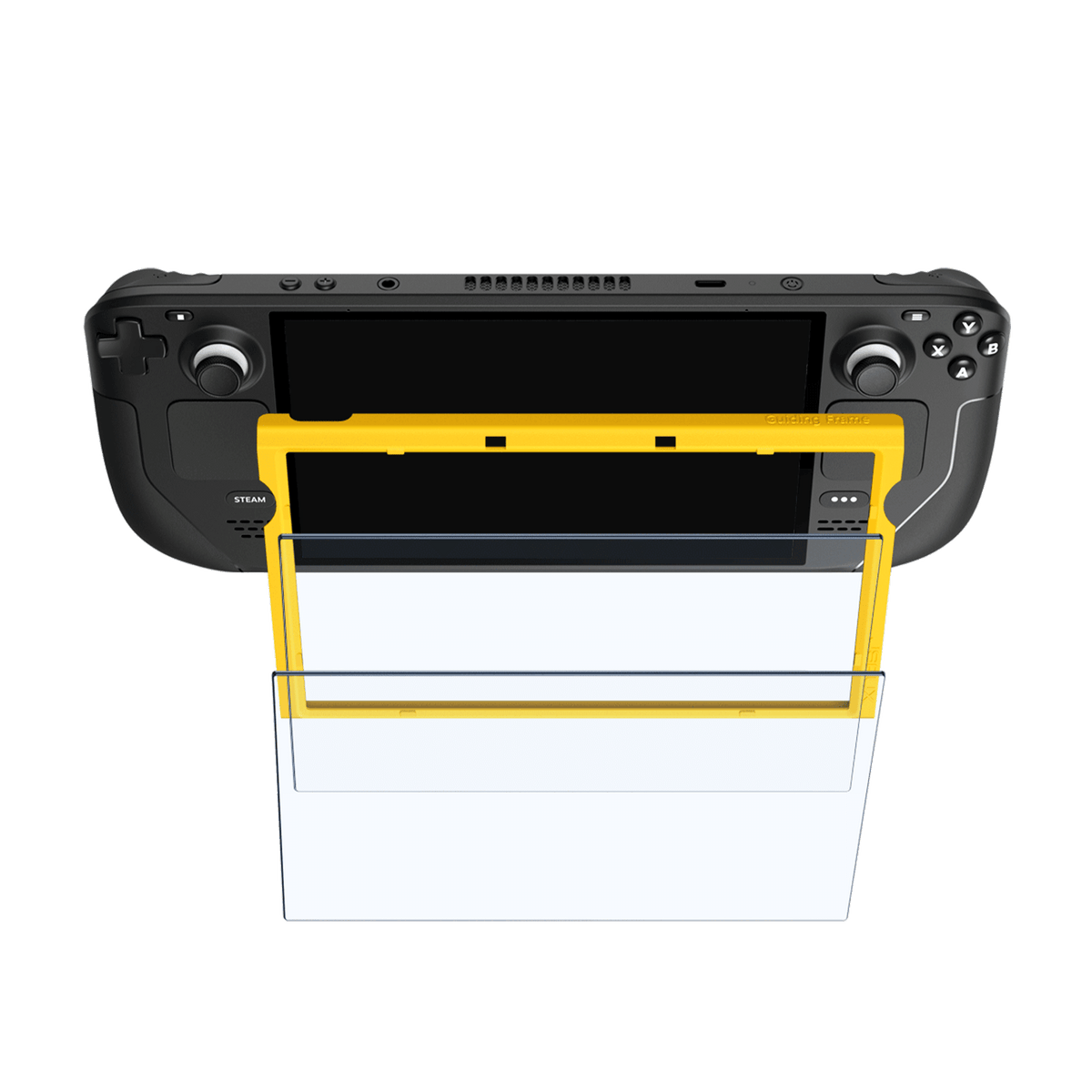
JSAUX Screen Protector 2-Pack
9H+ tempered glass with place-and-pull alignment frame. Cheapest way to protect your investment.
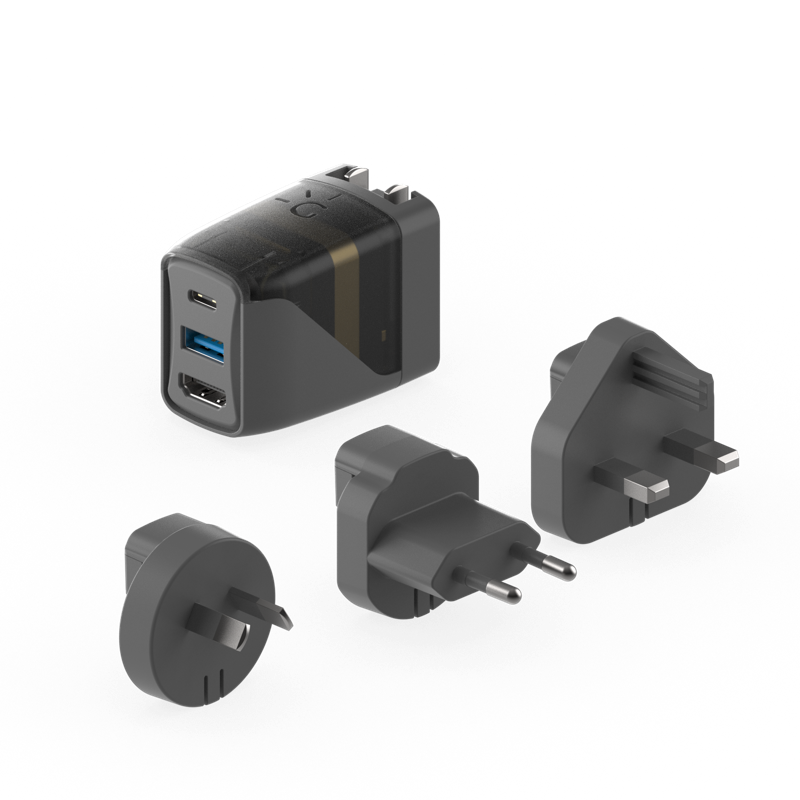
Genki Covert Dock 2
45W charger + 4K60Hz HDMI dock in one wall plug. Play on any TV without carrying the official dock.
What to buy first
You don’t need everything on day one. Here’s the priority order based on what gives you the most value for the least money:
| Priority | Accessory | Price | Why |
|---|---|---|---|
| 1 | Screen Protector | $13 | $13 to protect a $450 console. No-brainer. |
| 2 | microSD Express Card | $48 | Games are 10-30GB each. Internal storage fills up fast. |
| 3 | Carrying Case | $36 | Fits the console, charger, and accessories in one bag |
| 4 | Controller | $30 | Hall effect sticks that won’t drift. Better than Joy-Cons for long sessions. |
| 5 | Travel Dock | $30 | Charger + HDMI dock in one wall plug. Hotels, dorms, friend’s house. |
| 6 | Power Bank | $50 | Doubles your battery life on flights and road trips |
| 7 | Gaming Earbuds | $180 | Nice to have, not essential. Built-in speakers are decent. |
Essential kit total: $97. Screen protector, microSD Express card, and carrying case cover the three things most owners need within the first week. Add the controller and travel dock for $60 more and you have a complete setup for $157.
Best Nintendo Switch 2 accessories for screen protection
9H+ hardness tempered glass with a place-and-pull alignment frame that makes installation nearly foolproof. Anti-fingerprint coating keeps the screen readable in bright light. The 2-pack gives you a spare if the first one goes sideways.
Buy this first. The Switch 2 ships with a pre-applied screen film from the factory, but it’s thin plastic that scratches easily and isn’t designed to absorb impacts. A tempered glass protector sits on top of the factory film and gives you real protection against drops, keys in your bag, and the general chaos of portable gaming.
At $13 for two, this is the easiest decision on the list. JSAUX’s alignment frame takes the guesswork out of application. You peel, place, pull the tab, and you’re done in under a minute. The Belkin anti-reflective protector ($20) is a solid alternative if you play outdoors a lot, but for most people the JSAUX is the better value.
Storage
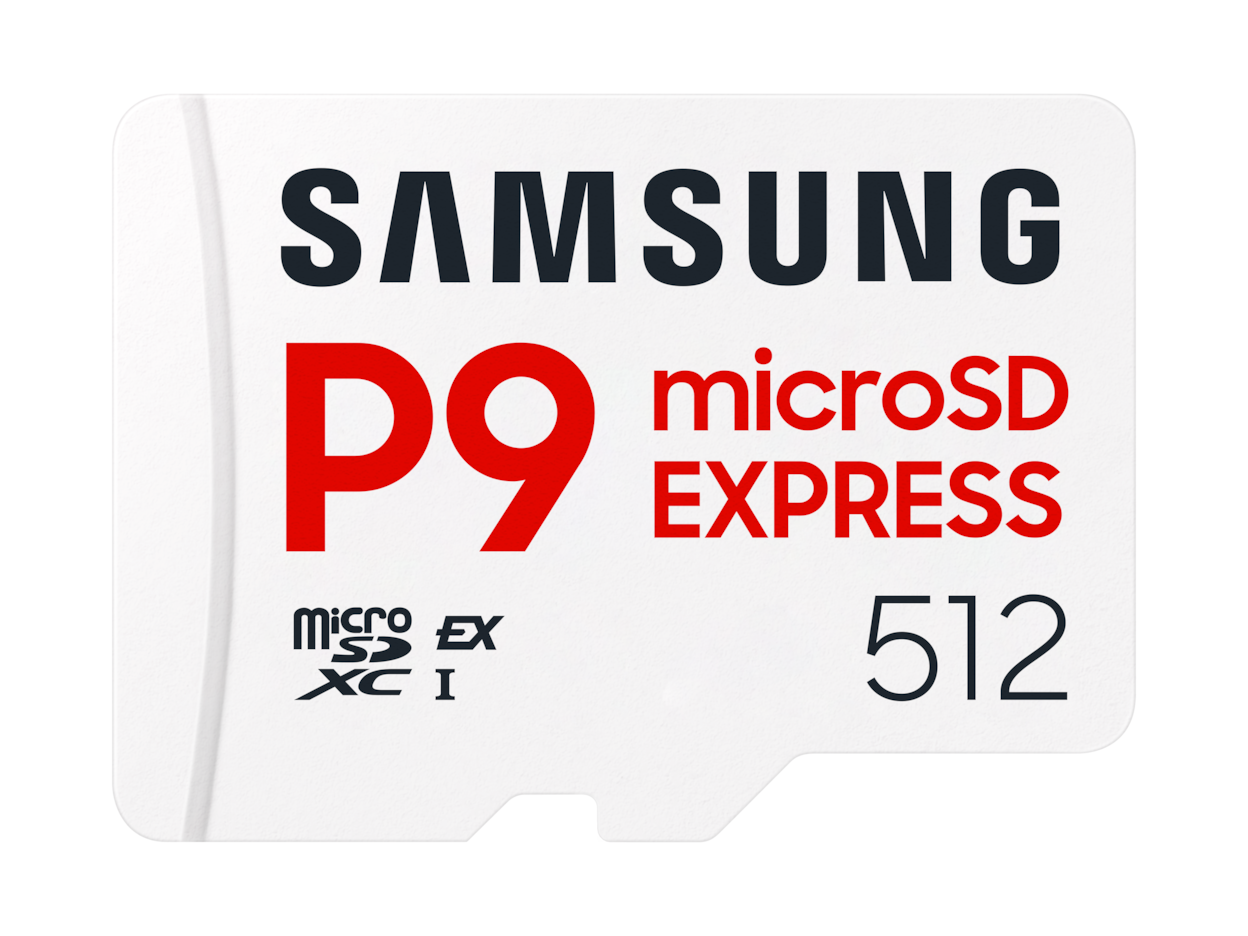
800MB/s sequential read speeds, up to 4x faster than the best UHS-I cards. Nintendo licensed, Dynamic Thermal Guard to prevent throttling during long sessions. Available in 256GB and 512GB.
⚠️ Standard microSD cards do NOT work with the Switch 2. The Switch 2 uses a new microSD Express slot. You need a card specifically labeled “microSD Express” or “microSDXC Express.” Regular UHS-I/UHS-II cards from your old Switch will not fit. This catches a lot of people off guard.
The Switch 2 has 256GB of internal storage, which sounds generous until you look at game sizes. The Legend of Zelda: Tears of the Kingdom is over 18GB. Mario Kart World will be bigger. Modern games keep growing, and once you factor in DLC, updates, and screenshots, 256GB fills up faster than you’d expect.
Samsung’s P9 Express is the go-to card. It’s Nintendo licensed, which means it’s tested for compatibility, and the 800MB/s read speed means games load up to 4x faster than they would on a standard microSD card from the original Switch. The 256GB model at $48 effectively doubles your storage. If you have a massive digital library, Samsung also makes a 512GB version, though the price per gigabyte is worse.
One warning: microSD Express cards are more expensive than standard microSD. That’s the trade-off for the speed. But since the Switch 2 physically won’t accept standard cards, you don’t have a choice here.
Carrying case
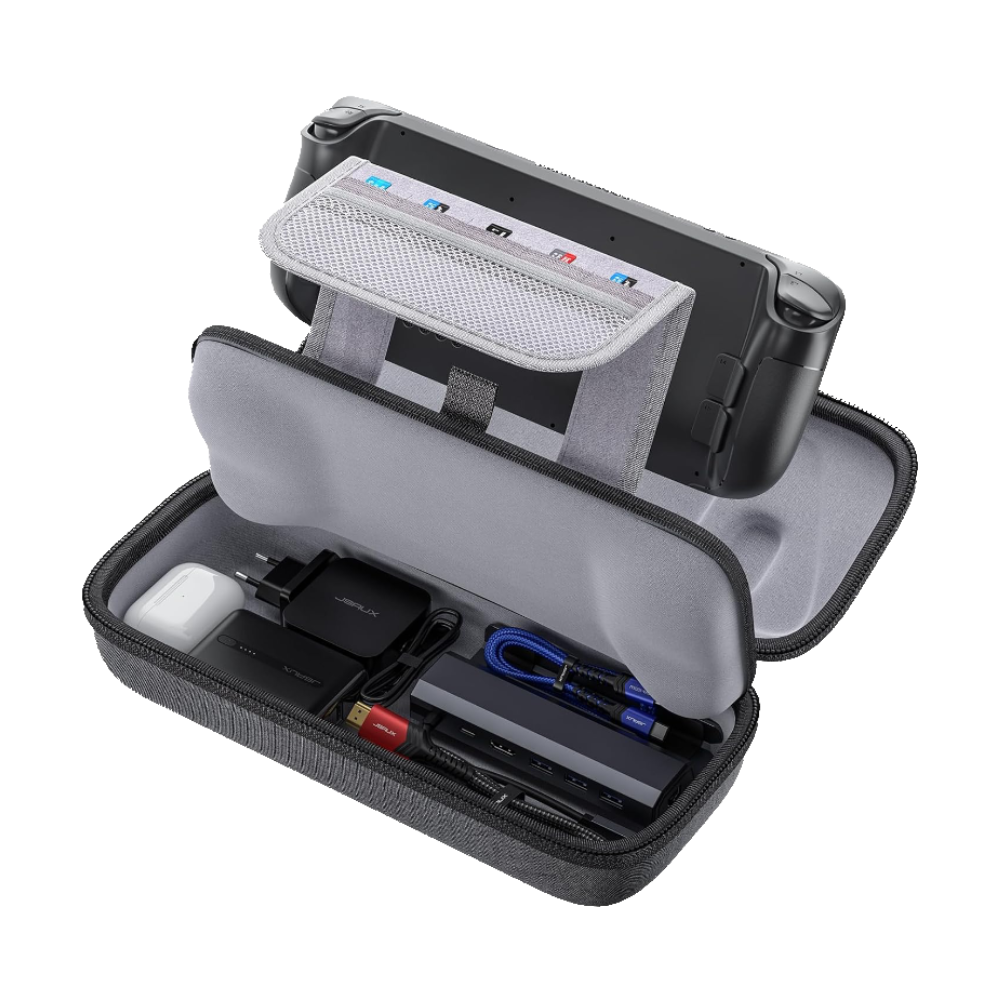
Dual-case design: a slim console shell that protects the screen and sticks, plus a larger hard shell case with room for the charger, power bank, earbuds, and 12 game cards. PC+ABS shell resists drops and pressure.
The Switch 2 is bigger than the original Switch, and most cases designed for the first gen won’t fit. The JSAUX dual-case system is smart: the small shell wraps just the console for quick trips, and the larger case holds everything when you’re traveling with the full kit. At 270g (9.5oz), the console shell is light enough to leave on the Switch permanently without adding bulk.
The dual-layer design means the console never touches the outer shell directly, which prevents pressure damage when the case gets shoved into a backpack. Twelve game card slots is enough for most people, though digital-only buyers won’t care about that.
Controller
Hall effect joysticks and triggers that won’t drift over time. 1000Hz polling rate for responsive input. Bluetooth and USB-C connectivity, 6-axis motion control, and a PlayStation-style layout. Works with Switch 2, PC, and mobile.
The Joy-Con 2 controllers that ship with the Switch 2 are improved over the originals, but they’re still small and can cramp your hands during long sessions. For docked play especially, a full-size controller makes a noticeable difference.
The 8BitDo Ultimate 2C is the value pick here. At $30, it has Hall effect joysticks and triggers, which means they use magnets instead of potentiometers. The practical benefit: they won’t develop stick drift, the issue that plagued the original Switch Joy-Cons for years. The 1000Hz polling rate makes input feel immediate, and 6-axis motion control means it works with games that require gyro aiming.
Nintendo’s official Pro Controller ($89) is excellent if you want first-party build quality and back buttons, but the 8BitDo gives you the specs that actually matter for a third of the price. If you already own a Switch 2 Pro Controller, you obviously don’t need this. But if you’re choosing between the two, the 8BitDo is the smarter buy unless you specifically need back buttons for competitive play.
Travel dock
A 45W USB-C charger and 4K60Hz HDMI dock combined into a single wall plug the size of a phone charger. Foldable prongs, 6ft USB-C 3.1 cable included, and three regional adapters for international travel.
The Switch 2 ships with a dock, but it’s bulky and designed to live on your TV stand at home. If you want to play on a TV somewhere else, you either lug the official dock around or you grab the Genki Covert Dock 2.
The Genki combines a charger and an HDMI dock into one wall plug that folds flat for travel. Plug it into the wall, connect HDMI to the hotel TV, plug USB-C into your Switch 2, and you’re gaming on a big screen. It charges at 45W, which is enough to keep the Switch 2 at full power while you play. The three regional adapters mean it works in every country, which is a nice touch if you travel internationally.
At $30, this is cheaper than carrying a dock and charger separately. If you already own one for your Steam Deck, it works with the Switch 2 too since both use USB-C. One dock, two handhelds. The trade-off vs the official dock: no USB-A ports for wired controllers and no Ethernet. For a travel setup, those rarely matter.
Power bank
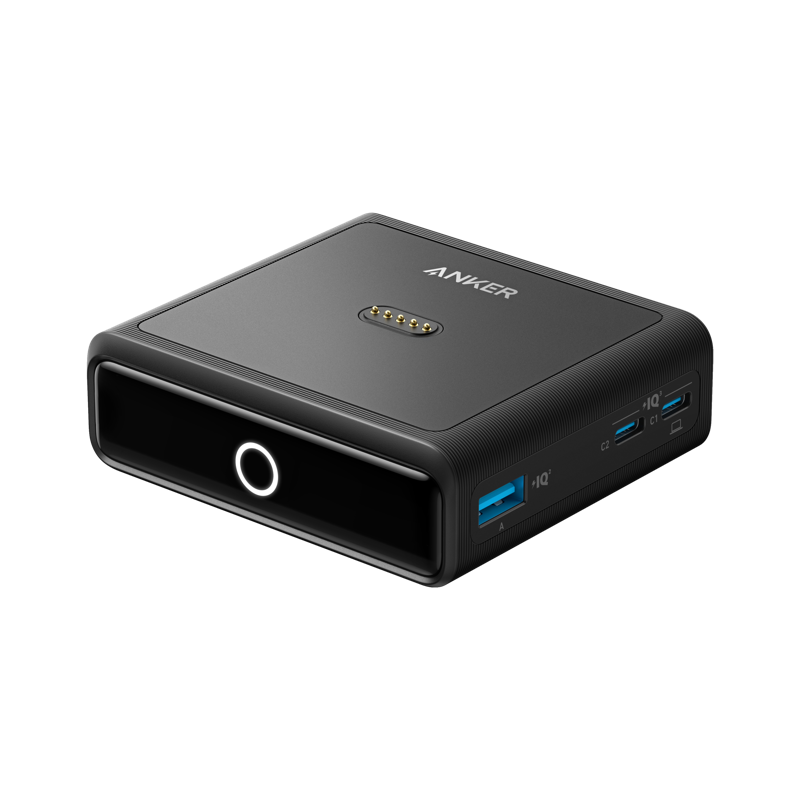
20,000mAh with 87W max output (65W single device). Built-in retractable USB-C cable, power display, and two additional ports for charging your phone and earbuds at the same time.
The Switch 2 battery lasts around 2-5 hours depending on the game. Graphically demanding titles drain it closer to the 2-hour mark. If you’re gaming on a flight or a long road trip, a power bank roughly doubles your play time.
The Anker 20K is the sweet spot. At 20,000mAh, it provides roughly 2 full recharges of the Switch 2’s battery. The built-in retractable USB-C cable is a nice convenience since you don’t need to remember a separate cable. The 65W single-device output charges the Switch 2 at full speed even while you’re playing, so the battery actually goes up instead of just draining slower.
At 15.5oz (440g), it’s not pocketable, but it fits in the JSAUX carrying case alongside everything else. The two additional ports let you top off your phone and earbuds from the same power bank.
Audio
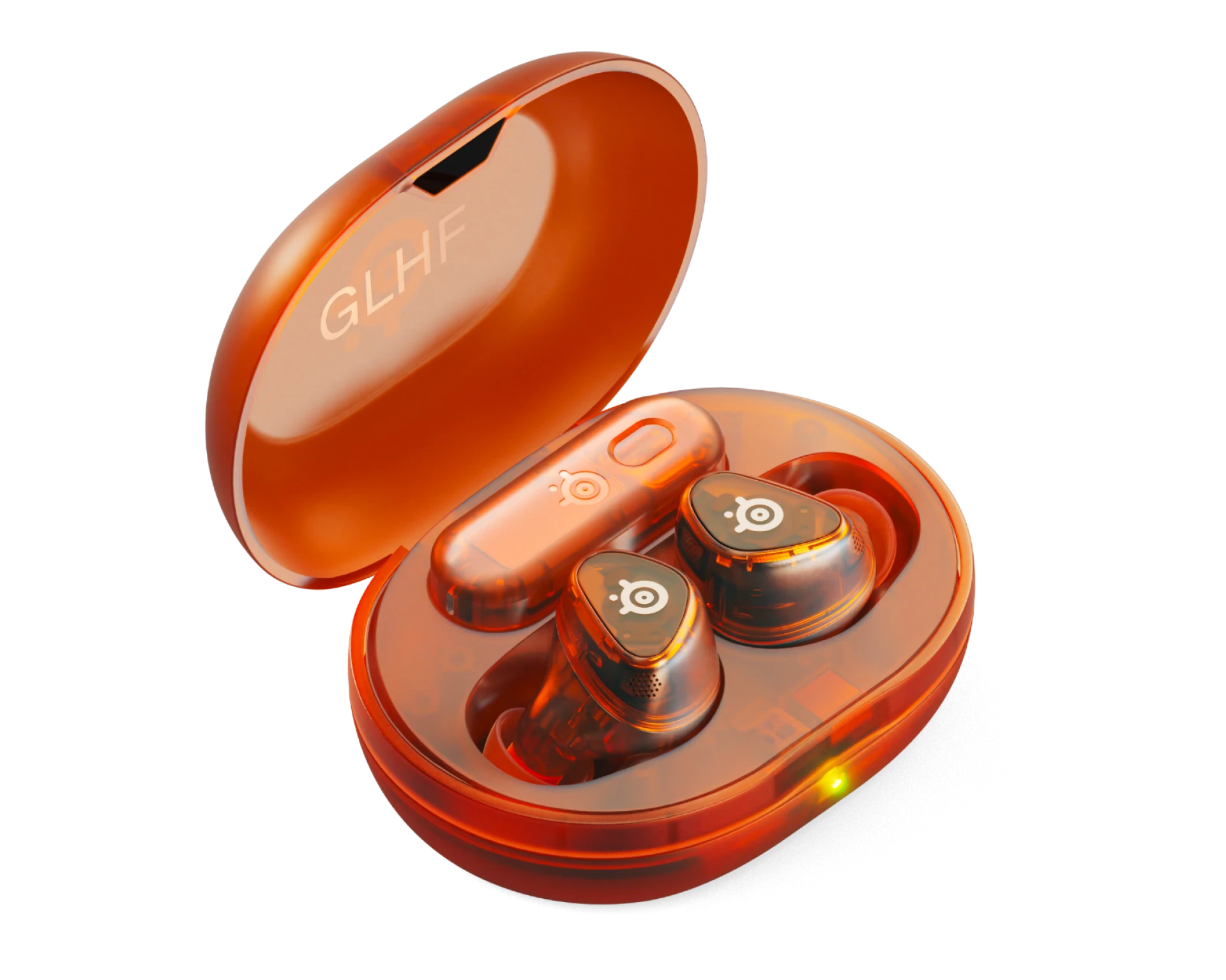
Quick-switch between 2.4GHz wireless (low latency for gaming) and Bluetooth 5.3 (for phone calls and music). Active noise cancellation, 40-hour battery life with the charging case, IP55 water resistance, and a USB-C dongle for the Switch 2.
The Switch 2’s built-in speakers are improved over the original, and they’re perfectly fine for handheld gaming at home. But if you’re gaming on a plane, in a dorm, or anywhere you can’t blast audio, earbuds make a real difference.
The Arctis GameBuds stand out because of the 2.4GHz wireless mode via the USB-C dongle. Bluetooth adds latency that’s noticeable in rhythm games, competitive shooters, and anything with precise timing. The 2.4GHz mode drops latency to nearly zero. You can quick-switch to Bluetooth when you want to take a call or listen to music on your phone.
At $180, this is the luxury buy on the list. If you already own decent Bluetooth earbuds, they’ll work fine with the Switch 2 for most games. Only upgrade to gaming-specific buds if audio latency actually bothers you. For the rest of our handheld audio picks, check our Steam Deck accessories guide where we cover the same earbuds in more detail.
What you can skip
Not every Switch 2 accessory is worth buying. Here’s what you can safely skip unless you have a specific reason:
- The official dock as a second dock. At $60-80, it’s overpriced for what it does. The Genki Covert Dock 2 costs $30 and is more portable. If your Switch 2 came with a dock (and it did), you don’t need another one unless you keep TVs in multiple rooms.
- The Pro Controller (for most people). It’s a great controller at $89, but the 8BitDo Ultimate 2C matches it on the specs that matter for $30. Save the $59 difference unless you specifically need back buttons or want first-party build quality.
- The Nintendo Camera. Fun novelty at $55, but unless you’re actively using video chat features, it’ll sit in a drawer after the first week.
- Grip cases with built-in batteries. They add weight and bulk to a console that’s already larger than the original Switch. A separate power bank is lighter when you don’t need it and more flexible when you do.
Frequently asked questions
Can I use my old Switch microSD card in the Switch 2?
No. The Switch 2 uses microSD Express, a newer and faster standard. Standard microSD cards (UHS-I and UHS-II) are not physically compatible with the Switch 2’s card slot. You need to buy a microSD Express card specifically.
Do original Switch Joy-Cons work with the Switch 2?
The Switch 2 uses Joy-Con 2 controllers that attach magnetically instead of sliding on a rail. Original Joy-Cons physically cannot attach to the Switch 2. However, Nintendo has confirmed that original Joy-Cons can connect via Bluetooth for use as wireless controllers.
Can I charge the Switch 2 while it’s connected to the Genki Covert Dock?
Yes. The Genki Covert Dock 2 provides 45W USB-C Power Delivery, which charges the Switch 2 at full speed while simultaneously outputting video to a TV via HDMI. It’s a charger and a dock in one device.
Is the Nintendo Switch 2 Pro Controller worth $89?
It depends on what you need. The Pro Controller has excellent build quality, back buttons, and official Nintendo integration. But the 8BitDo Ultimate 2C ($30) has Hall effect sticks (no drift), similar latency, and motion controls. For most players, the 8BitDo is the better value. The Pro Controller makes sense for competitive play where back buttons give you an edge.
Should I remove the factory screen film before applying a screen protector?
No. The Switch 2 comes with a factory-applied anti-shatter film bonded to the screen. This is not the thin shipping plastic you’d normally peel off a new device — it’s a permanent safety layer that Nintendo says to leave on. Apply your tempered glass protector directly on top of it. You end up with two layers of protection instead of one.
Summary
You can kit out a Switch 2 with everything it needs for about $160. A $13 screen protector, $48 microSD Express card, $36 carrying case, $30 controller, and $30 travel dock cover protection, storage, portability, comfort, and TV output. That’s the full loadout for about a third of the console’s price.
If you’re on a tight budget, start with the screen protector and microSD Express card ($61 total). Those two solve the most immediate pain points: scratch protection and running out of storage. Add the carrying case next if you take your Switch anywhere.
The biggest gotcha is the microSD Express requirement. Standard microSD cards from your old Switch will not work. Make sure you’re buying a card labeled “Express” or you’ll be returning it. Samsung’s P9 Express is the safe pick. The Genki Covert Dock 2 is the sleeper hit of this list since nobody else seems to be recommending travel docks for the Switch 2, but it’s genuinely one of the most useful accessories if you ever play away from home. For more handheld accessory picks, check our Steam Deck accessories guide and our gaming monitors guide if you’re building a docked setup, or our Roomba alternatives guide if iRobot’s bankruptcy has you looking for a new robot vacuum.