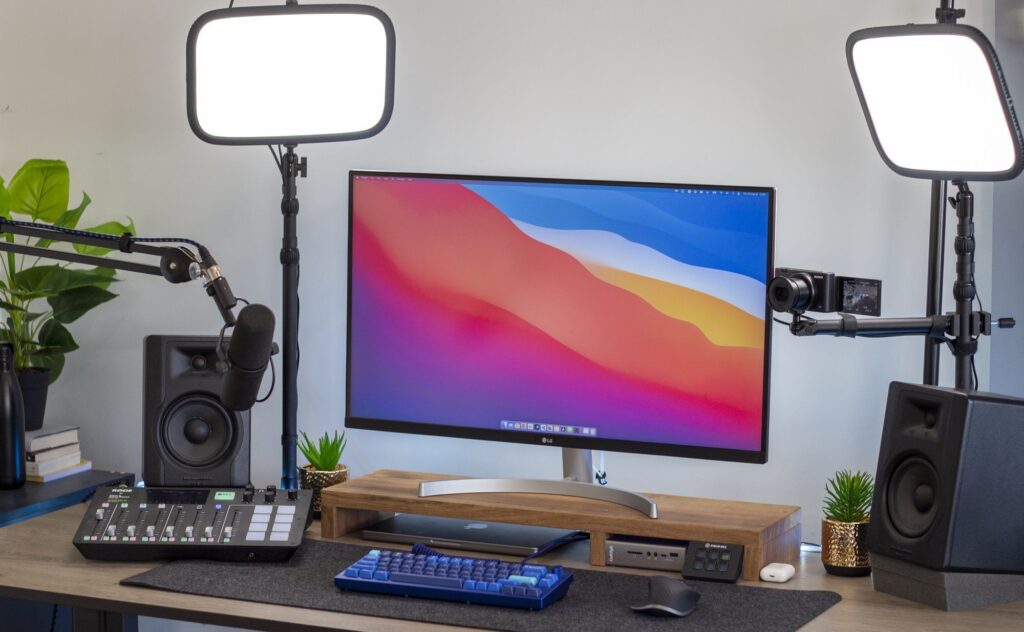
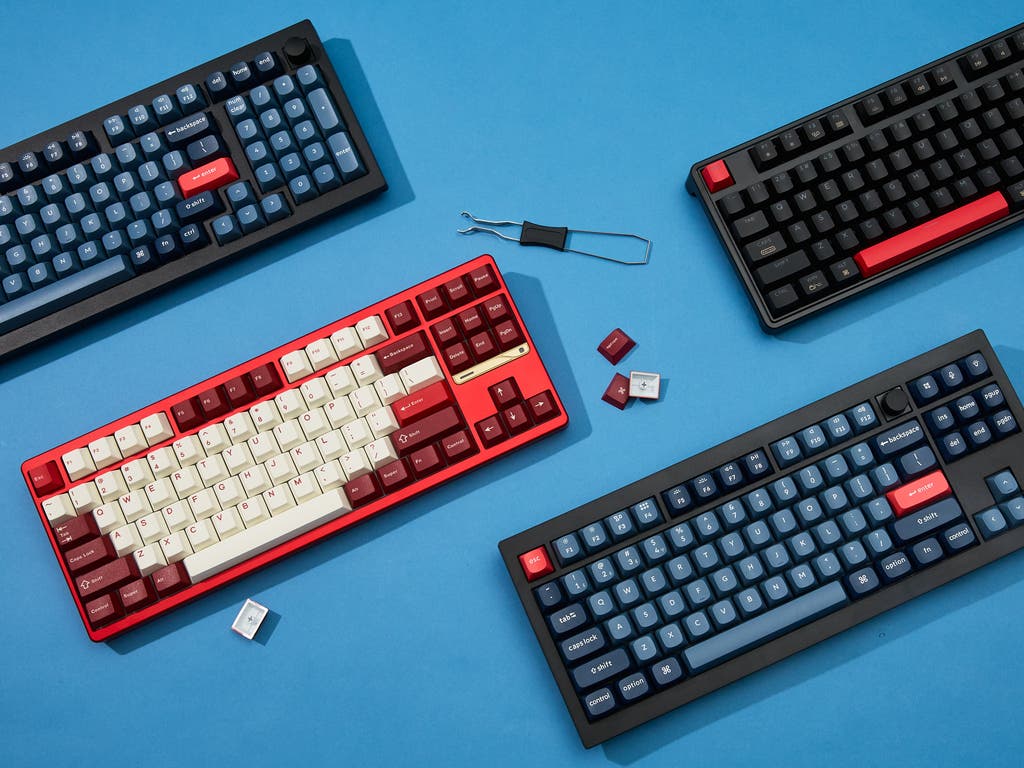
Finding the best budget mechanical keyboard for developers means balancing typing comfort for 8+ hour coding sessions with programmability for custom macros. After testing dozens of options and scouring r/MechanicalKeyboards and r/webdev, these four keyboards deliver everything developers need without the premium price tag.
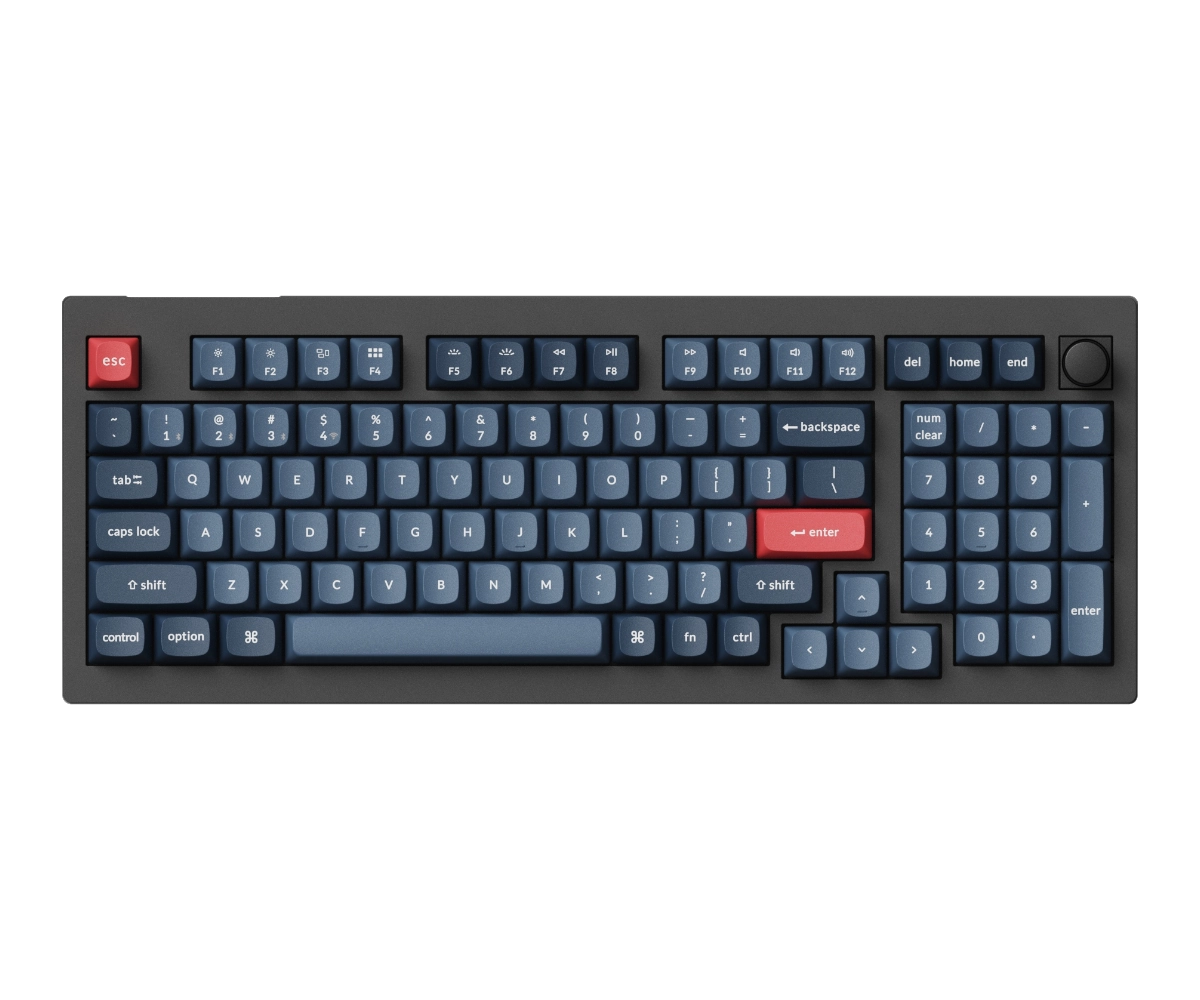
Keychron V5 Max
96% layout keeps numpad for data work. QMK/VIA, wireless, hot-swap.
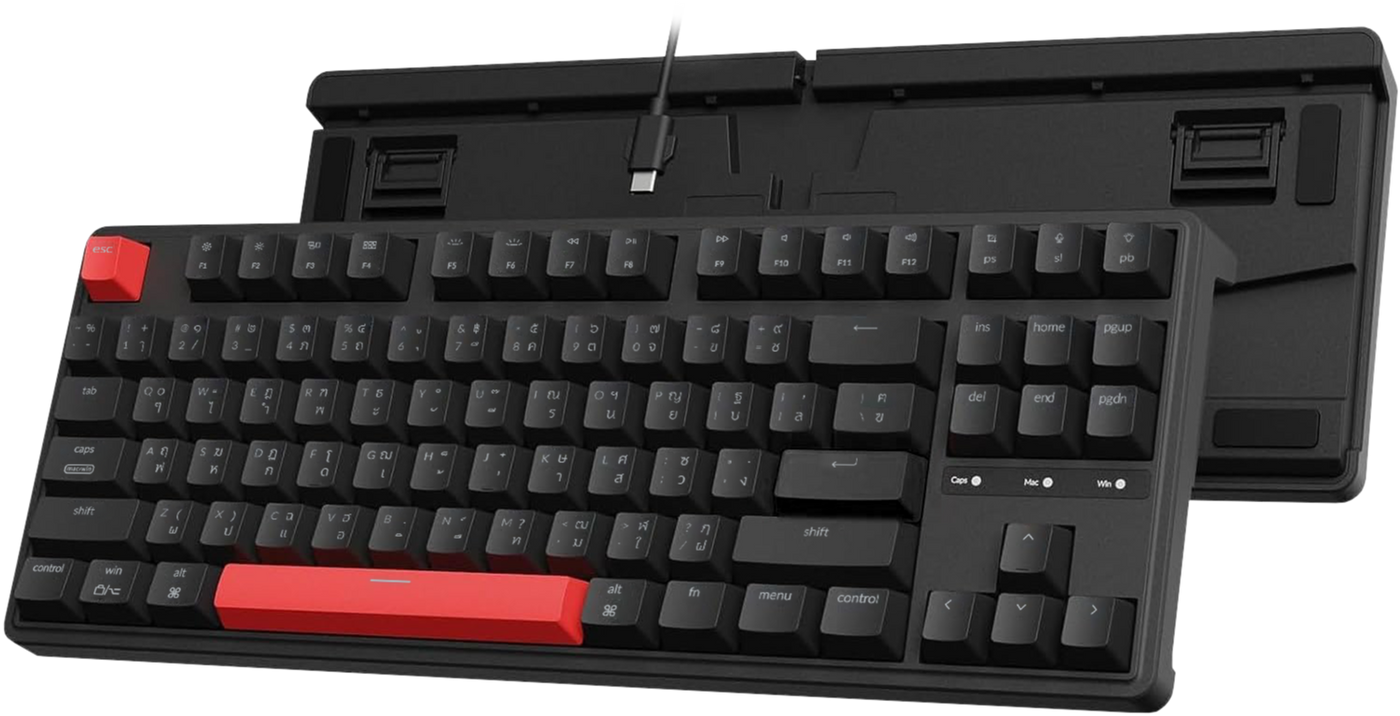
Keychron C3 Pro
Under $50 with QMK/VIA. Gasket mount, TKL layout, wired reliability.
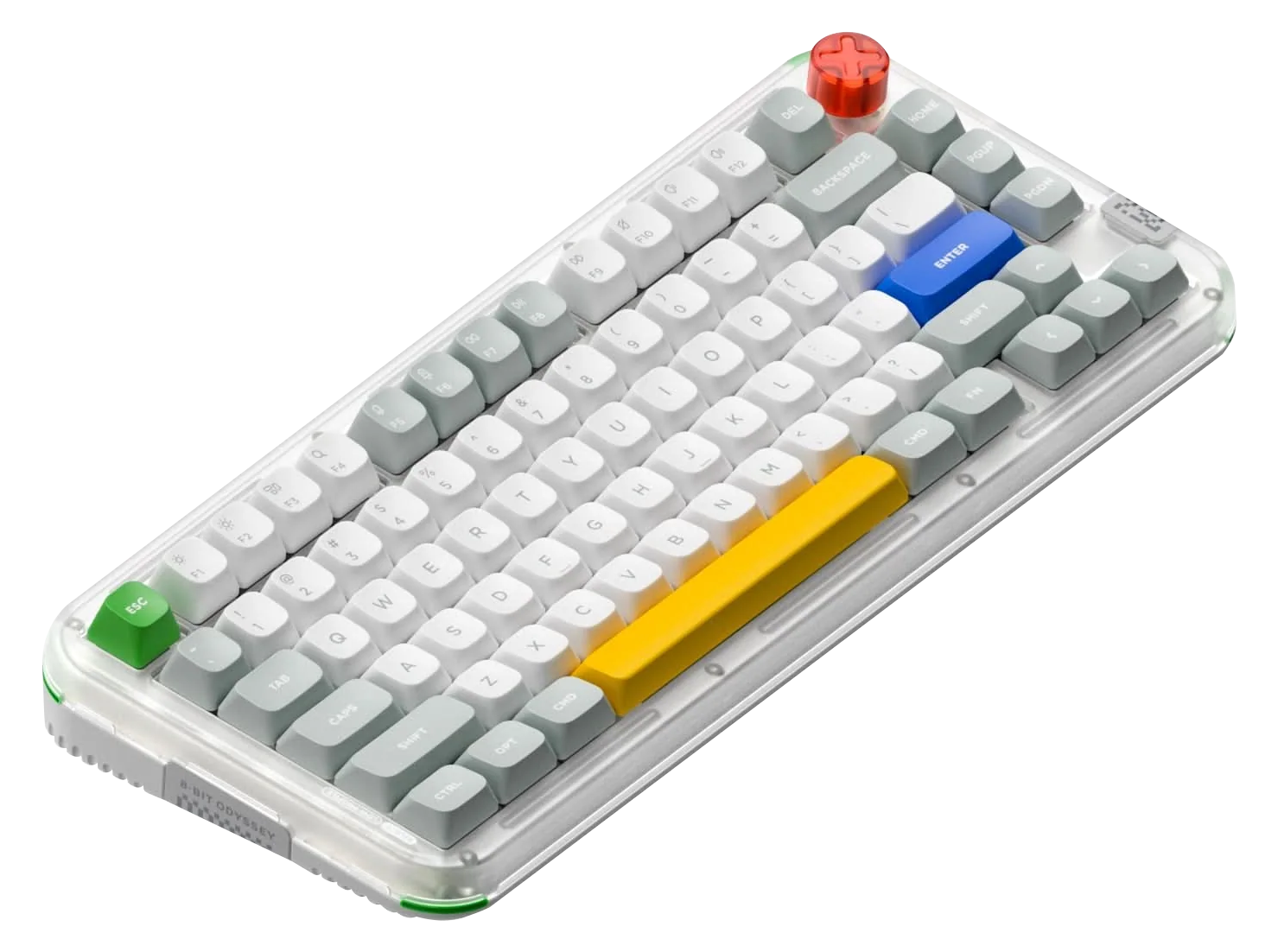
NuPhy Air75 V2
Slim design for laptop users. 1000Hz wireless, QMK/VIA, portable.
Disclosure: /SKILL is reader-supported. When you buy through links on our site, we may earn an affiliate commission at no extra cost to you. Learn more
Why Developers Need the Right Keyboard
You spend 8-10 hours a day typing. A bad keyboard doesn’t just slow you down; it can lead to RSI, wrist pain, and the kind of fatigue that makes you hate opening your IDE. The best mechanical keyboard for programmers needs three things most reviewers ignore: QMK/VIA programmability for coding macros, switches that won’t destroy your hands during marathon sessions, and proper macOS/Linux support (not just Windows afterthought mode).
Budget keyboards used to mean sacrificing these features. Not anymore. Every keyboard in this guide offers QMK/VIA support for custom layers and macros, hot-swappable switches so you can find your perfect feel, and genuine cross-platform compatibility.
📋 In This Guide
How We Chose These Keyboards
Every keyboard had to meet strict criteria to make this list:
- QMK/VIA support — Remap any key, create macros, build custom layers
- Hot-swappable switches — Try different switches without soldering
- macOS and Linux compatibility — Full functionality, not just basic typing
- Price under $150 — Premium features without premium pricing
- Typing comfort — Gasket mount or sound dampening for long sessions
We also checked community feedback on r/MechanicalKeyboards, r/BudgetKeebs, and r/webdev to see what actual developers recommend after months of daily use.
Best Budget Mechanical Keyboards for Developers
| Keyboard | Layout | Connection | Best For | Price |
|---|---|---|---|---|
| Keychron V5 Max | 96% | Wireless + Wired | Data-heavy coding | $105 |
| Keychron C3 Pro | TKL (87%) | Wired | Budget reliability | $50 |
| NuPhy Air75 V2 | 75% | Wireless + Wired | Portability | $120 |
| Lemokey X4 | 75% | Wired | First mech keyboard | $35 |
Keychron V5 Max — Best Overall
The V5 Max is the best budget mechanical keyboard for developers who need a numpad. The 96% layout crams a full numpad into a compact footprint, perfect for data entry, quick calculations, or navigating large codebases with line numbers.
What sets the V5 Max apart is its wireless reliability. Bluetooth 5.1 and 2.4GHz connectivity mean you can switch between your Mac and PC with a keyboard shortcut. I’ve used Keychron’s wireless boards for years and never had the connection drops that plague cheaper options.
The QMK/VIA support is the real selling point for developers. Create a dedicated coding layer with IDE shortcuts on the numpad, remap Caps Lock to Escape for Vim, or build macro keys for your most-used snippets. The gasket mount and pre-lubed stabilizers deliver a typing experience that costs twice as much on competing boards.
| Spec | Details |
|---|---|
| Layout | 96% (100 keys) |
| Switches | Hot-swap (Gateron Jupiter included) |
| Connection | Bluetooth 5.1, 2.4GHz, USB-C |
| Battery | 4000mAh (up to 300 hours) |
| Compatibility | macOS, Windows, Linux |
| Features | QMK/VIA, RGB, gasket mount |
✅ Pros
- Full numpad in compact 96% layout
- Excellent wireless with 2.4GHz option
- QMK/VIA for unlimited customization
- Gasket mount feels premium
- 300-hour battery life
❌ Cons
- 96% layout has learning curve
- Heavier than TKL options
- No dedicated function row
Verdict: If you work with data, use the numpad regularly, or want the best all-around mechanical keyboard for programming under $150, the V5 Max is unbeatable.
Keychron C3 Pro — Best Budget
The C3 Pro is a cheap mechanical keyboard for programming that doesn’t feel cheap. At $50, you get QMK/VIA support, gasket mounting, and a 1000Hz polling rate. Wirecutter and PCMag both called it nearly impossible to beat dollar-for-dollar.
The TKL layout drops the numpad but keeps all your function keys, which matters for IDE shortcuts. F5 for debugging, F12 for go-to-definition, F2 for rename. You don’t have to memorize a layer or hold Fn for basic operations.
Being wired-only is actually a feature for developers who never move their keyboard and want zero latency. No battery to charge, no wireless interference, just reliable typing every time. The USB-C connection works flawlessly with Mac, Windows, and Linux.
| Spec | Details |
|---|---|
| Layout | TKL (87 keys) |
| Switches | Hot-swap (Gateron included) |
| Connection | USB-C (wired only) |
| Polling Rate | 1000Hz |
| Compatibility | macOS, Windows, Linux |
| Features | QMK/VIA, white backlight, gasket mount |
✅ Pros
- Incredible value at $50
- Full QMK/VIA programmability
- Gasket mount at this price is unheard of
- TKL keeps F-keys for IDE shortcuts
- No batteries to manage
❌ Cons
- Wired only
- No RGB (white backlight only)
- No numpad
Verdict: The C3 Pro proves you don’t need to spend $150+ for a quality keyboard for developers. If you’re on a strict budget or just want wired reliability, this is the one to get.
NuPhy Air75 V2 — Best Low-Profile
The Air75 V2 is for developers who work on laptops and want a keyboard that matches that slim profile. It sits flat on a desk (or on top of your MacBook’s keyboard) without a wrist rest.
NuPhy pioneered the premium low-profile mechanical keyboard, and the V2 fixes everything people complained about. The 1000Hz polling rate in 2.4GHz mode eliminates the latency issues from the original. Battery life jumped to 4000mAh, good for weeks between charges.
The 75% layout is the sweet spot for most developers. You keep your F-keys in a row (critical for debugging) while saving desk space. The dedicated arrow keys and navigation cluster mean less layer-switching during code review.
| Spec | Details |
|---|---|
| Layout | 75% (84 keys) |
| Switches | Hot-swap (Gateron low-profile) |
| Connection | Bluetooth 5.0, 2.4GHz, USB-C |
| Battery | 4000mAh (weeks of use) |
| Compatibility | macOS, Windows, Linux |
| Features | QMK/VIA, RGB, ultra-slim design |
✅ Pros
- Slim profile matches laptop aesthetics
- 1000Hz 2.4GHz wireless (gaming-grade)
- Can rest on MacBook keyboard
- QMK/VIA on low-profile is rare
- Gorgeous design and build quality
❌ Cons
- Low-profile switches aren’t for everyone
- Priciest option on this list
- Limited switch options (low-profile only)
Verdict: If you love laptop keyboards but want mechanical key feel, the Air75 V2 is the best of both worlds. Ideal for developers who travel or prefer a minimalist desk setup.
Lemokey X4 — Best Starter Keyboard
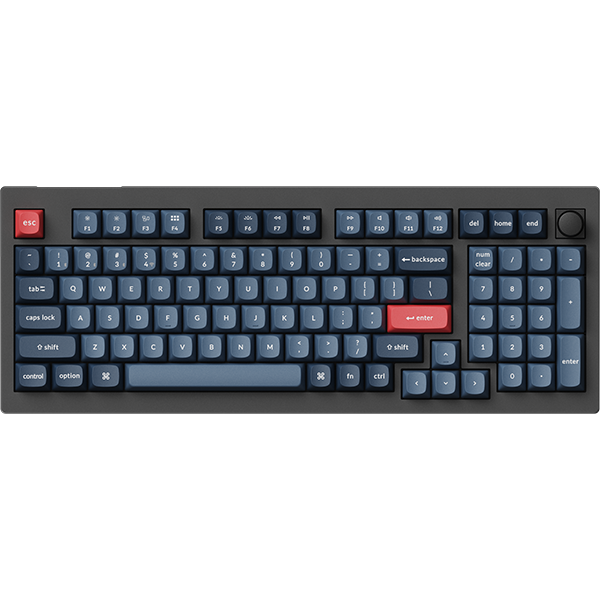
At $35, the Lemokey X4 is the cheapest way to get a QMK-programmable mechanical keyboard. Keychron’s gaming sub-brand built this specifically for people who want to try mechanical keyboards without committing $100+.
Don’t let the price fool you. The X4 has south-facing LEDs (no keycap interference), pre-lubed switches, and sound dampening foam. Reddit’s r/BudgetKeebs community regularly recommends it as the best entry-level board for the money.
The 75% layout gives you F-keys and arrow keys in a compact form. Being wired keeps the price down and eliminates any latency concerns. If you’re not sure mechanical keyboards are for you, spend $35 to find out instead of $150.
| Spec | Details |
|---|---|
| Layout | 75% (82 keys) |
| Switches | Hot-swap (pre-lubed switches included) |
| Connection | USB-C (wired only) |
| Polling Rate | 1000Hz |
| Compatibility | macOS, Windows, Linux |
| Features | QMK, red backlight, sound dampening |
✅ Pros
- Insane value at $35
- QMK programmable
- Hot-swappable switches
- 75% layout is developer-friendly
- Pre-lubed switches out of box
❌ Cons
- No VIA support (QMK only)
- Wired only
- Red backlight only (no RGB)
- Build quality not as premium
Verdict: The X4 is the best keyboard for software developers who want to test the mechanical keyboard waters. Low risk, high reward.
Switch Guide for Developers
The switch you choose affects typing comfort more than almost any other factor. Here’s what actually matters for coding:
| Switch Type | Feel | Sound | Best For |
|---|---|---|---|
| Linear (Red/Yellow) | Smooth, no bump | Quiet | Open offices, fast typists |
| Tactile (Brown) | Bump at actuation | Moderate | Most developers (feedback without noise) |
| Clicky (Blue) | Bump + click | Loud | Home office only (coworkers will hate you) |
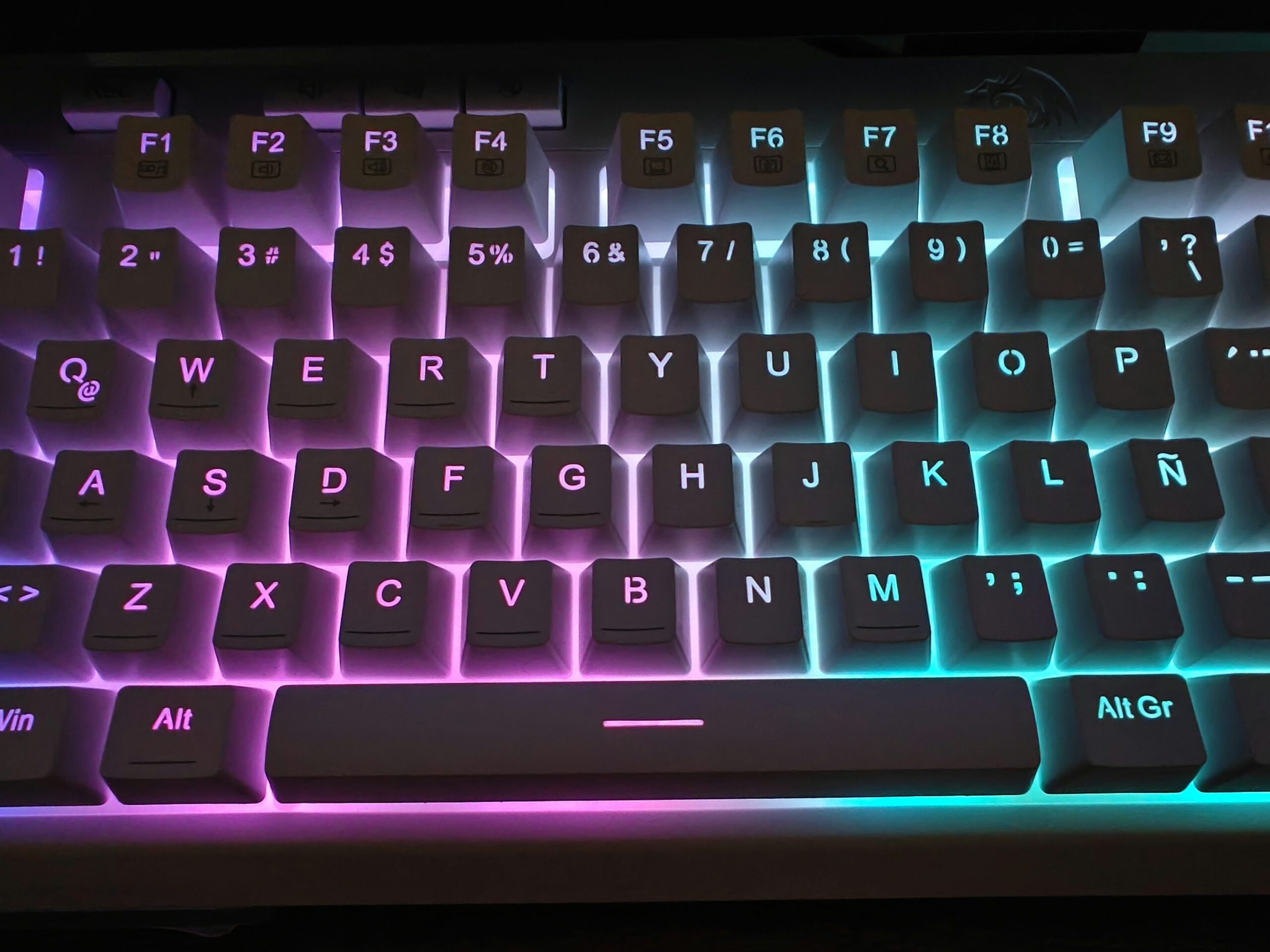
My recommendation: Start with tactile browns. The bump tells your fingers when a keypress registers without bottoming out, which reduces fatigue over long sessions. If you find browns too subtle, try tactiles with more pronounced bumps like Gateron Jupiter Browns or Boba U4Ts.
If you’re in an open office, linear reds with sound-dampening O-rings are your best bet. Clicky switches sound amazing but will get you uninvited from meetings.
What to Look for in a Developer Keyboard
Layout
75% is the sweet spot for most developers. You get F-keys (essential for IDE shortcuts), arrow keys, and a compact footprint. Full-size only if you use the numpad constantly. TKL if you never use function keys via keyboard.
Programmability (QMK/VIA)
QMK lets you remap every key and create custom layers. VIA adds a visual interface so you don’t need to compile firmware. For developers, this means:
- Remap Caps Lock to Escape (Vim users rejoice)
- Create a coding layer with IDE shortcuts
- Build macros for boilerplate code
- Adjust per-key actuation (on some boards)
macOS and Linux Support
Every keyboard in this guide works natively with macOS and Linux. Look for dedicated Mac/Windows mode switches and included Mac keycaps. Avoid boards that require Windows-only software for full functionality.
Connectivity
Wired: Zero latency, no batteries. Best for stationary setups.
2.4GHz wireless: Near-wired latency with cable freedom. Needs USB receiver.
Bluetooth: Connect multiple devices. Higher latency, battery dependent.
For developers switching between work Mac and personal PC, Bluetooth multi-device is genuinely useful. Otherwise, wired is simpler.
Frequently Asked Questions
Are mechanical keyboards actually better for programming?
Yes, for long sessions. The tactile feedback helps you type accurately without bottoming out keys, which reduces finger fatigue. The durability (50+ million keystrokes) also means your keyboard won’t wear out after a year of heavy use.
What switch type is best for coding?
Tactile switches (browns) work best for most developers. The bump provides feedback without the noise of clicky switches. Linear reds are better if you type very fast or work in quiet spaces.
Do I need a numpad as a developer?
Only if you regularly enter numbers. Frontend and backend devs rarely need it. Data engineers and anyone working with spreadsheets will miss it. The 96% layout (like V5 Max) is a good compromise.
Is QMK/VIA worth learning?
Absolutely. Even basic remapping (Caps to Escape, custom shortcuts) improves workflow. You don’t need to learn everything. VIA’s visual editor makes simple changes take seconds.
Should I buy wireless or wired?
Wired if your keyboard never moves. Wireless if you switch between devices or want desk flexibility. Modern 2.4GHz wireless has no perceptible latency for typing.
Pair your new keyboard with the right headphones. Our guide to the best headphones for programming covers ANC picks, budget options, and wired classics for long coding sessions.
Final Recommendations
| Need | Recommendation |
|---|---|
| Best overall | Keychron V5 Max ($105) |
| Tightest budget | Keychron C3 Pro ($50) |
| Low-profile / laptop users | NuPhy Air75 V2 ($120) |
| First mechanical keyboard | Lemokey X4 ($35) |
| Need numpad | Keychron V5 Max ($105) |
| Open office (quiet) | Keychron C3 Pro with linear reds ($50) |
The mechanical keyboard market has never been better for budget-conscious developers. All four keyboards on this list offer features that cost $200+ just two years ago. Pick based on your layout preference and connectivity needs. You can’t go wrong.
Last updated: February 2026. Prices verified on Amazon.