⚡ Quick Answer
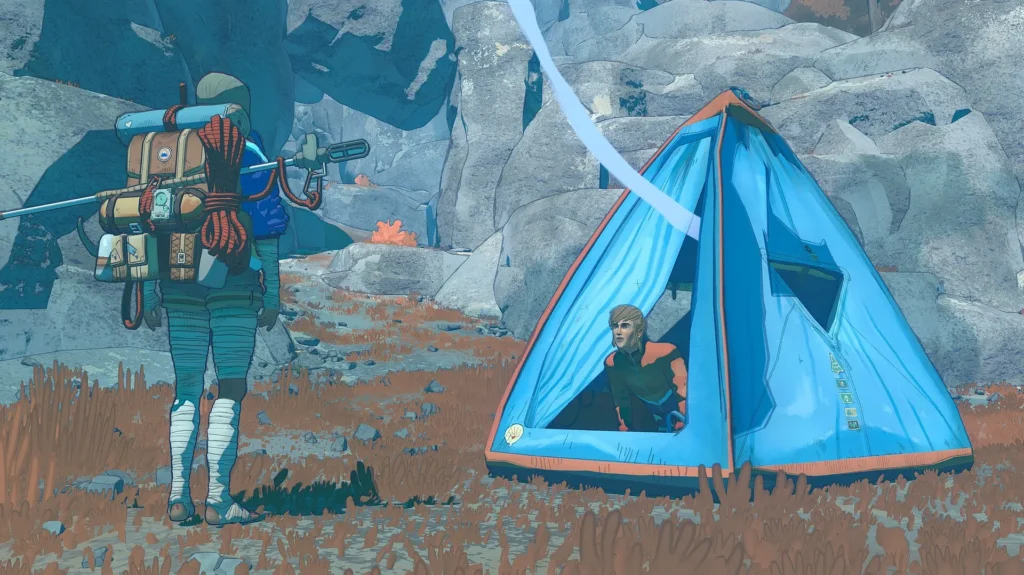
Bivouacs in Cairn are fixed save points carved into the mountainside where you set up your tent to save, cook, repair pitons, tape your hands, and recover before the next climb. You can only camp at these specific spots, not anywhere on the wall.
If you just picked up Cairn and you’re staring at a save prompt wondering where your tent went, you’re not alone. The game’s bivouac system is one of the most misunderstood mechanics for new players, and the tutorial doesn’t do it many favors. Your tent is more than a checkpoint. It’s your repair shop, kitchen, medical station, and the only real breathing room you get between brutal climbing sections. If you haven’t read our beginner guide yet, start there for the fundamentals. This guide covers everything about how to set up camp in Cairn, what you can do once you’re inside, and how to get the most out of every stop.
📋 In This Guide
What is a bivouac in Cairn
A bivouac is Cairn’s version of a rest stop. It’s a fixed location on Mount Kami where Aava can pitch her tent, save her progress, and handle all the maintenance that keeps her alive on the mountain. Think of it as a full reset point between climbing sections.
New players often treat bivouacs as simple save points and move on. That’s a mistake. The tent gives you access to cooking, piton repair, hand taping, chalk production, inventory management, and weather checks. Skipping any of these means you’re heading into the next wall section under-prepared, and Cairn punishes that quickly.
There’s also a common point of confusion from the tutorial. The game tells your Climbot to “pack up the tent” early on, but it never clearly explains how to access the tent at save points later. If you’ve been saving and immediately walking away, you’ve been missing the entire camp system. More on the exact steps below.
How to find bivouac locations
Bivouac spots are scattered across Mount Kami at fixed locations. You cannot pitch your tent on any random wall or ledge. The game requires you to find specific marked spots, and your route planning should factor in getting from one bivouac to the next.
Here’s what to look for:
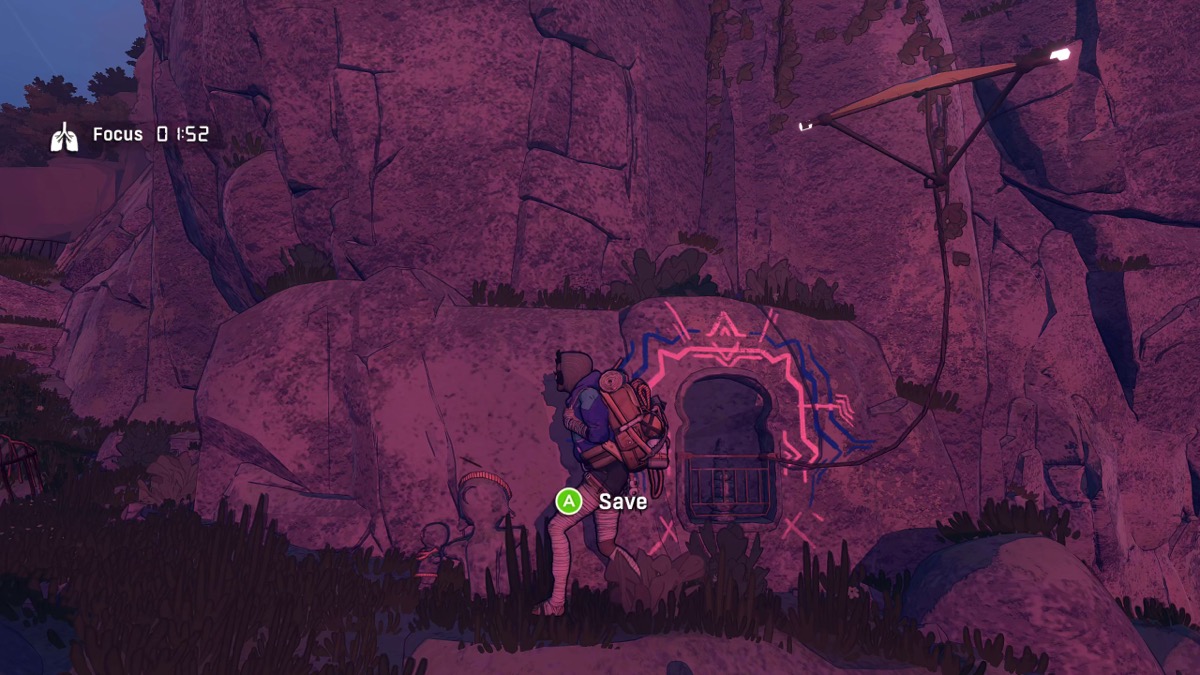
- Shrine markings: Bivouac locations look like small holes carved into the rock face with bars covering them and colorful paint around the outside. Some have a kite attached.
- Hidden spots: These shrines aren’t always in plain sight. Check around corners, inside caves, and along alternate paths. Exploration pays off here.
- Glowing caves (late game): Once you reach the final stretch of Mount Kami, the painted shrines disappear. Instead, look for glowing caves in the rock face. These are your new save and camp points for the summit push.
If you find maps during your climb (often on corpses or in troglodyte structures), they’ll show routes and rest points that make spotting upcoming bivouacs much easier. Maps are one of the most valuable items in the game for this reason alone.
How to set up your tent
This is the part that trips up most players. Setting up camp in Cairn is a two-step process, and the game doesn’t spell it out clearly.
Step 1: Save first. When you approach a bivouac shrine, you’ll see a save prompt. Interact with it to create your checkpoint. This is mandatory before you can access the tent.
Step 2: Set up the bivouac. After saving, the prompt changes to let you set up your tent. Confirm this action (on most platforms, press the interact button a second time) and Aava will pitch the tent at that location.
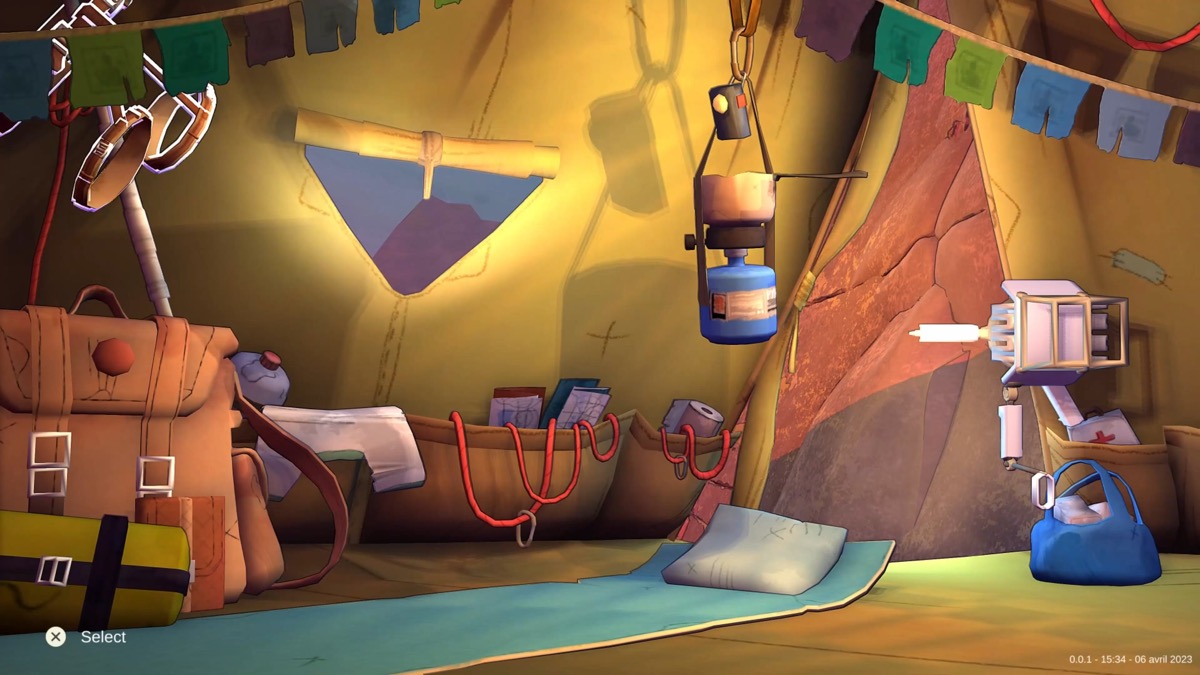
Step 3: Use the camp menu. Once the tent is placed, you can enter and access all the camp functions: cooking, repairs, medical care, inventory, and rest.
One thing to keep in mind: setting up a bivouac requires saving. If you’re experimenting with cooking recipes and want to undo your choices, you can’t. The save locks in before you enter the tent. Plan your meals before you commit.
Everything you can do at a bivouac
The tent is your utility hub. Here’s every action available when you’re camped:
| Action | What it does | Why it matters |
|---|---|---|
| Save and checkpoint | Creates a respawn point at this bivouac | You respawn here if you fall and die |
| Cook food | Combine ingredients and water into meals | Cooked meals give buffs like Burst, Focus, Grip, Grit, and Temperature resistance |
| Repair pitons | Fix damaged pitons through the Climbot menu | Broken pitons fail when you need them most |
| Tape hands | Bandage Aava’s fingers to restore grip rating | Damaged hands drain stamina faster and reduce grip strength |
| Compost trash into chalk | Feed wrappers and junk to Climbot | Chalk improves grip for your next 12 handholds |
| Reorganize inventory | Sort your backpack and manage gear | Quick access to essentials during climbs saves time |
| Check weather and rest | See current conditions and sleep or wait | Climbing in storms is dangerous; sometimes waiting is smarter |
Cooking deserves special attention. Different meals provide temporary buffs that can make or break difficult sections. The Focus buff speeds up stamina recovery, Grip reduces stamina cost per move, and Temperature shields against cold damage on the upper mountain. If you want the full breakdown of every recipe and the best food combinations, check out our cooking guide.
Hand taping is the mechanic most players neglect. As Aava climbs, her hands take gradual damage. The worse her hands get, the less grip she has, and the faster her stamina drains. It creates a downward spiral where every hold costs more energy. The taping process is deliberately slow (you rotate the stick to wrap each finger individually), but doing it at every bivouac stop keeps your grip rating high and prevents mid-climb disasters.
Composting is your infinite chalk source. Every food wrapper, piece of junk, and unnecessary item can be fed to the Climbot to produce chalk. Never throw trash away. Eat the food, save the wrapper, make the chalk. It’s one of the smartest resource loops in the game.
Bivouac strategy tips
Knowing what bivouacs do is one thing. Using them well is another. Here’s what I’d recommend after spending serious time on Mount Kami:
Never skip a bivouac. It’s tempting to push past a save point when you feel confident. Don’t. Cairn punishes overconfidence harder than almost any game I’ve played. The distance between bivouacs gets longer as you climb, and the sections get tougher. Stop every time.
Follow a maintenance routine. Every time you enter your tent, do things in this order:
- Repair pitons first. Starting a wall with damaged pitons is asking for a fatal fall.
- Tape your hands. Don’t wait until they’re shredded. Preventive taping is always better than emergency taping.
- Cook food. Combine ingredients into meals while you have access to the cooking setup. This also frees bag space.
- Compost all trash into chalk. Every wrapper, every piece of junk. Chalk is too useful to leave resources on the table.
- Reorganize your pack. Put essentials where you can reach them quickly.
- Check weather. If a storm is rolling in, sleep through it instead of climbing into rain and wind.
Plan routes around bivouacs, not around the summit. Your goal at any point should be reaching the next bivouac safely, not making maximum vertical progress. Shorter pushes with full resets beat long desperate climbs with no supplies.
Use the Climbot to recover pitons. If you left pitons on a wall below, command the Climbot to retrieve them before you move on. Pitons are limited and you only carry ten. Getting them back at camp costs nothing.
Don’t forget about food buffs before leaving camp. Eat a cooked meal right before heading out so the buff is active for the start of your next climbing section. The Temperature buff is practically mandatory for the summit push.
Frequently asked questions
Can you set up camp anywhere in Cairn?
No. You can only pitch your tent at designated bivouac locations marked by shrine carvings on the rock face. In the late game, glowing caves replace the painted shrines as camp spots. You cannot camp on open walls or random ledges.
How do you access the tent after saving?
After interacting with a save point, the prompt changes to let you set up the bivouac. Press the interact button again to pitch your tent. Many players miss this because they walk away after the first save prompt.
Can you cook without saving the game?
No. Setting up a bivouac requires saving first, and there’s no way to separate the two. Any cooking or crafting you do at camp is locked in. You can’t reload to undo recipe experiments.
What happens if you skip bivouacs?
You miss out on piton repairs, hand taping, cooking, and chalk production. Your gear degrades, your grip weakens, and you have no recent checkpoint if you fall. Skipping bivouacs is one of the fastest ways to ruin a run.
Does the game save when you quit?
Yes. Cairn auto-saves when you quit, which is especially useful on Free Solo difficulty where there are no bivouac save points at all.
Bivouacs are the backbone of survival in Cairn. Treat every stop as a full maintenance pass, not just a save point, and you’ll reach the summit with your pitons intact and your hands in one piece. The mountain is patient. You should be too.